
As an Amazon Associate, we earn from qualifying purchases.
Sleeping Dogs drops you into Hong Kong as Wei Shen, an undercover officer walking a line between the police force and the Sun On Yee triad. The Definitive Edition bundles the original game with its extra missions and outfits, and it remains one of the most atmospheric open-world games ever made.
A laptop for this game does not need to be a heavyweight. The published Windows minimum asks for a Core 2 Duo class processor, 4 GB of memory, and a DirectX 10 card with 512 MB of video memory, with 20 GB of storage. Any modern laptop clears that bar, so the real choice is about the screen, the keyboard, and how the machine feels during long sessions.
How to Choose a Laptop for Sleeping Dogs
Steam publishes Windows and macOS requirement blocks for the Definitive Edition. The Mac edition is a Feral Interactive port from March 2016, and its published block is an older Intel-era block: macOS 10.10.5 minimum, a 2.0 GHz Intel processor, 4 GB of memory, and 1 GB of video memory. The Mac edition is an Intel build, so Apple silicon owners should check the current store guidance before buying. Its published notes also name a gamepad as part of the setup.
The screen matters more than raw power here. Hong Kong at night is the whole point of the game, so look for a bright panel with strong contrast and honest color. A 1080p panel or better keeps signs and menus legible, while an OLED panel makes the neon glow. A full-size keyboard helps with driving and hand-to-hand scenes, and a backlit keyboard helps when the room lights are low. The game needs 20 GB of storage, so a 512 GB SSD leaves comfortable room for the game and the rest of your library.
Apple MacBook Air 13 M4

The MacBook Air 13 M4 is the lightest way into this list. Its 13.6-inch Liquid Retina display shows the city in sharp detail, and the fanless design keeps the machine quiet while you drive through Hong Kong at night. The M4 chip handles everyday work and older games, and 16 GB of unified memory keeps the system responsive when you switch between the game and a browser.
This is a good pick for one laptop that covers work, study, and evening play. The 256 GB SSD holds the game with room to spare, and the 12MP Center Stage camera and Touch ID round out a machine that is easy to carry anywhere. The Mac edition is an older Intel build, so check the current store guidance before buying.
Specs
- Processor: Apple M4 chip, 10-core CPU
- Memory: 16 GB unified memory
- Storage: 256 GB SSD
- Display: 13.6-inch Liquid Retina, 2560-by-1664, 500 nits as listed
- Camera: 12MP Center Stage camera
- Security: Touch ID
- Weight: 2.73 pounds as listed
- Model: MW123LL/A, Midnight
- ASIN: B0DZD9S5GC
Apple MacBook Air 15 M4

The MacBook Air 15 M4 keeps what makes the 13-inch model appealing and adds a bigger canvas for the game. The 15.3-inch Liquid Retina display gives Hong Kong more room to breathe, so street scenes and menus feel less cramped, and the larger chassis leaves room for a bigger battery.
This pick suits someone who plays at a desk or on the couch and wants a larger screen without moving to a heavier gaming laptop. The 512 GB SSD holds the game and a generous library beside it, and 16 GB of unified memory keeps multitasking comfortable. As with the 13-inch model, check the current store guidance before buying.
Specs
- Processor: Apple M4 chip, 10-core CPU
- Memory: 16 GB unified memory
- Storage: 512 GB SSD
- Display: 15.3-inch Liquid Retina, 2880-by-1864, 500 nits as listed
- Camera: 12MP Center Stage camera
- Security: Touch ID
- Battery: Up to 18 hours as listed
- Model: MW1M3LL/A, Midnight
- ASIN: B0DZD9VLQ4
Lenovo Yoga Slim 7x

The Yoga Slim 7x is the thinnest Windows machine on this list, and its OLED display suits a game set in a neon city. The 14.5-inch 3K touch panel shows deep blacks and vivid signs, and the 1000 nits figure as listed keeps the image readable in a bright room. At 2.82 pounds as listed, it slips easily into a bag.
This is a Windows-on-ARM machine built around the Snapdragon X Elite, so readers should check the game’s current ARM guidance before buying. The 32 GB of memory and 1 TB SSD give it plenty of headroom for the game and everything around it, and the 70Wh battery and Wi-Fi 7 suit a machine built for moving between rooms.
Specs
- Processor: Snapdragon X Elite X1E-78-100
- Memory: 32 GB LPDDR5X
- Storage: 1 TB SSD
- Display: 14.5-inch 3K OLED touch, 2944-by-1840, 90Hz, 1000 nits as listed
- Camera: 1080p FHD/IR hybrid camera
- Connectivity: Wi-Fi 7
- Battery: 70Wh
- Weight: 2.82 pounds as listed
- Operating system: Windows 11 Pro, Cosmic Blue
- ASIN: B0FBMMMMWX
ASUS Zenbook 14 OLED UM3406HA

The Zenbook 14 OLED is a balanced Windows ultrabook. Its 14-inch WUXGA OLED touchscreen shows Hong Kong’s neon in rich color, and the Ryzen 7 8840HS with 16 GB of memory handles the game and everyday work alike. The 512 GB NVMe SSD holds the 20 GB game install and the rest of your files.
This fits someone who wants a traditional x86 Windows laptop in a slim body. The Radeon 780M integrated graphics sit below the dedicated cards elsewhere in this list, so this is the quiet, portable choice rather than the heavyweight one. Wi-Fi 6E and Bluetooth 5.3 keep it connected, and the 75Wh battery supports long sessions.
Specs
- Processor: AMD Ryzen 7 8840HS, up to 5.1 GHz as listed
- Graphics: AMD Radeon 780M integrated
- Memory: 16 GB LPDDR5X
- Storage: 512 GB M.2 NVMe PCIe 4.0 SSD
- Display: 14-inch WUXGA OLED touchscreen, 1920-by-1200
- Connectivity: Wi-Fi 6E, Bluetooth 5.3
- Battery: 75Wh
- Operating system: Windows 11 Home, Jade Black
- Model: UM3406HA-WS74T
- ASIN: B0DFWZ77LB
HP Victus 15

The Victus 15 is the dedicated gaming laptop on this list, for headroom beyond Sleeping Dogs. The RTX 5060 with 8 GB of GDDR7 and the Ryzen AI 7 350 cover newer games too, while the 15.6-inch FHD 144Hz display as listed keeps the action clear. The 32 GB of DDR5 memory and 1 TB SSD leave room for a large library.
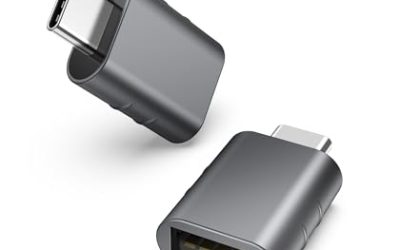
The RGB backlit keyboard includes a numeric keypad, and the RJ-45 Ethernet port is handy for a wired connection at a desk. The listing bundles a Thunderobot 7-in-1 USB-C hub, which adds ports for a mouse, a headset, and extra storage. For driving, chases, and hand-to-hand scenes, this is the most game-focused machine on the list.
Specs
- Processor: AMD Ryzen AI 7 350, up to 5.0 GHz as listed
- Graphics: NVIDIA GeForce RTX 5060, 8 GB GDDR7 dedicated
- Memory: 32 GB DDR5
- Storage: 1 TB SSD
- Display: 15.6-inch FHD, 144Hz as listed
- Keyboard: RGB backlit keyboard with numeric keypad
- Connectivity: RJ-45 Ethernet, bundled Thunderobot 7-in-1 USB-C hub as listed
- Operating system: Windows 11 Home, Black
- ASIN: B0G1N8R9Z4
Comparison Table
| Product | Best for | Key spec |
|---|---|---|
| Apple MacBook Air 13 M4 | Lightest everyday carry | 13.6-inch Liquid Retina, 2.73 pounds as listed |
| Apple MacBook Air 15 M4 | Bigger screen, still light | 15.3-inch Liquid Retina, 512 GB SSD |
| Lenovo Yoga Slim 7x | OLED screen in a thin body | 14.5-inch 3K OLED touch, 1000 nits as listed |
| ASUS Zenbook 14 OLED UM3406HA | Balanced Windows ultrabook | Ryzen 7 8840HS, 14-inch OLED touchscreen |
| HP Victus 15 | Dedicated gaming headroom | RTX 5060, 32 GB DDR5, 1 TB SSD |
FAQ
Can a MacBook run Sleeping Dogs: Definitive Edition?
Yes, a Mac edition exists from Feral Interactive, and the published Mac block is an older Intel-era block: macOS 10.10.5 minimum, a 2.0 GHz Intel processor, 4 GB of memory, and 1 GB of video memory. Apple silicon owners should check the current store guidance before buying, and the Mac edition’s published notes name a gamepad as part of the setup.
How much storage does Sleeping Dogs: Definitive Edition need?
The published requirement is 20 GB of free space. Every laptop on this list ships with at least 256 GB of storage, so the game fits comfortably alongside other files and games.
Do I need a powerful gaming laptop for Sleeping Dogs?
No. The published Windows minimum asks for a Core 2 Duo class processor, 4 GB of memory, and a DirectX 10 card with 512 MB of video memory. The laptops here were chosen for their screens and keyboards, with the Victus 15 included for readers who want dedicated graphics for newer games too.
Conclusion
Sleeping Dogs is a game about a city, so the laptop you choose should show that city well. A bright screen and a comfortable keyboard matter more than chasing the newest hardware, and every machine on this list clears the game’s modest published requirements with room to spare. Pick the MacBook Air 13 M4 for the lightest carry, the 15 M4 for a larger screen, the Yoga Slim 7x or Zenbook 14 OLED for a vivid Windows ultrabook, or the Victus 15 for dedicated graphics. If you play on a Mac, check the current store guidance for the Mac edition first.
More from Amazon
Programs that pair well with the guide above. Offers and eligibility are set by Amazon and may change.
A free business account with business pricing and bulk-buying tools for work, shop or home office.
Create a business accountFree shipping on eligible items, Prime Video and more. Eligible new members can start with a free trial.
Start a Prime free trialAudiobooks and podcasts to listen to on the go. Eligible new members can start with a free trial.
Try Audible freeAd-free music streaming. Eligible new subscribers can start with a free trial.
Try Music Unlimited freeAs an Amazon Associate we earn from qualifying purchases.
Write Your Review
No reviews yet. Be the first to share your experience!