

Our Top Picks
 NIMO 15.6" FHD R5 AI Student Laptop8GB RAM | 256GB SSD14.07 x 8.98 x 0.76 Inches3.75 poundsCheck on Amazon
Short answer: for a laptop that does both jobs well, the Acer Nitro V 16S AI and the ASUS ROG Strix G16 are the only two of these nine listings that name a dedicated RTX graphics chip, and the rest should be judged as school-first laptops with varying levels of casual gaming ability. That split is the key to this whole page. The word gaming appears in several titles that never name a graphics chip, so the sorting below follows what each title actually states.
The nine listings side by side

Gaming laptop Core processor (up to 3.40GHz) 16GB RAM 512GB SSD,traditional laptop computers 15.6 Inch FHD Display 1920*1080,with WIFI BT 5.0 Lap top-For Students/Commuters/Business Professionals


As an Amazon Associate we earn from qualifying purchases. Product prices and availability are accurate as of the date/time indicated.
NIMO 15.6" FHD R5 AI Student Laptop, 8GB RAM 256GB SSD, Expandable to 4TB, 4 Cores up to 3.7GHz Beat i5-1135G7, 65W Type-C Fast PD, Fingerprint & Backlit KB for Content Creators & College Coding


As an Amazon Associate we earn from qualifying purchases. Product prices and availability are accurate as of the date/time indicated.

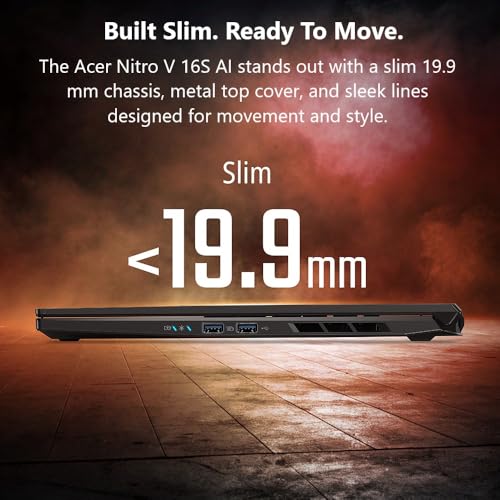
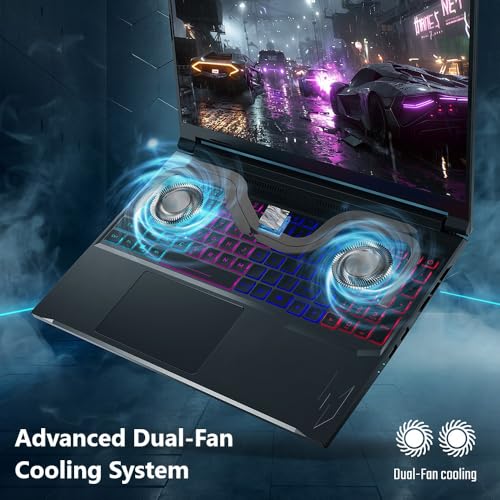
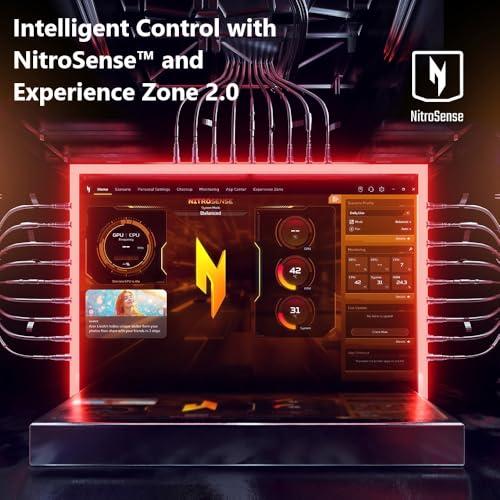
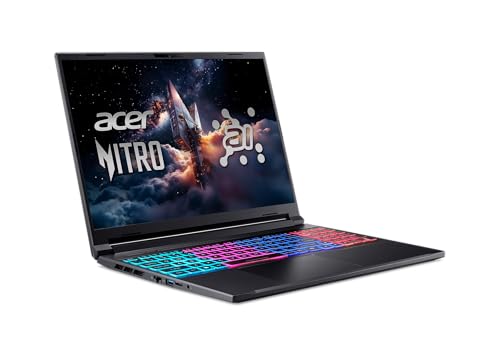
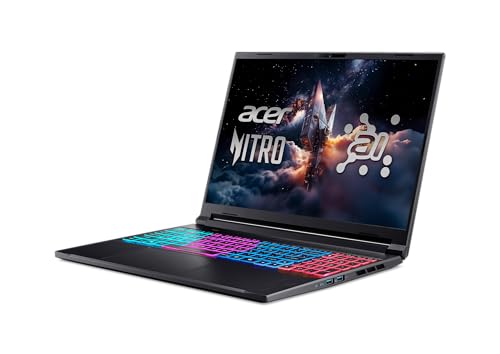
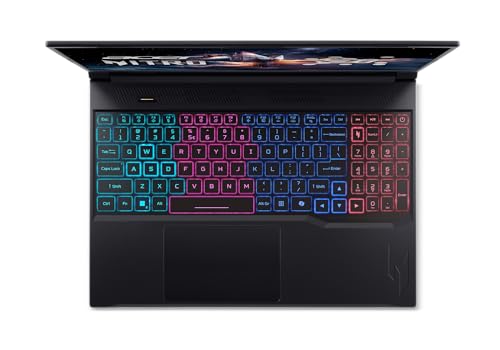
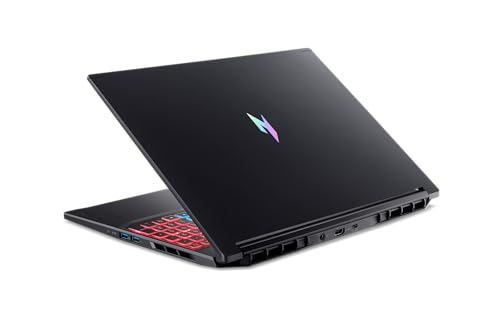
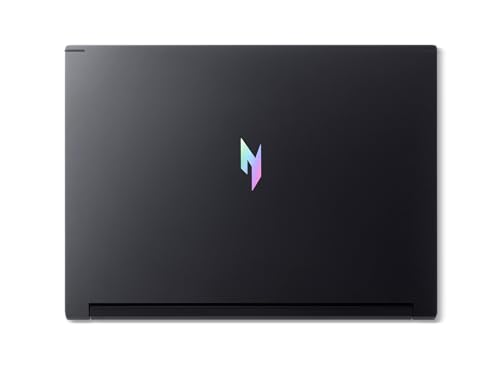
Acer Nitro V 16S AI Gaming Laptop | AMD Ryzen 7 260 Processor | NVIDIA GeForce RTX 5060 Laptop GPU (572 AI Tops) | 16" WUXGA IPS 180Hz Display | 32GB DDR5 | 1TB Gen 4 SSD | Wi-Fi 6 | ANV16S-41-R2AJ





As an Amazon Associate we earn from qualifying purchases. Product prices and availability are accurate as of the date/time indicated.

ASUS ROG Strix G16 (2025) Gaming Laptop, 16” FHD+ 16:10 165Hz/3ms, NVIDIA® GeForce RTX™ 5060, Intel® Core™ i7 Processor 14650HX, 16GB DDR5, 1TB Gen 4 SSD, Wi-Fi 7, Windows 11 Home, G615JMR-AS74


As an Amazon Associate we earn from qualifying purchases. Product prices and availability are accurate as of the date/time indicated.

2026 AMD Gaming Laptop with AMD Ryzen 7 5700U Processor(8C/16T, Up to 4.3GHz), 16GB RAM 512GB NVMe SSD Laptop, Radeon™ Graphics, 15.6" Display Laptop Computer, Backlit KB, WiFi 6, HDMI, Type-C


As an Amazon Associate we earn from qualifying purchases. Product prices and availability are accurate as of the date/time indicated.

Gaming Laptop 2026,Office & Windows 11 Pro Laptops with 16GB RAM 512GB SSD | Intel Core i7 Processor(Beat i5),15.6" FHD,Backlit Keyboard,2 Yr-Warranty Laptop Computer for College Student Business Gamer


As an Amazon Associate we earn from qualifying purchases. Product prices and availability are accurate as of the date/time indicated.

Phatom 15.6" FHD Laptop Computer 4GB RAM 128GB SSD Windows 11 Compatible | Student Laptop for School | Business Laptops 2026 | 1080P IPS Display | Lightweight 3.46 lb,Cooling Fan,HDMi,2MP Webcam, WiFi


As an Amazon Associate we earn from qualifying purchases. Product prices and availability are accurate as of the date/time indicated.
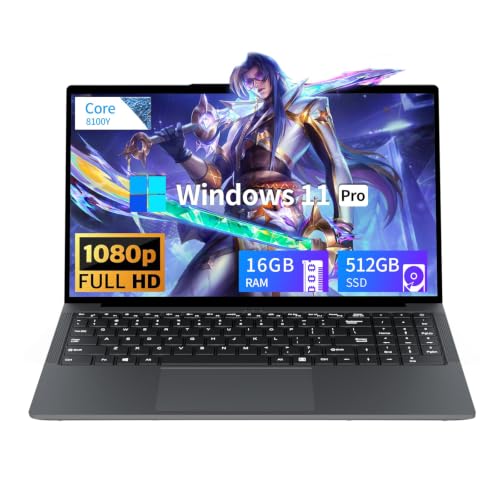
Tunhail 15.6 inch Laptop, Laptops with Core Processor (up to 3.40GHz), Gaming Laptop 16GB RAM 512GB ROM, FHD 1920 x 1080, Win 11 Pro Traditional Laptops Computers


As an Amazon Associate we earn from qualifying purchases. Product prices and availability are accurate as of the date/time indicated.

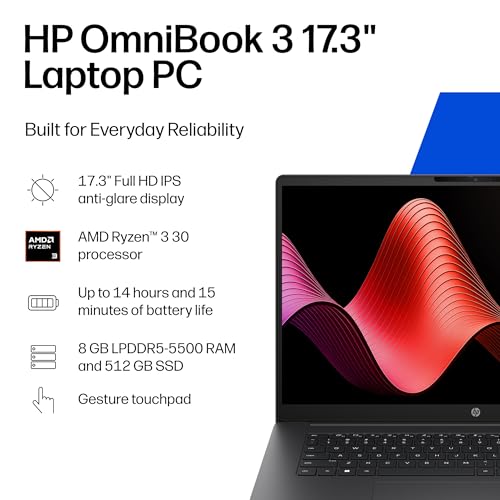
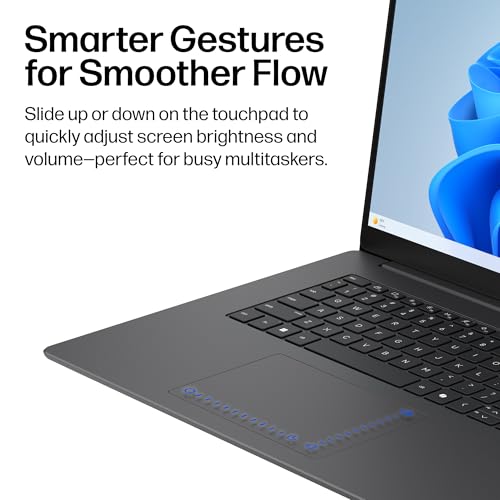
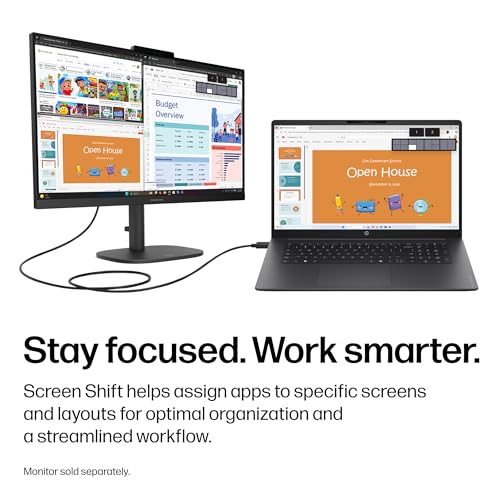
HP OmniBook 3 17.3 inch Laptop PC, FHD Display, AMD Ryzen 3 30, 8 GB RAM, 512 GB SSD, AMD Radeon 610M Graphics, Windows 11 Home, Mica Silver, 17-dp0199nr




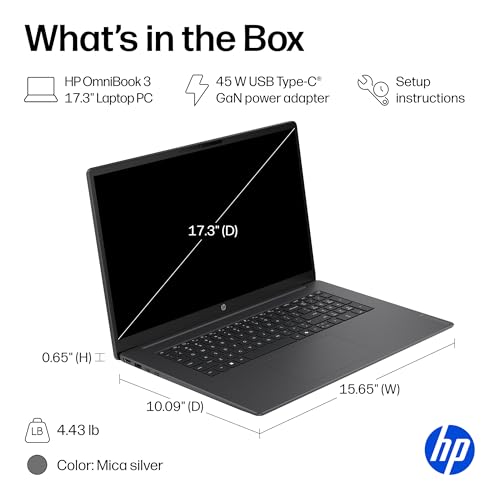


As an Amazon Associate we earn from qualifying purchases. Product prices and availability are accurate as of the date/time indicated.
| Model | Key point from the title | Price tier | Best for |
|---|---|---|---|
| ASUS ROG Strix G16 (RTX 5060) | RTX 5060, Core i7 14650HX, 16GB DDR5, 1TB SSD | Premium | Serious gaming plus demanding coursework |
| Acer Nitro V 16S AI | RTX 5060, Ryzen 7 260, 32GB DDR5, 1TB SSD, 180Hz | Premium | Heavy multitasking and gaming |
| AMD Ryzen 7 5700U laptop | 8C/16T claim, 16GB, 512GB NVMe, Radeon graphics | Mid-range | Casual gaming and strong schoolwork |
| CHIFUYOU Gaming Laptop | Core i7 (model unstated), 16GB, 512GB, 2-year warranty claim | Mid-range | Schoolwork with casual games |
| HP OmniBook 3 17.3-inch | Ryzen 3, 8GB, 512GB, Radeon 610M, Windows 11 Home | Mid-range | School at a desk, big screen |
| NIMO R5 AI Student | Four-core Ryzen 5, 8GB, 256GB expandable, 65W Type-C | Budget | Class and coding |
| Tunhail 15.6 | Core processor up to 3.40GHz, 16GB, 512GB, Windows 11 Pro | Budget | Homework and web use |
| YOZISUAN 15.6 | Core processor up to 3.40GHz, 16GB, 512GB | Budget | Homework and web use |
| Phatom 15.6 | 4GB RAM, 128GB SSD, Windows 11 compatible, 3.46lb | Lowest | Basic note-taking only |
Two honesty notes before going further. Only the first two rows name a graphics chip, and they are the only ones that suit current 3D games. And the last row is a very small machine by modern standards; it is listed here for completeness and is not a gaming laptop in any useful sense.
Why the combination is hard to buy for
School wants lightness, quiet fans and a battery that outlasts a morning of classes. Gaming wants a dedicated graphics chip, strong cooling and a charger the size of a paperback. A laptop that satisfies both completely does not exist; every model on this page is a compromise somewhere. The useful question is which compromise suits your week.
A student who games for a couple of hours on weekends can accept a modest graphics chip and put money into weight, battery and display quality instead. A student who plays competitive shooters every night should accept the extra pounds and buy an RTX model. Both can be right, which is why a worksheet below turns your hours into a recommendation.
It also helps to know what changed recently. The newest mid-tier laptop graphics chips, such as the RTX 5050 and RTX 5060, are generally described as 8GB GDDR7 designs, and integrated Radeon graphics in recent Ryzen chips have improved enough to handle lighter games. The gap between those two classes remains large. For a breakdown of what each tier brings, see the guide to laptop GPUs from RTX 5050 to RTX 5090.
How the list was built
The sorting rests on published specifications, manufacturer documentation and buyer reviews, applied to what each title says. Nobody on the team used or measured these units. Seller phrases such as Beat i5 or processor speed ceilings are repeated as claims, and anything missing from a title is marked to confirm on the listing page.
The nine listings in detail
ASUS ROG Strix G16 with RTX 5060 (G615JMR-AS74)
The title lists a 16-inch FHD+ 16:10 panel at 165Hz and 3ms, an RTX 5060, a Core i7 14650HX, 16GB of DDR5, a 1TB Gen 4 SSD, Wi-Fi 7 and Windows 11 Home. Intel’s published specs describe the 14650HX as a 16-core hybrid chip, which gives school workloads such as code compilation, spreadsheets with large datasets or video editing plenty of room.
For a student who treats gaming as a main hobby, this is the most capable choice in the set. The cost is carry weight and battery; check the listing for both. Sixteen gigabytes of RAM is enough for most uses, but not generous for virtual machines.
Scenario: an engineering major who runs simulation software in the morning and a competitive shooter at night, on one machine, for four years. That student gets the longest useful life from this configuration. A humanities major who plays twice a week would be paying for processor headroom that rarely gets used, and would probably prefer something lighter.
Pros
- RTX 5060 plus a high-power Core i7 HX processor
- 1TB SSD and Wi-Fi 7
- 16:10 screen suits documents
Cons
- Heavier and more power-hungry than school-first models
- 16GB RAM leaves less room than the Acer
Question to ask before buying: what are the weight and charger rating on the listing, and will it fit your bag?
Acer Nitro V 16S AI (ANV16S-41-R2AJ)
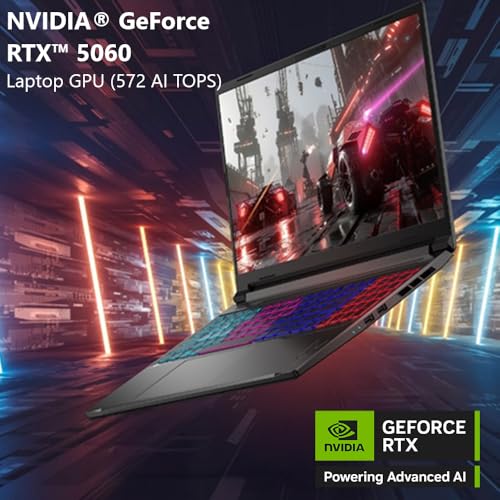
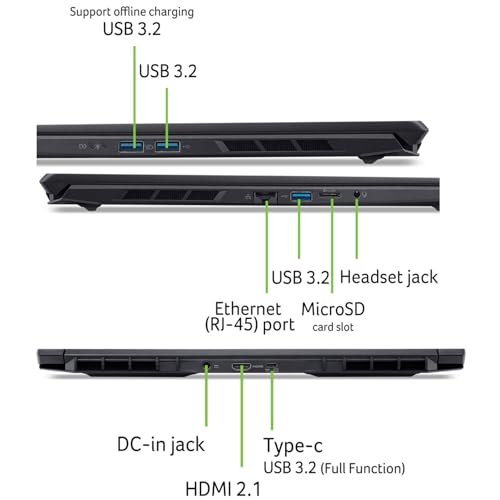
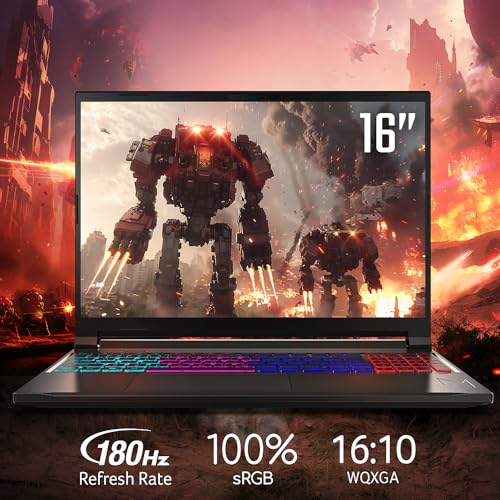
The Acer title is the other true gaming laptop: an RTX 5060, a Ryzen 7 260, a 16-inch WUXGA IPS panel at 180Hz, 32GB DDR5, a 1TB Gen 4 SSD and Wi-Fi 6. Thirty-two gigabytes is the largest memory among the nine, and that matters for students who keep many applications open.
The title also quotes 572 AI TOPS, a throughput figure from marketing; it tells you nothing about frame rates in games or speed in school software. Check the maker’s spec page for the processor’s core count and the laptop’s weight.
Scenario: a computer science student with a code editor, a container tool, a browser full of documentation and a game running in the background while waiting for a build. Memory is the first thing that student runs out of, and 32GB postpones that for years. A student with a lighter workload gains less from the extra capacity than from a lower weight.
Pros
- 32GB DDR5 and a 1TB SSD
- RTX 5060 with a 180Hz screen
Cons
- Wi-Fi 6, not 7
- Weight and battery not stated in the title
Question to ask before buying: are the memory slots accessible, and what does the warranty cover?
AMD Ryzen 7 5700U Laptop (16GB, 512GB NVMe)
This listing, titled as an AMD gaming laptop, names a Ryzen 7 5700U with 8 cores and 16 threads, up to 4.3GHz, 16GB of RAM, a 512GB NVMe SSD and Radeon graphics on a 15.6-inch display, with a backlit keyboard, Wi-Fi 6, HDMI and Type-C. The 5700U is a low-power chip aimed at thin laptops, so it is strong for schoolwork, not for demanding games.
Its Radeon integrated graphics suit older and esports-style titles at modest settings. The Gaming label stretches the truth, but the configuration is balanced for a student who also plays casually.
Scenario: a student who plays older strategy games, indie titles and a few esports games at low settings, and wants a laptop that does not shout across a quiet library. That profile fits the 5700U class. Before buying, search the exact games you play with the word integrated graphics to see what players report, because that evidence is more useful than any label in the title.
Pros
- Eight cores and 16GB of RAM for multitasking
- Likely a lighter carry than RTX machines
Cons
- Integrated graphics only, per the title
- Older chip generation
Question to ask before buying: which games do you actually play, and do they run on integrated graphics?
CHIFUYOU Gaming Laptop, Core i7, 16GB, 512GB
The title offers a 15.6-inch FHD screen, 16GB of RAM, a 512GB SSD, a backlit keyboard, Windows 11 Pro, Office and a two-year warranty claim. The processor is Intel Core i7 (Beat i5), with no model number. That comparison is a seller claim and cannot be checked without the exact chip name.
For schoolwork the memory and storage are adequate. For gaming, nothing in the title supports the label, so treat it as a school laptop and weigh the warranty terms heavily.
The practical way to handle a listing like this is to ask the seller for the exact processor model and a photo of the specification sheet before ordering, or to check the order page for a model number. If neither is available, choose a listing that publishes them. A two-year warranty is only as good as the company behind it, so read how claims are filed and who pays for shipping.
Pros
- 16GB and 512GB cover homework
- Warranty claim and Windows 11 Pro
Cons
- Processor model and graphics not stated
- Gaming label unsupported
Question to ask before buying: what is the exact processor inside, and who handles warranty claims?
HP OmniBook 3 17.3-inch (17-dp0199nr)
HP’s listing is the only recognizable big-brand school laptop in the set apart from the gaming models: 17.3-inch FHD display, AMD Ryzen 3, 8GB RAM, 512GB SSD, Radeon 610M graphics and Windows 11 Home. The Radeon 610M is an entry-level integrated GPU, and the title prints the processor as Ryzen 3 30, so confirm the exact model on the maker’s page.
It is not a gaming laptop. It is the right sort of machine for a student who wants a large screen for documents and spreadsheets on a desk, and who games only on very light titles. A 17.3-inch body is awkward in a small backpack, so measure first.
Scenario: a student who studies at the same desk every day and wants a big screen for spreadsheets, side-by-side documents and video lectures, and who carries the laptop only occasionally. In that case the size becomes a feature. For a student who rides a bus to campus, the same size becomes a nuisance, and a 15.6-inch model would be kinder to a shoulder.
Pros
- Large 17.3-inch display for reading and spreadsheets
- 512GB SSD and a known brand
Cons
- Entry-level graphics and 8GB of RAM
- Bulky for daily carry
Question to ask before buying: does your bag and your desk fit a 17-inch laptop comfortably?
NIMO R5 AI Student Laptop
A 15.6-inch FHD laptop with a four-core Ryzen 5 up to 3.7GHz, 8GB of RAM, 256GB of storage expandable to 4TB, 65W Type-C fast charging, a fingerprint reader and a backlit keyboard. The title describes it as a student laptop for content creators and college coding, which is accurate framing.
It will run coursework, a code editor and a browser. Its memory and storage are the limits: 8GB gets tight with many tabs open, and 256GB fills fast with games. Check how the storage expansion works before counting on it.
The most useful detail may be the 65W Type-C charger, because a single charger style can serve a phone and a tablet, trimming the bag. As for the AI wording in the name, it is marketing and has no bearing on school or games. If you buy this one, plan to move games to external storage early, since 256GB is the first limit a student runs into.
Pros
- USB-C charging and a fingerprint reader
- Expandable storage claim
Cons
- 8GB and 256GB are restrictive
- Integrated graphics only
Question to ask before buying: can the memory be upgraded, and how is storage expanded?
Tunhail 15.6-inch Laptop (Core, 16GB, 512GB)
The Tunhail title names a Core processor up to 3.40GHz, 16GB RAM, 512GB storage, a 1920 by 1080 display and Windows 11 Pro. It calls itself a gaming laptop and also a traditional laptop, which is contradictory. No graphics chip or processor model is listed.
For homework, browsing and video lectures, 16GB and 512GB are fine. Nothing in the title promises gaming ability.
In practice, the buyer of this listing is a parent or student who needs a working Windows machine for homework. The 16GB total matters more than the unnamed processor for that use. If it arrives and feels slow with a few tabs open, a clean Windows startup and the return window are your protection, so note the date the window closes.
Pros
- 16GB and 512GB at a budget price tier
- Windows 11 Pro
Cons
- Processor and graphics not named
- Contradictory gaming and traditional wording
Question to ask before buying: what is the return policy if performance disappoints?
YOZISUAN 15.6-inch Laptop (Core, 16GB, 512GB)
Near-identical to the Tunhail listing in its specifications: a Core processor up to 3.40GHz, 16GB RAM, 512GB SSD, a 15.6-inch 1920 by 1080 display, Wi-Fi and Bluetooth 5.0. It explicitly addresses students, commuters and business professionals. Treat it as an office-class laptop.
When two listings are this similar, compare the seller policies, warranty text and photos of the port layout, and pick the one with the clearer return terms.
The Bluetooth 5.0 mention is a small convenience for wireless headsets and mice. What matters more is what the listing does not say: battery capacity, port types and the processor model. Pick this one only if the seller answers those questions or if the price clearly beats the Tunhail option, and treat any gaming ability as a bonus rather than a feature.
Pros
- Budget price tier
- 16GB and 512GB are adequate for school
Cons
- Near-duplicate of another listing
- No graphics chip or processor model named
Question to ask before buying: what differentiates this from the similar Tunhail listing?
Phatom 15.6-inch Laptop (4GB, 128GB)
The weakest configuration by a margin: 4GB of RAM, a 128GB SSD, a 15.6-inch FHD IPS display, a 2MP webcam, a cooling fan, HDMI, Wi-Fi and a 3.46lb weight claim, with Windows 11 compatibility mentioned. The title says student laptop for school and business, with no gaming claim.
Four gigabytes is the minimum Microsoft lists for Windows 11, and a machine at the minimum tends to feel slow with a modern browser, so check what the listing means by compatible. For gaming it is not a candidate.
The one honest use case is a spare machine for typing notes, reading PDFs and joining a video call, in a household that already owns a stronger computer. Even there, 128GB fills with Windows updates, and 4GB can make a browser with several tabs feel slow. If the budget stretches, a 16GB, 512GB listing is a far better foundation for a school year.
Pros
- Lowest cost and a light weight claim
- Honest school-first positioning
Cons
- 4GB and 128GB are too small for comfortable use
- No gaming capability
Question to ask before buying: is the memory upgradeable, and does the listing ship with Windows installed?
Match the laptop to your week
| Student type | Weekly gaming hours (assumed) | Look at | Why |
|---|---|---|---|
| Casual weekend gamer | Under 5 | Ryzen 7 5700U, HP OmniBook | Integrated graphics and lighter carry suit light titles |
| Regular player of current games | 10 or more | ASUS ROG Strix G16, Acer Nitro V 16S | Only these name RTX graphics |
| Coding and multitasking student | Varies | Acer Nitro V 16S AI | 32GB RAM is the headline |
| Strict-budget student | Light or none | Tunhail, YOZISUAN, NIMO R5 | Cheap; verify returns |
| Parent buying for a younger child | Light | HP OmniBook or NIMO R5 | Simpler, school-first |
A worked weekly-hours example
Assume a student who spends about 25 hours a week on schoolwork and 8 hours on gaming, mostly shooters at 1080p. The assumptions are labeled estimates, not measurements. School time is light work that runs on any listing. Gaming time is where the dedicated graphics card matters, and it is about a quarter of total use. The table shows how that translates into picks.
| Question | Answer in this example | Implication |
|---|---|---|
| Share of time on demanding games | About 25 percent | Dedicated graphics are worth paying for |
| Hours carried unplugged | Around 4 per day on campus | Plan to charge between classes |
| RAM when a game and 10 tabs overlap | 16GB minimum | Skip 8GB and 4GB models |
| Library of large games | 3 titles | 1TB drive preferred over 512GB |
| Best listing for this profile | ASUS ROG Strix G16 or Acer Nitro V 16S AI | |
Change the first line to 5 percent and the answer flips to the Ryzen 7 5700U or the HP OmniBook, because the extra weight and cost of an RTX machine buy little for a student who plays occasionally.
How to choose between the two worlds
Decision flow
Ask three questions in order. First, do you play current 3D games at least a few times a week? If yes, only RTX listings qualify. Second, do you carry the laptop all day? If yes, weigh a school-first model, and read tips to extend laptop battery life. Third, do you run many apps together? If yes, look at 16GB or more; the guide on how much RAM a laptop needs covers the numbers.
Check specifications that titles hide
| Spec concept | What to look for | Why |
|---|---|---|
| Graphics chip name | RTX or discrete Radeon named | No name usually means integrated |
| Processor model | A full model number | Lets you check cores and wattage |
| Battery capacity | Watt-hours on the spec page | Titles often skip it |
| Weight with charger | Both numbers | The charger can be heavy |
| Upgrade slots | Free M.2 or RAM slot | Extends a laptop’s life |
Think about the rest of the setup
A desk keyboard and mouse make long game sessions more comfortable; see the budget gaming keyboard roundup. A good bag spares the screen on the way to class.
Mistakes to avoid
| Mistake | Better move |
|---|---|
| Trusting the word Gaming in a title | Look for a named graphics chip |
| Buying 4GB or 8GB for long-term use | Target 16GB |
| Forgetting the charger weight | Count laptop plus charger |
| Choosing a 17-inch body for a bus commute | Measure your bag first |
| Skipping return terms on unknown brands | Read the policy before ordering |
Verdict by use case
For a student who games seriously, the Acer Nitro V 16S AI (if multitasking matters) or the ASUS ROG Strix G16 (if processor strength matters) is the pick. For a lighter carry with casual play, the Ryzen 7 5700U listing is the most balanced. For a large screen at a desk, the HP OmniBook is the sensible school-first choice. The Tunhail, YOZISUAN, CHIFUYOU and NIMO listings are budget school machines, and the Phatom listing is only for basic note-taking.
Frequently asked questions
Can one laptop handle both gaming and school?
Yes, if you pick the right balance. A laptop with a dedicated graphics chip, 16GB of RAM and a fast SSD can run lectures, video calls and current games, but it will be heavier and shorter on battery than a thin school laptop. If your games are light, a well-equipped school laptop with integrated graphics is cheaper and more portable.
How much RAM do I need for gaming and school together?
Sixteen gigabytes is the sensible target. A browser with many tabs, a video call and a game launcher can overlap, and 8GB leaves little room. Thirty-two gigabytes helps only for heavy multitasking, virtual machines or editing. A 4GB laptop will struggle with modern Windows even for schoolwork alone.
Is an integrated graphics laptop good enough for gaming and school?
For esports-style, older and indie games at modest settings, a modern integrated Radeon chip can be enough. It will not match a dedicated RTX laptop GPU in current 3D games, and some titles will need low settings. Treat the Gaming label in a title as unverified until a graphics chip is named.
Does a gaming laptop make a good school laptop for a child?
It can, but weight, charger size and battery life matter in a backpack. A gaming laptop is also easy to turn into a distraction device. A child who needs a durable, light computer for homework may be better served by a school-focused model, with gaming handled by a console or desktop at home.
What screen size is best for a laptop used for both?
A 15.6-inch screen is the common middle ground. Sixteen inches adds room for documents and game menus with a modest increase in size, and 17.3 inches is comfortable at a desk but awkward on a bus. Check the weight on the listing, because the same panel size can differ by a pound or more.
Should I carry my gaming laptop to class every day?
Only if you need it. The laptop and charger together can be heavy, and a padded tote or backpack helps. See the laptop tote bag guide for carry options, and consider leaving the charger at home on days when a lecture-only schedule fits the battery.



Write Your Review
No reviews yet. Be the first to share your experience!