

The best AI laptop with an NPU for most people in 2026 is the ASUS Zenbook A16, because its Snapdragon X2 Elite Extreme chip pairs an 80 TOPS neural engine with a 16-inch OLED screen in a body of about 2.65 pounds. If you need x86 app compatibility, the Dell XPS 14 with Intel Core Ultra Series 3 and the HP OmniBook Ultra 14 with Ryzen AI 9 are the safer choices, and anyone running large local language models should look at the HP ZBook Ultra G1a with up to 128GB of unified memory.
An NPU, or neural processing unit, is a low-power chip block built to run machine learning math such as background blur, live captions, voice isolation, image generation and small language models without draining the battery or spinning up the fans. Microsoft’s Copilot+ PC label requires at least 40 TOPS (trillions of operations per second) from the NPU, and every platform covered below clears that bar. The real decision is about which chip family, how much memory, and how the laptop is built around it.
Our top picks
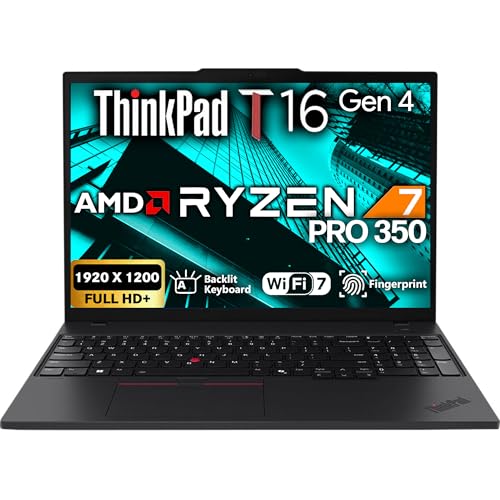


 Lenovo LOQ AI-Powered Gaming Laptop
- The Lenovo Legion LOQ is your first step…
- Be everything you want to be, in game…
- STAY ICY, GAME SPICY
As an Amazon Associate we earn from qualifying purchases at no extra cost to you.
Quick comparison of the best NPU laptops
| Pick | Best for | Chip and NPU | Memory | Display | Weight |
|---|---|---|---|---|---|
| ASUS Zenbook A16 | Best overall Copilot+ laptop | Snapdragon X2 Elite Extreme, up to 80 TOPS | 48GB LPDDR5X | 16-inch 3K OLED, 120Hz | 2.65 lb (1.20 kg) |
| Lenovo IdeaPad Slim 5x Gen 11 | Best value | Snapdragon X2 Plus, 80 TOPS | Up to 32GB LPDDR5X | 15.3-inch, up to 2560×1600 165Hz | 3.1 lb (1.41 kg) |
| Dell XPS 14 (2026) | Best premium x86 laptop | Core Ultra X7 358H, 50 TOPS | Up to 64GB LPDDR5X | 14-inch 2.8K OLED touch, 120Hz | About 3 lb (1.36 kg) |
| HP OmniBook Ultra 14 | Best AMD ultraportable | Ryzen AI 9 HX 375, 55 TOPS | 32GB LPDDR5X | 14-inch 2.2K touch IPS | 3.47 lb (1.57 kg) |
| HP ZBook Ultra G1a | Best for local LLMs | Ryzen AI Max+ PRO 395, 50 TOPS | Up to 128GB (96GB assignable to graphics) | 14-inch 2.8K OLED touch | 3.3 to 3.46 lb |
| MacBook Air 13 and 15 (M5) | Best for macOS users | Apple M5, 16-core Neural Engine | 16GB or more unified | 13.6 or 15.3-inch Liquid Retina | 2.7 lb or 3.3 lb |
| ASUS ROG Zephyrus G14 (GU405) | Best AI laptop with a discrete GPU | Core Ultra 9 386H, 50 TOPS NPU plus RTX 5070 Ti | 32GB | 14-inch 2.8K OLED, 120Hz | 3.42 lb (1.55 kg) |
What NPU TOPS numbers actually tell you
TOPS is a peak throughput rating for low-precision integer math, so it measures how fast the NPU could run a model under ideal conditions, not how fast a real app feels. Three platforms dominate the 2026 market. Qualcomm’s Snapdragon X2 systems are rated at roughly 80 to 85 TOPS, AMD’s Ryzen AI 400 family reaches 50 to 60 TOPS, and Intel’s Core Ultra Series 3 (Panther Lake) sits at about 48 to 50 TOPS. Apple does not publish a comparable headline number for the M5 Neural Engine, so cross-platform comparisons with Macs are best made on app behavior rather than on a spec sheet.
Above the 40 TOPS Copilot+ floor, extra TOPS rarely changes what you can do day to day. Windows Studio Effects, Live Captions with translation, Recall, Cocreator in Paint and the local Click to Do features all run comfortably on every chip here. Where the higher numbers help is third-party software that targets the NPU directly, such as video conferencing noise removal, some photo editors and local transcription tools. Because that software is still catching up, memory capacity, battery life and app compatibility usually matter more than a 30 TOPS difference.
The NPU is also not the only AI engine in the machine. The GPU and the CPU can run models too, and for heavy generative work such as Stable Diffusion image creation or a 70-billion-parameter language model, the GPU and the amount of memory it can address matter far more than the NPU. That is why the quick comparison above includes a unified-memory workstation and a laptop with a discrete RTX graphics chip alongside the NPU-first ultraportables.
Best overall: ASUS Zenbook A16
The Zenbook A16 (UX3607) is built around the 18-core Snapdragon X2 Elite Extreme with an NPU rated up to 80 TOPS, according to ASUS’s specification page. The configuration reviewed most often has 48GB of LPDDR5X memory, a 1TB SSD and a 16-inch 3K (2880 x 1800) OLED panel at 120Hz. ASUS lists the weight at 2.65 pounds, which is remarkably light for a 16-inch laptop, and the battery at 70Wh with 50 percent charging in 30 minutes from the 130W USB-C adapter.
Who it is for: travelers and hybrid workers who want a large, bright screen, a quiet machine and a full day away from the charger, and who mostly use browser, Microsoft 365, Teams and mainstream creative apps that run natively on Arm.
- Pros: the highest NPU rating in this guide, extremely light, 48GB of memory leaves room for local models, a vivid 120Hz OLED, strong multi-core performance from the Extreme chip.
- Cons: ASUS claims more than 21 hours of battery life, but Tom’s Hardware measured about 10 hours 26 minutes in its own battery run, so real use sits well below the marketing figure. Some older drivers, anti-cheat gaming software and niche utilities still do not run on Windows on Arm, and integrated graphics are not meant for heavy gaming.
Best value: Lenovo IdeaPad Slim 5x Gen 11
The IdeaPad Slim 5x Gen 11 uses the Snapdragon X2 Plus (X2P-42-100) with six CPU cores, an Adreno X2-45 graphics unit and the same 80 TOPS NPU rating as the Elite Extreme. The 15.3-inch version offers a 1920×1200 touch IPS panel at 120Hz or a sharper 2560×1600 panel at up to 165Hz, memory up to 32GB and storage up to 1TB. It weighs about 1.41 kg (3.1 lb) and is 15.6mm thick in an aluminum chassis that Lenovo says passed 21 MIL-STD-810H checks. A 13.3-inch variant weighs 1.19 kg.
Battery size is the main configuration choice. The 70Wh option lasted roughly 27 hours 50 minutes in a looping video run by Expert Reviews, while XDA Developers reported around 20 hours of video, and the smaller 54.7Wh pack is the one to avoid if you can. Ports include two USB-A, two USB-C with DisplayPort, HDMI 2.1 and a microSD reader, which is generous for an ultraportable.
Who it is for: students, office workers and families who want Copilot+ features, a large screen and two-day battery life without paying for a premium chassis.
- Pros: the cheapest way into an 80 TOPS NPU, excellent runtime on the 70Wh pack, useful port selection, a roomy 15.3-inch screen.
- Cons: the IPS panel measured around 354 nits in one review, below Lenovo’s rating, the six-core chip is not a workstation processor, and Windows on Arm compatibility caveats still apply.
Best premium Windows laptop: Dell XPS 14 (2026)
Dell’s revived XPS 14 is the pick for buyers who want the broadest software compatibility of x86 with a flagship build. It is powered by Intel’s Core Ultra X7 358H, a 16-core processor with Intel Arc B390 graphics and a 50 TOPS NPU. The reviewed configuration carried 32GB of LPDDR5X memory, a 1TB SSD and a 14-inch 2.8K OLED touch display at 120Hz, with memory options reported up to 64GB. It measures about 14.6mm thick, weighs roughly 3 pounds (1.36 kg), and includes three Thunderbolt 4 ports, Wi-Fi 7 and Bluetooth 6.0.
Dell quotes up to 40 hours of battery life from the 70Wh pack, but PCWorld notes that figure applies only to the lower-power IPS display options in a 150-nit local video loop. One reviewer measured 13 to 15 hours of mixed use on the OLED model, which is still a comfortable working day. The Arc B390 integrated GPU is also a real step up: TweakTown found it capable of modern games at 1080p on medium to high settings.
Who it is for: professionals and creators who want a premium aluminum laptop, Thunderbolt connectivity, a color-accurate OLED and no Windows on Arm surprises.
- Pros: native x86 apps, strong integrated graphics, 50 TOPS NPU, outstanding display, Thunderbolt 4 on every port.
- Cons: premium pricing, a 70Wh battery that is modest next to some rivals, and few ports beyond USB-C so a dongle or dock is needed for legacy accessories.
Best AMD ultraportable: HP OmniBook Ultra 14
The OmniBook Ultra 14 carries the AMD Ryzen AI 9 HX 375 with 12 cores (four Zen 5 and eight Zen 5c), Radeon 890M graphics and an XDNA 2 NPU rated at 55 TOPS in HP’s datasheet. The configuration most widely sold has 32GB of LPDDR5X-7500 memory, a 2TB SSD and a 14-inch 2.2K (2240 x 1400) 16:10 touch IPS display with 400 nits of brightness. It weighs 3.47 pounds, has a 68Wh battery and offers two Thunderbolt 4 ports, one USB-A port, Wi-Fi 7 and a 9MP IR camera. Tom’s Hardware measured 12 hours 52 minutes of battery life in its run.
This is an older platform than the Ryzen AI 400 chips, so its value depends on pricing. It has been discounted heavily since launch, which makes it a strong buy if you prefer AMD and want a single-chip design with solid integrated graphics.
Who it is for: mobile professionals who want x86 compatibility, 32GB of memory by default and good battery life without paying Dell XPS money.
- Pros: 55 TOPS NPU, 32GB memory as standard, good battery life, Thunderbolt 4, strong Radeon 890M graphics for an integrated chip.
- Cons: the 60Hz panel is IPS rather than OLED, the 3.47-pound weight is a little heavy for the class, and newer Ryzen AI 400 laptops offer a modest refresh.
Best for local LLMs: HP ZBook Ultra G1a
When the goal is running large language models on the laptop itself, memory capacity beats TOPS. The ZBook Ultra G1a uses the AMD Ryzen AI Max+ PRO 395, a 16-core, 32-thread processor boosting up to 5.1GHz with 64MB of L3 cache, Radeon 8060S integrated graphics and a 50 TOPS XDNA 2 NPU. It supports up to 128GB of LPDDR5X-8533, and up to 96GB of that can be assigned to the graphics side, which lets it load models that no 16GB or 24GB discrete laptop GPU can hold. AMD quotes about 126 TOPS of combined AI compute across CPU, GPU and NPU.
The 14-inch chassis is about 18mm thick and weighs from 3.3 pounds, rising to roughly 3.46 pounds with the OLED touch panel. Storage runs from 512GB to 4TB of PCIe Gen4, and the 74.5Wh battery charges from a 140W USB-C adapter. A fully loaded 128GB and 2TB configuration sits at the very top of the workstation price range, so this is a professional purchase.
Who it is for: developers, data scientists, architects and engineers who run local models, large CAD scenes or GPU-heavy simulations and want ISV-certified workstation support.
- Pros: up to 128GB of unified memory, workstation-class graphics from the integrated GPU, 50 TOPS NPU, 14-inch portability, enterprise management features.
- Cons: expensive, StorageReview found the real-world AI payoff smaller than the marketing suggests, and battery life under heavy load is far shorter than on Snapdragon machines.
Best for macOS: MacBook Air 13 and 15 (M5)
If you are comfortable with macOS, the MacBook Air with Apple’s M5 chip is the most polished efficient AI laptop. Apple announced the 13-inch model on March 3, 2026. Both sizes use a 10-core CPU (four performance and six efficiency cores), a 16-core Neural Engine, GPU cores with built-in neural accelerators and 153GB/s of memory bandwidth. The 13-inch model has a 13.6-inch 2560×1664 display, a 53.8Wh battery and weighs 2.7 pounds. The 15-inch model has a 15.3-inch 2880×1864 display, a 66.5Wh battery and weighs about 3.3 pounds. Apple rates both at up to 18 hours of video streaming.
The Air is silent because it has no fan, and Apple Intelligence features such as writing tools, on-device summaries and image tools run locally. Unified memory also lets the GPU use the same pool as the CPU, so a 24GB configuration runs mid-size local models more comfortably than the memory number suggests on a Windows laptop with split memory.
Who it is for: students, writers, designers and developers who prefer macOS and want long battery life without a fan.
- Pros: exceptional efficiency, no fan noise, a high-quality display and trackpad, tight integration with iPhone and iPad, strong resale value.
- Cons: no Copilot+ features, memory and storage upgrades are costly and cannot be changed later, and Windows-only software is out of reach.
Best AI laptop with a discrete GPU: ASUS ROG Zephyrus G14 (GU405)
For creators who also run Stable Diffusion, video upscaling or DaVinci Resolve AI tools, an NPU alone is not enough. The 2026 Zephyrus G14 (GU405) pairs the Intel Core Ultra 9 386H and its 50 TOPS NPU with up to an NVIDIA RTX 5070 Ti Laptop GPU with 12GB of GDDR7 memory running up to 130W. Its 14-inch 16:10 OLED is 2880×1800 at 120Hz, covers 100 percent of DCI-P3 and reaches about 500 nits for standard content and roughly 1,000 nits peak in HDR. Notebookcheck measured a weight of about 1.57 kg, and ASUS lists around 1.55 to 1.58 kg depending on the page.
Configurations with the RTX 5070 Ti are expensive, with the 32GB and 1TB model launching at the top of the gaming-laptop price range. ASUS also sells a GA403 Zephyrus G14 with the AMD Ryzen AI 9 465 (50 TOPS NPU) and an RTX 5060, 73Wh battery and 1.5 kg weight, which is a more affordable route to the same idea.
Who it is for: creators, students in engineering or design programs and gamers who want one compact laptop for AI image generation, editing and play.
- Pros: the most raw AI compute in a 14-inch body, a bright OLED, CUDA support for widely used AI frameworks, light for a gaming laptop.
- Cons: high price, shorter battery life under GPU load, soldered memory and a loud fan profile in performance modes.
How to choose: decision matrix
| Your situation | Choose | Why |
|---|---|---|
| Longest battery, mostly browser and Office | Snapdragon X2 (Zenbook A16 or IdeaPad Slim 5x) | Highest NPU rating and the best efficiency, as long as your apps run on Arm |
| Maximum software compatibility | Intel Core Ultra Series 3 or Ryzen AI | Native x86 drivers, VPNs, games and legacy utilities work |
| Local language models above 30 billion parameters | HP ZBook Ultra G1a | 128GB unified memory with up to 96GB for the GPU |
| AI image generation or CUDA tools | Laptop with RTX 5070 Ti or better | Dedicated VRAM and CUDA beat any NPU for this work |
| Apple ecosystem | MacBook Air M5 | Silent, efficient and Apple Intelligence runs on-device |
| Tight budget | IdeaPad Slim 5x Gen 11 with the 70Wh battery | 80 TOPS and long battery life at the lowest cost |
A worked example: how much memory do local models need?
A model’s memory footprint is roughly its parameter count multiplied by the bytes per parameter. A 7-billion-parameter model quantized to 4 bits uses about 3.5GB for the weights plus around 1 to 2GB for context, so 16GB of system memory is enough. A 13-billion-parameter model at 4 bits needs about 6.5GB plus overhead, which fits comfortably on a 32GB laptop. A 70-billion-parameter model at 4 bits needs about 35GB for weights alone, which only a 64GB or 128GB machine such as the ZBook Ultra G1a can hold. Remember that Windows, your browser and other apps also need memory, so leave at least 8GB free for the operating system.
This is why a 16GB laptop with a 50 TOPS NPU and a 48GB laptop with the same NPU deliver very different local AI experiences. If you plan to keep the laptop for four or five years, buying one memory tier above what you need today is the cheapest insurance, particularly because nearly every thin laptop in this guide has soldered memory that cannot be upgraded.
Ownership realities: what changes after the first month
- Software updates matter. NPU features arrive through Windows updates and OEM driver packages, so keep Windows Update and the manufacturer’s app current. Many Copilot+ features only appeared months after the first Copilot+ PCs shipped.
- Battery health. Heavy sustained NPU or GPU use warms the battery. Enable the manufacturer’s battery-care charging limit at 80 percent if the laptop is mostly plugged in at a desk.
- Arm app checks. Before buying a Snapdragon laptop, list the tools you cannot live without, including VPN clients, printer drivers, audio interfaces and games with anti-cheat, and check that each has an Arm-native or emulation-compatible version.
- Storage fills quickly. Local models are large files, and a handful of language and image models can take 100GB or more. A 1TB SSD is the practical minimum for AI experimentation.
- Privacy settings. Features such as Recall store screen snapshots locally. Review them in Windows settings and turn off anything you do not want.
Frequently Asked Questions
What is an NPU in a laptop?
An NPU is a dedicated processor block that accelerates neural network math at very low power. It handles tasks like webcam effects, live transcription and small on-device models so the CPU and GPU stay free and the battery lasts longer.
How many TOPS do I need for Copilot+ PC features?
Microsoft requires at least 40 TOPS from the NPU, along with 16GB of memory and 256GB of storage. Every Snapdragon X2, Ryzen AI 300 and 400, and Intel Core Ultra Series 2 and 3 laptop recommended here meets that requirement.
Is a higher TOPS number always better?
No. TOPS is a peak theoretical figure, and software support, memory bandwidth and thermals decide real speed. Once an NPU passes 40 TOPS, memory capacity and app compatibility affect your day-to-day experience more than another 30 TOPS.
Can I run ChatGPT-style models locally on an NPU laptop?
Yes, small and medium models such as 7 to 13 billion parameters run well on laptops with 16 to 32GB of memory using tools such as LM Studio, Ollama or Windows AI Foundry. Larger models need 64GB or more of memory, ideally on a platform with a strong integrated or discrete GPU.
Should I choose Snapdragon, AMD, Intel or Apple?
Choose Snapdragon X2 for battery life and the highest NPU rating if your apps support Arm, Intel or AMD for full Windows compatibility, and Apple if you prefer macOS. AMD’s Ryzen AI Max line is the only choice here for very large unified memory on Windows.
Is it worth waiting for the next chip generation?
Chip refreshes arrive yearly, and the gains between generations are often modest, with reviewers describing Ryzen AI 400 as a small step from Ryzen AI 300. If your current laptop is slow and a good model fits your budget now, buying today is reasonable, particularly when older-generation models are discounted.







Write Your Review
No reviews yet. Be the first to share your experience!