

Our Top Picks
Three hundred dollars is the first budget in this series where a Windows 2-in-1 with 8GB of RAM, a real SSD, and a pen in the box actually fits — and it changes the whole guide. Below $250, every Windows machine was refurbished, and the good ones were Chromebooks. At $300, a refurbished Lenovo 500w Gen 5 brings Windows 11 Pro, 8GB of LPDDR5, a 128GB SSD, and a garaged stylus for $259.99.
That does not make it the right pick for everyone. If you live in a browser, the Lenovo IdeaPad Flex 5i Chromebook Plus — the top pick of our under-$250 guide — is still $139.99 on Best Buy clearance, $120 cheaper, with a faster processor. And if you watch movies on your laptop, the Lenovo IdeaPad Duet 5 puts a 13.3-inch OLED screen in a detachable for $279.90. Prices are November 2026 snapshots — check the current price before buying.
Our top picks
Best for: Students and hybrid workers who need real Windows software
Check price on AmazonBest for: Anyone who lives in a browser and wants the fastest convertible for the least money
Check price on Amazon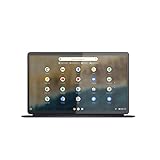
Best for: Media watchers and note-takers who want a tablet first
Check price on Amazon
Best for: Students who want the biggest screen for the least money and can live with 4GB of RAM
Check price on Amazon
Best for: Kids, casual browsing, and anyone who wants a new machine with a warranty
Check price on AmazonQuick Picks
| Pick | Price (Nov 2026) | Screen | CPU / RAM / Storage | Why it is here |
|---|---|---|---|---|
| Lenovo 500w Gen 5 (Grade A Refurbished) ★ Top Pick | $259.99 | 12.2″ WUXGA touch, 1920×1200 | Intel N150 / 8GB / 128GB SSD | Only Windows pick |
| Lenovo IdeaPad Flex 5i Chromebook Plus | $139.99 clearance | 14″ WUXGA touch, 1920×1200 | Core i3-1315U / 8GB / 128GB eMMC | Fastest CPU; $120 cheaper |
| Lenovo IdeaPad Duet 5 Chromebook | $279.90 | 13.3″ OLED touch, 1920×1080 | Snapdragon SC7180 / 4GB / 128GB eMMC | Only OLED under $300 |
| HP Chromebook x360 14b (Renewed) | $199.99 | 14″ FHD touch, 1920×1080 | Pentium Silver N6000 / 4GB / 64GB eMMC | Cheapest 14-inch convertible |
| Acer Chromebook Spin 311 (New) | ~$229 | 11.6″ HD touch, 1366×768 | MediaTek MT8183 / 4GB / 32GB eMMC | Cheapest new convertible |
How to Choose a 2-in-1 Laptop Under $300
Screen type and resolution
At this budget the screen is where manufacturers cut first. Three of our five picks have 1920×1200 or 1920×1080 IPS touchscreens, the minimum for comfortable reading. The Acer Spin 311’s 1366×768 panel is the exception: tolerable on an 11.6-inch screen, but on a 14-inch screen an HD panel looks visibly coarse, and the HP x360 14b’s older HD variants are exactly that trap. Avoid TN panels — they wash out the moment you tilt the screen. The Duet 5’s OLED panel — true blacks, 400 nits, 100% DCI-P3 — is the best screen under $300, and the reason the Duet 5 makes this guide despite its 4GB of RAM.
CPU for everyday work
There are three tiers here, and the gap between them is real. The Intel Core i3-1315U in the Flex 5i Chromebook Plus is the fastest chip in this guide by a clear margin — six cores, eight threads, a 4.5 GHz turbo — and the only one that stays smooth with a video call, a dozen tabs, and a document open at once. The Intel N150 in the 500w Gen 5 is the new entry-level Windows chip: four cores up to 3.6 GHz, fine for email, browser tools, and video calls, but not for video editing or heavy multitasking. The ARM chips in the Spin 311 and Duet 5 sip battery but feel slow next to the i3.
RAM floor
4GB is the floor and, for three of our five picks, the ceiling. It handles one task at a time, but a video call plus a dozen tabs makes ChromeOS reload tabs, and on Windows 11 it is genuinely tight. The two 8GB picks — the 500w Gen 5 and the Flex 5i Chromebook Plus — are the only ones that multitask without fighting you. Both have soldered RAM, so buy 8GB now if you plan to keep the machine; 2GB of RAM and 16GB of storage are walk-away specs at any price.
Storage type and size
This is the quiet divide in the guide. The 500w Gen 5 is the only pick with a real SSD — the deal listing says a 128GB PCIe NVMe SSD, though Lenovo’s own spec sheet lists UFS 2.2 for the base config, so verify the listing. Every other pick uses eMMC, and 32GB or 64GB of it fills up fast. The Flex 5i and the Duet 5 at 128GB are workable; the Spin 311 at 32GB is not without a microSD card.
Battery life
Expect 8 to 10 hours of real use from the Chromebooks and the 500w, not the headline numbers. Lenovo rates the 500w Gen 5 at up to 13 hours for local video playback — a laboratory test, not a workday — and the seller rates the refurbished unit at up to 10 hours, with battery health guaranteed at least 80%. A refurbished battery is used: 80% of a 47Wh pack is about 37Wh. The Duet 5 claims up to 15 hours, the longest here. Treat every battery claim as optimistic by 20 to 30 percent.
Keyboard and stylus
The 500w Gen 5 and the Flex 5i have real laptop keyboards — the 500w’s is spill-resistant with anti-pry keys — while the Duet 5’s detachable keyboard is a thin cover that is awkward on a lap. The 500w is the only pick with a pen in the box: Lenovo’s Integrated Pen garages in the chassis, ready for notes and markups. The Flex 5i and Duet 5 include no stylus, and the Spin 311 supports USI pens but ships none — the 500w is the only pick ready for handwriting out of the box.
1. Lenovo 500w Gen 5 (Grade A Refurbished) — Our Top Pick
Specs: 12.2″ WUXGA IPS touch, 1920×1200, 300 nits; Intel N150 (4C, up to 3.6 GHz); 8GB LPDDR5, soldered; 128GB SSD; Windows 11 Pro; Wi-Fi 6E; 2× USB-C, USB-A, HDMI; 47Wh battery; 2.93 lb; MIL-STD-810H.
Why it wins: It is the first Windows 2-in-1 in this series to lead a guide, and it earns the spot on specs no other pick matches. Windows 11 Pro with BitLocker and Remote Desktop. Eight gigabytes of LPDDR5, the only Windows pick with 8GB. A real SSD where every other pick has eMMC, a pen in the box, Wi-Fi 6E, and a MIL-STD-810H rugged chassis with a spill-resistant keyboard and privacy-shutter webcam. At $259.99 on StackSocial (list $499.99), it leaves $40 unspent. Fresh top pick — no earlier guide topped with a Windows convertible.
Pros: Only Windows pick; only real SSD; 8GB RAM; pen included; Windows 11 Pro; Wi-Fi 6E; rugged MIL-STD-810H build; privacy-shutter webcam; USB-C, HDMI, USB-A.
Cons: Refurbished, not new; N150 is entry-level and will not run games or video editing; 128GB storage fills fast; 8GB RAM is soldered; 12.2-inch screen is small for split-screen work; battery health guaranteed only to 80%; 90-day third-party warranty.
Best for: Students and hybrid workers who need real Windows software.
2. Lenovo IdeaPad Flex 5i Chromebook Plus (83EK0000UX)
Specs: 14″ WUXGA IPS touch, 1920×1200, 300 nits; Core i3-1315U (6C/8T, up to 4.5 GHz); 8GB LPDDR4x; 128GB eMMC; backlit keyboard; fingerprint reader; Chromebook Plus; AUE June 2032; 3.6 lb.
Why it is here: This was the top pick of our under-$250 guide, and it returns because the math has not changed: it is still the fastest machine in this price range, and at $139.99 on Best Buy clearance it costs $120 less than the top pick. The i3-1315U is the only chip here that multitasks without slowing down, and the backlit keyboard and fingerprint reader are features nothing else under $300 offers. If you live in ChromeOS, buy this and pocket the $120.
Pros: Fastest CPU here; 8GB RAM; biggest screen; backlit keyboard; fingerprint reader; Chromebook Plus; updates through June 2032.
Cons: Clearance stock is store-dependent; hinge complaints appear in Best Buy reviews; storage is eMMC despite some listings calling it an SSD; mediocre battery; no stylus included; 3.6 lb, the heaviest pick here.
Best for: Anyone who lives in a browser and wants the fastest convertible for the least money.
3. Lenovo IdeaPad Duet 5 Chromebook (82QS0000US)
Specs: 13.3″ OLED touch, 1920×1080, 400 nits, 100% DCI-P3; Snapdragon SC7180 (8-core, up to 2.55 GHz); 4GB; 128GB eMMC; detachable keyboard and kickstand included; up to 15 hours battery (Lenovo claim); ~2.2 lb; AUE June 2028.
Why it is here: It has the best screen under $300 by a wide margin. The 13.3-inch OLED panel — true blacks, 400 nits, full DCI-P3 color — is a screen you normally pay $500 or more for, and it makes the Duet 5 the obvious pick for watching movies, reading, and working in tablet mode. At $279.90 from an authorized retailer it fits with $20 to spare, though the list price is $499 and Best Buy shows $349 — treat $279.90 as a deal price, check it before buying, and do not pay over $300.
Pros: Only OLED under $300; lightest pick; detachable tablet mode; longest claimed battery; 128GB storage; keyboard and kickstand included.
Cons: 4GB RAM reloads tabs under load; Snapdragon chip feels slow next to the i3-1315U; eMMC storage; detachable keyboard is awkward on a lap; no stylus included; AUE runs to June 2028, the shortest runway here.
Best for: Media watchers and note-takers who want a tablet first.
4. HP Chromebook x360 14b (Renewed)
Specs: 14″ FHD IPS touch, 1920×1080; Pentium Silver N6000; 4GB; 64GB eMMC; microSD slot; ~10 hours battery; 3.3 lb.
Why it is here: This was pick 3 in our under-$200 guide, and it returns because the math is unchanged: $199.99 on Amazon Renewed, with a lowest-ever price of $144.99. It is the cheapest 14-inch convertible in this guide.
Pros: Cheapest 14-inch pick; FHD IPS touch; lowest-ever $144.99; microSD slot covers the 64GB limit.
Cons: 4GB RAM and 64GB eMMC are both tight; N6000 is a modest chip; renewed, not new; AUE varies by model year — verify the exact model on Google’s list. Warning: the 8GB/128GB N6000 variant costs $294.66 — do not confuse the listings; the base 4GB/64GB renewed unit is the $199.99 one.
Best for: Students who want the biggest screen for the least money and can live with 4GB of RAM.
5. Acer Chromebook Spin 311 (CP311-3H, New)
Specs: 11.6″ HD IPS touch, 1366×768; MediaTek MT8183C; 4GB; 32GB eMMC; microSD slot; USI pen support (not included); ~10 hours battery; 2.65 lb; AUE June 2028.
Why it is here: It is the cheapest new convertible in this guide at ~$229, and new means a fresh battery, a full warranty, and no school-district wear on the hinge. It is small, light, and honest — a web-and-homework machine, not a workhorse. The microSD slot is mandatory, because 32GB of eMMC fills up in weeks without one.
Pros: New, not refurbished; cheapest new convertible; light and portable; Gorilla Glass touch; USI stylus support.
Cons: 1366×768 screen is the lowest resolution here; 4GB RAM and 32GB eMMC are both the floor; MT8183 is slow under load; no stylus included; 11.6-inch screen is cramped for split-screen work.
Best for: Kids, casual browsing, and anyone who wants a new machine with a warranty.
What to Avoid
The Spin 311 vs. plain Chromebook 311 trap. The CP311-2H and CP311-3H fold; the C722 and C733 clamshells do not. A refurbished Grade A plain 311 at $82.99 is not a 2-in-1. Check the model number.
Tabwee and Zonko “2-in-1 laptops.” Walmart lists Android tablets with detachable keyboards as 2-in-1 laptops for $90 to $110, with inflated specs — the Zonko’s “14GB RAM” is physical RAM plus virtual expansion, and the Tabwee’s “1080p” screen is actually 1280×800.
The Flex 3i at $399.99. The Flex 3i Chromebook lists at $399.99 at Best Buy in November 2026; the $199 and $226.99 prices were August deals. It does not fit under $300.
New Windows convertibles. No new Windows 2-in-1 was verified under $300 — new Windows convertibles start around $400. The 500w Gen 5 fits only because it is refurbished.
2GB of RAM and 16GB of storage. ChromeOS needs 4GB to avoid constant tab reloads, and 16GB of storage leaves no room for apps after the operating system.
FAQ
Is the Lenovo 500w Gen 5 really the best 2-in-1 laptop under $300?
For most buyers who need Windows, yes — it is the only pick with Windows 11 Pro, 8GB of RAM, a real SSD, and a pen in the box. If you live in ChromeOS, the Flex 5i Chromebook Plus at $139.99 is faster and $120 cheaper.
Can I get a new 2-in-1 laptop under $300?
Yes, but only a Chromebook — the Spin 311 is new at ~$229 and the Flex 3 lists at $179 new. No new Windows 2-in-1 was verified under $300.
Is 4GB of RAM enough?
For one task at a time on ChromeOS, yes. For a video call plus a dozen tabs, or for Windows 11, no — tabs reload and apps stutter. The two 8GB picks are the only ones that multitask comfortably.
How long will these Chromebooks keep getting updates?
The Flex 5i runs to June 2032, the Duet 5 and Spin 311 to June 2028, and the HP x360 14b varies by model year. Always verify the exact model on Google’s Auto Update Expiration list before buying.
Is the Duet 5’s OLED screen worth the 4GB of RAM?
If you mostly watch video, read, and take notes, yes — it is the best screen under $300 by a wide margin. If you multitask with many tabs open, no — buy the Flex 5i Chromebook Plus instead and get 8GB of RAM and a much faster processor for $140 less.
Verdict
Buy the Lenovo 500w Gen 5 (Grade A Refurbished) at $259.99 if you need Windows — the first Windows 2-in-1 in this series with 8GB of RAM, a real SSD, a pen, and Windows 11 Pro under $300, leaving $40 unspent. Buy the Lenovo IdeaPad Flex 5i Chromebook Plus at $139.99 if you live in a browser — faster, bigger, and $120 cheaper, the best value in the guide. Buy the Lenovo IdeaPad Duet 5 at $279.90 if the screen matters most — nothing else under $300 has an OLED panel. The honest summary: $300 is the first budget where a real Windows convertible fits, but only refurbished — and the best machine for most people is still a Chromebook at half the budget.
As an Amazon Associate, we earn from qualifying purchases.
Suggested internal links
- Best 2-in-1 Laptop Under $250 — the Flex 5i Chromebook Plus top pick.
- Best 2-in-1 Laptop Under $400 — the HP Pavilion x360 14 top pick.
- Best Chromebook Under $300 — the wider Chromebook guide.
More from Amazon
Programs that pair well with the guide above. Offers and eligibility are set by Amazon and may change.
A free business account with business pricing and bulk-buying tools for work, shop or home office.
Create a business accountFree shipping on eligible items, Prime Video and more. Eligible new members can start with a free trial.
Start a Prime free trialAudiobooks and podcasts to listen to on the go. Eligible new members can start with a free trial.
Try Audible freeAd-free music streaming. Eligible new subscribers can start with a free trial.
Try Music Unlimited freeAs an Amazon Associate we earn from qualifying purchases.










Write Your Review
No reviews yet. Be the first to share your experience!