

Key takeaways
- MacBook Air vs Dell XPS 13 compared by operating system, cooling, battery, ports and upgrades, with use-case picks and a buying checklist for each laptop.
The MacBook Air is usually the better pick if you want a quiet, fanless laptop that runs macOS and works smoothly with an iPhone, while the Dell XPS 13 tends to suit people who need Windows software, a wider choice of configurations or a more traditional PC feel. Both are thin, premium ultraportables aimed at students, travelers and office work, so the real decision is the operating system and the exact generation you buy. Specifications change with each model year, so treat the comparisons below as general patterns and check current specifications on the maker’s pages before you order.
Short verdict
Choose the MacBook Air if you already use an iPhone or iPad, value silent operation and long battery life, and are comfortable with macOS. Choose the Dell XPS 13 if your work or school depends on Windows-only programs, if you like to compare several processor and display options, or if you prefer a Windows ecosystem with Microsoft accounts and enterprise management.
Neither laptop is meant for heavy gaming or sustained professional rendering. Both are thin machines built around portability, and both generally ship with memory soldered to the board, so the configuration you buy is the one you keep.
Side-by-side comparison
| Factor | MacBook Air | Dell XPS 13 |
|---|---|---|
| Operating system | macOS | Windows |
| Processor family | Apple-designed chips | Intel or Qualcomm chips, depending on generation |
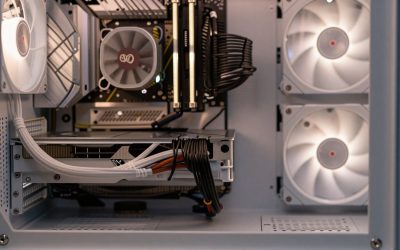
| Cooling | Fanless design, so silent | Typically has a small fan that can spin up under load |
| Battery | Commonly rated for long all-day use | Varies by generation and display; check the rated figure |
| Display options | Fewer choices, consistent panel quality | Several panel types across generations |
| Ports | Few USB-C ports plus headphone jack, with a dedicated charging port on some models | Few USB-C ports on most generations; check for adapters |
| Upgrades after purchase | Generally none | Generally limited |
| Software ecosystem | Tight iPhone, iPad and iCloud integration | Broad Windows software and hardware support |
The table speaks in generalities because both families are refreshed regularly. A specific year can differ from these patterns, so confirm the processor, memory, ports and display on the listing you are considering.
Operating system and software
This is the most important difference. macOS tends to be tidy and consistent, with strong built-in apps and good continuity with Apple phones and tablets, including message syncing, file handoff and shared clipboards. If you edit photos or video, many creative tools run well on Apple chips.
Windows offers broader compatibility with business software, engineering programs, older utilities and a wide range of peripherals. Some courses or employers require specific Windows applications, and checking that list first can settle the decision. Common office suites, browsers and cloud tools run on both.
Switching systems has a learning curve, mostly around keyboard shortcuts, file management and settings menus, so factor in how much you want to relearn.
Performance, cooling and noise
The MacBook Air has traditionally been fanless, which means silent operation, and Apple’s chips are known for efficiency. Under a long heavy workload a fanless machine may slow itself to keep temperatures down, which is normal for this design.
Dell’s XPS 13 uses a thin fan-cooled design on most versions, which can sustain performance for longer but may add noise. Performance varies sharply between processor generations, so compare the exact chip on the listing.
For web browsing, documents, streaming and video calls, either laptop is generally more than adequate. Differences show up in sustained export tasks, large spreadsheets and many open applications, where memory size matters as much as the processor.
Battery life and charging
Both makers publish rated battery figures, but those depend on test conditions such as screen brightness and video playback, and real use is usually shorter. Apple’s efficiency generally helps the Air stretch a charge. XPS battery life varies with the display option, as higher-resolution and OLED panels often draw more power.
Both charge over USB-C on current models, which simplifies carrying one charger for phone and laptop. Check the wattage of any third-party charger against the laptop’s requirements.
Screen, keyboard and build
Both laptops use aluminum or similarly premium materials and compact, light bodies. The XPS line has been known for narrow bezels, letting a compact chassis hold a larger display area. The Air’s display tends to be bright and color accurate, though with fewer panel choices.
Keyboards and trackpads are personal. Many people like the MacBook trackpad for precision, while some XPS generations use different keyboard and touchpad designs. If possible, type on both in a store before deciding.
Ports and accessories
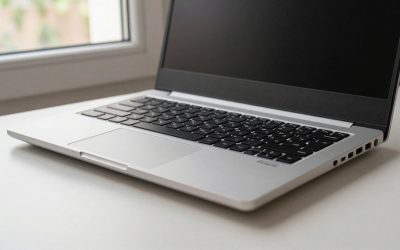
Both families trade ports for thinness. Expect a small number of USB-C ports and a headphone jack, and plan for a dock or hub if you use a wired mouse, card reader or external display. Check each listing for the exact port count and whether charging uses one of them, as that can leave you with a single free port.
Use-case picks
- Students on a budget: compare the oldest still-sold generation of each, paying attention to memory and storage rather than the badge.
- iPhone households: the MacBook Air, for continuity features.
- Windows-only course software or employer apps: the XPS 13, after confirming compatibility.
- Frequent travelers: either, with weight and battery rating as the tiebreakers.
- Light creative work: the Air for photo and video basics; for anything heavier look beyond ultraportables.
What to check before buying
Because memory and storage are usually fixed at purchase, decide on them up front. Eight gigabytes is workable for light use, while 16 gigabytes gives more headroom for many tabs and heavier apps. Storage fills faster than expected, so choose the largest capacity you can reasonably afford.
Confirm the model generation and display type, the port layout, the warranty terms and the return window.
Updates, support and long-term value
A premium ultraportable is often kept for four or five years, so support matters. Apple generally supports its Macs with operating system updates for several years, while Windows laptops depend on both Microsoft and the maker for driver and firmware updates. Check the manufacturer’s stated support policy for the exact model.
Because components are mostly fixed, repairs can be costly out of warranty. Look at the length of the standard warranty, what optional coverage is offered for accidental damage, and how easy it is to reach service in your area.
Worked example: a quick weighted scorecard
Assumptions: a student who owns an iPhone, needs only browser and office tools, and cares most about battery life and quiet operation. Score each laptop from 1 to 5 and multiply by a weight (3 for the priority factors, 1 for the rest).
| Factor (weight) | MacBook Air score | XPS 13 score |
|---|---|---|
| Battery rating (3) | 5 x 3 = 15 | 4 x 3 = 12 |
| Quiet operation (3) | 5 x 3 = 15 | 3 x 3 = 9 |
| Ports (1) | 3 x 1 = 3 | 3 x 1 = 3 |
| Windows software need (1) | 2 x 1 = 2 | 5 x 1 = 5 |
| Total | 35 | 29 |
The scores are illustrative, not measurements. Change them to match your own priorities. A student whose course requires Windows-only software would flip the weights, and the XPS would win. Gaps of only a few points mean the decision is close, so let the exact configuration and warranty break the tie.
Related guides
- Laptop Docking Stations For Dual Monitors
- Laptop Backpacks For 15.6 Inch Laptops
- Lenovo Thinkpad Laptops For Business
Frequently asked questions
Is the MacBook Air better than the Dell XPS 13?
Neither is better for everyone. The MacBook Air generally suits people who want macOS, a silent fanless design and iPhone integration, while the XPS 13 suits those who need Windows software or want different processor and display options. Compare the exact generations and check current specifications before deciding, since both lines are updated regularly.
Which has better battery life, the MacBook Air or the XPS 13?
The MacBook Air is commonly rated for long battery life thanks to efficient Apple chips. XPS 13 results vary by generation and display option, with higher-resolution panels often drawing more power. Rated figures depend on testing conditions, so real use is usually shorter. Compare the manufacturer’s rated hours for the specific configuration.
Can you upgrade the RAM or storage later?
Generally not. Both laptops are built thin, and memory is usually soldered to the main board, with storage also fixed or hard to change on many models. Decide on the amount of memory and storage when you buy. Check the specification page for the exact model, since details can vary between generations.
Can the Dell XPS 13 run macOS or the MacBook Air run Windows?
Not in the usual supported way. macOS is designed to run on Apple hardware, so the XPS is not a macOS machine. Recent MacBook Airs use Apple chips, which cannot run standard Windows installs directly, though virtualization software may run some versions. Check compatibility notes before assuming a particular app will work.
Which is better for college students?
It depends on coursework and phone. If classes require Windows-only programs, the XPS 13 is the safer choice. If you use an iPhone and your software runs on macOS, the MacBook Air is a strong fit. Check your school’s software list, consider memory and warranty, and compare current student offers.







Write Your Review
No reviews yet. Be the first to share your experience!