

Our Top Picks
 ASUS Zenbook S16 Copilot+ Laptop32 GB RAM | 1 TB SSD13.92 x 9.57 x 0.51 inches3.42 PoundsCheck on Amazon
Does the ASUS Zenbook S 16 deserve a place on your shortlist? On paper, the cleanest listing in this set says yes: a Ryzen AI 9-465 processor, 32GB of LPDDR5x memory, a 1TB PCIe SSD and a 16-inch 3K touchscreen running at 2880×1800, all in a Copilot+ laptop. That is a premium list of parts. What the title does not give you is battery life, weight, ports, fan behavior or screen brightness, which are the things you notice every day. Nobody on our team has handled these units, so this page reads the listings, flags a serious inconsistency in one of them, and lists what to check before you pay.
We use price tiers within this set rather than dollar figures, because marketplace prices shift. The Zenbook S 16 listings sit in the premium tier, the Vivobook S16 pair sits a tier below, and the Zenbook Duo is in a class of its own.
ASUS Zenbook S 16 at a glance

ASUS Zenbook S 16 Laptop, 16" 3K Touchscreen, AMD Ryzen AI 9 365, 24GB/2TB | Business AI PC , > Intel Ultra 7 155H, AMOLED, 120Hz, Thin & Light, Backlit, IR Webcam, Wi-Fi 7, Copilot+ PC, Win 11 Pro


As an Amazon Associate we earn from qualifying purchases. Product prices and availability are accurate as of the date/time indicated.
ASUS Zenbook S16 Copilot+ Laptop, AMD Ryzen AI 9-465, 32 GB LPDDR5x RAM, 1 TB PCIe SSD, 16" 3K (2880x1800) Touchscreen, AMD Radeon Graphics, Backlit Keyboard, W11 Pro, Antrim Gray+ Traix Mousepad


As an Amazon Associate we earn from qualifying purchases. Product prices and availability are accurate as of the date/time indicated.
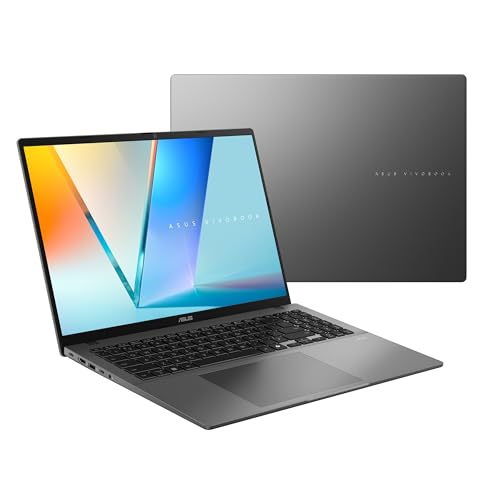
ASUS Vivobook S16 Laptop (2026), 16” 16:10 WUXGA OLED Display, Copilot+ PC, AMD Ryzen™ AI 9 465 Processor, AMD Radeon™ Graphics, 32 GB RAM, 1TB SSD, WiFi 6, Windows 11 Home, Matte Gray, M3607GA-ES99









As an Amazon Associate we earn from qualifying purchases. Product prices and availability are accurate as of the date/time indicated.

ASUS Zenbook Duo Laptop (2026), Dual 14” OLED 3K 144Hz Touch Display, Intel Core Ultra 9 Processor 386H, Intel Graphics, 32GB RAM, 1TB SSD, Sleeve and Stylus Included, WiFi 7, Windows 11, Moher Gray


As an Amazon Associate we earn from qualifying purchases. Product prices and availability are accurate as of the date/time indicated.
The subject of this review is the listing titled “ASUS Zenbook S16 Copilot+ Laptop” with the Ryzen AI 9-465, chosen because its title is internally consistent. The other Zenbook S 16 listing is covered later among the alternatives.
| Item | What the listing title says |
|---|---|
| Model | ASUS Zenbook S16, Copilot+ laptop |
| Processor | AMD Ryzen AI 9-465 |
| Memory | 32GB LPDDR5x |
| Storage | 1TB PCIe SSD |
| Display | 16″ 3K (2880×1800) touchscreen |
| Graphics | AMD Radeon Graphics |
| Keyboard | Backlit |
| Operating system | Windows 11 Pro |
| Extras | Antrim Gray color, plus a mousepad |
| Price tier | Premium within this set |
What the title is telling you
The processor is the headline. The Ryzen AI 9-465 is named together with a “Copilot+” label, which is Microsoft’s tag for laptops that include a neural processing unit. The practical reading is that this laptop is meant to run certain AI features locally, though the title does not say which ones. Do not pay extra for this label alone.
The memory figure is the second strong point. Thirty-two gigabytes of LPDDR5x is generous for a thin laptop. The “LPDDR5x” part usually signals soldered memory, which cannot be replaced later, so the amount you buy is the amount you keep. The title does not confirm whether the memory is soldered, so check. The 1TB PCIe SSD is adequate for most people, though it can fill quickly with large projects or games.
The display is where this listing stands apart. A 3K panel at 2880×1800 is a detailed screen, and touch support adds flexibility. The title does not say whether it is OLED, and it does not give brightness, color coverage or refresh rate. Those numbers decide whether the screen is merely sharp or truly excellent, so look for them in the specification table.
The remaining items are modest. The graphics are listed simply as AMD Radeon Graphics, which indicates integrated graphics, enough for everyday work and light creative tasks but not for demanding games. Windows 11 Pro adds business features. The mousepad is a bundled extra and a hint that the seller is a reseller, which makes the warranty and return terms worth checking.
Who the Zenbook S 16 suits
This listing fits professionals who want one dependable, large-screen laptop for documents, spreadsheets, video calls and light creative work. A consultant who moves between client offices and home would appreciate the large display and the generous memory for many apps and browser tabs. A student in a field that uses large datasets or design programs could also find the 32GB useful.
It also suits someone who values a crisp display for reading and editing. The pixel density is high, and text should look clean. Photographers who do light editing may like the large canvas, provided the panel’s color coverage meets their needs. For more on that angle, see our list of the best ASUS laptops for photo editing.
Who should skip it
Skip it if your priority is demanding games or heavy 3D work. The title lists integrated Radeon graphics and nothing else, and a laptop built around a discrete GPU will perform better in those jobs. Skip it if you want a bargain, too: a premium 3K touchscreen and 32GB of memory put this listing near the top of the price range.
Finally, skip it if you need a lightweight machine and have not yet seen the weight. A 16-inch laptop is larger than a 13- or 14-inch one, and the title gives no weight or thickness. Check the product page for the figure if carrying it daily matters to you.
What the title does and does not tell you
The title gives you the processor, memory, storage, resolution, graphics, operating system and a few extras. It does not give you:
- Panel type, brightness and refresh rate.
- Battery capacity and the manufacturer’s runtime claim.
- Weight and thickness.
- Port selection, including USB-C, HDMI and card reader details.
- Whether the memory and SSD can be upgraded.
- Speaker and webcam specifications.
- Warranty length and who provides it.
- Whether the unit is new and sold by an authorized reseller.
Questions to ask before you buy
- Is this a new unit, and does the manufacturer warranty apply to it?
- What is the panel type, and what are its brightness and refresh rate?
- How many ports are there, and does charging work through USB-C?
- What does the manufacturer say about battery life, and under what conditions?
- Is the keyboard layout the one I need?
- Who sells the bundled mousepad, and does the seller handle returns for the laptop?
Alternatives from the same listings
Four listings in the set give you different ways to go. One is a second Zenbook S 16, two are Vivobook S16 laptops and one is a Zenbook Duo. For a broader view of the range, our best ASUS laptops guide covers the lines side by side.
The other Zenbook S 16 listing, with Ryzen AI 9 365 and 24GB/2TB
This listing names a 16-inch 3K touchscreen, a Ryzen AI 9 365, 24GB of memory and 2TB of storage, and it mentions AMOLED, 120Hz, IR webcam, Wi-Fi 7, Copilot+ PC and Windows 11 Pro. The same title also contains “> Intel Ultra 7 155H”. A laptop cannot have both an AMD and an Intel processor, so at least one part of the title is wrong. Do not buy until the seller confirms the real processor in writing.
If the AMD claim is right, the listing offers more storage but less memory than the main subject, plus an AMOLED panel at 120Hz. The memory difference is the key trade, as 24GB is less than 32GB and probably cannot be upgraded.
- Pros: 2TB of storage; AMOLED and 120Hz are mentioned; Wi-Fi 7 listed.
- Cons: contradictory processor wording; 24GB memory; the unusual title suggests a reseller who may not have checked details.
Check the listing for: the exact processor, the product code and the seller’s return terms. Question to ask: which processor is physically inside?
ASUS Vivobook S16 with Ryzen AI 9 465
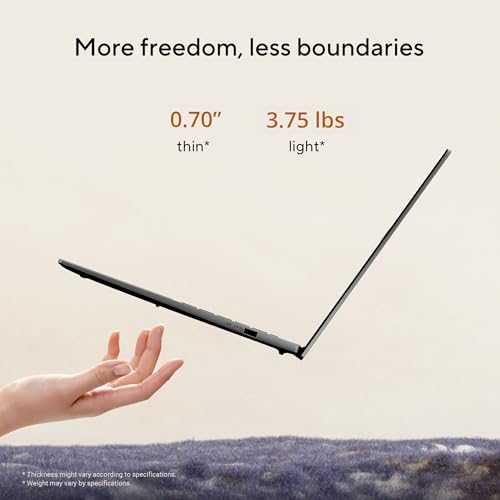
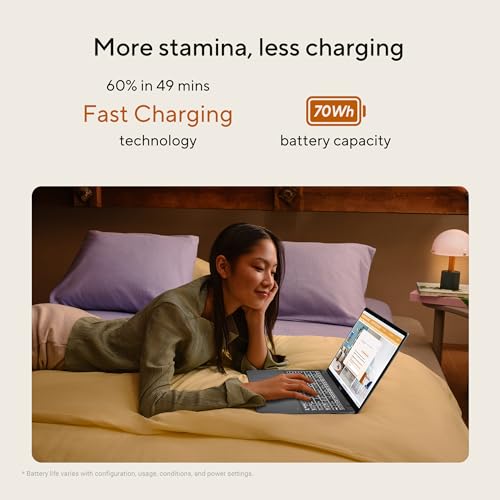
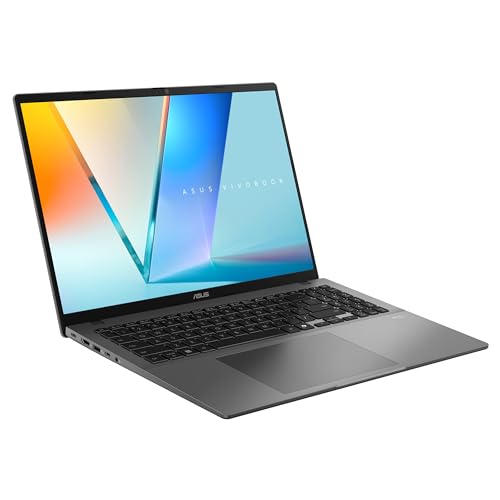
The first Vivobook listing names a 16-inch 16:10 WUXGA OLED display, a Ryzen AI 9 465, Radeon Graphics, 32GB of memory, a 1TB SSD, Wi-Fi 6 and Windows 11 Home, with the code M3607GA-ES99. Its processor and memory match the main Zenbook, so the differences lie in the screen, wireless standard and operating system.
WUXGA means 1920×1200, which is less sharp than the Zenbook’s 2880×1800. It is an OLED, which may give better contrast, and it is not listed as a touchscreen. It uses Wi-Fi 6 rather than Wi-Fi 7, and Windows 11 Home rather than Pro. For many home users, that sounds like a fair trade for a lower price tier.
- Pros: same chip and memory as the main listing; OLED display; likely lower price tier.
- Cons: lower resolution; Wi-Fi 6 only; no touch mentioned; Home edition.
Check the listing for: weight, battery, ports and whether the keyboard is backlit. Question to ask: is the lower resolution a problem for the work I do?
ASUS Vivobook S16 with Snapdragon X2 Elite
This listing uses a Snapdragon X2 Elite processor, Adreno graphics, 16GB of memory, a 1TB SSD, Wi-Fi 7 and Windows 11 Home, with a 16-inch 16:10 WUXGA OLED display. The title repeats the word “Display” twice, which hints at careless copywriting. It is worth confirming everything with the seller.
The major question is software. Windows laptops with Arm-based processors run a growing number of apps natively, but some older programs, specialized drivers or certain peripherals can have problems. If you rely on niche software, test it on a similar machine or check with the developer first. If you mostly use a browser and mainstream apps, the risk is lower.
- Pros: Wi-Fi 7; OLED display; potential for good battery life, which the title does not state.
- Cons: 16GB memory is half that of the main subject; app compatibility risk; typo in the title.
Check the listing for: the supported software list, battery claim and warranty. Question to ask: do the programs I need run on Arm-based Windows?
ASUS Zenbook Duo with dual 14-inch OLED screens
The Duo is not a conventional 16-inch laptop. The listing describes two 14-inch 3K OLED touch displays at 144Hz, an Intel Core Ultra 9 386H, Intel Graphics, 32GB of memory, a 1TB SSD, a sleeve and stylus, and Wi-Fi 7. It is meant for people who want two screens in one device.
It suits multitaskers who keep reference material beside their main work: a writer with notes on one screen, a trader with charts on the other. It is a poorer match for anyone who wants a simple, light laptop, since two displays add weight and complexity and the title gives no battery figure.
- Pros: two 3K OLED screens; stylus and sleeve included; 32GB of memory.
- Cons: unusual form factor; likely heavier and costlier in power use; Windows edition not specified.
Check the listing for: weight, battery size, stand or keyboard design and the supported stylus. Question to ask: will I use two screens often enough to justify them?
Buying checklist
| Spec concept | What to look for | Why it matters |
|---|---|---|
| Processor and NPU | One consistent processor name in the title | Contradictions point to listing errors |
| Memory | Amount and whether soldered | Cannot be upgraded if soldered |
| Display | Resolution, panel type, brightness, refresh rate | Shapes comfort and image quality |
| Battery | Wh rating and claimed runtime | Portability depends on it |
| Ports | USB-C count, HDMI, card reader | Avoids needing a dock |
| Software | Compatibility if the chip is Arm-based | Some apps may not run well |
| Seller and warranty | Who ships and who supports | Protects you if the unit is faulty |
Worked example: how sharp is 3K on a 16-inch screen?
Pixel density gives a simple way to compare the screens in this set. A 2880×1800 panel has a diagonal of about 3,396 pixels, from the square root of the sum of the squares. Divide by 16 inches and you get roughly 212 pixels per inch. A 1920×1200 panel has a diagonal of about 2,264 pixels, which comes to roughly 141 pixels per inch on the same size screen.
The sharper panel packs about 50 percent more pixels per inch. Because text would look tiny at full resolution, Windows usually scales the interface. At 150 percent scaling, the 2880×1800 panel gives a working area equal to 1920×1200, with crisper text. That is the practical benefit: the same layout, finer detail. If your eyes are comfortable with the lower density and you want to save, the WUXGA Vivobook is workable. If you read or edit text all day, the 3K panel is the stronger choice. These numbers are calculated from the stated resolutions, not readings taken from any unit.
Choosing between the five listings
With five laptops on the table, it helps to decide on one priority first and let the rest follow.
If the screen comes first, the Zenbook S16 with the 2880×1800 touchscreen is the clearest choice in the set, since it is the only listing that gives a resolution above WUXGA. The other Zenbook S 16 may offer AMOLED at 120Hz, but only if its confused title turns out to be accurate.
If memory comes first, the main Zenbook, the Ryzen Vivobook and the Duo all list 32GB, while the Snapdragon Vivobook lists 16GB and the second Zenbook lists 24GB. For anyone who keeps many apps open, that gap matters more than a processor name.
If budget comes first, the Vivobook S16 pair sits lower in this set, and the Ryzen version gives up very little on paper apart from resolution, touch and wireless standard. The Snapdragon version trades memory and software certainty for whatever efficiency the platform offers.
If versatility comes first, the Duo is the only listing that adds a second screen, at the cost of a less conventional design. In every case, the listing text is a starting point, and the manufacturer’s page and the seller’s answers should settle the final choice.
Verdict
The Zenbook S16 with Ryzen AI 9-465 is the best-defined listing in the set. It offers 32GB of memory, a 1TB SSD, a 3K touchscreen and Windows 11 Pro, and it is a sound candidate for professionals who want a large, sharp screen. The weak points are everything the title leaves out, mainly weight, battery, ports and panel details. Treat the second Zenbook S 16 listing with caution until its conflicting processor claim is resolved. The Ryzen Vivobook is the sensible step down if you can accept a lower resolution, the Snapdragon model suits those whose software runs on Arm, and the Duo is for people who truly want two screens. Our Acer versus ASUS laptop comparison may help if you are still deciding on a brand.
Frequently asked questions
Which Zenbook S 16 listing is the clearest?
The Ryzen AI 9-465 listing with 32GB of LPDDR5x memory, a 1TB PCIe SSD and a 2880×1800 touchscreen is the most consistent title in this set, so we treat it as the main subject. The other Zenbook S 16 listing names two different processors in the same title, an AMD chip and an Intel one, so ask the seller which is correct before you order.
Is the 3K touchscreen worth it?
A 2880×1800 panel on a 16-inch screen is noticeably sharper than a standard 1920×1200 one, and touch can be handy for annotation and tablet-style use. The trade-offs are possible glare on a glossy finish and a bit more battery use. The title does not say whether the panel is OLED, its brightness or its refresh rate, so check those on the product page.
What does Copilot+ PC mean in these listings?
Copilot+ PC is a Microsoft label for laptops with a neural processing unit that meets a performance threshold and runs certain on-device AI features. Several listings use it, but the titles do not tell you which features you will actually use or whether they need an account. Treat it as a bonus, not a reason to buy, and check the features list on the product page.
Is the Snapdragon Vivobook S16 a good alternative?
It can be if you value a thin design, strong battery claims and Wi-Fi 7. The title names a Snapdragon X2 Elite and 16GB of memory. Windows laptops on Arm chips run many apps natively, but some older software or specialized drivers may need emulation or may not work, so list the programs you rely on and check them before buying.
Is the Zenbook Duo a replacement for the Zenbook S 16?
Not really. The Duo listing describes two 14-inch OLED screens, an Ultra 9 386H and a sleeve and stylus. It is a different kind of machine designed for multitasking across two displays, not a conventional 16-inch laptop. If you want one large screen and a simple form factor, the Zenbook S 16 or Vivobook S16 is a more direct match.
Can I upgrade the memory or storage later?
The titles do not say. LPDDR5x memory is commonly soldered to the board in thin laptops, which means it cannot be replaced, while the SSD may or may not be a removable drive. Treat the memory as fixed and buy the amount you will need for several years. Before opening any laptop, check the warranty terms, because opening the case can affect coverage, and follow the manufacturer’s instructions.




Write Your Review
No reviews yet. Be the first to share your experience!