

Our Top Picks
 msi Vector 16 HX AI Gaming Laptop 16"16GB RAM | 1TB SSD19 x 12.4 x 3.5 inches7 PoundsCheck on Amazon
 msi Cyborg 15.6" RTX 5070 Gaming Laptop16GB RAM | 1TB SSD14.15 x 9.66 x 0.91 inches5 PoundsCheck on Amazon
The best gaming laptop in this group depends on how much of your budget goes to the graphics chip versus the screen. If you want the strongest GPU class named in a title, the RTX 5070 Ti models are the Acer Predator Helios Neo 16 AI and the two msi Vector 16 HX listings. If you want the best value-for-the-GPU, the three RTX 5070 machines in the lower price tier are the msi Cyborg pair and the GIGABYTE Gaming A16 with 16GB. The rest sit in between with different priorities: memory, display, brand or cooling.
Sixteen-inch designs dominate this list, which is not a coincidence. That size gives a large, comfortable panel and room for cooling without turning the laptop into a portable desktop. Read on for what each listing states, the trade-offs the titles leave out, and a method for matching a panel to a GPU.
Quick comparison: ten gaming laptops
msi Vector 16 HX AI Gaming Laptop 16" 144Hz Display Intel Core Ultra 7 255HX 16GB DDR5 RAM 1TB PCIe SSD NVIDIA GeForce RTX 5070 Ti 12GB Windows 11 Cosmos Gray VECTOR16HXA2275


As an Amazon Associate we earn from qualifying purchases. Product prices and availability are accurate as of the date/time indicated.

ASUS ROG Strix G16 (2025) Gaming Laptop, 16” 16:10 FHD+ 165Hz/3ms, NVIDIA® GeForce RTX™ 5070, AMD Ryzen™ 9 9955HX Processor, 16GB DDR5-5600, 1TB PCIe Gen 4 SSD, Wi-Fi 6E, Windows 11 Home, G614FP-OS94



As an Amazon Associate we earn from qualifying purchases. Product prices and availability are accurate as of the date/time indicated.
msi Cyborg 15.6" RTX 5070 Gaming Laptop, Intel 10-Core 7 240H(Up to 5.2GHz), 16GB DDR5, 1TB SSD+1TB External Hard Drive, NVIDIA GeForce RTX 5070, 4-Zone RGB Backlit, Cooler Boost, RJ45, Win 11 Home


As an Amazon Associate we earn from qualifying purchases. Product prices and availability are accurate as of the date/time indicated.

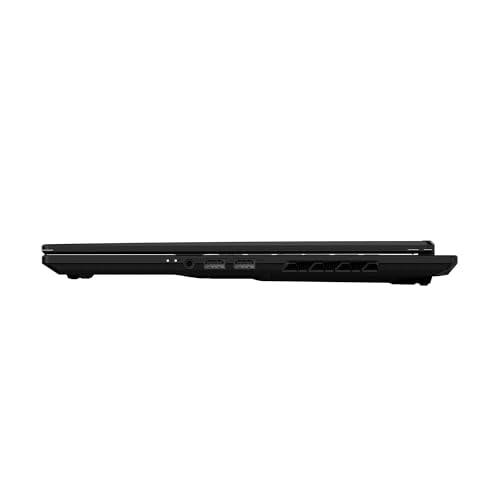
GIGABYTE Gaming A16 - Intel i7-13620H GeForce RTX 5070 16" Laptop | 165Hz, 1920x1200 WUXGA, 1TB SSD, 32GB DDR5 RAM, Windows 11 Home AD, Black Steel




As an Amazon Associate we earn from qualifying purchases. Product prices and availability are accurate as of the date/time indicated.

msi Cyborg 15.6" AI Gaming Laptop, NVIDIA GeForce RTX 5070, Intel 10-Core 7-240H Series 2(Upto 5.2GHz, >i7-13620H), 144Hz FHD IPS, 16GB DDR5, 1TB SSD, Backlit KB, Wi-Fi 6E, Win 11 PRO, w/Res Cooler


As an Amazon Associate we earn from qualifying purchases. Product prices and availability are accurate as of the date/time indicated.
GIGABYTE - Gaming A16 Gaming Laptop - 165Hz 1920x1200 WUXGA - NVIDIA GeForce RTX 5070 - Intel i7-13620H - 1TB SSD with 16GB DDR5 RAM - Windows 11 Home AD Gaming A16 CWHI3US894SH
As an Amazon Associate we earn from qualifying purchases. Product prices and availability are accurate as of the date/time indicated.

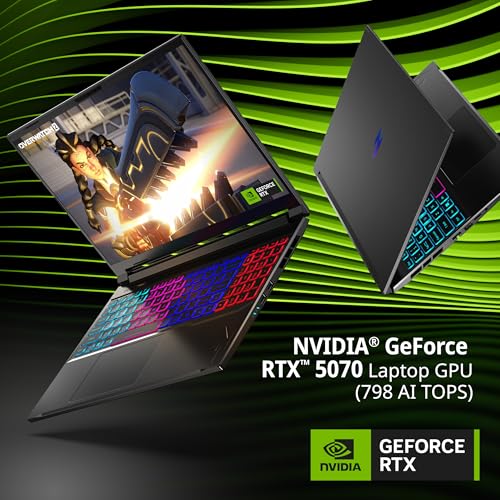
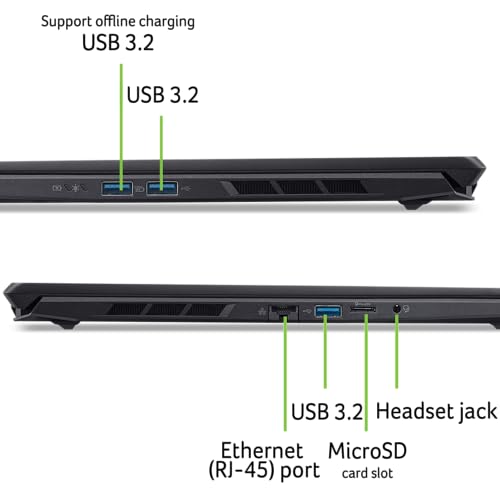
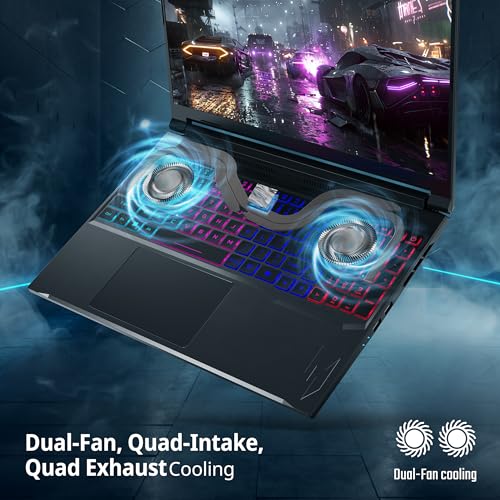
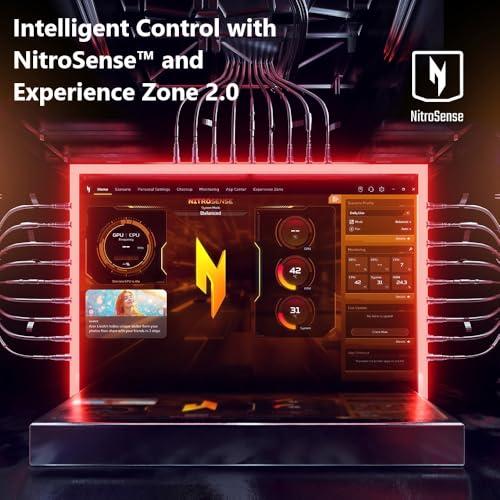
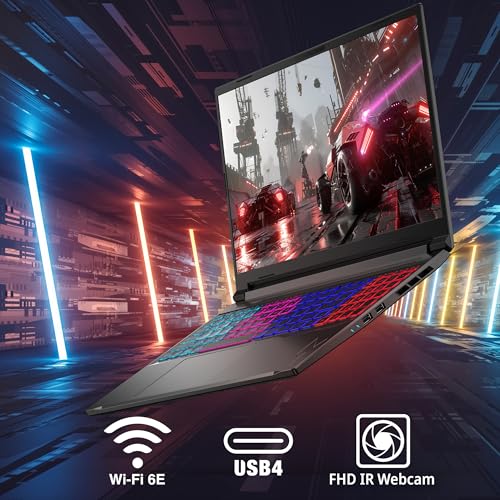
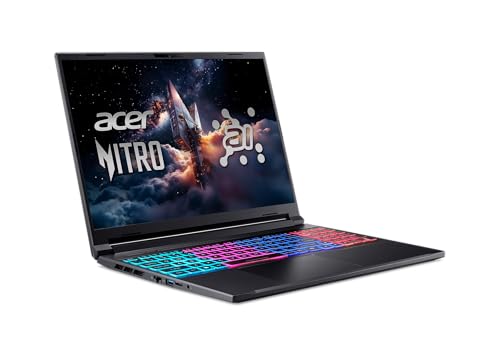
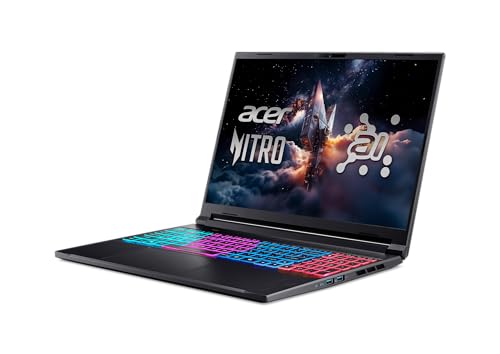
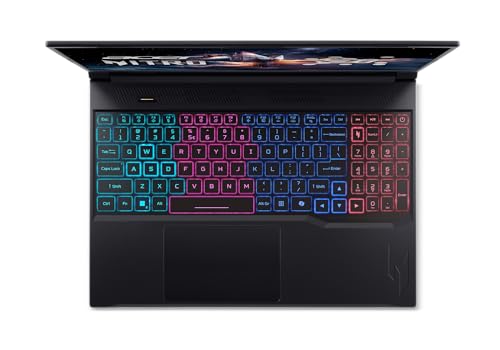
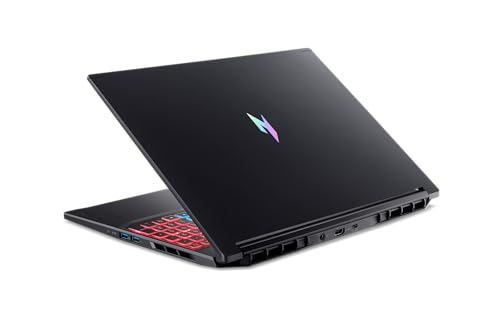
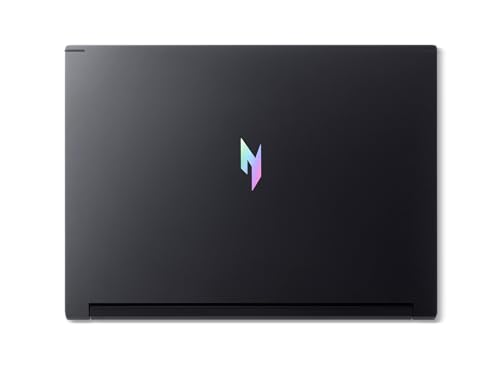
Acer Nitro V 16S AI Copilot+ PC Gaming Laptop | AMD Ryzen AI 7 350 Processor | NVIDIA GeForce RTX 5070 Laptop GPU | 16" WQXGA IPS 180Hz Display | 16GB DDR5 | 1TB Gen 4 SSD | Wi-Fi 6E | ANV16S-61-R3Z0







As an Amazon Associate we earn from qualifying purchases. Product prices and availability are accurate as of the date/time indicated.

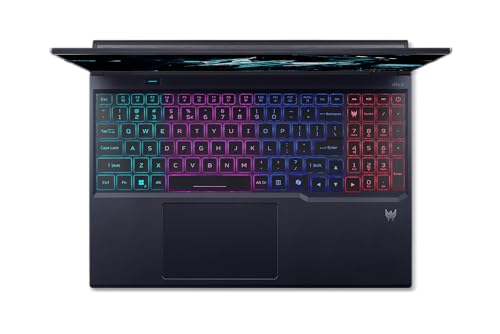
acer Predator Helios Neo 16 AI Gaming Laptop | Intel Core Ultra 9 Processor 275HX | NVIDIA GeForce RTX 5070 Ti | 16" WQXGA 240Hz G-SYNC | 16GB DDR5 | 1TB Gen 4 SSD | Killer Wi-Fi 6E | PHN16-73-92B8



As an Amazon Associate we earn from qualifying purchases. Product prices and availability are accurate as of the date/time indicated.
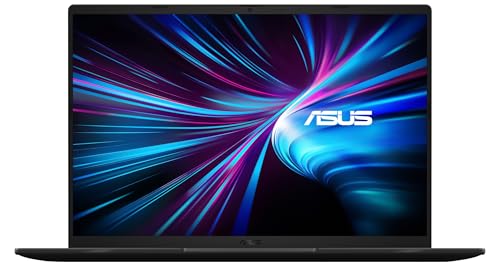
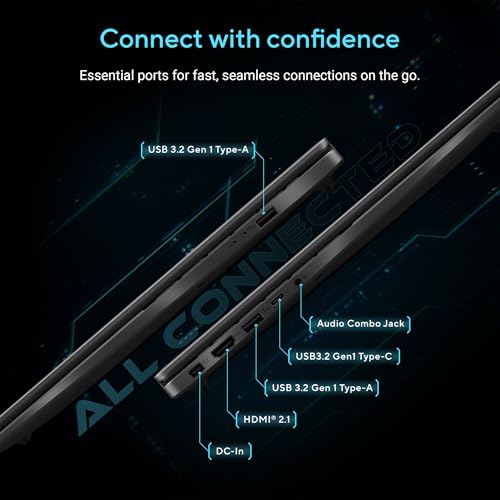
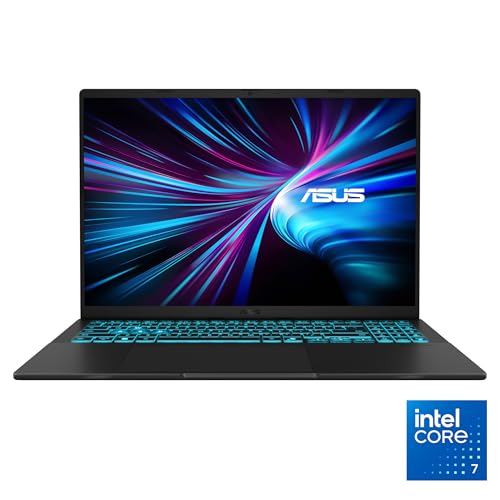
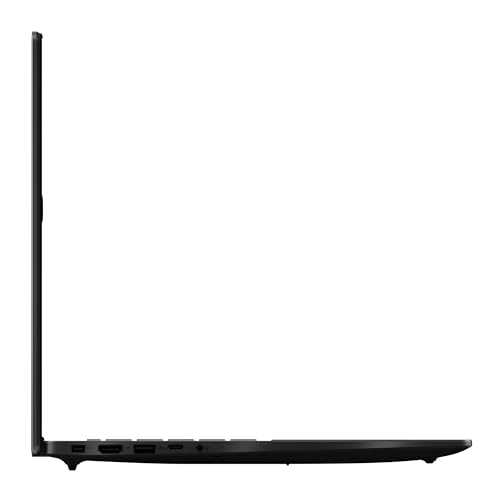
ASUS V16 16" WUXGA 144Hz Gaming Laptop, Intel® Core™ 7 240H, RTX™ 5070, 16GB DDR5 RAM, 1TB SSD, V3607VP-DS74, Matte Black






As an Amazon Associate we earn from qualifying purchases. Product prices and availability are accurate as of the date/time indicated.

msi Vector 16 HX AI Gaming Laptop 16" WQXGA 240Hz 100% DCI-P3 Intel 20-core Ultra 7 255HX 16GB DDR5 1TB SSD GeForce RTX 5070 Ti (992 AI Tops) RGB Backlit WiFi 7 Thunderbolt Win11 Pro ICP Accessory




As an Amazon Associate we earn from qualifying purchases. Product prices and availability are accurate as of the date/time indicated.
| Model | Key point from the title | Price tier | Best for |
|---|---|---|---|
| msi Cyborg 15.6″ RTX 5070 | Intel 10-core 7 240H, 16GB DDR5, 1TB SSD plus 1TB external drive | Budget | Lowest entry price into an RTX 5070 |
| msi Cyborg 15.6″ AI | RTX 5070, 144Hz FHD IPS, Wi-Fi 6E, Windows 11 Pro | Budget | 1080p play on a smaller 15.6-inch frame |
| GIGABYTE Gaming A16 (16GB) | i7-13620H, RTX 5070, 165Hz 1920×1200, 16GB DDR5 | Budget | Buyers who want a 16:10 screen for less |
| GIGABYTE Gaming A16 (32GB) | Same core, with 32GB DDR5 and 1TB SSD | Mid-range | Multitaskers and streamers |
| ASUS V16 | Core 7 240H, RTX 5070, 16″ WUXGA 144Hz | Mid-range | Understated looks with RTX 5070 power |
| Acer Nitro V 16S AI | Ryzen AI 7 350, RTX 5070, 16″ WQXGA 180Hz | Mid-range | Sharper 2560×1600 panel on the 5070 |
| msi Vector 16 HX (144Hz) | Core Ultra 7 255HX, RTX 5070 Ti 12GB, 144Hz | Mid-range | Ti-class graphics at a lower tier |
| ASUS ROG Strix G16 | Ryzen 9 9955HX, RTX 5070, 16:10 FHD+ 165Hz, Wi-Fi 6E | Premium | CPU-heavy play and streaming |
| msi Vector 16 HX (240Hz) | Ultra 7 255HX, RTX 5070 Ti, WQXGA 240Hz, Wi-Fi 7, Thunderbolt | Premium | Fast screen plus connectivity |
| acer Predator Helios Neo 16 AI | Core Ultra 9 275HX, RTX 5070 Ti, WQXGA 240Hz G-SYNC | Premium | Highest-end hardware in the set |
Price tiers are relative to this set only. Prices move often, so read the current number on the listing.
Where gaming laptops are heading
Gaming laptops now come in a bewildering mix of generations. The titles here pair brand-new graphics, the RTX 5070 and 5070 Ti, with processors ranging from a Core i7-13620H to a Core Ultra 9 275HX and a Ryzen 9 9955HX. That mixture matters: it means two machines with the same GPU name can feel quite different in sustained multi-threaded work, and similar prices can hide very different CPU classes.
The second shift is the way manufacturers talk about the GPU. Laptop graphics chips are not equal to their desktop namesakes, and every chassis sets its own power budget for the chip. A thinner machine with the same GPU name may run it at a lower wattage and reach lower frame rates than a thicker one. Titles seldom state the wattage, so it is one of the first things to look for in the specifications.
Third, displays are getting taller and sharper. The 16:10 aspect ratio, as in the 1920×1200 panels on the GIGABYTE and 2560×1600-class WQXGA panels on the Acer and msi Vector, gives extra vertical space for work and a bit more to render for games. Refresh rates of 144Hz to 240Hz are common, and some titles mention G-SYNC or 100 percent DCI-P3 color coverage.
Fourth, AI branding has become a marketing layer. Phrases like Copilot+ PC, AI Tops and “AI Gaming Laptop” in the titles refer to processors with neural units or to the GPU’s AI throughput; they rarely change the game-playing experience on their own. One title lists 992 AI Tops, which describes the GPU’s AI capability, not frame rates.
Fifth, connectivity is moving to Wi-Fi 6E and Wi-Fi 7, with Thunderbolt appearing on a few listings. Those matter if you use a fast external drive, a dock or a high-end router. And RAM remains a quiet constraint: nine of the ten listings here ship with 16GB, which suits many games but leaves less headroom for multitasking. If you are weighing whether to step up from last generation, our list of RTX 4070 gaming laptops shows what the previous tier looks like.
How we picked these ten
The editorial team assembled this roundup from published specifications, manufacturer documentation and buyer reviews. Nobody on the team used or measured these units. Every product section sticks to what the Amazon listing title says, and anything else appears under “check the listing” so you can confirm it before ordering.
We included machines with RTX 5070 or 5070 Ti graphics, 16GB or more of memory and at least a 1TB drive, then grouped them by price tier within the set. Where two listings overlap, such as the two msi Cyborg entries or the two GIGABYTE Gaming A16 entries, we say what looks different and what does not. Any performance figures in this article are estimates with the assumptions spelled out.
The ten laptops, one by one
msi Vector 16 HX with Core Ultra 7 255HX and RTX 5070 Ti (144Hz)
This listing names a 16-inch 144Hz display, an Intel Core Ultra 7 255HX, 16GB of DDR5, a 1TB PCIe SSD and an RTX 5070 Ti with 12GB of video memory, in a Cosmos Gray chassis. It undercuts the 240Hz Vector and the Acer Predator while keeping the same Ti-class graphics, so it is the value pick for people who want the larger GPU more than the fastest screen.
Picture a player who splits time between a demanding single-player game at a high preset and a creative hobby such as video editing. The Ti GPU and HX-class processor suit both, and 144Hz is smooth enough for most non-competitive games. The title does not state the panel’s resolution, so confirm it before assuming it is sharp.
Pros
- RTX 5070 Ti with 12GB named in the title
- Core Ultra 7 255HX processor in the HX class
- Lower price tier than the other Ti-class machines
Cons
- Only 16GB of RAM for a premium-class GPU
- Display resolution is not given in the title
- Only 144Hz, below the 240Hz panels of its siblings
Check the listing: display resolution and panel type, GPU wattage, whether the RAM is upgradeable, port selection and battery capacity.
Ask before buying: is the screen sharp enough to justify a Ti-class GPU, or would the WQXGA version be worth the extra cost?
ASUS ROG Strix G16 with Ryzen 9 9955HX and RTX 5070
The title describes a 16-inch 16:10 FHD+ display at 165Hz with 3ms response, an RTX 5070, a Ryzen 9 9955HX, 16GB of DDR5-5600, a 1TB PCIe Gen 4 SSD and Wi-Fi 6E. It is the third most expensive listing in the set, and the odd feature is the processor: a high-end HX-class chip paired with a mid-high GPU. The mix leans toward CPU-hungry work such as streaming, simulation-heavy games or compiling code on the side.
For a typical use case, imagine a player who streams gameplay while running chat and capture software. The extra CPU capacity gives the game room to breathe, and 16:10 gives more vertical space for editing. The title does not mention a brighter or higher-resolution panel, so this is more about balance than screen quality.
Pros
- Ryzen 9 9955HX is a high-end processor class
- 165Hz panel with 3ms response in the title
- Gen 4 SSD and Wi-Fi 6E named
Cons
- Premium price for an RTX 5070 rather than a Ti
- 16GB RAM is the same as cheaper rivals
- FHD+ resolution is not the sharpest in the set
Check the listing: GPU wattage, Thunderbolt or USB4 ports, whether the RAM can be upgraded, and the weight and charger size.
Ask before buying: will I use the CPU headroom, or would a Ti-class GPU serve my games better for the same money?
msi Cyborg 15.6-inch with RTX 5070 and 1TB external drive
The cheapest listing in the group. The title gives a 15.6-inch screen, an Intel 10-core 7 240H with boost up to 5.2GHz, 16GB of DDR5, a 1TB SSD plus a 1TB external hard drive, an RTX 5070, a four-zone RGB keyboard, Cooler Boost and an RJ45 Ethernet port. Display resolution and refresh rate are not stated in this title, which is a gap to fill from the listing.
A good fit is a student or newcomer to PC gaming who wants a current-generation RTX card without paying premium-tier money. The external hard drive is useful for archived screenshots, videos or older installs, though a spinning external drive is a poor home for games you play regularly. Wired Ethernet helps for online matches in noisy Wi-Fi homes.
Pros
- RTX 5070 at the lowest price tier here
- Extra 1TB external drive bundled
- RJ45 Ethernet and Cooler Boost listed
Cons
- Title omits resolution and refresh rate
- Only 15.6 inches, smaller than most others in the set
- 16GB RAM, and the processor is not an HX-class chip
Check the listing: screen resolution and refresh rate, GPU power limit, RAM slot count, and the exact model of the included external drive.
Ask before buying: how does this differ from the msi Cyborg AI listing at nearly the same tier?
GIGABYTE Gaming A16 with 32GB DDR5 and RTX 5070
This variant of the A16 carries 32GB of DDR5 along with an Intel i7-13620H, an RTX 5070, a 16-inch 165Hz 1920×1200 WUXGA display and a 1TB SSD, in Black Steel. The memory doubling is the distinguishing feature, and in this set that is rare. The i7-13620H is an older-generation processor than the Core Ultra and Ryzen chips elsewhere in the list, which is worth remembering when you compare prices.
Think about someone who games with a browser full of tabs, a chat client and a streaming app all open. Sixteen gigabytes can get tight in that setup, and 32GB removes the worry. The screen’s 16:10 shape suits work as well as play.
Pros
- 32GB DDR5 named in the title
- 165Hz 1920×1200 display
- Higher memory without moving to the premium tier
Cons
- Older-generation i7-13620H processor
- More expensive than the 16GB A16 for essentially the same core
- No mention of Wi-Fi standard or ports in the title
Check the listing: Wi-Fi version, GPU wattage, number of RAM slots, port types, and the charger wattage.
Ask before buying: is the memory premium over the 16GB model smaller than buying a 32GB upgrade kit later?
msi Cyborg 15.6-inch AI with 144Hz FHD IPS and Windows 11 Pro
This listing overlaps heavily with the other Cyborg: RTX 5070, an Intel 10-core 7-240H Series 2 with boost up to 5.2GHz, 16GB DDR5, a 1TB SSD, a 144Hz FHD IPS panel, backlit keyboard, Wi-Fi 6E and Windows 11 Pro. It also mentions a “Res Cooler”. What changes is the information it provides, since this one names the screen’s refresh rate and resolution class and leaves out the external drive.
Windows 11 Pro is a small but real difference for someone who needs Pro-only features such as certain management and encryption tools. For a pure gamer the edition matters less. The processor is described as a successor to the i7-13620H in the title, though what that means in practice, you will need to confirm.
Pros
- 144Hz FHD IPS panel stated in the title
- Wi-Fi 6E and Windows 11 Pro
- Budget price tier with an RTX 5070
Cons
- Close to the other Cyborg, which can make choosing hard
- 15.6-inch size and FHD resolution are modest
- No extra external drive
Check the listing: the difference between the two Cyborg models, the meaning of “Res Cooler”, GPU wattage, and whether the SSD slot is user-accessible.
Ask before buying: do I want the bundled external drive, or the panel details and Pro edition?
GIGABYTE Gaming A16 with 16GB DDR5 and RTX 5070
The listing repeats the A16 formula without the memory upgrade: an Intel i7-13620H, an RTX 5070, a 16-inch 165Hz 1920×1200 display, a 1TB SSD and 16GB of DDR5, running Windows 11 Home. It also carries a model code in the title, which helps you match it to a specific configuration on the maker’s page. In this set it is the lowest-priced 16-inch machine, so it is where a 16:10 screen costs the least.
It suits the buyer whose games are mostly 1080p-class and who values a larger work area: documents, spreadsheets and the odd video call look better on a 1920×1200 panel than on a 16:9 one of the same width. Compare it with the 32GB version on the cost of the extra memory alone, since the rest reads alike.
Pros
- Lowest-priced 16-inch listing in the set
- 165Hz 16:10 panel in the title
- Specific model code helps verification
Cons
- Older-generation processor than most rivals
- 16GB RAM only; upgrade path depends on the slots
- Title omits Wi-Fi version and port list
Check the listing: RAM slot layout, Wi-Fi standard, USB-C or Thunderbolt ports, weight and the length of the warranty.
Ask before buying: if I add RAM later, will the combined cost still beat the 32GB model?
Acer Nitro V 16S AI with Ryzen AI 7 350 and RTX 5070
This listing is a Copilot+ PC with an AMD Ryzen AI 7 350, an RTX 5070 laptop GPU, a 16-inch WQXGA IPS display at 180Hz, 16GB of DDR5, a 1TB Gen 4 SSD and Wi-Fi 6E. The headline is the screen: WQXGA is a 2560×1600-class panel, noticeably sharper than the 1920×1200 and FHD screens on the cheaper RTX 5070 machines, and 180Hz sits between the common 165Hz and 240Hz options.
A practical scenario is a player who splits time between games and work, wants more pixels for text, and is willing to use upscaling in the heaviest titles to keep frame rates up. The sharper panel asks more of the GPU, so expect to rely on upscaling for demanding games, as the worked example later in this guide shows.
Pros
- WQXGA IPS at 180Hz in the title
- AMD Ryzen AI 7 350 with Copilot+ branding
- Gen 4 SSD and Wi-Fi 6E named
Cons
- RTX 5070 at a sharp resolution works hard in demanding games
- 16GB RAM
- No mention of GPU wattage or ports
Check the listing: brightness and color coverage of the panel, GPU wattage, USB4 or Thunderbolt support, and the weight.
Ask before buying: am I willing to enable upscaling in new games to take advantage of the sharper display?
acer Predator Helios Neo 16 AI with Core Ultra 9 275HX and RTX 5070 Ti
The highest-priced entry has the strongest names in the title: a Core Ultra 9 275HX, an RTX 5070 Ti, a 16-inch WQXGA display at 240Hz with G-SYNC, 16GB of DDR5, a 1TB Gen 4 SSD and Killer Wi-Fi 6E. G-SYNC is helpful because it syncs the refresh rate to the frame rate and reduces tearing without adding input lag. It is the machine to look at if you want the most hardware named in a title.
Consider a player who wants high settings at 2560×1600 and plans to keep the laptop for years. This is the configuration built for that. It also illustrates the memory question: even at the top of the set, the title names only 16GB, so budget for an upgrade if you multitask heavily.
Pros
- Core Ultra 9 275HX and RTX 5070 Ti, both top-tier in this set
- WQXGA 240Hz with G-SYNC
- Killer Wi-Fi 6E and Gen 4 SSD
Cons
- Highest price in the group
- 16GB RAM is light for the price class
- Likely heavier and louder under load, so check size and fan reports
Check the listing: cooling design, GPU wattage, Thunderbolt ports, battery capacity and weight.
Ask before buying: do I play games that can use 240Hz, or will a cheaper Ti-class model do?
ASUS V16 with Core 7 240H and RTX 5070
The ASUS V16 title lists a 16-inch WUXGA 144Hz display, Intel Core 7 240H, an RTX 5070, 16GB DDR5 and a 1TB SSD, in Matte Black. The title calls it a gaming laptop, but its name is not one of ASUS’s better-known gaming series names, so confirm the cooling and port design on the product page. The specification pattern matches the cheaper msi Cyborg models, with a 16-inch chassis instead.
The likely buyer wants a plain-looking laptop that can pass in an office or classroom and still play current games at 1080p-class detail. Matte black with no stated RGB is a plus for that. Because the panel is 144Hz and 16:10, it is a comfortable all-round screen.
Pros
- 16-inch 16:10 display at 144Hz
- RTX 5070 with a 1TB SSD
- Mid-range price tier
Cons
- 16GB RAM only
- The title does not say how it is cooled
- Pricier than the Cyborg models with a similar processor class
Check the listing: cooling and fan design, GPU wattage, keyboard features, ports and the length of the warranty.
Ask before buying: what do I get here that the cheaper Cyborg or A16 listings do not?
msi Vector 16 HX with WQXGA 240Hz, Wi-Fi 7 and RTX 5070 Ti
This listing is a more detailed version of the other Vector: a 16-inch WQXGA 240Hz display with 100 percent DCI-P3 color, Intel Core Ultra 7 255HX (20 cores), 16GB DDR5, 1TB SSD, an RTX 5070 Ti listed at 992 AI Tops, RGB backlit keyboard, Wi-Fi 7, Thunderbolt and Windows 11 Pro. It also ends with “ICP Accessory”, wording that suggests a bundle or add-on; the title does not say what it is.
It suits someone who does color-sensitive work alongside gaming, since wide gamut coverage helps with photo and video editing. Wi-Fi 7 and Thunderbolt matter if you use a fast external drive or dock. The AI Tops figure describes GPU AI throughput and does not predict game frame rates.
Pros
- WQXGA 240Hz with 100 percent DCI-P3 stated
- Wi-Fi 7 and Thunderbolt named
- Windows 11 Pro
Cons
- Priced near the top of the set
- 16GB RAM
- The “ICP Accessory” wording is unexplained
Check the listing: what the accessory is, whether the item is new, the seller, GPU wattage, and the warranty coverage.
Ask before buying: how does this differ from the 144Hz Vector for the price gap?
How to choose a gaming laptop
GPU class and power limits
The graphics chip does the most for frame rates. In this set, seven listings carry an RTX 5070 and three carry an RTX 5070 Ti (one title names 12GB for the Ti). Laptop RTX 5070 listings usually carry 8GB of video memory, but these titles do not say, so look at the listing. More important than the name is the power limit the maker allows: a thin chassis may run the same GPU at a lower wattage and deliver fewer frames. Spec sheets sometimes call this TGP; look for a number rather than a “max” claim.
Processors and what they change
Most games are limited by the graphics chip, so a moderate processor is rarely the bottleneck at 1440p-class resolutions. Where the CPU shows up is in simulation games, in streaming while you play, and in compiling or editing. Here the range runs from the i7-13620H and Core 7 240H, through the Ryzen AI 7 350 and Core Ultra 7 255HX, to the Core Ultra 9 275HX and Ryzen 9 9955HX. HX-named chips are the high-power class; the others are lower-power parts. If you only play, put money into the GPU and display first.
Display: resolution, refresh rate, response and color
Resolution and refresh rate pull in opposite directions. A sharper panel asks more from the GPU; a faster one needs higher frame rates to be worthwhile. Variable refresh, such as G-SYNC, smooths frame-rate dips. A MUX switch can route frames directly to the discrete GPU, which can help with latency; our guide to gaming laptops with a MUX switch covers it. Color coverage such as 100 percent DCI-P3 matters for creative work, not for play.
Memory and storage
Sixteen gigabytes of DDR5 is the baseline in nine of ten titles. It is fine for most play, and the GIGABYTE with 32GB is for people who multitask. A 1TB drive formats to roughly 931 GiB, so after Windows and apps, about 780 GB remains; at an assumed 80 to 120 GB per modern game, that is six to nine large installs. Plan on an external or second drive if you collect games.
Cooling, size, ports and battery
A 16-inch laptop leaves room for larger fans and a bigger keyboard, but weight and charger size grow. Check the charger wattage, which should be the one in the box; third-party chargers can limit performance or cause problems. Gaming performance on battery is typically reduced, so expect to plug in. Keep the vents clear, avoid beds and sofas, and stop using a laptop whose battery is swollen. Thunderbolt or USB4 ports matter for docks and fast storage; Wi-Fi 7 helps only with a matching router.
Worked example: matching a screen to a GPU
Assume a game gets 110 frames per second on a particular RTX 5070 laptop at 1920×1200 with your chosen settings. That is an assumption, not a measurement.
- 1920×1200 has 2.30 million pixels.
- 2560×1600 has 4.10 million pixels, about 78 percent more.
- If frame rate scaled perfectly with pixels, 110 would fall to about 62 fps at 2560×1600. Real scaling is usually gentler, so a range of roughly 65 to 85 fps is a reasonable guess.
- With upscaling set to a quality mode that renders about two-thirds of each axis, the engine draws roughly 44 percent of the pixels, or 1.82 million, which is fewer than the 1920×1200 case. Frame rates would then land near the original 110, minus some upscaling cost.
So a WQXGA panel on an RTX 5070 is fine if you accept upscaling in demanding games. A 240Hz panel needs about 200 fps to be fully used, which only lighter titles reach. Under these assumptions, the 165Hz and 180Hz panels fit this GPU class well, and the 240Hz panels fit best with the Ti models or with esports games.
A five-minute checklist before you order
Because the titles leave gaps, run through these questions on the listing page itself. Write down the answers; if more than two are missing, ask the seller or pick a listing that spells them out.
- Is the display resolution stated, and does it match the GPU class you are paying for?
- Does the product page give a GPU power figure in watts, or only the model name?
- How many memory slots are there, and is one free? A soldered configuration cannot be upgraded.
- Is there a second M.2 slot for more storage, or are you limited to the single drive?
- What is the warranty length, who provides it, and does it cover a laptop bought from a third-party seller?
- Is the listing new, and is the seller the manufacturer, an authorized reseller or a marketplace seller? Bundles with accessories sometimes change warranty terms.
- Which Windows edition is installed? Home is enough for gaming; Pro adds management and encryption tools some workplaces need.
The same exercise explains why identical-looking titles carry different prices. The two GIGABYTE listings differ by memory, the two msi Cyborg listings differ by the bundled drive versus the panel and operating-system details, and the two Vector listings differ by the screen, wireless and the mystery accessory. Pinning down those differences before checkout is the cheapest way to avoid a return.
Spec checklist: concept, what to look for, why
| Spec concept | What to look for | Why it matters |
|---|---|---|
| GPU wattage (TGP) | A stated number, higher in thicker chassis | Same GPU name can perform differently |
| Video memory | Capacity shown for the RTX 5070 and Ti | Limits texture settings and resolution |
| Panel resolution | 1920×1200 or 2560×1600 on 16-inch models | Sets how hard the GPU has to work |
| Refresh and sync | 144Hz to 240Hz with G-SYNC or similar | Smoothness and tearing control |
| RAM | 16GB minimum, 32GB or upgrade slots | Multitasking headroom |
| Storage | 1TB or more, spare M.2 slot | Game library size |
| Cooling and chassis | Fan and vent design, weight, charger watts | Sustained speed and noise |
| Ports and wireless | Thunderbolt or USB4, Wi-Fi 6E or 7, Ethernet | Docks, external storage, online play |
If budget is the main constraint, compare these listings against our roundup of the best gaming laptops under 1500 dollars. If you also work on the same machine, laptops for work and gaming covers dual-duty needs, and anyone aiming at VR or 4K should read high-end gaming laptops for 4K and VR.
Mistakes gaming laptop buyers make
Trusting the GPU name alone. Two laptops with an RTX 5070 can differ because of power limits and cooling. Look for wattage and for buyer comments on thermals.
Buying resolution the GPU cannot drive. A sharper display is lovely until frame rates drop. Check the worked example above and plan to use upscaling.
Paying for refresh rate you cannot use. A 240Hz panel is wasted if your games run at 90 fps.
Ignoring the processor generation. Several listings combine new GPUs with older CPUs. That is fine for gaming, but not a reason to pay a premium-tier price.
Assuming 16GB is permanent. Check whether the memory is upgradable, and whether a second slot is free.
Skipping the fine print on bundles. Wording like “ICP Accessory” or an included external drive changes what you get. Read the listing.
Gaming on soft surfaces. Blocking vents leads to throttling and heat. Use a hard, flat surface or a stand.
Which laptop for which player
Cheapest RTX 5070 entry: the msi Cyborg 15.6-inch with the external drive, or the Cyborg AI if you prefer a stated 144Hz panel and Windows 11 Pro.
Best value on a 16-inch screen: the GIGABYTE Gaming A16 with 16GB, or the 32GB version for multitaskers.
Sharper screen on a mid-tier budget: the Acer Nitro V 16S AI, with the understanding that upscaling will help in heavy games.
Quiet, understated look: the ASUS V16, after you check the cooling details.
Ti-class graphics for less: the msi Vector 16 HX at 144Hz.
CPU-heavy play and streaming: the ASUS ROG Strix G16.
Best hardware named in a title: the acer Predator Helios Neo 16 AI, or the 240Hz Vector 16 HX if Wi-Fi 7, Thunderbolt and wide color matter more.
Frequently asked questions
Is an RTX 5070 laptop enough for modern games?
For most buyers, yes. A laptop RTX 5070 is a mid-high tier GPU that is aimed at smooth play at 1080p and 1440p-class panels with settings turned up, especially when upscaling is on. It is not a 4K machine, and demanding titles with ray tracing will push it. Pair it with a 16-inch panel near 1920×1200 or 2560×1600 and it makes sense. Check the wattage the maker allows the GPU, because that varies widely between chassis.
Is an RTX 5070 Ti laptop worth the extra money?
It is worth it when you play on a 2560×1600 or faster panel and want higher settings without leaning on upscaling, or when you plan to keep the machine for several years. The 240Hz Vector 16 HX and the Predator Helios Neo in this set pair the Ti with WQXGA 240Hz displays. If you play esports titles on a 1080p-class screen, the cheaper RTX 5070 models cover your needs, and the saved money is better spent on RAM or storage.
Is 16GB of RAM enough for a gaming laptop?
It is enough for most games today, but it leaves less room when you run a browser, voice chat, streaming software and a launcher alongside the game. Nine of the ten listings here name 16GB of DDR5, and the GIGABYTE Gaming A16 with 32GB is the exception. Check whether the memory is upgradable on the listing, because some laptops solder it, and a spare slot gives you a cheaper path to 32GB later.
Does 240Hz matter compared with 144Hz or 165Hz?
It matters only if your game can render frames that fast. At 240Hz you need roughly 200 or more frames per second to see a benefit, which realistically means competitive shooters and older titles on a GPU in this class. In heavy single-player games, a 144Hz or 165Hz panel with a sharper resolution is usually the better trade. Response time and variable refresh support, such as G-SYNC, also shape how smooth a panel feels.
Do I need a MUX switch in a gaming laptop?
A MUX switch lets the display connect straight to the discrete GPU instead of routing frames through the processor graphics, which can lift frame rates and lower latency a little. It is a nice extra rather than a requirement. None of the titles here mention one, so look for it in the specification list. If it matters to you, our guide to gaming laptops with a MUX switch narrows down the field.
Can I play games on battery power?
You can, but expect compromises. Gaming laptops commonly reduce GPU and CPU power on battery to protect run time, which lowers frame rates, and the battery drains within a short session at high settings. For serious play, plug in the supplied charger, set a performance profile and keep the vents clear. Battery capacity is not given in these titles, so check the listing if portability matters to you.
Is the older Core i7-13620H still fine for gaming?
For most games, yes, because the graphics chip sets the pace at 1080p and 1440p-class resolutions. The i7-13620H in the GIGABYTE A16 models is an earlier-generation part than the Core Ultra and Ryzen 9 chips here, so it may show its age in CPU-heavy simulation titles, while multitasking and streaming leave less headroom. If you mainly play graphics-heavy games, saving on the processor and spending on the screen can be sensible.




Write Your Review
No reviews yet. Be the first to share your experience!