

Our Top Picks
Five hundred dollars is the budget this series has walked toward since the $100 guide. Every guide so far ended the same way: no laptop under the budget met both of DaVinci Resolve’s minimums — 16GB of RAM and a 4GB GPU. At $500, that changes.
A used Lenovo ThinkPad P1 Gen 3 — a 2020 workstation with a six-core i7 and a Quadro T1000 with 4GB of VRAM — sells for $449 to $499, the first machine here that clears both of Resolve’s floors. It is not a clean win: the P1 Gen 3 is used, its battery is five years old, and the cheapest listings are marketplace sellers. The only new laptop that fits, the Vivobook Go 15 at $499, has no discrete GPU. But $500 buys a real editing laptop.
Top pick: the Lenovo ThinkPad P1 Gen 3 (used), ~$449–$499 — i7-10750H, Quadro T1000 4GB, 16GB RAM (to 64GB), 512GB SSD, 15.6″ FHD.
Our top picks

Best for: An editor who wants the first machine in this series that meets both of DaVinci Resolve’s minimums, and can buy used, carefully
Check price on Amazon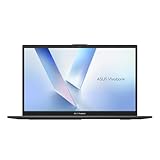
Best for: A beginner who wants a new laptop with a warranty and will edit 1080p with proxies
Check price on AmazonBest for: An editor in Final Cut Pro who wants the best screen in this guide and accepts an end-of-line Mac
Check price on Amazon
Best for: An editor who wants both Resolve minimums for the least money and can live with a 14-inch screen
Check price on AmazonBest for: A beginner who wants the cheapest discrete GPU in the series and the biggest screen
Check price on AmazonThe Honest Price Ladder
| Budget | What it actually buys in November 2026 |
|---|---|
| $250 | First used Windows machine that runs Premiere: T480, ~$204 |
| $290 | First 16GB machine: Latitude 5420 (Renewed), ~$289 |
| $345 | First to meet BOTH Resolve minimums: P14s Gen 2, $344.99 |
| $381 | First discrete GPU: P15s Gen 1 (Refurbished), $380.79 |
| $420 | First Mac with a 4GB GPU: MacBook Pro 15″ (2019), $419.99 |
| $449 | First 6-core workstation, 4GB GPU: P1 Gen 3, ~$449–$499 |
| $494 | Lightest workstation, 4GB GPU: ZBook Firefly 15 G8 (open box), $494 |
| $499 | First NEW Windows 16GB machine: Vivobook Go 15, $499 |
Quick Picks
| Laptop | Best for | Key specs | Price note |
|---|---|---|---|
| Lenovo ThinkPad P1 Gen 3 (used) | First to meet both Resolve minimums | i7-10750H, Quadro T1000 4GB, 16GB, 512GB SSD | ~$449–$499, marketplace |
| ASUS Vivobook Go 15 (new) | First new machine with a warranty | Ryzen 5 7520U, 16GB, 512GB SSD, 15.6″ FHD | $499, authorized retailer |
| Apple MacBook Pro 15″ (2019) (used) | Best screen for editing | i7-9750H, Radeon Pro 555X 4GB, 16GB, 512GB SSD | $419.99, marketplace |
| Lenovo ThinkPad P14s Gen 2 (used) | Cheapest to meet both minimums | i5-1145G7, Quadro T500 4GB, 16GB, 256GB SSD | $344.99, authorized retailer |
| Lenovo ThinkPad P15s Gen 1 (Refurbished) | Cheapest discrete GPU | i7-10510U, Quadro P520 2GB, 16GB, 512GB SSD | $380.79, Online Used Laptops |
How to Choose a Laptop for Video Editing Under $500
$500 is the first budget where Resolve’s minimums both fit
DaVinci Resolve asks for 16GB of RAM and a 4GB GPU; Premiere Pro asks for 8GB and a 4GB GPU, with 2GB as the hard minimum. Until this guide, every machine met at most one: the Latitude 5420 had 16GB but no discrete GPU, and the P15s Gen 1 had a discrete GPU but only 2GB. The P1 Gen 3 is the first with both, and the P14s Gen 2 does it for $155 less. You will still need proxies for 4K.
New with a warranty, or used with a GPU
The only new laptop that fits is the Vivobook Go 15 at $499, and it has no discrete GPU: its Ryzen 5 7520U is a Zen 2 chip with a Radeon 610M of just two compute units. It edits 1080p with proxies and comes with a warranty. Every used workstation here has a real Quadro with CUDA and NVENC — but each is five years old with a tired battery, and a $60–$80 replacement turns a $449 laptop into a $520 one. Buy only with a return window and stress-test it in the first week. Buy new if you cannot afford a dud; buy used for the fastest edits per dollar.
1. Lenovo ThinkPad P1 Gen 3 (used)
Best for: An editor who wants the first machine in this series that meets both of DaVinci Resolve’s minimums, and can buy used, carefully.
The P1 Gen 3 is a 2020 thin-and-light mobile workstation — the first machine here with both 16GB of RAM and a 4GB GPU. Its six-core i7-10750H and Quadro T1000 (Turing, 768 CUDA cores, 4GB GDDR5, NVENC) bring CUDA acceleration to Premiere Pro and Resolve, plus hardware H.264 and HEVC export. The price is a range: the 16GB/512GB configuration lists at $499 — it fits by $1 — while a 32GB/256GB configuration lists at $440. Budget $475.
Specs: i7-10750H (6-core, up to 5.0 GHz); Quadro T1000, 4GB GDDR5; 16GB DDR4, two SODIMM slots to 64GB; 512GB NVMe SSD, second M.2 slot; 15.6-inch FHD IPS; 2x Thunderbolt 3, USB-A, HDMI, SD card; Wi-Fi 6; Windows 11 Pro; 3.75 lb.
Pros: First machine in the series to meet both Resolve minimums; 6-core CPU; Quadro with CUDA and NVENC; RAM to 64GB; thin and light for a workstation.
Cons: Used, five-year-old battery; prices vary $449–$499; 300-nit panel, not color-accurate; no warranty.
2. ASUS Vivobook Go 15 (new)
Best for: A beginner who wants a new laptop with a warranty and will edit 1080p with proxies.
Correction to batches 124–129: this guide called the Vivobook Go 15 the “first real editing machine” while it sat above the budget. It fits now — $499 at an authorized retailer, with a second listing at $469.99 — the first new Windows machine with 16GB and a 512GB SSD in this series, and the only pick here with a warranty. It is not the top pick: it has no discrete GPU, and its Ryzen 5 7520U’s Radeon 610M has just two compute units. The 16GB of RAM is soldered, with no upgrade path.
Specs: Ryzen 5 7520U (4-core, up to 4.3 GHz); Radeon 610M integrated graphics; 16GB RAM, soldered; 512GB NVMe SSD; 15.6-inch FHD IPS; USB-C, USB-A, HDMI; Wi-Fi 6E; Windows 11 Home; 3.5 lb.
Pros: New, with a warranty; 16GB and 512GB at $499; light and quiet; fits by $1 at list price.
Cons: No discrete GPU; Zen 2 CPU, weak integrated GPU; RAM soldered, no upgrade path; 250-nit screen.
3. Apple MacBook Pro 15″ (2019) (used)
Best for: An editor in Final Cut Pro who wants the best screen in this guide and accepts an end-of-line Mac.
The 2019 MacBook Pro 15-inch is the only Mac here with a 6-core chip and a 4GB GPU: an i7-9750H, 16GB of RAM, a 512GB SSD, and a Radeon Pro 555X with 4GB of GDDR5. Its 15.4-inch Retina display (2880 x 1800, 500 nits, P3) is the best screen for color work under $500 — $419.99 for the 16GB/512GB configuration. The catch: Sequoia (15) is the last macOS it will ever run, and the butterfly keyboard is a known failure point, with Apple’s repair program ended.
Specs: i7-9750H (6-core, up to 4.5 GHz); Radeon Pro 555X, 4GB GDDR5; 16GB DDR4, soldered; 512GB SSD, soldered; 15.4-inch Retina 2880 x 1800, P3, 500 nits; 4x Thunderbolt 3; Touch Bar; macOS Sequoia; 4.0 lb.
Pros: Best screen in the guide; 6-core chip, 4GB GPU; Final Cut Pro runs well; four Thunderbolt 3 ports.
Cons: Sequoia is the last macOS, forever; butterfly keyboard risk; RAM and storage soldered; used, no warranty.
4. Lenovo ThinkPad P14s Gen 2 (used)
Best for: An editor who wants both Resolve minimums for the least money and can live with a 14-inch screen.
The P14s Gen 2 is the quiet bargain of this guide: the same Quadro T500 that powers the $494 ZBook Firefly, in a smaller chassis, for $344.99 at an authorized retailer. Its i5-1145G7 is a quad-core 11th-gen chip, its T500 is a Turing GPU with 4GB of GDDR6 and NVENC, and its 16GB of RAM upgrades to 40GB. It is the cheapest machine here that meets both of Resolve’s minimums, by $155 less than the top pick — but the T500 is the weakest Quadro here, and the 256GB SSD holds about one project.
Specs: i5-1145G7 (4-core, up to 4.4 GHz); Quadro T500, 4GB GDDR6; 16GB DDR4 (8GB soldered + 8GB SODIMM, to 40GB); 256GB NVMe SSD; 14-inch FHD IPS touchscreen; Thunderbolt 4, USB-A, HDMI; Wi-Fi 6E; Windows 11 Pro; 3.2 lb.
Pros: Cheapest machine to meet both Resolve minimums; T500 has NVENC; RAM upgradable to 40GB; light and portable.
Cons: Weakest Quadro here; 256GB fills fast; 4-core CPU; touch adds cost, not value.
5. Lenovo ThinkPad P15s Gen 1 (Refurbished)
Best for: A beginner who wants the cheapest discrete GPU in the series and the biggest screen.
The P15s Gen 1 led the $400 guide, and it still belongs here as the cheapest discrete GPU you can buy: $380.79 at Online Used Laptops. Its Quadro P520 has CUDA and NVENC, and its 16GB of RAM upgrades to 32GB for about $40. The correction from batch 129 still stands: the P520 has 2GB of video memory, not 4GB — Lenovo’s spec sheets say 2GB, whatever roundup listings claim. And the price is a single seller: the same configuration is $457.83 on Amazon Renewed, so budget $460 if the $380.79 listing is gone.
Specs: i7-10510U (quad-core, up to 4.9 GHz); Quadro P520, 2GB GDDR5; 16GB DDR4, one open slot to 32GB; 512GB NVMe SSD; 15.6-inch FHD IPS; Thunderbolt 3, USB-A, HDMI, SD card; Wi-Fi 6; Windows 11 Pro; 4.1 lb.
Pros: Cheapest discrete GPU in the series; 16GB, to 32GB for about $40; 512GB NVMe SSD; Thunderbolt 3.
Cons: Quadro is 2GB, not 4GB; 15-watt processor; six years old, tired battery; single-seller price — Amazon Renewed is $457.83.
What to Avoid
Junk catalog prices. The same traps keep appearing: an IdeaPad Gaming 3 with an RTX 3050 Ti at $52.82, a Vivobook Go 15 at $52.82, a MacBook Pro 15-inch at $52.82, an Aspire Go 15 with a Ryzen 7 and 16GB at $23.97. No retailer sells at these prices; the listings are errors or scams.
The wrong Vivobook Go 15. A catalog listing shows a Vivobook Go 15 OLED at $299.99 — a different machine from the $499 one in this guide, and a price no authorized retailer confirms. If a listing is $200 cheaper than the rest, it is a different configuration or a bad listing — check the model number (E1504FA), not just the name.
“4GB Quadro” claims on the P520. Roundup listings still credit the P15s Gen 1’s Quadro P520 with 4GB of video memory. Lenovo’s spec sheets say 2GB. If a seller advertises 4GB, they copied a bad listing — verify in Device Manager or GPU-Z before the return window closes.
8GB machines for Resolve, and Chromebooks for any desktop editor. Resolve’s 16GB minimum is not a suggestion: on 8GB it stutters and crashes on timelines that 16GB machines handle. And no Chromebook here runs Premiere Pro or Resolve natively — the $199 Acer 315 is a fine student laptop, not an editing machine.
No-OS listings. The cheapest P15 Gen 1 data point in this series was a July eBay listing at $329.99 with no operating system installed. A Windows 11 license costs real money on top, and a machine with no OS is one you cannot test until you have paid for one.
Still Doesn’t Fit
Apple MacBook Air M1, 16GB (Refurbished), $511. The 16GB M1 Air misses by $11. Honest budget: $515. The 8GB Fair-grade M1 at $399 is still the fastest 1080p Final Cut machine under $400 — but 8GB is below Resolve’s minimum.
Refurbished HP Victus 15 with an RTX 3050 6GB. The fastest editing laptop under $500 exists only as a deal to hunt: renewed Victus 15 and Dell G15 machines with RTX 3050 graphics regularly land under $500. No live US listing confirms one this week — set an alert, expect $450–$500, insist on 16GB of RAM.
A new gaming laptop with an RTX card. The cheapest new RTX laptop is still the HP Victus 15 at $799. Nothing new with a discrete GPU fits $500.
ThinkPad P1 Gen 4, P16, and MacBook Air M2 (Refurbished). The next workstation generation starts around $700 used; a refurbished M2 Air is about $599.
FAQ
Can a laptop under $500 really run DaVinci Resolve?
Yes, for the first time: the P1 Gen 3 and P14s Gen 2 both meet Resolve’s minimums of 16GB of RAM and a 4GB GPU. Cut 1080p; use proxies for 4K.
New Vivobook Go 15 or a used workstation for Premiere Pro?
The used workstation, on speed: CUDA and NVENC cut export times versus the Vivobook’s CPU-only rendering. The Vivobook wins on the rest — a warranty, a new battery, no dud risk.
Should I buy the MacBook Pro 15″ (2019) without macOS Tahoe?
Only if you edit in Final Cut Pro today: Sequoia still gets security patches, but no new macOS will ever arrive, and the butterfly keyboard is a known failure point.
Can I get an RTX laptop under $500?
As a deal, yes; as a listing, not this week. Refurbished Victus 15 and Dell G15 machines with RTX 3050 graphics regularly appear under $500 — set an alert, insist on 16GB.
How much storage do I really need for video editing?
512GB is the practical minimum: the OS and apps take a large share, and one 1080p project with proxies fills the rest. The 256GB picks need an external drive.
Verdict
Five hundred dollars is where this series stops apologizing. The used ThinkPad P1 Gen 3 at $449–$499 is the first laptop here that meets both of DaVinci Resolve’s minimums — 16GB of RAM and a 4GB GPU — with a six-core CPU, CUDA, and NVENC. Budget $475 and buy only with a return window.
If you will not buy used, the ASUS Vivobook Go 15 at $499 is the honest new answer: the first new Windows machine with 16GB and a warranty in this series. If you edit in Final Cut Pro, the 2019 MacBook Pro 15-inch at $419.99 has the best screen under $500 — just know that Sequoia is its last macOS. If money is tightest, the ThinkPad P14s Gen 2 at $344.99 clears both Resolve floors for $155 less than the top pick. Check the current price on Amazon before buying — used prices move weekly.
As an Amazon Associate, we earn from qualifying purchases.
Suggested Internal Links
- Best Laptop for Video Editing Under $400
- Best Laptop for Video Editing Under $300
- Best Laptop for Video Editing Under $250
More from Amazon
Programs that pair well with the guide above. Offers and eligibility are set by Amazon and may change.
A free business account with business pricing and bulk-buying tools for work, shop or home office.
Create a business accountFree shipping on eligible items, Prime Video and more. Eligible new members can start with a free trial.
Start a Prime free trialAudiobooks and podcasts to listen to on the go. Eligible new members can start with a free trial.
Try Audible freeAd-free music streaming. Eligible new subscribers can start with a free trial.
Try Music Unlimited freeAs an Amazon Associate we earn from qualifying purchases.










Write Your Review
No reviews yet. Be the first to share your experience!