

Our Top Picks

Here is the good news: for the first time in this series, a real development machine fits under $250. A used Lenovo ThinkPad T480 — quad-core i5, 16GB of RAM, a 256GB SSD — sells on eBay for a median of $204 in November 2026. It runs Docker, Android Studio, and full Linux natively.
Now the honest part: the real dev machine is used, eight years old, and a lottery on screen and battery. No new machine under $250 combines 8GB of RAM with an x86 chip, a full-size keyboard, and real storage — the cheapest new Windows 8GB laptop is the Lenovo IdeaPad Slim 3i at $269.99 on Black Friday, twenty dollars over budget.
Our top picks
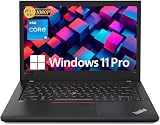
Best for: Anyone whose course needs Docker, Android Studio, or real Windows or Linux software — the first machine under $250 that does it all
Check price on Amazon
Best for: A beginner learning to code who wants a new, full-size 8GB laptop with local VS Code and a warranty
Check price on Amazon
Best for: A student who reads and writes code all day and wants the sharpest screen under $250 — and will code in a web IDE
Check price on Amazon
Best for: Beginners whose course needs Windows and who will not buy used
Check price on AmazonBest for: Beginners with a hard cap below $200 who need 8GB and can live with a small detachable
Check price on AmazonThe Honest Price Ladder
| Budget | What it actually buys in November 2026 |
|---|---|
| $100 | Renewed 11.6-inch Chromebook: Celeron N4020, 4GB RAM, 16–32GB storage — web-based coding only |
| $150 | First 8GB/128GB machine — refurbished and detachable: ASUS CM30, $149.99 |
| $200 | First NEW full-size 8GB machine: Acer 315 touchscreen, $199; first new Windows: HP 14, $199 |
| $250 | First REAL dev machine — used: ThinkPad T480, 16GB, ~$204 median; first 2K touchscreen: Slim 3, $239 |
| $300 | First new Windows 8GB: Aspire Go 15, $299.99 on deal; 8GB + 2K screen together: Slim 3 8GB, $299 |
| $500 | First real dev machine new: Vivobook Go 15, $499 — 16GB, 512GB SSD |
| $700 | Real college laptop: MacBook Neo ($686–$689) or Dell XPS 13 ($599 student discount) |
Quick Picks
| Laptop | Best for | Key specs | Price note |
|---|---|---|---|
| Lenovo ThinkPad T480 (Used) | Best overall | i5-8350U quad-core, 16GB, 256GB SSD, 14″ FHD | ~$204 median sold on eBay |
| Acer Chromebook 315 touchscreen (New) | Best new 8GB | N50, 8GB, 128GB, 15.6″ FHD touch | $199 at Walmart |
| Lenovo IdeaPad Slim 3 Chromebook 2K touch (New) | Best screen under $250 | Kompanio 540, 4GB, 64GB, 14″ 2K touch | $239 at Best Buy |
| HP 14 Windows laptop (New) | Only new Windows machine that fits | N150, 4GB, 128GB, 14″ HD | $199 at Walmart |
| ASUS Chromebook CM30 (Refurbished, Grade A) | Cheapest 8GB of all | Kompanio 520, 8GB, 128GB, 10.5″ touch | $149.99 via StackSocial |
How to Choose a Laptop for Programming Under $250
$250 is where the used market beats the new market
At $100, every machine was a web-IDE machine. At $150, one refurbished detachable had 8GB. At $200, a new full-size 8GB Chromebook fit — but it was a dual-core N50 on ChromeOS, so no Docker, no Android Studio, no Windows-only tools. At $250, the new market still cannot sell you a machine that does all of that: the cheapest new Windows 8GB laptop is $269.99 on Black Friday.
The used market can. A ThinkPad T480 with a quad-core i5, 16GB of RAM, and a 256GB NVMe SSD sells for a median of $204 on eBay in the United States, based on 168 real sold listings over 90 days (pcprice.watch, November 17, 2026). It takes up to 32GB of RAM and runs Windows 11 officially or any Linux distribution natively. Local tools need 8GB, and at $250 only three machines here have it: the used T480, the Acer 315, and the CM30.
1. Lenovo ThinkPad T480 (Used) — Best Real Dev Machine
Best for: Anyone whose course needs Docker, Android Studio, or real Windows or Linux software — the first machine under $250 that does it all.
The ThinkPad T480 is a 2018 14-inch business laptop, and it is still the best programming machine under $250 by a wide margin. A November 2026 price survey lists used i5-8350U models with 16GB and a 256GB SSD at a median of $204 sold on eBay in the United States (pcprice.watch, 168 sales over 90 days). Correction to our under-$200 guide, which listed the T480 at $115–$200: the 7-day sold median is now $248, so budget the full $250.
The 8th-generation quad-core i5 is twice the processor the Acer’s dual-core N50 is. It takes up to 32GB of RAM and a Thunderbolt 3 dock, and runs Windows 11 officially or any Linux distribution natively.
The risks are all about buying used. The screen is a lottery: some T480s shipped with a dim 1366 x 768 TN panel, others with a bright Full HD IPS panel, and listings rarely say which. Batteries on eight-year-old units are degraded, and Thunderbolt 3 port failure is a known risk if the firmware was never updated.
Specs: Core i5-8250U/8350U quad-core; 16GB DDR4, upgradable to 32GB; 256GB NVMe SSD; 14-inch FHD IPS or HD TN; Windows 11 or Linux; Thunderbolt 3.
Pros: Quad-core i5, the fastest CPU here; runs Docker, Android Studio, and full Linux; RAM upgradable to 32GB; great keyboard.
Cons: Used, eight years old; screen is a lottery (TN vs IPS); battery health unknown; Thunderbolt firmware risk.
Check price on Amazon — Lenovo ThinkPad T480 Refurbished
2. Acer Chromebook 315 Touchscreen (New) — Best New 8GB Machine
Best for: A beginner learning to code who wants a new, full-size 8GB laptop with local VS Code and a warranty.
The Acer Chromebook 315 (model CB315-7HT) led our under-$200 guide: the only new, full-size machine under $250 with 8GB of RAM — a 15.6-inch Full HD touchscreen, Intel N50, 8GB of LPDDR5, and 128GB of eMMC storage, at $199 at Walmart, with updates through June 2033.
The trade is the processor and the platform: the dual-core N50 is slow, about half an N100, the memory is soldered, and the 128GB of eMMC has no microSD slot. It runs local VS Code — the only new machine here that does — but Windows-only apps, Docker, and Android Studio will not run on it.
The $199 price is a Walmart deal price: the same configuration lists new from $288 on Amazon.
Specs: Intel N50 dual-core; 8GB LPDDR5; 128GB eMMC; 15.6-inch Full HD touchscreen; ChromeOS, updates through June 2033; Wi-Fi 6.
Pros: Only new full-size 8GB under $250; local VS Code works; $50 under budget; updates to June 2033.
Cons: $199 is a Walmart deal price — Amazon and Best Buy list it near $290; dual-core processor, about half an N100; eMMC, no microSD; RAM cannot be upgraded; no Docker or Android Studio.
Check price on Amazon — Acer Chromebook 315 Touchscreen 8GB
3. Lenovo IdeaPad Slim 3 Chromebook 2K Touchscreen (New) — Best Screen
Best for: A student who reads and writes code all day and wants the sharpest screen under $250 — and will code in a web IDE.
The Lenovo IdeaPad Slim 3 Chromebook (model 83SX0000US) is a 14-inch Chromebook with a 1920 x 1200 IPS touchscreen, a MediaTek Kompanio 540 chip, 4GB of RAM, and 64GB of storage. A deal roundup checked November 17, 2026 lists it at $239 at Best Buy — $180 off its $419 list — with updates through June 2036.
This is the first 2K touchscreen under $250. But 4GB of RAM still caps you at a web IDE — Replit, VS Code Web, GitHub Codespaces — because the Linux container alone can claim most of 4GB.
The $239 is a deal price — Best Buy has also listed this exact model at $243 and $299.
Specs: MediaTek Kompanio 540; 4GB RAM; 64GB eMMC; 14-inch IPS touchscreen, 1920 x 1200; ChromeOS, updates through June 2036; Wi-Fi 6.
Pros: First 2K touchscreen under $250; sharpest screen here; updates through June 2036; compact 14-inch size that fits in a backpack.
Cons: Still only 4GB of RAM and 64GB of storage — web-based coding only; $239 is a deal price and varies by seller; the 8GB version of the same machine costs $299; still a Chromebook.
Check price on Amazon — Lenovo IdeaPad Slim 3 Chromebook 2K Touchscreen
4. HP 14 Windows Laptop (New) — Only New Windows Machine That Fits
Best for: Beginners whose course needs Windows and who will not buy used.
The HP 14-inch Windows laptop pairs an Intel N150 processor with 4GB of RAM and 128GB of storage, running Windows 11 Home. Walmart lists it at $199 in November 2026, down from $259, with about 3,000 ratings averaging 4.2 out of 5.
That is why it is fourth, not first. Four gigabytes of RAM is not enough for Windows 11 with VS Code and a browser open — you will be coding in a web IDE, not running Docker or Android Studio.
For $70 more on a Black Friday deal, the Lenovo IdeaPad Slim 3i at $269.99 gives you the same N150 chip with 8GB of RAM and a Full HD screen.
Specs: Intel N150; 4GB RAM; 128GB storage; 14-inch HD display; Windows 11 Home.
Pros: The only new Windows laptop under $250; runs Windows-only course software; 4.2 out of 5 from about 3,000 Walmart ratings.
Cons: 4GB of RAM is not enough for comfortable local development on Windows; dim HD screen; $199 is a Walmart deal price — elsewhere $229–$250.
Check price on Amazon — HP 14 Windows Laptop N150
5. ASUS Chromebook CM30 (Refurbished, Grade A) — Cheapest 8GB of All
Best for: Beginners with a hard cap below $200 who need 8GB and can live with a small detachable.
The ASUS Chromebook CM30 led our under-$150 guide: the cheapest 8GB/128GB machine anywhere in this series. It is a 2024 detachable 2-in-1 with a 10.5-inch 1920 x 1200 touchscreen, MediaTek Kompanio 520, detachable keyboard, and stylus. The Grade A refurbished model has sold through StackSocial at $149.99 since early 2026 against a $369.99 list price.
Local VS Code works — the only machine under $150 with 8GB and 128GB together. But a 10.5-inch screen shows few lines of code at once, and the ARM chip means some x86-only Linux tools and Docker images will not run natively.
At $250, the CM30 is the budget pick, not the top pick: for $50 more, the Acer 315 gives you a full-size screen and an Intel chip with no ARM limits.
Specs: MediaTek Kompanio 520; 8GB RAM; 128GB eMMC; 10.5-inch touchscreen, 1920 x 1200; detachable keyboard and stylus; Wi-Fi 6; up to 12 hours claimed battery.
Pros: Cheapest 8GB machine in the series at $149.99; sharpest screen per inch here; touchscreen, tablet mode, and stylus; Grade A refurbished, near-mint.
Cons: Refurbished, sold through a deal site, not Amazon; ARM chip — some x86 Linux tools will not run; 10.5-inch screen; detachable keyboard is worse for typing; deal price can end without warning.
Check price on Amazon — ASUS Chromebook CM30
What to Avoid
Do not buy an Android “laptop” — no matter what the RAM number says. Walmart is selling 10-inch 2-in-1 Android tablets as laptops for $88–$107, advertising 14GB or 18GB of RAM. They run Android 15: no VS Code, no Linux container, no real development tools.
Do not buy on the name “Acer Chromebook 315” alone. The name covers many configurations: a Celeron N4000 model with 32GB lists around $227–$245, a Celeron N4500 model with 64GB around $207–$250, and an Intel N100 model with 8GB and 64GB at $299.99 — while the 8GB touchscreen model is $199 on deal and near $290 at full price. Read the configuration line first.
Do not buy on the name “IdeaPad Slim 3 Chromebook” alone. The name covers many configurations: the 4GB/64GB 2K touchscreen at $239, the 8GB/128GB 2K touchscreen at $299, an FHD non-touch version around $245–$249, and a Windows Slim 3i with a 15.3-inch 2K touchscreen, 8GB, and 256GB at $429.99.
Do not pay the $52.82 trap price — the same suspicious listing keeps appearing across laptop categories in this series, attached to machines that do not exist at that price.
Still Doesn’t Fit
- Lenovo IdeaPad Slim 3 Chromebook 8GB/128GB (83SX0001US), $299 at Best Buy — the same 2K touchscreen as the screen pick, with 8GB and 128GB. Honest budget: $300.
- Acer Aspire Go 15, $299.99 on Amazon (Black Friday deal) — Core 3 N355, 8GB DDR5, 128GB UFS, 15.6-inch Full HD IPS, Windows 11 Home in S Mode. Honest budget: $300.
- Lenovo Chromebook m14, $287 at Amazon — Kompanio 540, 8GB RAM, 64GB UFS, 14-inch 1200p display. Honest budget: $290.
- Lenovo IdeaPad Slim 3i, $269.99 at Best Buy (Black Friday) — Intel N150, 8GB, 128GB, 15.6-inch Full HD, Windows. Honest budget: $270.
- Acer Chromebook Plus 514, $319 at Walmart — 14-inch IPS touchscreen, Core 3 N355, 8GB, 512GB SSD. Honest budget: $320.
- ASUS Vivobook Go 15, $499 — first real dev machine new: Ryzen 5 7520U, 16GB, 512GB NVMe SSD. Honest budget: $500.
FAQ
What is the best laptop for programming under $250?
A used Lenovo ThinkPad T480 with 16GB of RAM — a quad-core i5, 256GB SSD, and a real keyboard, at a median of $204 sold on eBay.
Can you learn to code on a Chromebook?
Yes — for Python, JavaScript, and web development. Web-based editors run in a browser tab on any Chromebook here. Local VS Code needs 8GB and real storage, which the Acer 315 and the CM30 have. Docker and Android Studio need a real x86 machine — the T480, or a new Windows laptop from $270 up.
Is a used ThinkPad T480 safe to buy?
Yes, if you buy from a seller with a real return policy and check the screen type (IPS, not TN), the battery health, and the Thunderbolt 3 firmware.
What should I buy if I can spend $300?
The Acer Aspire Go 15 at $299.99 on Amazon’s Black Friday deal — Core 3 N355, 8GB DDR5, a Full HD IPS screen, and Windows 11.
Verdict
The best laptop for programming under $250 is the used Lenovo ThinkPad T480 (i5-8350U, 16GB, 256GB SSD) at a median of $204 sold on eBay — the first machine in this series that is a real development machine: Docker, Android Studio, full Linux, a quad-core processor, and a keyboard you can type on all day. It fits by $46 at the median, but the 7-day median is $248.
If you will not buy used, the Acer Chromebook 315 touchscreen at $199 is the only new full-size 8GB machine that fits. If you read all day, the Lenovo IdeaPad Slim 3 Chromebook 2K touchscreen at $239 has the sharpest screen under $250. If your course needs Windows, the HP 14 at $199 is the only new answer.
As an Amazon Associate, we earn from qualifying purchases.
Suggested internal links for topbestlaptops.com
- Best laptop for programming under $200 —
/best-laptop-for-programming-under-200/ - Best laptop for programming under $150 —
/best-laptop-for-programming-under-150/ - Best laptop for programming under $500 —
/best-laptop-for-programming-under-500/
More from Amazon
Programs that pair well with the guide above. Offers and eligibility are set by Amazon and may change.
A free business account with business pricing and bulk-buying tools for work, shop or home office.
Create a business accountFree shipping on eligible items, Prime Video and more. Eligible new members can start with a free trial.
Start a Prime free trialAudiobooks and podcasts to listen to on the go. Eligible new members can start with a free trial.
Try Audible freeAd-free music streaming. Eligible new subscribers can start with a free trial.
Try Music Unlimited freeAs an Amazon Associate we earn from qualifying purchases.










Write Your Review
No reviews yet. Be the first to share your experience!