

Our Top Picks


For the first time in this series, a new, full-size laptop with 8GB of RAM fits under $200 — and it can run local VS Code. The Acer Chromebook 315 touchscreen costs $199 at Walmart in November 2026 — Intel N50, 8GB, 128GB, a 15.6-inch Full HD touchscreen, updates through June 2033. It led our under-$100 guide renewed at $189.99; now it fits new, with a touchscreen, for $10 more.
Now the honest part: it is still a Chromebook with a dual-core processor, and the $199 price exists at one retailer — Amazon lists the same configuration new from $288, Best Buy at $290. And there is a second honest answer: a used Lenovo ThinkPad T480 — quad-core i5, 8GB, 256GB SSD — sells on eBay for $115–$200. It runs Docker, Android Studio, and full Linux — things no Chromebook here can do — but it is eight years old and a lottery on screen and battery.
Our top picks

Best for: A beginner learning to code who wants a new, full-size 8GB laptop with local VS Code
Check price on Amazon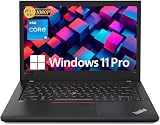
Best for: Anyone whose course needs Docker, Android Studio, or real Windows or Linux software
Check price on Amazon
Best for: Beginners whose course needs Windows and who will not buy used
Check price on Amazon
Best for: Beginners who read and write code all day and want the sharpest screen and longest claimed battery
Check price on AmazonBest for: Beginners with a hard cap below $200 who need 8GB and can live with a small detachable
Check price on AmazonThe Honest Price Ladder
| Budget | What it actually buys in November 2026 |
|---|---|
| $100 | Renewed 11.6-inch Chromebook: Celeron N4020, 4GB RAM, 16–32GB storage — web-based coding only |
| $150 | First 8GB/128GB machine — refurbished and detachable: ASUS CM30, $149.99 |
| $190 | First machine worth learning to code on: Acer 315 (Renewed), $189.99 |
| $200 | First NEW 8GB machine: Acer 315 touch, $199; used T480, $115–$200 |
| $250 | Good budget Chromebook: Lenovo IdeaPad Slim 3, 14-inch 2K touchscreen, $239 |
| $300 | IdeaPad Slim 3 ($299) or Chromebook Plus 514 ($319) |
| $500 | First real dev machine new: Vivobook Go 15, $499 |
| $700 | MacBook Neo ($686–$689) or Dell XPS 13 ($599 student) |
Quick Picks
| Laptop | Best for | Key specs | Price note |
|---|---|---|---|
| Acer Chromebook 315 touchscreen (New) | Best overall | N50, 8GB, 128GB, 15.6″ FHD touch | $199 at Walmart |
| Lenovo ThinkPad T480 (Used) | Best real dev machine | i5-8250U quad-core, 8GB, 256GB SSD, 14″ FHD | $115–$200 on eBay |
| HP 14 Windows laptop (New) | Only new Windows machine | N150, 4GB, 128GB, 14″ HD | $199 at Walmart |
| Lenovo Chromebook M (New) | Best screen and battery | Kompanio 540, 4GB, 64GB, 15.3″ 1200p | $199 at Best Buy |
| ASUS Chromebook CM30 (Refurbished, Grade A) | Cheapest 8GB of all | Kompanio 520, 8GB, 128GB, 10.5″ touch | $149.99 via StackSocial |
How to Choose a Laptop for Programming Under $200
8GB of RAM is the line — and at $200 it finally exists new
ChromeOS runs Linux apps through a built-in container called Crostini — how you install VS Code, a compiler, and a terminal. The container reserves memory: on an 8GB Chromebook it claims around 5GB by default, and on a 4GB device enabling Linux leaves nothing for Chrome tabs. A Linux dev setup also consumes roughly 28GB on average — so a 16GB Chromebook has almost nothing left after ChromeOS itself.
That is why every machine under $150 in this series was a web-IDE machine: VS Code Web, Replit, and GitHub Codespaces run in a browser tab. Local tools need 8GB, and at $200 the same 8GB finally comes in a new, full-size laptop.
The real choice at $200: new Chromebook vs used ThinkPad
Two machines answer two different questions. The Acer 315 touchscreen is new, with a warranty, a big screen, and updates through June 2033 — but it is a dual-core N50 on ChromeOS, so no Docker or Android Studio. The used ThinkPad T480 is a quad-core i5 with a real keyboard, a 256GB SSD, and full Windows or Linux — but it is a 2018 machine bought used, with an eight-year-old battery and a screen that might be a dim TN panel instead of IPS. Learning Python or JavaScript on a safe, new machine? Buy the Acer. Need Docker or real Windows software? Buy the ThinkPad, and check the screen type first.
1. Acer Chromebook 315 Touchscreen (New) — Best Overall
Best for: A beginner learning to code who wants a new, full-size 8GB laptop with local VS Code.
The Acer Chromebook 315 (model CB315-7HT) is a 15.6-inch Full HD touchscreen Chromebook with an Intel N50, 8GB of LPDDR5, and 128GB of storage. A Walmart deal roundup checked November 15, 2026 lists it at $199, with ChromeOS updates through June 2033. It is the first new machine under $200 in this series that runs local development tools.
The $199 price is a Walmart deal price: the same configuration lists new from $288 on Amazon and at $290 at Best Buy. The dual-core N50 is slow — about half an N100 — the 128GB of eMMC storage has no microSD slot, the memory cannot be upgraded, and Windows-only apps, Docker, and Android Studio will not run on it.
Specs: Intel N50 (dual-core, up to 3.4 GHz); 8GB LPDDR5; 128GB eMMC; 15.6-inch Full HD touchscreen; ChromeOS, updates through June 2033; Wi-Fi 6.
Pros: First new full-size 8GB programming laptop under $200; local VS Code works; updates through June 2033.
Cons: $199 is a Walmart deal price — Amazon and Best Buy list it near $290; dual-core processor, about half an N100; eMMC, no microSD slot; RAM cannot be upgraded.
Check price on Amazon — Acer Chromebook 315 Touchscreen 8GB
2. Lenovo ThinkPad T480 (Used) — Best Real Dev Machine
Best for: Anyone whose course needs Docker, Android Studio, or real Windows or Linux software.
The ThinkPad T480 is a 2018 14-inch business laptop, and it is still the best programming machine under $200 by a wide margin. A November 2026 price survey lists used i5-8350U models with 16GB of RAM and a 256GB SSD at $115–$200 on eBay; refurbished units run $280–$370. The 8th-generation quad-core i5 is twice the processor the Acer’s dual-core N50 is. It takes up to 32GB of RAM, an NVMe SSD, and a Thunderbolt 3 dock, and runs Windows 11 officially or any Linux distribution natively — Docker, Android Studio, and every compiler you can name.
It also has the full-size ThinkPad keyboard with a TrackPoint, and a dual-battery design, so a tired battery is a $30 part, not a dead laptop.
The risks are all about buying used. The screen is a lottery: some T480s shipped with a dim 1366 x 768 TN panel, others with a bright Full HD IPS panel, and listings rarely say which. Batteries on eight-year-old units are degraded, and Thunderbolt 3 port failure is a known risk if the firmware was never updated. Buy from a seller with returns, and budget $150–$200 for a good i5 unit.
Specs: Core i5-8250U/8350U (quad-core, up to 3.6–4.0 GHz); 8GB DDR4, upgradable to 32GB; 256GB NVMe SSD; 14-inch display, FHD IPS or HD TN; Windows 11 or Linux.
Pros: Quad-core i5 — the fastest CPU here by far; runs Docker, Android Studio, and full Linux; RAM upgradable to 32GB; legendary keyboard.
Cons: Used, eight years old; screen is a lottery (TN vs IPS); battery health unknown; Thunderbolt firmware risk.
Check price on Amazon — Lenovo ThinkPad T480 Refurbished
3. HP 14 Windows Laptop (New) — Only New Windows Machine That Fits
Best for: Beginners whose course needs Windows and who will not buy used.
The HP 14-inch Windows laptop pairs an Intel N150 processor with 4GB of RAM and 128GB of storage, running Windows 11 Home. Walmart lists it at $199 in November 2026, down from $259, with about 3,000 ratings averaging 4.2 out of 5, and a one-year Microsoft 365 Personal subscription included. It is the only new machine under $200 that runs Windows-only course software.
That is why it is third, not first. Four gigabytes of RAM is not enough for Windows 11 with VS Code and a browser open — you will be coding in a web IDE, not running Docker or Android Studio. The 14-inch screen is HD (1366 x 768), not Full HD.
Specs: Intel N150; 4GB RAM; 128GB storage; 14-inch HD display; Windows 11 Home; 1-year Microsoft 365 Personal included.
Pros: The only new Windows laptop under $200; 4.2 out of 5 from about 3,000 Walmart ratings; Microsoft 365 included for a year.
Cons: 4GB of RAM is not enough for comfortable local development on Windows; dim HD screen; $199 is a Walmart deal price — elsewhere it lists at $229–$250.
Check price on Amazon — HP 14 Windows Laptop N150
4. Lenovo Chromebook M (New) — Best Screen and Battery Claim
Best for: Beginners who read and write code all day and want the sharpest screen and longest claimed battery.
The Lenovo Chromebook M is a 15.3-inch Chromebook with a 1920 x 1200 display, a MediaTek Kompanio 540 chip, 4GB of RAM, and 64GB of storage. Lenovo rates it at up to 16 hours, the longest battery claim here.
The price has already moved: Slickdeals listed it at $179 at Best Buy on November 9–10, 2026, but the page now shows $199. And 64GB is the smallest storage here, with 4GB of RAM — a web-IDE machine, not a local-tools machine.
Specs: MediaTek Kompanio 540 (8-core, up to 2.6 GHz); 4GB RAM; 64GB storage; 15.3-inch display, 1920 x 1200; up to 16 hours claimed battery; Wi-Fi 6E.
Pros: Sharpest screen here; longest claimed battery, up to 16 hours.
Cons: Price already moved from $179 to $199 in a week; only 64GB of storage; still 4GB of RAM — web-based coding only; no touchscreen.
Check price on Amazon — Lenovo Chromebook M 15.3
5. ASUS Chromebook CM30 (Refurbished, Grade A) — Cheapest 8GB of All
Best for: Beginners with a hard cap below $200 who need 8GB and can live with a small detachable.
The ASUS Chromebook CM30 led our under-$150 guide: the cheapest 8GB/128GB machine anywhere in this series. It is a 2024 detachable 2-in-1: a 10.5-inch 1920 x 1200 touchscreen, MediaTek Kompanio 520, detachable keyboard, and stylus. The Grade A refurbished model has sold through StackSocial at $149.99 since early 2026 against a $369.99 list price.
Local VS Code works — the only machine under $150 with 8GB and 128GB together. But a 10.5-inch screen shows few lines of code at once, a detachable keyboard is worse for typing than any clamshell here, and the ARM chip means some x86-only Linux tools and Docker images will not run natively.
Specs: MediaTek Kompanio 520; 8GB RAM; 128GB eMMC; 10.5-inch touchscreen; detachable keyboard and stylus; Wi-Fi 6.
Pros: Cheapest 8GB machine in the series at $149.99; touchscreen, tablet mode, and stylus.
Cons: Refurbished, sold through a deal site; ARM chip — some x86 Linux tools will not run; 10.5-inch screen; detachable keyboard is worse for typing.
Check price on Amazon — ASUS Chromebook CM30
What to Avoid
Do not buy an Android “laptop” — no matter what the RAM number says. Walmart is selling 10-inch 2-in-1 Android tablets as laptops for $88–$107, advertising 14GB or 18GB of RAM. They run Android 15: no VS Code, no Linux container, no real development tools.
Do not buy on the name “Acer Chromebook 315” alone. The name covers many configurations: a Celeron N4000 model with 32GB lists around $227–$245, a Celeron N4500 model with 64GB around $207–$250, and the 8GB touchscreen model at $199 on deal and near $290 at full price. Read the configuration line first — and do not pay $197 for the ASUS CX15 when the Acer 315 costs $179 for the same specs.
Do not pay the $52.82 trap price. The same suspicious listing keeps appearing across laptop categories in this series, attached to machines that do not exist at that price.
Still Doesn’t Fit
- Lenovo IdeaPad Slim 3 Chromebook, $239–$299 — 14-inch 2K touchscreen. Honest budget: $250.
- Acer Chromebook Plus 514, $319 at Walmart — 14-inch IPS touchscreen, Core 3 N355, 8GB, 512GB SSD. Honest budget: $320.
- ASUS Vivobook Go 15, $499 — first real dev machine new: Ryzen 5 7520U, 16GB, 512GB NVMe SSD. Honest budget: $500.
- Dell XPS 13 (2026), $599 with student discount — Core 5 320, 8GB, 512GB SSD. Honest budget: $600–$700.
- Apple MacBook Neo, $686–$689 — A18 Pro, 8GB, 256GB SSD. Honest budget: $700.
FAQ
What is the best laptop for programming under $200?
The Acer Chromebook 315 touchscreen (CB315-7HT, new) at $199 at Walmart — Intel N50, 8GB, 128GB, a 15.6-inch Full HD touchscreen. The first new, full-size 8GB programming laptop under $200. If your course needs Docker or Android Studio, buy a used ThinkPad T480 instead — $115–$200 on eBay.
Can you learn to code on a Chromebook?
Yes — for Python, JavaScript, and web development. Web-based editors run in a browser tab on any Chromebook here. Local VS Code needs 8GB of RAM and real storage, which the top pick and the CM30 have.
Is a used ThinkPad T480 safe to buy?
Yes, if you buy from a seller with a real return policy and check three things: the screen type (IPS, not TN), the battery health, and the Thunderbolt 3 firmware. The 8th-gen i5 is officially supported by Windows 11.
Is 4GB of RAM enough for programming?
For web-based coding, barely. For local tools, no. 8GB is the floor.
What should I buy if I can spend $500?
The ASUS Vivobook Go 15 at $499 — Ryzen 5 7520U, 16GB, a 512GB NVMe SSD. It is the first machine in this series with everything a real dev setup needs.
Verdict
The best laptop for programming under $200 is the Acer Chromebook 315 touchscreen (CB315-7HT, new) at $199 at Walmart — the first machine in this series that is new, full-size, and 8GB, with local VS Code and updates through June 2033. It fits by exactly one dollar: Amazon lists the same configuration new from $288.
If your course needs Docker, Android Studio, or real Windows software, buy the used Lenovo ThinkPad T480 at $115–$200 on eBay — a quad-core i5, 8GB, and a 256GB SSD in a machine you can upgrade to 32GB. Check the screen type and buy from a seller with returns.
If you need Windows and will not buy used, the HP 14 at $199 is the only new answer. And if your budget can stretch to $500, the ASUS Vivobook Go 15 is the first real dev machine new, with 16GB and a 512GB SSD.
As an Amazon Associate, we earn from qualifying purchases.
Suggested internal links for topbestlaptops.com
- Best laptop for programming under $150 —
/best-laptop-for-programming-under-150/ - Best laptop for programming under $100 —
/best-laptop-for-programming-under-100/ - Best laptop for programming under $500 —
/best-laptop-for-programming-under-500/
More from Amazon
Programs that pair well with the guide above. Offers and eligibility are set by Amazon and may change.
A free business account with business pricing and bulk-buying tools for work, shop or home office.
Create a business accountFree shipping on eligible items, Prime Video and more. Eligible new members can start with a free trial.
Start a Prime free trialAudiobooks and podcasts to listen to on the go. Eligible new members can start with a free trial.
Try Audible freeAd-free music streaming. Eligible new subscribers can start with a free trial.
Try Music Unlimited freeAs an Amazon Associate we earn from qualifying purchases.










Write Your Review
No reviews yet. Be the first to share your experience!