

Our Top Picks
One hundred dollars changes more than you would expect. At $1,100, the first 32GB laptop in this series finally fit — but only through marketplace sellers, with HP’s own store charging $1,349 for the same machine. At $1,200, 32GB becomes the normal expectation: our top pick ships with 32GB of RAM and a 1TB SSD for $1,099 from a first-party retailer.
That does not mean everything fits. The 15-inch MacBook Air M5 with 512GB costs $1,249.99 on Amazon in November 2026 — fifty dollars over the line — and the OLED laptop with 32GB that every programmer wants, the ASUS Vivobook S16 with a Ryzen AI 9 465, lists at $1,699.99.
All prices are November 2026 snapshots — check the current price on Amazon before buying.
Our top picks
Best for: Developers who run Docker or Android Studio daily and want the most memory per dollar
Check price on Amazon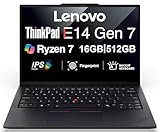
Best for: Developers who type all day and want a machine they can upgrade
Check price on Amazon
Best for: Developers who need huge local storage and a big touchscreen
Check price on Amazon
Best for: Commuters who want the lightest machine with a 2K screen
Check price on Amazon
Best for: Developers on a strict budget whose bottleneck is memory
Check price on AmazonQuick Picks
| Laptop | Best For | CPU | RAM / Storage | Screen | Price |
|---|---|---|---|---|---|
| MSI Modern 15 H (MOD15HC2406) | Best Overall | Intel Core 9 270H | 32GB / 1TB SSD | 15.6″ FHD touchscreen | $1,099 |
| Lenovo ThinkPad E14 Gen 7 (Intel) | Best Keyboard & Upgrades | Intel Core Ultra 7 255H | 16GB / 512GB SSD | 14″ WUXGA IPS | $1,129 |
| HP OmniBook X Flip 16 | Best Storage & 2-in-1 | Intel Core Ultra 7 256V | 16GB / 2TB SSD | 16″ 2K touchscreen | $1,169 |
| Acer Swift Go 14 AI (SFG14-72T) | Best Portable | Intel Core Ultra 7 | 16GB / 512GB SSD | 14″ 2K | $969 |
| Dell Inspiron 15 3535 | Best Value 32GB | AMD Ryzen 7 | 32GB / 512GB SSD | 15.6″ FHD | $889.79 |
How to Choose a Programming Laptop Under $1,200
CPU: cores matter more than clock speed
A dev setup runs an IDE, a server, a database, a browser, and often containers at once. Six cores is the floor; eight or more is where builds stop feeling slow. Every pick here has at least six cores. The ThinkPad’s Core Ultra 7 255H is the strongest chip here, with 16 cores, though half are efficiency cores. The MSI’s Core 9 270H is a 14-core chip, but it is Raptor Lake-H silicon from 2024 — Intel’s rebadged 13th-generation architecture. Chip names mislead: the Ryzen 7 in the Dell is a Zen 3 part from 2022.
RAM: 16GB is the floor, 32GB is the story
Sixteen gigabytes is non-negotiable: Windows 11, VS Code, a browser, Node or Python, Git, and a database eat 10–12GB before you write a line of code. The new story at $1,200 is that 32GB fits comfortably — two of the five picks ship with it, and the top pick pairs it with a 1TB SSD for $1,099. If your daily work includes Docker with several containers or Android Studio with the emulator, buy 32GB now. Only the ThinkPad lets you add memory later — two SODIMM slots, up to 64GB. The rest have soldered RAM.
Storage, keyboard, screen, battery, and warranty
A dev setup fills 80–100GB before your first project, so 512GB of real NVMe storage is the floor. Every pick here has at least 512GB, and the top pick and the HP both clear 1TB.
A programming laptop lives or dies by its keyboard. ThinkPad keyboards remain the benchmark, and the E14 Gen 7 is the only pick here with a TrackPoint. The MSI and HP both have backlit keyboards with numeric keypads; the Acer’s 14-inch body drops the keypad but keeps a backlight. Check the exact listing: some configurations ship without a backlit keyboard.
More vertical lines of code on screen means less scrolling, which is why resolution matters more than size. Three of the five picks have 2K-class panels (1920 x 1200 or better), and the HP’s 16-inch 2K touchscreen shows the most code at once. TN panels wash out at an angle and still appear on budget listings — if a listing does not say IPS, check the model number. Battery claims are the least trustworthy numbers in laptop marketing: manufacturers quote video playback at low brightness, while a programmer running Docker and a browser gets far less. The Acer and the HP are the lightest picks; the MSI and the Dell are desk-first machines at over 4 pounds. Every pick ships with a one-year limited warranty, and the seller matters: a first-party retailer honors it directly.
1. MSI Modern 15 H (MOD15HC2406) — Best Overall
Specs: Intel Core 9 270H (14 cores, up to 5.8GHz) · 32GB DDR4 RAM · 1TB NVMe SSD · 15.6″ Full HD IPS touchscreen · Wi-Fi 6E · backlit keyboard · 53Wh battery · 4.19 lb
Price: $1,099 at Abt (November 2026)
The MSI Modern 15 H is the first laptop in this series where 32GB of RAM and a 1TB SSD fit together with $101 to spare, from a first-party retailer, with no marketplace-seller caveat attached. The 14-core Core 9 270H handles parallel work well.
Pros:
– 32GB of RAM and a 1TB SSD for $1,099, with $101 of headroom
– 14-core CPU handles builds, tests, and containers at once
– Touchscreen and backlit keyboard with numeric keypad
Cons:
– Core 9 270H is 2024 Raptor Lake-H silicon, not current-generation
– 32GB of DDR4, not DDR5; Full HD screen only
– 4.19 lb and a 53Wh battery — a desk-first machine
Best for: Developers who run Docker or Android Studio daily and want the most memory per dollar.
2. Lenovo ThinkPad E14 Gen 7 (Intel) — Best Keyboard & Upgrades
Specs: Intel Core Ultra 7 255H (16 cores, up to 5.1GHz) · 16GB DDR5 RAM (2 SODIMM slots, up to 64GB) · 512GB PCIe 4.0 NVMe SSD (second M.2 slot free) · 14″ WUXGA IPS display · Intel Arc 140T graphics · backlit keyboard with TrackPoint · 64Wh battery · about 2.95 lb · Windows 11 Pro
Price: $1,129 (November 2026)
The ThinkPad E14 Gen 7 is the only laptop in this guide you can upgrade. Two SODIMM slots take the memory to 64GB, and a second M.2 slot takes storage beyond the included 512GB. That matters because the single biggest weakness of every other pick here is soldered RAM: buy 16GB today and you own 16GB forever. With the E14 Gen 7, you can buy 16GB now and add a second 16GB stick later for the price of the module alone — the cheapest path to 32GB in this entire guide. The Core Ultra 7 255H has 16 cores; Notebookcheck rated the machine 87%. Windows 11 Pro is included, which matters if you need BitLocker, Hyper-V, or domain join. The trade-off is the screen: a 1920 x 1200 IPS panel at 300 nits with 45% NTSC color — fine for code, mediocre for color work.
Pros:
– Only pick with upgradeable RAM (to 64GB) and a second M.2 slot
– Strongest CPU in the guide: 16-core Core Ultra 7 255H
– Best keyboard, TrackPoint, MIL-STD-810H build, Windows 11 Pro
Cons:
– Ships with 16GB — upgrade it yourself to reach 32GB
– Base screen is 300 nits with narrow color coverage
– $1,129 leaves little headroom
Best for: Developers who type all day and want a machine they can upgrade.
3. HP OmniBook X Flip 16 — Best Storage & 2-in-1
Specs: Intel Core Ultra 7 256V (8 cores, up to 4.8GHz) · 16GB LPDDR5X RAM · 2TB NVMe SSD · 16″ 2K touchscreen · Intel Arc 140V graphics · backlit keyboard · Copilot+ PC
Price: $1,169 (November 2026)
Two terabytes of SSD storage is the headline — double the top pick. If your work involves large local datasets or multiple virtual machines, 2TB means you stop thinking about disk space entirely. The Core Ultra 7 256V is a current-generation Lunar Lake chip with a 48 TOPS neural processing unit, which makes this a Copilot+ PC. Its 8 cores are the fewest here, but it is efficient and quiet. The trade-off is soldered 16GB of RAM and a price of $1,169 that leaves only $31 of headroom. Do not confuse this with the HP OmniBook 7 Flip 16, which topped our $1,100 guide with 32GB — the X Flip is a different machine.
Pros:
– 2TB SSD — the most storage in this guide, double the top pick
– 16-inch 2K touchscreen shows the most code at once
– Current-generation Ultra 7 256V, Copilot+ PC
Cons:
– 16GB of RAM is soldered — no upgrade path to 32GB
– 8 cores is the fewest in the guide; slower at parallel builds
– $1,169 leaves only $31 of headroom
Best for: Developers who need huge local storage and a big touchscreen.
4. Acer Swift Go 14 AI (SFG14-72T-718K) — Best Portable
Specs: Intel Core Ultra 7 (Series 1) · 16GB DDR5 RAM · 512GB PCIe Gen 4 SSD · 14″ 2K display · Intel Arc graphics · backlit keyboard · about 2.9 lb
Price: $969 (November 2026)
The Swift Go 14 AI is the laptop to buy if you carry your machine everywhere. At about 2.9 pounds with a 14-inch 2K display, it disappears into a bag in a way the 15.6-inch picks never will, and at $969 it leaves $231 in your pocket — the largest saving in this guide, enough for a second monitor or a good mechanical keyboard. The first-generation Ultra 7 inside handles everyday development — IDE, browser, local server, Git — without complaint. The trade-offs are familiar at this size: soldered 16GB of RAM, a 512GB drive, and no numeric keypad. Check the model number: SFG14-72T-718K — “Swift Go 14” covers at least three machines.
Pros:
– Lightest pick at about 2.9 lb, with a sharp 14-inch 2K display
– $969 leaves $231 of headroom — the best value in the guide
Cons:
– 16GB of RAM is soldered, with no upgrade path
– 512GB storage with no second slot; no numeric keypad
Best for: Commuters who want the lightest machine with a 2K screen.
5. Dell Inspiron 15 3535 — Best Value 32GB
Specs: AMD Ryzen 7 (Zen 3) · 32GB RAM · 512GB PCIe NVMe SSD · 15.6″ Full HD display · AMD Radeon graphics · backlit keyboard
Price: $889.79 (November 2026)
The Dell Inspiron 15 3535 is the cheapest 32GB laptop in this guide by more than $200, and that is the whole argument for it. For $889.79 you get 32GB of memory — enough for Docker, Android Studio, and a local database. The caveats are real: the Ryzen 7 inside is Zen 3 silicon from 2022, sold under a 7000-series name — two architectures behind AMD’s current chips, and noticeably slower per core than the Core Ultra chips in the other picks. The screen is Full HD only, the 512GB drive is the smallest here, and the Inspiron line is Dell’s budget plastic chassis, not the aluminium XPS or Latitude build.
Pros:
– 32GB of RAM for $889.79 — the cheapest 32GB in the guide by $200+
– Leaves $310 of headroom, the most in the guide
Cons:
– Ryzen 7 is Zen 3 silicon from 2022 — two architectures behind current AMD chips
– Full HD screen only; budget plastic chassis
Best for: Developers on a strict budget whose bottleneck is memory.
What to Avoid
8GB of RAM at $1,200. Eight gigabytes means constant swapping with a modern dev setup.
256GB drives and fake “SSDs.” Some listings describe eMMC or UFS storage as an SSD — it is not the same thing. eMMC is roughly five times slower than a real NVMe SSD, and UFS is soldered with no upgrade path.
“Latest generation” claims on old chips. The Core 9 270H is Raptor Lake-H from 2024, and the Ryzen 7 in the Dell is Zen 3 from 2022. Only the Core Ultra 7 255H in the ThinkPad and the Ultra 7 256V in the HP are current-generation silicon.
The wrong screen. TN panels wash out at an angle and still appear on budget listings. If a listing does not say IPS, check the model number. A dim 250-nit panel is a real problem if you ever work near a window.
The same name, three machines. Vivobook S16, Swift Go 14, OmniBook Flip, Inspiron 15 — every one of these names covers several different laptops. The model number is the only reliable identifier.
Frequently Asked Questions
Is 16GB of RAM enough for programming in 2026?
Yes, for most development work. Sixteen gigabytes runs an IDE, a browser, a local server, and a database at the same time. It feels tight with Docker or Android Studio’s emulator. If that is your daily workflow, buy one of the 32GB picks here — the MSI at $1,099 or the Dell at $889.79.
Can I get a MacBook under $1,200 for programming?
Yes, but only the 13-inch model. The 13-inch MacBook Air M5 with 16GB and a 512GB SSD costs $1,099 in November 2026 deals. The 15-inch version costs $1,249.99 — fifty dollars over budget.
Does an OLED screen fit under $1,200?
Not with the specs a programmer needs. The cheapest OLED laptop with 32GB of RAM, the ASUS Vivobook S16 with a Ryzen AI 9 465, lists at $1,699.99 at the ASUS store and $1,399.99 in an Amazon deal — both over budget.
Is the ThinkPad E14 Gen 7 really upgradeable?
Yes. It has two SODIMM memory slots, upgradeable to 64GB, and two M.2 slots for storage — the only laptop in this guide with either. A 16GB DDR5 SODIMM costs far less than the price gap to a 32GB laptop.
Should I wait for a better deal?
Several prices here are sale prices: the MacBook Air 13-inch at $1,099 and the Vivobook S16 OLED at $899.99 are both deals, not list prices.
Verdict
At $1,200, the right question is no longer whether 32GB of RAM fits — it does, twice over, with money to spare. The question is what you trade for it. The MSI Modern 15 H is our top pick: 32GB and a 1TB SSD for $1,099 from a first-party retailer, with a 14-core CPU and a touchscreen thrown in.
If you type all day and want a machine you can upgrade, buy the ThinkPad E14 Gen 7. If storage is your bottleneck, the HP OmniBook X Flip 16 and its 2TB drive are unmatched. If you carry your laptop everywhere, the Acer Swift Go 14 AI at $969 is the lightest pick with a 2K screen. And if your budget is really $900, the Dell Inspiron 15 3535 puts 32GB in your hands for $889.79.
As an Amazon Associate, we earn from qualifying purchases.
Suggested internal links
- Best Laptop for Programming Under $1,100
- Best Laptop for Programming Under $1,000
- Best Laptop for Programming Under $900
More from Amazon
Programs that pair well with the guide above. Offers and eligibility are set by Amazon and may change.
A free business account with business pricing and bulk-buying tools for work, shop or home office.
Create a business accountFree shipping on eligible items, Prime Video and more. Eligible new members can start with a free trial.
Start a Prime free trialAudiobooks and podcasts to listen to on the go. Eligible new members can start with a free trial.
Try Audible freeAd-free music streaming. Eligible new subscribers can start with a free trial.
Try Music Unlimited freeAs an Amazon Associate we earn from qualifying purchases.










Write Your Review
No reviews yet. Be the first to share your experience!