

Key takeaways
- What wears first: on education Chromebooks it is usually the hinge and the keyboard keys. Convertible designs with reinforced hinges such as the Spin 311 and CR11 Flip hold up better than thin folio keyboards, which crack at the corners.
- Batteries are sealed. All six models use non-replaceable packs in practice. Expect noticeable capacity loss after about three years of daily charging. Avoid leaving the laptop plugged in at 100 percent on a hot desk.
- Charging: the Chromebooks and the GPD charge over USB-C, so a single 45W USB-C charger can serve a family of Chromebooks. The Surface uses a 39W supply.
- Software support: Chromebooks stop receiving updates on a fixed date. Write that date down at purchase.
- Common mistakes: buying a no-name 11.6-inch Windows laptop with 4GB of memory and slow eMMC storage; the result is a machine that stutters whenever Windows Update runs. Also avoid buying the base 32GB Chromebook and then trying to store offline media.
The best 11-inch laptop in 2026 is the Lenovo Chromebook Duet 11 for most buyers who want a sharp, ultra-portable screen, and the Acer Chromebook Spin 311 or ASUS Chromebook CR11 Flip for anyone who needs a real hinged keyboard or a rugged body for kids. Windows laptops at this size have almost disappeared, so the honest shortlist is mostly Chromebooks, one 12.4-inch Surface for people who must run Windows, and a tiny enthusiast PC for power users.
That shortage is the first thing to understand before you shop. Manufacturers moved their small-screen designs to 13 and 14 inches years ago, and the 11.6-inch panels that remain are almost all aimed at schools, kids and secondary-device buyers. This guide covers six real models you can still find in 2026, explains what each one is genuinely good at, and gives you numbers for weight, screen resolution and battery so you can compare them without guessing. Specifications below come from the manufacturers’ own spec sheets and retailer listings, and where sources disagree on a number, the guide says so.
Our top picks


As an Amazon Associate we earn from qualifying purchases at no extra cost to you.
Quick comparison of the best 11-inch laptops
| Pick | Best for | Screen | Chip | Weight | Rated battery |
|---|---|---|---|---|---|
| Lenovo Chromebook Duet 11 (Gen 9) | Best overall, detachable | 10.95-inch 1920×1200 IPS, 400 nits | MediaTek Kompanio 838 | About 1.1 lb tablet, roughly 2 lb with keyboard | Up to 12 hours (28 to 29 Wh) |
| Acer Chromebook Spin 311 | Best clamshell convertible | 11.6-inch 1366×768 IPS touch | MediaTek MT8183 / Kompanio class | About 2.4 to 2.65 lb | Up to 15 to 16 hours |
| ASUS Chromebook CR11 Flip | Best rugged pick for kids | 11.6-inch 1366×768 touch, Gorilla Glass | Intel N-series (N100 to N250) | About 3.2 lb | 42 to 50 Wh pack |
| Lenovo 300e Yoga Chromebook Gen 4 | Best for classrooms with a stylus | 11.6-inch 1366×768 IPS touch | MediaTek Kompanio 520 / 528 | About 2.9 lb | Up to 16 hours (47 Wh) |
| Microsoft Surface Laptop Go 3 | Best if you need Windows | 12.4-inch 1536×1024, 3:2 | Intel Core i5-1235U | 2.49 lb | Up to 15 hours (41 Wh) |
| GPD Pocket 4 | Best tiny power PC | 8.8-inch 2560×1600, 144Hz | Ryzen AI 9 HX 370 option | About 1.7 lb | Up to 9 hours (45 Wh) |
Why 11-inch laptops are rare in 2026
A decade ago, 11.6-inch laptops were everywhere because they were cheap to build and easy to carry. Three things changed that. First, 13-inch ultrabooks became thin enough that the weight difference shrank to around half a pound. Second, tablets and detachables took over the light-use role. Third, Windows laptop makers saw better margins on larger screens. The result is that today’s 11-inch category is dominated by education Chromebooks, which are sold in bulk to schools and then trickle into retail.
That is not necessarily bad news. A school-grade Chromebook is built to survive backpacks, and Google’s update schedule for current models runs for many years. Acer lists support for its Spin 311 until June 2028, and retailer listings for the newest Lenovo Duet claim support deep into the 2030s. Before buying any Chromebook, check the automatic update expiration date on Google’s published list, because that date, not the processor, decides how long the laptop stays safe to use.
Best overall: Lenovo Chromebook Duet 11 (Gen 9)
The Duet 11 is the only pick in this guide with a screen that looks modern. Its 10.95-inch panel runs at 1920×1200 with 400 nits of brightness, which is noticeably sharper and brighter than the 1366×768 panels on the clamshell Chromebooks below. It is a detachable: the tablet clips into a keyboard folio with a kickstand, and Lenovo includes a USI 2 pen in many configurations.
Key specs: MediaTek Kompanio 838 (an eight-core chip), 4GB or 8GB of LPDDR4X memory, 64GB or 128GB of eMMC storage, two USB-C ports with Power Delivery and DisplayPort, Wi-Fi 6, and a spill-resistant body with MIL-STD-810H certification. Lenovo lists the tablet alone at about 1.12 lb and 7.6 mm thick. Reviewers who weighed the full set with keyboard report roughly 2 lb. The battery is small at about 28 to 29 Wh, and Lenovo’s retail pages claim up to 12 hours.
Who it is for: students, travelers, and anyone who mostly browses, streams, reads and writes. Choose the 8GB version if you keep many tabs open, because the 4GB model will feel tight with Android apps running.
Pros: sharpest screen in the group, true tablet mode, light enough for one-handed reading, pen support, strong battery for its capacity.
Cons: the keyboard folio is less rigid than a hinged keyboard, so typing on your lap is awkward; the processor handles browsing well but struggles with heavy multitasking; the keyboard is not backlit on most configurations.
Best clamshell convertible: Acer Chromebook Spin 311
If you want a conventional laptop with a hinge that flips 360 degrees, the Spin 311 is the easy recommendation. It uses an 11.6-inch IPS touchscreen at 1366×768, protected with antimicrobial Gorilla Glass, and runs on MediaTek silicon in most configurations (Acer also sold Intel and AMD variants of the same chassis in earlier years, so read the model number carefully).
Key specs: 4GB of LPDDR4X memory, 32GB or 64GB of flash storage, one USB-C and one USB-A port, Wi-Fi 5, a 2-cell battery rated up to 15 to 16 hours depending on the listing, and a 45W USB-C charger. Weight depends on the source: Acer’s US page lists 2.65 lb for one model, while Consumer Reports measured about 2.4 lb. It is about 0.74 inch thick. Acer says the keyboard is replaceable and repairable, a rare feature at this price tier.
Who it is for: students who type a lot, parents who want one machine that works as both a laptop and a tablet, and offices that need a cheap shared device for forms and web apps.
Pros: long battery life (independent video-loop measurements have landed near 13 to 14 hours), sturdy hinge, ports on both sides, repairable design, Google updates through mid-2028.
Cons: the 1366×768 screen is the weakest part, since text looks soft and you see less on screen; 4GB of memory limits heavy multitasking.
Best rugged pick for kids: ASUS Chromebook CR11 Flip
The CR11 Flip (model CR1104F) is built like a classroom tool. ASUS lists it as meeting the US military MIL-STD-810H standard, adds a rubber bumper around the body, uses Corning Gorilla Glass over the touchscreen, and includes a garaged stylus that slides into the chassis so it cannot be lost as easily.
Key specs: Intel N-series processor (the N200 is common, with N100, N150 and N250 variants listed by region), 4GB, 8GB or 16GB of LPDDR5 memory, up to 128GB of eMMC storage, two USB-C and two USB-A 3.2 Gen 1 ports, HDMI 1.4, Wi-Fi 6E, and a 42 Wh or 50 Wh battery depending on configuration. The 11.6-inch screen is 1366×768 at 250 nits. At roughly 3.2 lb it is the heaviest 11-inch pick here, but that weight comes from the protective frame.
Who it is for: younger children, shared family devices, and any environment where drops and spills are routine. An Intel chip also tends to feel quicker than the entry MediaTek chips when you open many tabs.
Pros: excellent durability, the widest port selection of the group, replaceable internal parts, more memory options.
Cons: heavy for an 11-inch machine, low-resolution screen, and the 4GB base model should be skipped if you can afford the 8GB version.
Best for classrooms with a stylus: Lenovo 300e Yoga Chromebook Gen 4
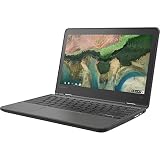
The 300e Yoga Gen 4 is another education workhorse. Lenovo’s datasheet lists an 11.6-inch HD IPS multi-touch display with Gorilla Glass, a MediaTek Kompanio 520 (some versions use the 528), up to 8GB of LPDDR4X memory, up to 64GB of storage, a 47 Wh battery rated up to 16 hours, and a weight of about 1.33 kg (2.93 lb).
Ports and extras: two USB-A 3.2 Gen 1 ports, one USB-C with Power Delivery and DisplayPort, HDMI 1.4b, Wi-Fi 6, a webcam with a privacy shutter, and a world-facing 5MP camera with autofocus that is useful for scanning documents or science projects. The optional garaged pen is rechargeable.
Who it is for: schools, homeschool families and note-takers who want inking and a rear camera. It is a good value when found on sale, though availability changes by retailer.
Trade-offs: the 250-nit screen is dim outdoors, and the base 4GB and 32GB configuration is limiting. Pay for the 8GB version if you can.
Best if you need Windows: Microsoft Surface Laptop Go 3
Strictly speaking this is a 12.4-inch laptop, but it is the closest real Windows laptop to the 11-inch size class from a major brand. Its PixelSense touchscreen is 1536×1024 in a 3:2 shape, which gives more vertical room than a 16:9 panel of the same diagonal. Microsoft lists the weight at 2.49 lb and the thickness at 0.62 inch, making it the lightest Surface Laptop.
Key specs: 12th-generation Intel Core i5-1235U with Iris Xe graphics, 8GB or 16GB of LPDDR5 memory, storage options of 128GB, 256GB or 512GB, a 41 Wh battery, and a 39W charger that reaches 80 percent in a little over an hour. Microsoft claims up to 15 hours of typical use. Independent results differ widely: Consumer Reports recorded about 12.75 hours of light browsing, while TechRadar found closer to nine hours of normal productivity work.
Who it is for: students and professionals who need Windows software such as full Office, Windows-only apps or school-mandated programs that will not run on ChromeOS.
Trade-offs: only one USB-C and one USB-A port, a modest 320-nit display, and 8GB of memory is the minimum worth accepting for Windows in 2026. Because it is an older generation of the product line, look for current stock or refurbished units from reputable sellers and check the warranty.
Best tiny power PC: GPD Pocket 4
The GPD Pocket 4 is not a mainstream pick, but it deserves a spot because it is the only genuinely small machine here with desktop-class speed. Its 8.8-inch screen is 2560×1600 at 144Hz with 500 nits and 97 percent DCI-P3 coverage. The hinge rotates 180 degrees for tablet use.
Key specs: AMD Ryzen 7 8840U or Ryzen AI 9 HX 370 (12 cores, Radeon 890M graphics), 16GB to 64GB of LPDDR5X memory, 1TB to 4TB of PCIe 4.0 storage, a 45 Wh battery, and an aluminum body weighing about 770 to 785 g (roughly 1.7 lb). The port list is unusually long for its size: USB4, USB-C, two USB-A, HDMI 2.1, 2.5Gb Ethernet and a swappable module bay.
Who it is for: IT workers, travelers who need a real Windows desktop in a coat pocket, and tinkerers.
Trade-offs: the keyboard is cramped, battery life drops to roughly an hour under full load and about five hours with light use according to one review, and the price sits far above every other pick here. Treat it as a specialist tool.
How to choose an 11-inch laptop
- Decide on the operating system first. If your school, employer or software needs Windows, the Surface or GPD are your only options. Otherwise a Chromebook is simpler, cheaper and receives automatic updates.
- Pick the form factor. A detachable (Duet) is lighter and better for reading and drawing. A hinged convertible (Spin 311, CR11 Flip, 300e Yoga) types better on a lap or a bus seat.
- Do not accept less than 4GB, and prefer 8GB. Chrome tabs and Android apps add up quickly. The jump from 4GB to 8GB is the most worthwhile upgrade in this category.
- Prefer 64GB or more of storage. ChromeOS keeps most files in the cloud, but 32GB fills up once offline files and Android apps are installed.
- Check the screen resolution. 1920×1200 (Duet) looks far better for reading than 1366×768 (most clamshells).
- Check the update expiration date for any Chromebook before buying.
Decision matrix: match your situation to a pick
| Your situation | Best choice | Why |
|---|---|---|
| Student who reads, browses and takes notes | Lenovo Chromebook Duet 11 | Sharpest screen, pen support, lightest to carry |
| Student who types essays daily | Acer Chromebook Spin 311 | Fixed hinge and proper keyboard, long battery |
| Child under 10 or a shared family device | ASUS Chromebook CR11 Flip | Military-standard durability and garaged stylus |
| Classroom with inking and document scanning | Lenovo 300e Yoga Gen 4 | Rear autofocus camera and rechargeable pen option |
| Windows-only software required | Surface Laptop Go 3 | Full Windows 11 on a light 12.4-inch body |
| Power user who wants the smallest possible PC | GPD Pocket 4 | Ryzen performance, many ports, 144Hz screen |
A worked example: weight and carry cost
Weight matters more than the diagonal when you carry a laptop daily. Take a commuter who carries the machine five days a week for 36 school weeks, which is 180 trips. The Duet with keyboard at roughly 2 lb is about 0.5 lb lighter than the Surface Laptop Go 3 at 2.49 lb, and about 1.2 lb lighter than the CR11 Flip at around 3.2 lb. Over 180 trips the difference is invisible on any single day, but a 1.2 lb saving in a bag that already holds books, water and a charger is the difference between a bag you notice and one you do not. If the laptop will live mostly on a desk at home, ignore this math and choose on durability or screen quality instead.
Battery math: what the ratings mean in a school day
Rated battery hours are produced with light loads and reduced brightness, so convert them into a realistic figure. A practical rule is to take roughly 65 to 75 percent of the rated number. A Spin 311 rated at 15 hours therefore lands around 10 to 11 hours of mixed use, the Duet 11 at 12 hours lands near 8 to 9 hours, and the Surface Laptop Go 3 at 15 hours lands at about 9 to 11 hours, which matches the spread between the independent results quoted above. Any of these covers a full school day. The GPD Pocket 4 is the exception, because its 45 Wh pack feeds a much hungrier processor, so carry a charger if you plan real work on it.
Durability and ownership realities
- What wears first: on education Chromebooks it is usually the hinge and the keyboard keys. Convertible designs with reinforced hinges such as the Spin 311 and CR11 Flip hold up better than thin folio keyboards, which crack at the corners.
- Batteries are sealed. All six models use non-replaceable packs in practice. Expect noticeable capacity loss after about three years of daily charging. Avoid leaving the laptop plugged in at 100 percent on a hot desk.
- Charging: the Chromebooks and the GPD charge over USB-C, so a single 45W USB-C charger can serve a family of Chromebooks. The Surface uses a 39W supply.
- Software support: Chromebooks stop receiving updates on a fixed date. Write that date down at purchase.
- Common mistakes: buying a no-name 11.6-inch Windows laptop with 4GB of memory and slow eMMC storage; the result is a machine that stutters whenever Windows Update runs. Also avoid buying the base 32GB Chromebook and then trying to store offline media.
Accessories worth adding
Small laptops pair well with a few inexpensive extras. A padded sleeve protects the thin lid, which is the most common failure point in a backpack. A USB-C hub adds the HDMI and Ethernet ports the Duet lacks. A compact wireless mouse removes the main weakness of small trackpads, and a screen privacy filter helps if you work in shared spaces. For Chromebooks, a 64GB or larger microSD card is a cheap way to expand storage where the model has a card slot, but check the spec sheet because several of the models above do not include one.
Frequently Asked Questions
Are there still good 11-inch Windows laptops in 2026?
Very few. Most current Windows models start at 13 inches. The practical Windows options near 11 inches are the 12.4-inch Surface Laptop Go 3, refurbished business convertibles with 11.6-inch screens, and niche mini PCs such as the GPD Pocket 4. Be cautious with unbranded 11.6-inch Windows laptops because many ship with very small memory and storage.
Is an 11-inch Chromebook good enough for college?
For writing, research, video calls and web apps, yes. For long typing sessions, a hinged model such as the Acer Chromebook Spin 311 is more comfortable than a detachable. Engineering or design students who need specialized desktop software should choose a Windows or Mac laptop instead.
How much memory do I need in an 11-inch Chromebook?
Four gigabytes works for light browsing, but 8GB is noticeably smoother with many tabs, video calls and Android apps. If the price difference is small, take the 8GB version.
What screen resolution should I look for?
Aim for at least 1920×1200 if you read a lot. The 1366×768 panels on many classroom Chromebooks are functional but look soft and show less content. The Lenovo Duet 11 is the clear winner here at 1920×1200.
Do these laptops support a stylus?
The Lenovo Duet 11 supports a USI 2 pen, the ASUS CR11 Flip includes a garaged stylus, and the Lenovo 300e Yoga Gen 4 offers an optional rechargeable pen. Check whether the pen is included or sold separately for your specific configuration.
How long will an 11-inch Chromebook last?
Plan on four to six years of useful life, limited mainly by the battery and the automatic update date. Models with replaceable keyboards and rugged frames tend to survive longer in a child’s bag.


Write Your Review
No reviews yet. Be the first to share your experience!