

Our Top Picks
 Lenovo V15 Gen 4 Business Laptop16GB RAM | 512GB SSD14.13 x 9.29 x 0.78 inches3.64 poundsCheck on Amazon
The best business laptop under $1,000 for most buyers is the Lenovo ThinkPad E14 Gen 6: a modern Intel Core Ultra 5 processor, 16GB of upgradeable DDR5 RAM, a 512GB SSD, Windows 11 Pro, Thunderbolt 4, and a MIL-STD-810H-tested chassis, without crossing the $1,000 line in the configurations we found in November 2026. For a bigger screen, the HP ProBook 465 G11 is the better 16-inch pick. For the lowest price, the Lenovo V15 Gen 4 does solid office work for much less.
This guide covers five real laptops listed on Amazon US in November 2026, in configurations that fit the under-$1,000 budget at the time of research. Prices change often, so treat any price below as a snapshot and check the current price and the exact configuration before you buy. We have not bench-tested these units.
Our top picks

Best for: Most business buyers who want a complete, portable work laptop that IT can manage and that will last several years
Check price on Amazon
Best for: Buyers who want a large screen, a numeric keypad, and a full set of business ports for desk-based work
Check price on Amazon
Best for: Buyers who need a solid Windows 11 Pro work laptop for the lowest price in this guide
Check price on Amazon
Best for: Buyers who want a 16-inch screen, a modern Ryzen processor, and USB4 at a mid-range price
Check price on Amazon
Best for: Buyers who prefer Dell, or who need a straightforward 16-inch Windows 11 Pro laptop from a major business brand
Check price on AmazonQuick Picks
| Product | Best for | Key specs | Price note |
|---|---|---|---|
| Lenovo ThinkPad E14 Gen 6 | Best overall | Core Ultra 5 125U, 16GB DDR5, 512GB SSD, 14″ WUXGA, Win 11 Pro, Thunderbolt 4 | Check current price on Amazon; US street prices around $849 in research |
| HP ProBook 465 G11 | Best 16-inch business laptop | Ryzen 7 7735U, 16GB DDR5, 512GB SSD, 16″ WUXGA, Win 11 Pro, fingerprint reader | Check current price on Amazon; seen around $949.99–$999.99 |
| Lenovo V15 Gen 4 | Best budget pick | Core i5-13420H, 16GB DDR4, 512GB SSD, 15.6″ FHD, Win 11 Pro, numeric keypad | Check current price on Amazon; seen around $710 in research |
| Lenovo ThinkBook 16 Gen 7 | Best big-screen value | Ryzen 5 7535HS, 16GB DDR5, 512GB SSD, 16″ WUXGA, fingerprint reader, USB4 | Check current price on Amazon; seen around $799 in research |
| Dell Pro 16 PC16250 | Best Dell business pick | Core 5 120U, 16GB RAM, 256GB SSD, 15.9″ WUXGA, Win 11 Pro | Check current price on Amazon; seen around $969.99 in research |
How to Choose a Business Laptop Under $1,000
Start with Windows 11 Pro, not Home. Pro adds BitLocker encryption, domain join, Group Policy, and Remote Desktop hosting. Every pick here is listed with Windows 11 Pro in the recommended configuration — but check the listing, because the same model is also sold with Home.
Get 16GB of RAM, and prefer RAM you can upgrade. Sixteen gigabytes is the practical minimum in 2026 for Outlook, Teams or Zoom, a browser with a dozen tabs, and Excel. Eight gigabytes will feel slow within a year. Two SODIMM slots, as on the ThinkPad E14 Gen 6, let you move to 32GB or 64GB later.
Insist on a 512GB SSD — with one exception. A 512GB NVMe SSD holds Windows, Office, and your files with room to spare. A 256GB drive fills up fast once you add OneDrive sync and email archives. The Dell Pro 16 is the exception: its recommended configuration has a 256GB SSD, so only buy it if your files live in the cloud.
Do not overpay for the processor. For office work, a modern Core Ultra 5, Ryzen 5 HS, or Core i5 H-series processor is enough. Avoid a Celeron, Pentium, or old 11th-generation-and-earlier processor sold as a “business laptop” — those will make even simple multitasking feel slow.
Check the screen and keyboard first. Aim for a 1920 x 1200 (WUXGA) or 1920 x 1080 (FHD) IPS panel with at least 300 nits, a full-size backlit keyboard, and a numeric keypad if you work with numbers. ThinkPad keyboards remain the benchmark here.
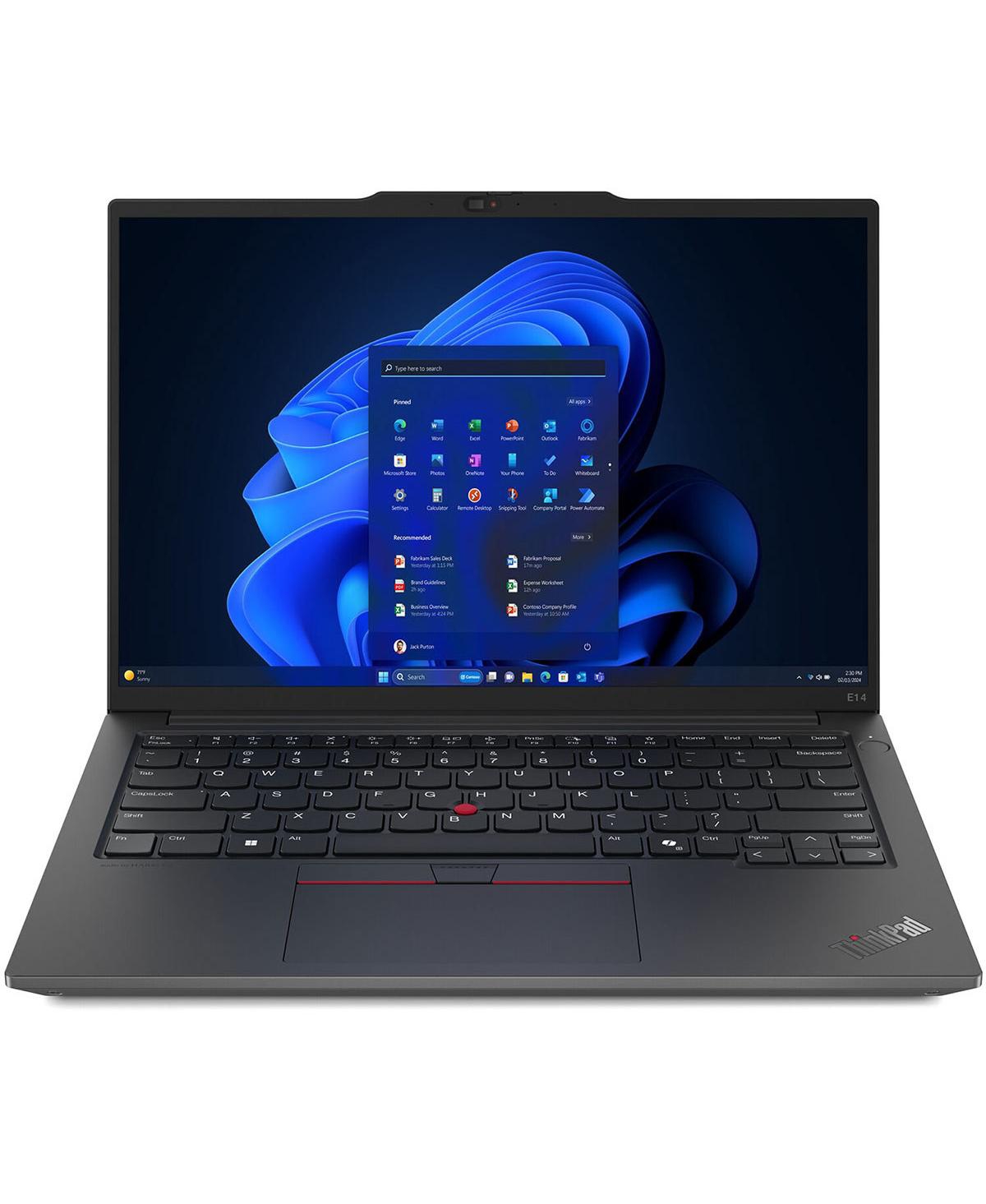
1. Lenovo ThinkPad E14 Gen 6 — Best Overall
Best for: Most business buyers who want a complete, portable work laptop that IT can manage and that will last several years.
The ThinkPad E14 Gen 6 spends its budget on the things that matter for work. The recommended Intel configuration pairs an Intel Core Ultra 5 125U processor with 16GB of DDR5-5600 RAM in two SODIMM slots — upgradeable to 64GB — and a 512GB PCIe 4.0 SSD, with Windows 11 Pro. The 14-inch 1920 x 1200 IPS display is bright enough for office use at 300 nits, and the TrackPoint keyboard, spill-resistant design, discrete TPM 2.0 chip, and MIL-STD-810H-tested chassis are why ThinkPads have been the default business laptop for so long.
Specs: Core Ultra 5 125U; 16GB DDR5, two SODIMM slots, up to 64GB; 512GB PCIe 4.0 SSD; 14-inch 1920 x 1200 IPS, 300 nits; Thunderbolt 4, USB-C, HDMI 2.1, RJ-45; Wi-Fi 6E; Windows 11 Pro; MIL-STD-810H tested.
Pros: Upgradeable RAM to 64GB; Thunderbolt 4 and Ethernet; Windows 11 Pro; strong keyboard and tested build quality; portable 14-inch size.
Cons: Smaller screen than the 16-inch picks for spreadsheet work; no numeric keypad; some configurations cost more than $1,000, so the exact SKU matters.
Who it is best for: Office and remote workers who want one laptop for desk, meetings, and travel — and that can be upgraded rather than replaced.
Check price on Amazon — Lenovo ThinkPad E14 Gen 6
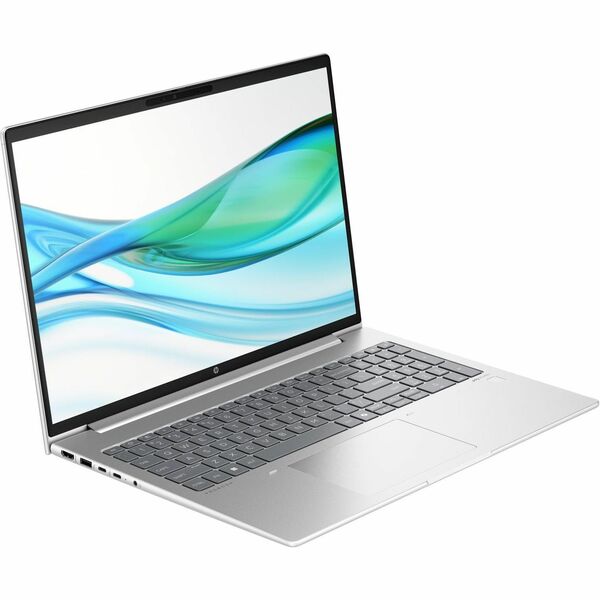
2. HP ProBook 465 G11 — Best 16-Inch Business Laptop
Best for: Buyers who want a large screen, a numeric keypad, and a full set of business ports for desk-based work.
The HP ProBook 465 G11 is the big-screen pick. Its recommended configuration has an AMD Ryzen 7 7735U processor (8 cores, 16 threads), 16GB of DDR5 RAM, a 512GB SSD, and a 16-inch WUXGA (1920 x 1200) display, with Windows 11 Pro, a backlit keyboard, a fingerprint reader, Wi-Fi 6E, two USB-C ports, HDMI, and an RJ-45 Ethernet port. The 16GB of RAM is in two 8GB sticks, so it can be upgraded, and the Radeon 680M integrated graphics handle video calls and external monitors without trouble.
Specs: Ryzen 7 7735U; 16GB DDR5 (2 x 8GB); 512GB NVMe SSD; 16-inch 1920 x 1200 IPS; 2 x USB-C, HDMI, RJ-45, USB-A; Wi-Fi 6E; backlit keyboard, fingerprint reader; Windows 11 Pro.
Pros: Large 16-inch screen and numeric keypad; strong Ryzen 7 performance; full port selection including Ethernet; fingerprint reader and Windows 11 Pro.
Cons: Heavier and larger than the 14-inch picks; battery life is average for a 16-inch laptop; customized seller listings can have different warranty terms.
Who it is best for: Desk-based workers and accountants who want a big screen and a numeric keypad without paying for a premium EliteBook.
Check price on Amazon — HP ProBook 465 G11
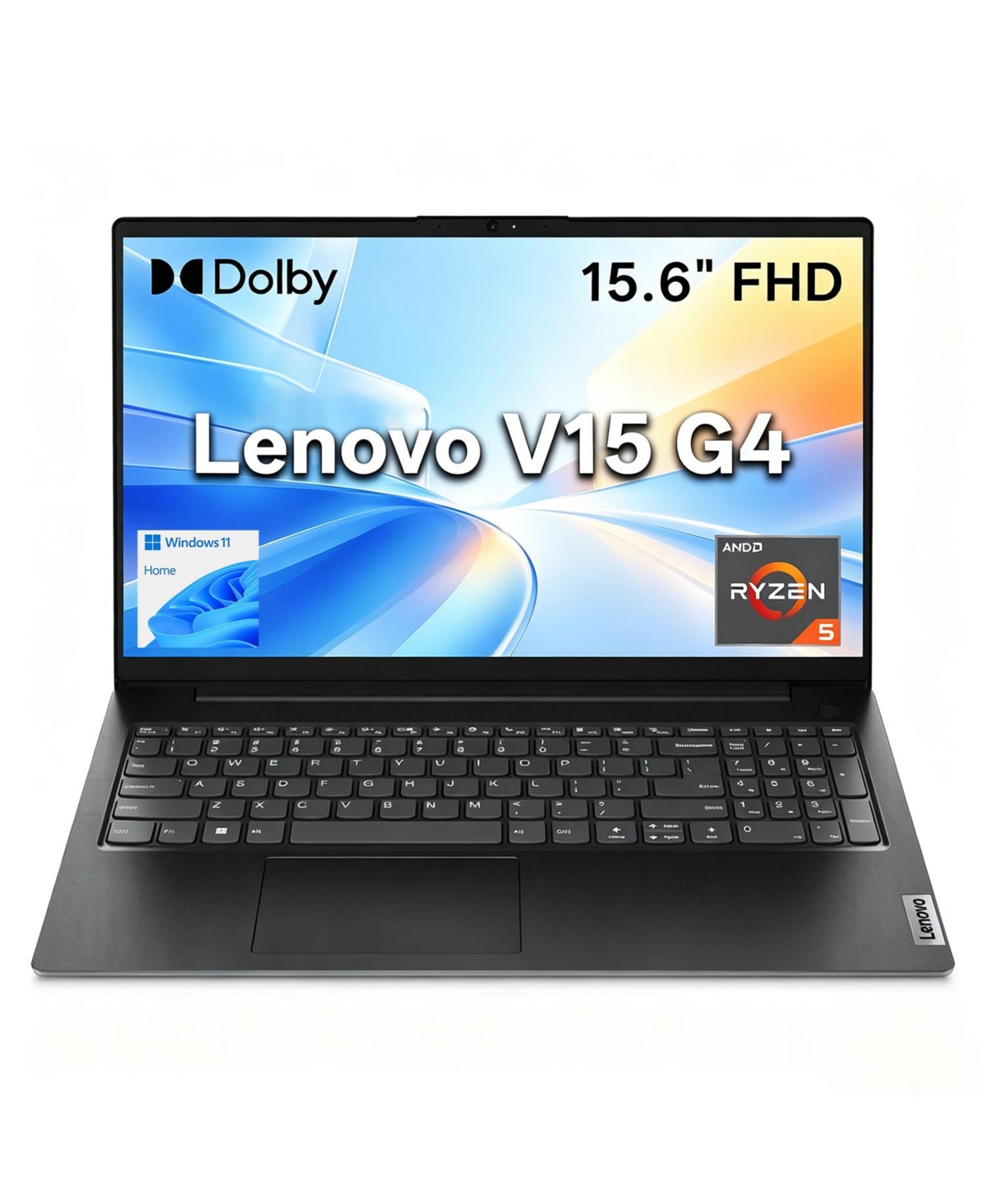
3. Lenovo V15 Gen 4 — Best Budget Pick
Best for: Buyers who need a solid Windows 11 Pro work laptop for the lowest price in this guide.
The Lenovo V15 Gen 4 is the value pick. The recommended configuration has a 13th-generation Intel Core i5-13420H processor (8 cores, 12 threads, up to 4.6 GHz), 16GB of DDR4 RAM, a 512GB PCIe NVMe SSD, and a 15.6-inch Full HD display, with Windows 11 Pro, a numeric keypad, HDMI, RJ-45 Ethernet, and Wi-Fi 6. The H-series processor is genuinely faster under sustained load than the U-series chips in the more expensive picks, so large Excel files, many browser tabs, and video calls are handled comfortably.
Specs: Core i5-13420H; 16GB DDR4, expandable; 512GB NVMe SSD; 15.6-inch 1920 x 1080 display; HDMI, RJ-45, USB-A, USB-C; Wi-Fi 6; numeric keypad; Windows 11 Pro.
Pros: Fast H-series processor for the price; 16GB RAM and 512GB SSD; Windows 11 Pro; numeric keypad and Ethernet; the lowest price in this guide.
Cons: DDR4 RAM and a standard FHD screen; no Thunderbolt or USB4; heavier, plainer build with no MIL-STD testing; battery life is modest.
Who it is best for: Budget-conscious buyers and small businesses that need several reliable work laptops and would rather spend the savings on monitors.
Check price on Amazon — Lenovo V15 Gen 4
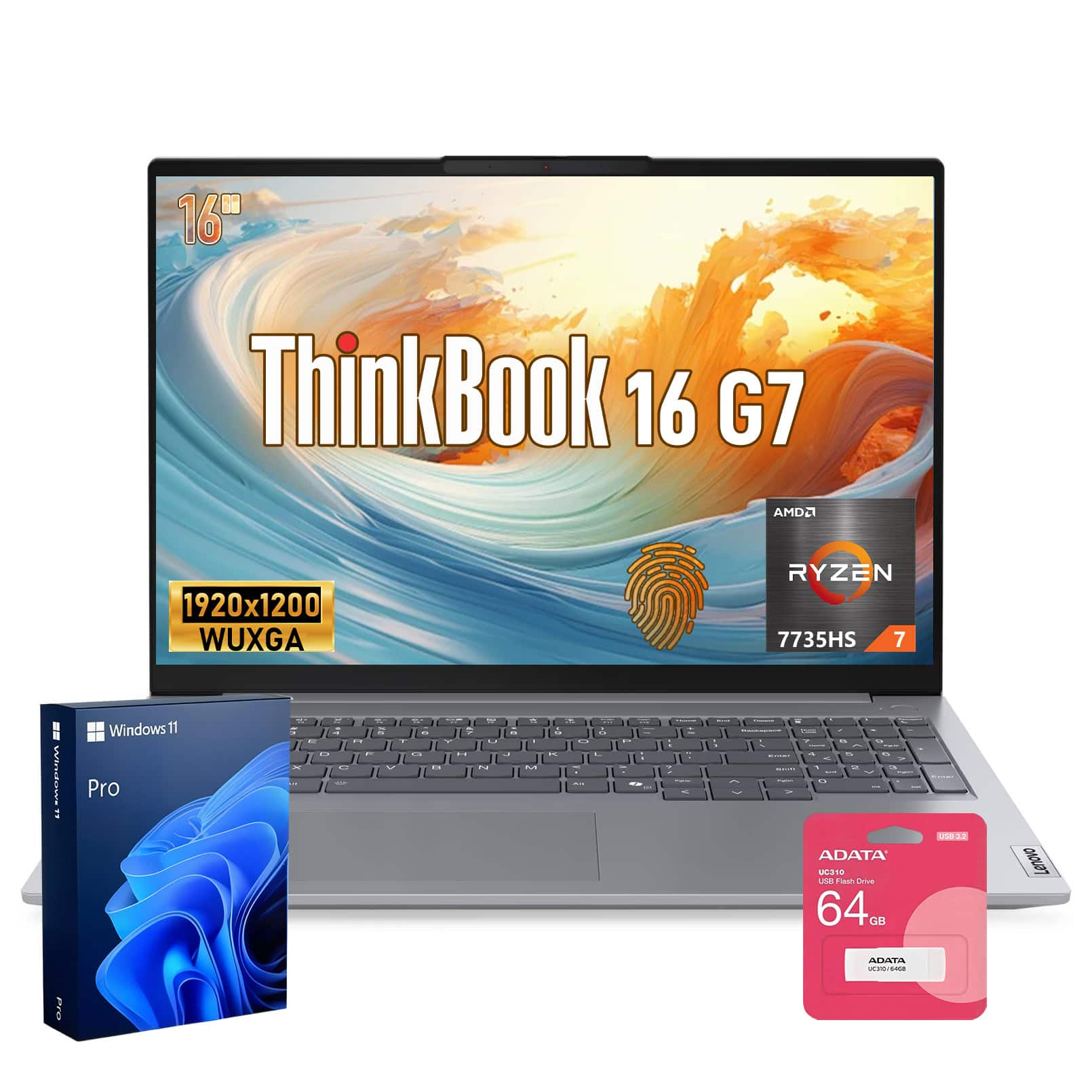
4. Lenovo ThinkBook 16 Gen 7 — Best Big-Screen Value
Best for: Buyers who want a 16-inch screen, a modern Ryzen processor, and USB4 at a mid-range price.
The Lenovo ThinkBook 16 Gen 7 sits between the V15 Gen 4 and the ThinkPad E14 Gen 6: a 16-inch laptop with a more modern platform than the V15, at a lower price than the ThinkPad. The recommended configuration has an AMD Ryzen 5 7535HS processor (6 cores, 12 threads, up to 4.55 GHz), 16GB of DDR5 RAM in a single SODIMM slot (upgradeable to 64GB), a 512GB Gen4 NVMe SSD, and a 16-inch 1920 x 1200 IPS display at 300 nits, with a backlit keyboard, a fingerprint reader, and an aluminium top cover.
Specs: Ryzen 5 7535HS; 16GB DDR5, one SODIMM slot, up to 64GB; 512GB Gen4 SSD, second M.2 slot; 16-inch 1920 x 1200 IPS, 300 nits; USB4, USB-C, HDMI, RJ-45; Wi-Fi 6; backlit keyboard, fingerprint reader; Windows 11 Pro on the recommended configuration — check the listing, as some are sold with Home.
Pros: Large 16-inch WUXGA screen; modern Ryzen 5 HS processor; DDR5 RAM and Gen4 SSD; USB4 and two M.2 slots; good value for a 16-inch business laptop.
Cons: Single RAM slot in the base configuration; no TrackPoint or MIL-STD testing; some listings are sold with Windows 11 Home instead of Pro.
Who it is best for: Workers who want a big screen for documents and video calls, and a modern, upgradeable platform over a premium badge.
Check price on Amazon — Lenovo ThinkBook 16 Gen 7
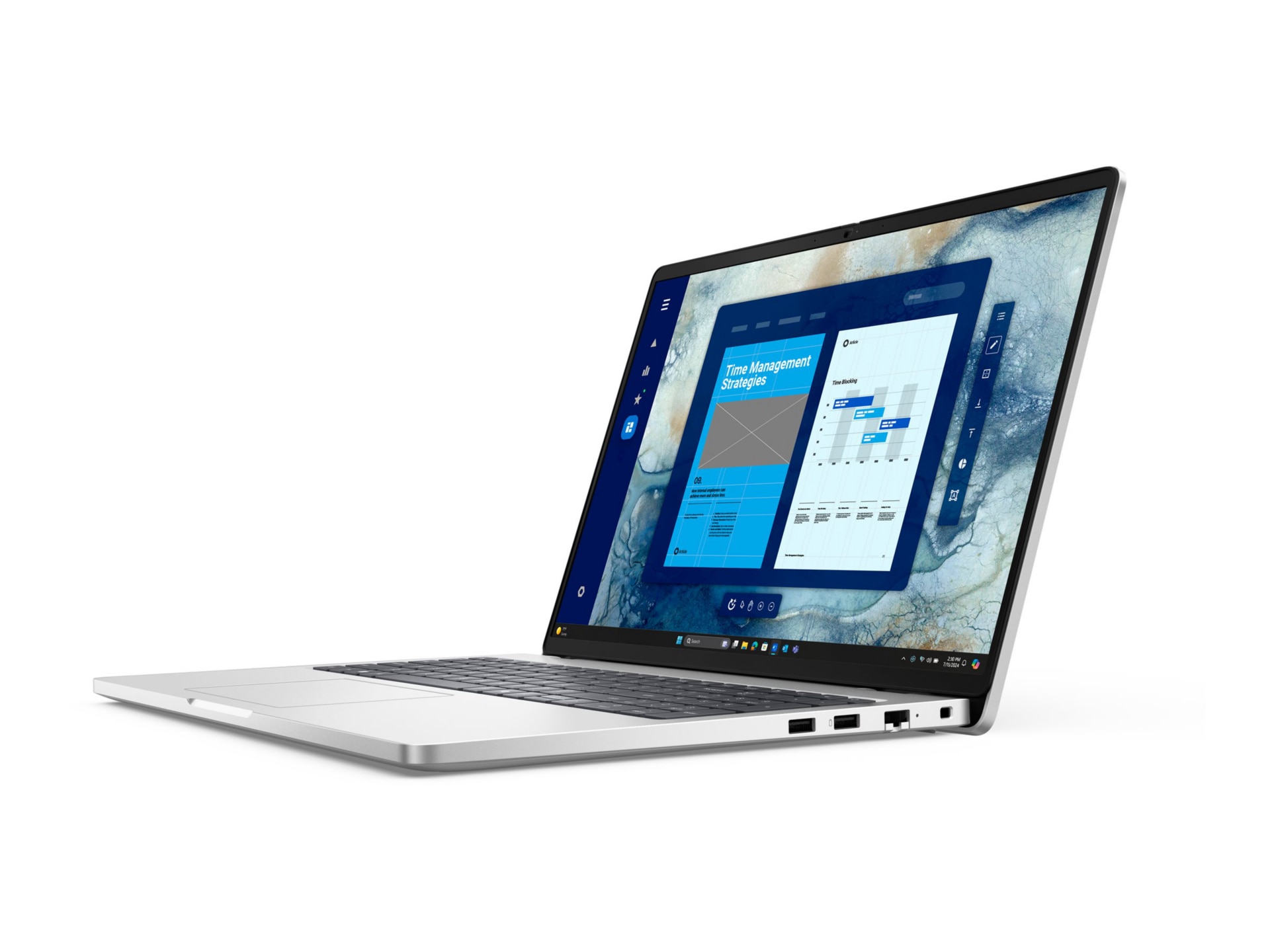
5. Dell Pro 16 PC16250 — Best Dell Business Pick
Best for: Buyers who prefer Dell, or who need a straightforward 16-inch Windows 11 Pro laptop from a major business brand.
The Dell Pro 16 PC16250 is Dell’s current value business line, and the recommended configuration has an Intel Core 5 120U processor (10 cores), 16GB of RAM, and a 15.9-inch WUXGA (1920 x 1200) display, with Windows 11 Pro. A catalog search in November 2026 showed this configuration at $969.99. It is a clean, professional-looking machine with the ports a business user expects, including USB-C, HDMI, and Ethernet on the relevant configurations.
Note the 256GB SSD: fine if your files live in the cloud, tight if they do not. Skip the 8GB version of this model.
Specs: Core 5 120U; 16GB RAM; 256GB NVMe SSD; 15.9-inch 1920 x 1200 display; USB-C, HDMI, RJ-45; Wi-Fi; Windows 11 Pro.
Pros: Reputable Dell business line; 16GB RAM and Windows 11 Pro; large 15.9-inch WUXGA screen; clean professional design.
Cons: Only 256GB of storage in the recommended configuration; 8GB versions of the same model should be avoided; price is close to the $1,000 ceiling for what you get.
Who it is best for: Dell buyers and office workers whose files live in the cloud and who want a simple, well-supported business laptop.
Check price on Amazon — Dell Pro 16 PC16250
What to Avoid
A “business laptop” with 8GB of RAM and a Celeron or Pentium processor. These listings use the word business to sell a slow machine. In 2026, 8GB of RAM and a low-power entry processor will struggle with Teams, a browser, and Office at the same time.
Windows 11 Home at a business price. Home lacks BitLocker, domain join, and Remote Desktop hosting. If two listings look identical except for the operating system, the Pro version is worth the difference for work.
Renewed laptops with a 30-day warranty. Renewed business laptops such as older Latitude and ThinkPad models can be good value, but only if you accept a used battery, a short warranty, and a machine that is already several years old. For a primary work laptop, a new machine with a one-year manufacturer warranty is the safer choice.
FAQ
What is the best business laptop under $1,000?
For most buyers, the Lenovo ThinkPad E14 Gen 6: modern Core Ultra 5 processor, upgradeable 16GB DDR5 RAM, 512GB SSD, Windows 11 Pro, Thunderbolt 4, and a MIL-STD-810H-tested build in a portable 14-inch body. For a bigger screen, the HP ProBook 465 G11 is the best 16-inch pick in this guide.
Is 16GB of RAM enough for a business laptop?
Yes, 16GB is enough for most business work in 2026 — email, Office, spreadsheets, video calls, and a browser with many tabs — and it is the minimum we recommend. If you run very large spreadsheets or virtual machines, choose a laptop with upgradeable RAM, such as the ThinkPad E14 Gen 6, so you can move to 32GB later.
Do I need Windows 11 Pro for a business laptop?
Yes. Pro adds BitLocker encryption, domain join, Group Policy, and Remote Desktop hosting, which Home does not include. If your employer manages your laptop, Pro is usually required. Just make sure the listing actually says Windows 11 Pro, because the same model is often sold with Home.
Can I get a ThinkPad under $1,000?
Yes, but check the exact configuration. The ThinkPad E14 Gen 6 with a Core Ultra 5 125U, 16GB of RAM, and a 512GB SSD was reported at around $849 in our research. Higher-end models such as the X1 Carbon, and some Ryzen 7 configurations of the E14 Gen 6, cost more than $1,000.
How much storage do I need in a business laptop?
A 512GB SSD is the right target for most business users. A 256GB SSD, as on the Dell Pro 16 in this guide, is only enough if your files live in the cloud. If you store large files locally, choose a 512GB model or a laptop with a second M.2 slot.
Verdict
The best business laptop under $1,000 is the Lenovo ThinkPad E14 Gen 6: Windows 11 Pro, upgradeable 16GB DDR5 RAM, a fast 512GB SSD, Thunderbolt 4, Ethernet, a strong keyboard, and a chassis built to be carried. It is not the biggest or the cheapest laptop here, but it is the one most likely to still be a good work laptop in three years.
If the 14-inch screen is too small, buy the HP ProBook 465 G11 instead — the same business essentials on a 16-inch screen with a numeric keypad. If your budget is tight, the Lenovo V15 Gen 4 gives you a fast processor, 16GB of RAM, and Windows 11 Pro for the lowest price here. Whatever you choose, confirm the exact configuration and the current price on Amazon before you buy: the same model name can mean a $710 laptop or a $1,100 one.
As an Amazon Associate, we earn from qualifying purchases.
Prices and configurations were researched on Amazon US in November 2026 and change frequently. Check the current price, the exact configuration, and the warranty terms on the product page before you buy.
Suggested Internal Links for topbestlaptops.com
- /best-laptop-for-programming-under-1000/ — for readers who also code
- /best-laptop-under-1000-for-video-editing/ — for readers who need a laptop for creative work as well as office work
- /best-business-laptop-under-500/ — for readers with a smaller budget
More from Amazon
Programs that pair well with the guide above. Offers and eligibility are set by Amazon and may change.
A free business account with business pricing and bulk-buying tools for work, shop or home office.
Create a business accountFree shipping on eligible items, Prime Video and more. Eligible new members can start with a free trial.
Start a Prime free trialAudiobooks and podcasts to listen to on the go. Eligible new members can start with a free trial.
Try Audible freeAd-free music streaming. Eligible new subscribers can start with a free trial.
Try Music Unlimited freeAs an Amazon Associate we earn from qualifying purchases.
Write Your Review
No reviews yet. Be the first to share your experience!