

Our Top Picks
A good 2-in-1 laptop under $800 has to do two jobs well: work as a normal laptop all day, then fold flat into a tablet when you want to read, take notes, or watch a show. That sounds simple, but the budget makes it tricky. At this price you will find plenty of convertibles with 4GB of RAM, dim screens, and wobbly hinges — machines that look flexible on the box and feel compromised in real use.
The five laptops below are different. Each one is a real, currently listed model on Amazon US in November 2026, verified against live listings and price trackers, and each one fits under $800 in at least one verified configuration. They cover the two worlds of the 2-in-1 market: full Windows convertibles for people who need real apps, and Chromebooks for people who live in a browser.
Our top picks

Best for: Students, writers, and anyone who works in Google Docs, Gmail, and the web — and who wants the cheapest good 2-in-1 you can buy
Check price on AmazonQuick Picks
| Laptop | Best for | Key specs | Price note |
|---|---|---|---|
| Dell Inspiron 14 7440 (Ryzen 7 8840HS) | Best overall | 14″ FHD+ touch, 16GB DDR5, 1TB SSD | Seen around $649.99–$799 for the 16GB config |
| HP OmniBook 7 Flip 16 (Core Ultra 5) | Best big screen | 16″ FHD touch, 16GB RAM, 512GB SSD | Seen at $729.99, down from $1,199.99 |
| Lenovo IdeaPad Flex 5i 14 (Core i7-1255U) | Best Windows value | 14″ FHD touch, 8GB RAM, 512GB SSD | Seen at $779.99 |
| Acer Chromebook Spin 314 (Core i3-N305) | Best Chromebook | 14″ WUXGA IPS touch, 8GB RAM, 128GB | Seen around $479.99–$529.99 |
| Acer Chromebook Plus Spin 514 | Best premium Chromebook | 14″ FHD+ touch, Chromebook Plus | Seen at $799 |
How to Choose a 2-in-1 Laptop Under $800
Start with RAM, not the processor
For a Windows 2-in-1 in 2026, 16GB of RAM is the practical baseline. Windows 11, a browser with a dozen tabs, and a note-taking app will happily eat 8GB, and most of these machines have soldered memory you can never upgrade. A fast processor with 8GB of RAM will feel slower in daily use than a mid-range chip with 16GB. For Chromebooks the math is friendlier: ChromeOS is light, and 8GB is genuinely enough.
Screen, hinge, and stylus
You will touch this screen constantly, so it has to be good. Look for an IPS panel with at least 1920 x 1200 resolution and 300 nits of brightness, and avoid 1366 x 768 panels entirely. A 360-degree hinge should feel firm at every angle, not floppy in tent mode. If you plan to handwrite notes, check whether a stylus is included — Lenovo and HP often include one, Dell usually does not, and a good active pen costs $40–$70 on its own. Also confirm the pen protocol: a USI stylus will not work on a laptop that expects an AES pen.
Battery, weight, and storage
Under 1.6 kg (about 3.5 lb) is comfortable for a 14-inch machine; 16-inch convertibles run closer to 1.9 kg. Look for real-world battery life of 8 hours or more for Windows models and 10 hours or more for Chromebooks. For storage, 512GB is the sweet spot, and make sure at least one USB-C port supports charging and video output.
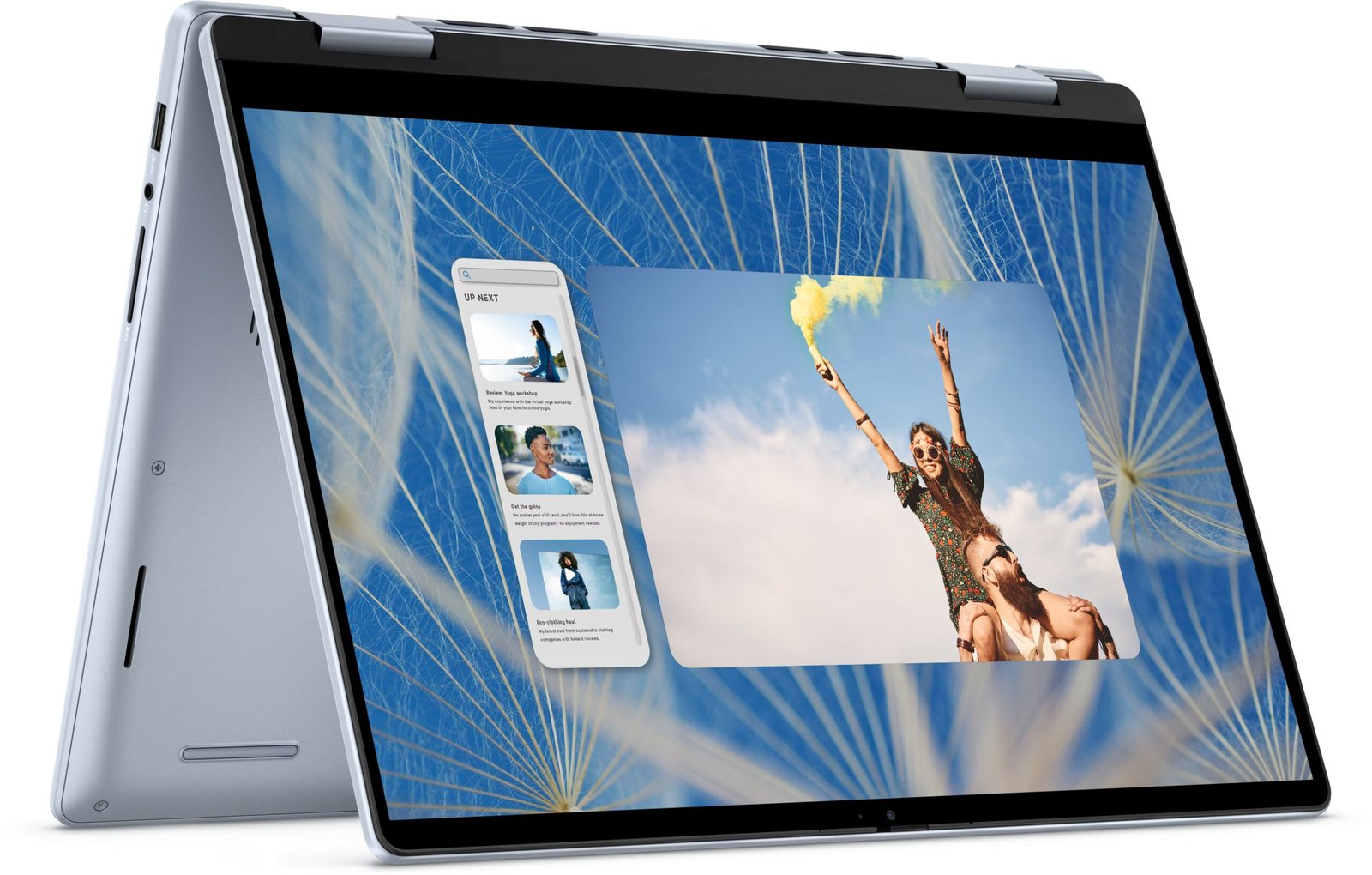
1. Dell Inspiron 14 7440 (Ryzen 7 8840HS) — Best Overall
Specs: 14-inch FHD+ (1920 x 1200) touchscreen | AMD Ryzen 7 8840HS (8 cores, up to 5.1 GHz) | 16GB DDR5 RAM | 1TB SSD | AMD Radeon 780M graphics | Wi-Fi 6E | Windows 11 Home | about 1.7 kg
The Dell Inspiron 14 7440 is the most balanced 2-in-1 under $800, because it is the only pick here that gets the big three right at once: a current-generation 8-core processor, 16GB of fast DDR5 memory, and a 1TB SSD. The Ryzen 7 8840HS is a genuinely capable chip — eight cores, strong integrated Radeon 780M graphics — and it handles photo editing, big spreadsheets, and light video work without breaking a sweat. The 14-inch FHD+ touchscreen is bright enough for everyday work, and the 360-degree hinge is stiff enough to hold tent mode on a train tray table.
Pros:
- Real 16GB DDR5 and 1TB SSD at this price — no storage or memory anxiety
- Ryzen 7 8840HS is the fastest processor in this guide by a clear margin
- Solid aluminum-look build, fingerprint reader, and Wi-Fi 6E
- Good keyboard for a convertible, with reasonable travel
Cons:
- No stylus included in the box — budget $40–$70 for a good active pen
- Battery life is average, around 8 hours of mixed use
Best for: Students and professionals who want one machine that does everything — class notes in tablet mode, real work in laptop mode — without paying Yoga prices.
Price warning — read this before you buy: the Inspiron 14 7440 is sold in many configurations, and their prices swing wildly. Price trackers caught the 16GB Ryzen 7 config as low as $649.99, while other listings for the same model name run $899–$927. Confirm the listing says Ryzen 7 8840HS, 16GB RAM, and 1TB SSD before you check out, and check the current price on Amazon — if the config you want is over $800, wait for a sale rather than settling for the 8GB version.
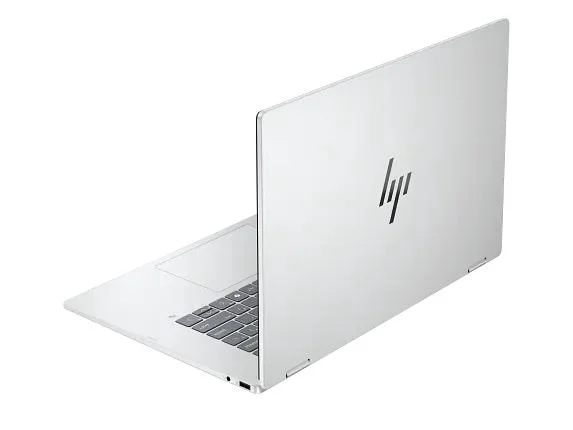
2. HP OmniBook 7 Flip 16 (Core Ultra 5) — Best Big Screen

Specs: 16-inch FHD touchscreen | Intel Core Ultra 5 | 16GB RAM | 512GB SSD | Intel Arc graphics | Copilot+ PC | Windows 11 Home
If you want the biggest screen in this guide, this is it. The OmniBook 7 Flip 16 pairs a roomy 16-inch touchscreen with 16GB of RAM and an Intel Core Ultra 5 processor, and it was listed at $729.99 in November 2026 — down from a $1,199.99 list price. The large display makes split-screen work genuinely comfortable, and in tent mode it doubles as a small media screen for a dorm room or kitchen.
Pros:
- 16-inch screen with 16GB RAM for $729.99 is excellent value
- Core Ultra 5 with Intel Arc graphics handles everyday work and light creative tasks well
- Big keyboard with a number pad, which the 14-inch models lack
Cons:
- At around 1.9 kg it is the heaviest laptop here — less fun to carry all day
- 512GB of storage rather than 1TB
- Battery life is shorter than the 14-inch models, closer to 7 hours
Best for: Anyone who works at a desk most of the time and wants the biggest, most comfortable screen under $800 — especially if you live in spreadsheets or split-screen research.
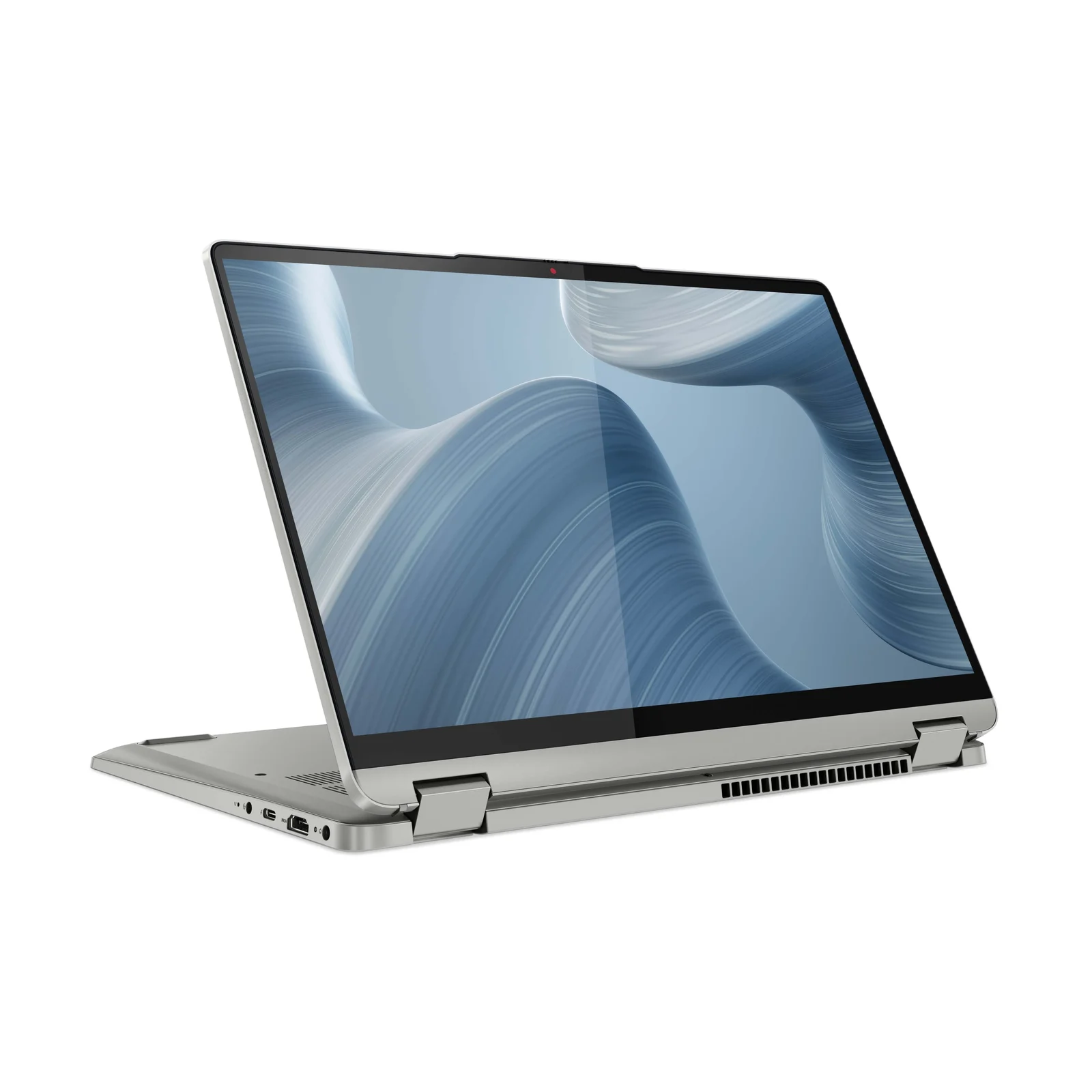
3. Lenovo IdeaPad Flex 5i 14 (Core i7-1255U) — Best Windows Value
Specs: 14-inch FHD touchscreen | Intel Core i7-1255U (10 cores) | 8GB RAM | 512GB SSD | Intel Iris Xe graphics | Windows 11 Home | about 1.5 kg
The IdeaPad Flex 5i is Lenovo’s workhorse convertible, and this Core i7 configuration was listed at $779.99 in November 2026. It is the lightest Windows laptop in this guide at about 1.5 kg, which matters if the machine lives in a backpack. The 10-core i7-1255U is an older chip — it launched in 2022 — but it still feels quick for Word, Zoom, and browser work. Lenovo’s keyboards are consistently among the best at this price, and the Flex 5i’s hinge is one of the smoothest here.
Pros:
- Lightest Windows pick here, easy to carry all day
- Core i7 badge and a genuinely good keyboard
- 512GB SSD and a clean, professional design
Cons:
- Only 8GB of RAM, and it is soldered — you cannot upgrade it later
- The i7-1255U is two generations old; battery life is mediocre
- No fingerprint reader on most configurations
Best for: Students and office workers who value light weight and a great keyboard over raw performance, and who mostly run browser-based apps and Office.
Honest note on the 8GB: if you keep 20 browser tabs open while running Teams or Zoom, this machine will feel tight. It is fine for focused work, but heavy multitaskers should buy the Dell above with 16GB instead.
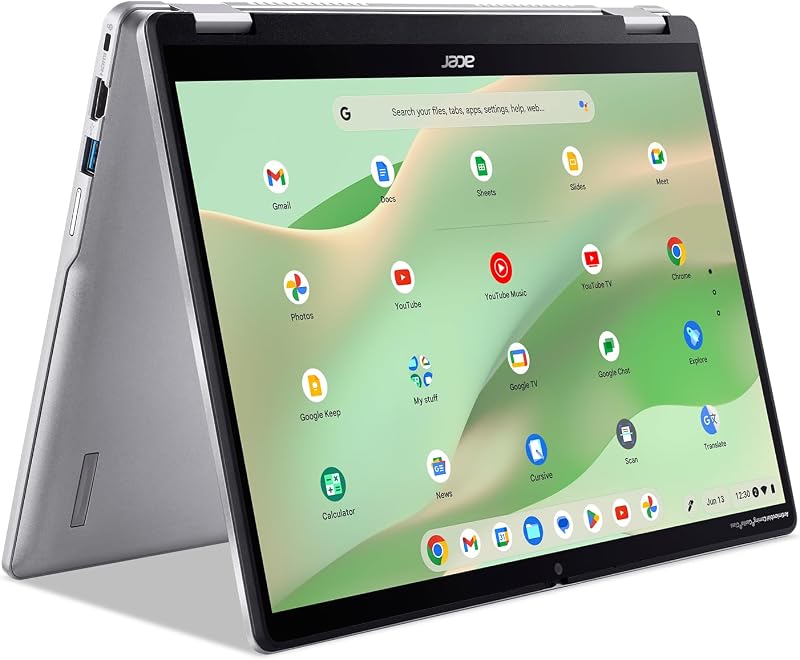
4. Acer Chromebook Spin 314 (Core i3-N305) — Best Chromebook
Specs: 14-inch WUXGA (1920 x 1200) IPS touchscreen | Intel Core i3-N305 (8 cores) | 8GB RAM | 128GB storage | ChromeOS | about 1.5 kg
The Chromebook Spin 314 is the pick for anyone whose life already happens in a browser. The Core i3-N305 is an 8-core chip that is far faster than the Celeron processors in cheaper Chromebooks, the 14-inch WUXGA IPS screen is sharp and bright, and 8GB of RAM is plenty for ChromeOS. It was listed at $479.99 direct from Acer and around $529.99 at other retailers in November 2026, and an October roundup of Amazon listings showed it at about $500. It boots in seconds, updates itself, and the battery regularly lasts 10 hours or more.
Pros:
- Best value in the whole guide — a genuinely good machine for around $500
- Fast 8-core processor for a Chromebook, with a sharp IPS touchscreen
- Excellent battery life and silent, fanless-feeling operation
- Light and easy to carry, with a solid 360-degree hinge
Cons:
- ChromeOS only — no full Windows apps, and some desktop software will not run
- 128GB of storage is small; you will lean on Google Drive
- No backlit keyboard on most configurations
Best for: Students, writers, and anyone who works in Google Docs, Gmail, and the web — and who wants the cheapest good 2-in-1 you can buy.
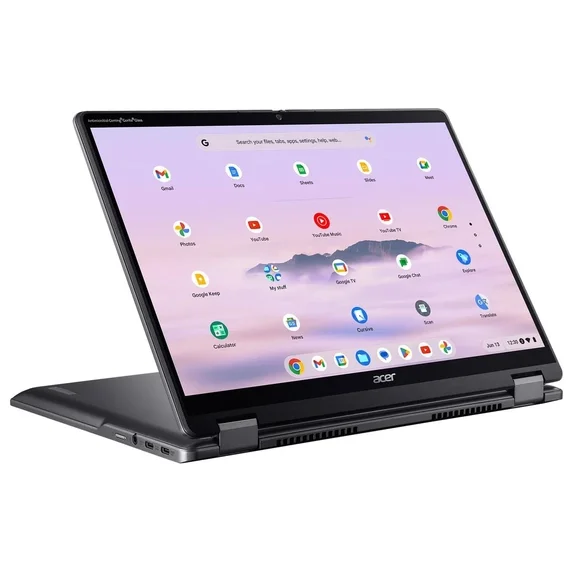
5. Acer Chromebook Plus Spin 514 — Best Premium Chromebook
Specs: 14-inch FHD+ touchscreen | Chromebook Plus certified | 8GB RAM | ChromeOS with Google AI features | MIL-STD-810H tested
Chromebook Plus is Google’s badge for faster, more capable Chromebooks, and the Spin 514 is one of the best of them. It was listed at $799 in November 2026 — right at the top of this budget, but it buys you a faster processor, a brighter screen, and Google’s AI tools for writing, photo editing, and video calls. It is also MIL-STD-810H tested, so it is built to survive being knocked around in a bag.
Pros:
- The fastest, most capable Chromebook in this guide
- Chromebook Plus AI features included at no extra cost
- Tough, military-tested build quality
- Great battery life, typically 10+ hours
Cons:
- At $799 it costs as much as a Windows laptop with more software freedom
- Still ChromeOS — check that your must-have apps run on the web or Android first
Best for: Chromebook fans who want the best screen, the best performance, and the longest useful life — and who are happy to stay inside Google’s ecosystem.
What to Avoid
The Lenovo Yoga 7i 14-inch OLED is over budget right now. It is a wonderful machine — OLED screen, Yoga Pen included, 16GB of RAM — but the OLED configuration was listed at about $1,030 on Amazon in late October 2026. Do not stretch $230 past your budget for it; the Dell and HP picks above give you 90 percent of the experience for hundreds less.
Do not buy a 2-in-1 with 4GB of RAM. You will still find them under $500, usually with a Celeron or Pentium processor. They feel fine for a week and then turn sluggish the moment you open a second app. Every pick in this guide has at least 8GB for a reason.
Do not trust the model name alone. As the Dell warning above shows, one model name can cover a dozen configurations with prices $300 apart. Always check the processor, RAM, and storage on the exact listing you are buying — and check the current price on Amazon before you check out, because November sale prices change daily.
Do not buy a 1366 x 768 touchscreen. On a 14-inch screen that resolution looks fuzzy, and in tablet mode it makes reading unpleasant. 1920 x 1080 is the minimum; 1920 x 1200 is better. And do not assume the stylus is included — if handwriting matters to you, confirm the pen is in the box or budget $40–$70 for one.
FAQ
What is the best 2-in-1 laptop under $800 in 2026?
The Dell Inspiron 14 7440 with the Ryzen 7 8840HS, 16GB of RAM, and a 1TB SSD is our top pick. It is the only machine under $800 that combines a current 8-core processor with 16GB of DDR5 memory and a terabyte of storage, and it was seen as low as $649.99 for that configuration in November 2026. Just make sure you buy the 16GB config — prices vary a lot between listings.
Is 8GB of RAM enough for a 2-in-1 laptop under $800?
For a Chromebook, yes — 8GB is plenty. For a Windows 2-in-1, 8GB is workable but tight, and most of these laptops have soldered memory you cannot upgrade. If you multitask heavily, spend the extra money on a 16GB model like the Dell Inspiron 14 7440 or the HP OmniBook 7 Flip 16.
Are Chromebooks good 2-in-1 laptops?
Yes, if your work happens in a browser. Chromebooks boot fast, last 10+ hours on a charge, and update themselves. The Acer Chromebook Spin 314 at around $500 is one of the best values in this guide. But if you need full desktop apps — Photoshop, AutoCAD, or specific Windows software — buy a Windows 2-in-1 instead.
How long do 2-in-1 laptop hinges last?
A good 360-degree hinge is rated for tens of thousands of flips and should outlast the laptop. The weak point is usually the display cable running through it, which is another reason to buy from a major brand with a real warranty.
Verdict
The best 2-in-1 laptop under $800 is the Dell Inspiron 14 7440 with the Ryzen 7 8840HS, 16GB of RAM, and a 1TB SSD. It is the fastest, best-equipped Windows convertible at this price, and when you find the right configuration under $800 it is hard to beat. If you want a bigger screen, the HP OmniBook 7 Flip 16 gives you 16 inches and 16GB of RAM for $729.99. If your budget is tighter, the Acer Chromebook Spin 314 at around $500 is the best cheap 2-in-1 you can buy — as long as you are happy living in ChromeOS.
As an Amazon Associate, we earn from qualifying purchases.
Suggested Internal Links
- Best 2-in-1 Laptop Under $1,000
- Best Chromebook Under $300
- Best Laptop for College Students Under $700
More from Amazon
Programs that pair well with the guide above. Offers and eligibility are set by Amazon and may change.
A free business account with business pricing and bulk-buying tools for work, shop or home office.
Create a business accountFree shipping on eligible items, Prime Video and more. Eligible new members can start with a free trial.
Start a Prime free trialAudiobooks and podcasts to listen to on the go. Eligible new members can start with a free trial.
Try Audible freeAd-free music streaming. Eligible new subscribers can start with a free trial.
Try Music Unlimited freeAs an Amazon Associate we earn from qualifying purchases.










Write Your Review
No reviews yet. Be the first to share your experience!