

Our Top Picks
At $1,000 and below, most editing laptops ship with an RTX 4050 and 16GB of RAM. Step up to $1,100 and the RTX 4060 enters the picture — a real jump in GPU-accelerated effects, noise reduction, and export speed in Premiere Pro and DaVinci Resolve.
Five real laptops sold on Amazon US in November 2026, in configurations that fit the under-$1,100 budget at the time of research. Prices change often, so treat any price below as a snapshot. We have not bench-tested these machines.
Top pick: the MSI Thin 15 with an RTX 4060 is the best laptop for video editing under $1,100 for most buyers. For the best screen for color work, look at the ASUS TUF Gaming F16.
Our top picks

Best for: Most buyers who want the strongest GPU in this price range for Premiere Pro and DaVinci Resolve
Check price on Amazon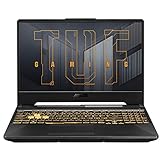
Best for: Buyers who want RTX 4060 performance for less, with a tougher chassis
Check price on Amazon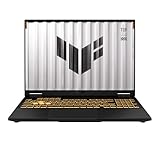
Best for: Editors who grade their own footage and want the most color-accurate screen under $1,100
Check price on Amazon
Best for: Editors who render for hours and want a machine that stays cool and quiet
Check price on Amazon
Best for: Buyers who want a capable editing laptop for the least money, leaving room in the budget for accessories
Check price on AmazonQuick Picks
| Product | Best for | Key specs | Price note |
|---|---|---|---|
| MSI Thin 15 | Best overall | Core i5-13420H, RTX 4060 8GB, 16GB DDR4, 512GB SSD, 15.6″ FHD 144Hz | $1,089.99 on Amazon, 29 Oct 2026 — check current price |
| ASUS TUF Gaming A15 | Best RTX 4060 value | Ryzen 7 7735HS, RTX 4060 8GB, 16GB DDR5, 512GB SSD, 15.6″ FHD 144Hz | Around $899 in Nov 2026 roundups — check current price |
| ASUS TUF Gaming F16 | Best screen for color work | Core 5 210H, RTX 4050 6GB, 16GB DDR5, 512GB SSD, 16″ FHD+ 144Hz, 100% sRGB | Around $1,099 at major retailers — check current price |
| Lenovo LOQ 15 | Best cooling and build | Ryzen 7 7735HS, RTX 4050 6GB, 16GB DDR5, 512GB SSD, 15.6″ FHD 144Hz | Around $999 in Nov 2026 listings — check current price |
| Acer Nitro V 15 | Best budget all-rounder | Core 5 210H, RTX 4050 6GB, 16GB DDR5, 512GB SSD, 15.6″ FHD 165Hz | Around $899.99 in Nov 2026 listings — check current price |
How to Choose a Video Editing Laptop Under $1,100
Start with the GPU, not the CPU. A dedicated graphics card does the heavy lifting: NVIDIA’s RTX cards accelerate playback, effects, and exports through NVENC encoding, and DaVinci Resolve leans on the GPU for noise reduction and stabilization. The RTX 4060 with 8GB of VRAM is the sweet spot here, and the RTX 4050 with 6GB is the floor. Integrated graphics can cut 1080p, but 4K timelines will stutter.
Check the GPU wattage, not just the name. Two laptops can both say “RTX 4060” and perform differently — a higher-wattage GPU sustains faster clocks under load. The picks here run at 75W to 100W, the realistic range for thin budget machines.
RAM: 16GB minimum, and check whether it is upgradeable. For 4K editing, 16GB is the baseline; 32GB is ideal if a sale brings it into budget. Most picks here use two SO-DIMM slots, so you can add a second stick later. Avoid 8GB configurations entirely.
Screen: color accuracy beats refresh rate for editing. What matters for grading is color coverage, so look for 100% sRGB coverage and an IPS panel. For serious color work, plan to calibrate with an external monitor anyway.
Storage: 512GB is workable, 1TB is safer. Video files are large, and 512GB fills up fast. All five picks use NVMe SSDs, and most have a second M.2 slot — confirm it before you buy.
Ports and thermals. Look for USB-C, HDMI, and an SD card slot for drives, monitors, and audio interfaces. Budget gaming laptops run hot under sustained renders, so keep airflow around the machine and expect fan noise. Battery life is poor while editing — plan to work plugged in.
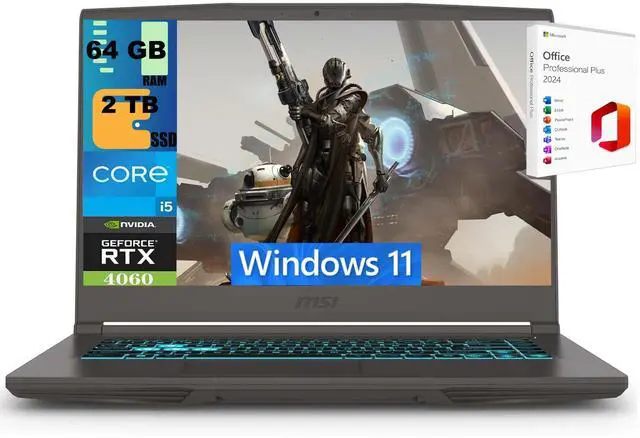
1. MSI Thin 15 — Best Overall
Best for: Most buyers who want the strongest GPU in this price range for Premiere Pro and DaVinci Resolve.
The Thin 15 answers the question this budget exists to ask: what is the most GPU you can get under $1,100? An RTX 4060 with 8GB of VRAM, an Intel Core i5-13420H, 16GB of DDR4 memory, and a 512GB NVMe SSD. A roundup that verified Amazon listings on 29 October 2026 showed this exact configuration at $1,089.99.
The 8GB of VRAM is the real story: compared with the 6GB on an RTX 4050, it holds more of a 4K timeline in memory and exports faster through NVENC. Its 15.6-inch FHD IPS display runs at 144Hz, though it is not a 100% sRGB screen.
Battery life is short while editing, so treat it as a portable desktop; the chassis is plastic, though light at around 4.6 pounds. One listing in the same roundup flagged the configuration as currently unavailable, so confirm stock before you buy.
Specs: Intel Core i5-13420H; NVIDIA GeForce RTX 4060, 8GB GDDR6; 16GB DDR4; 512GB NVMe SSD; 15.6″ FHD IPS, 144Hz.
Pros: RTX 4060 at this price with a verified Amazon listing; 8GB of VRAM helps 4K timelines; light at around 4.6 pounds.
Cons: DDR4 memory rather than DDR5; short battery life; stock can be patchy — check availability.
Who it is best for: Editors who want maximum GPU power per dollar and mainly work plugged in.
Check price on Amazon — MSI Thin 15 RTX 4060
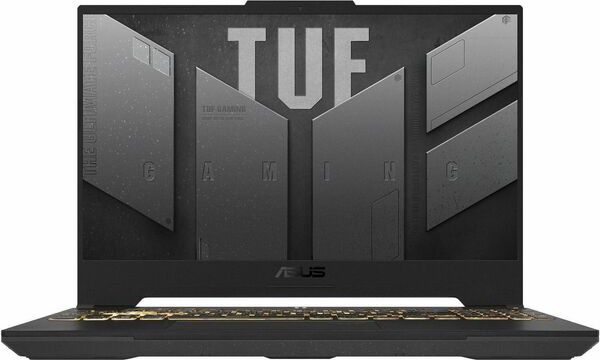
2. ASUS TUF Gaming A15 — Best RTX 4060 Value
Best for: Buyers who want RTX 4060 performance for less, with a tougher chassis.
The TUF Gaming A15 is the value play of this guide: the same RTX 4060 with 8GB of VRAM as the top pick, with an AMD Ryzen 7 7735HS, 16GB of DDR5 memory, and a 512GB SSD, for around $899 on Amazon in November 2026 — roughly $190 less than the Thin 15.
The TUF line is built to a military durability standard, and it runs its RTX 4060 at up to 100W, so it holds its clocks during sustained exports instead of throttling.
The catch is the screen: color coverage is adequate rather than excellent, so it is not the pick for critical grading without an external monitor. It is also heavier than the Thin 15, and the fans are audible under load.
Specs: AMD Ryzen 7 7735HS; NVIDIA GeForce RTX 4060, 8GB GDDR6; 16GB DDR5; 512GB NVMe SSD; 15.6″ FHD IPS, 144Hz.
Pros: RTX 4060 for around $899 — the cheapest verified way into 8GB of VRAM; DDR5 memory; sturdy TUF build.
Cons: Color coverage is adequate, not excellent; heavier than the Thin 15; fans are audible during renders.
Who it is best for: Editors who want the most GPU for the least money.
Check price on Amazon — ASUS TUF Gaming A15 RTX 4060
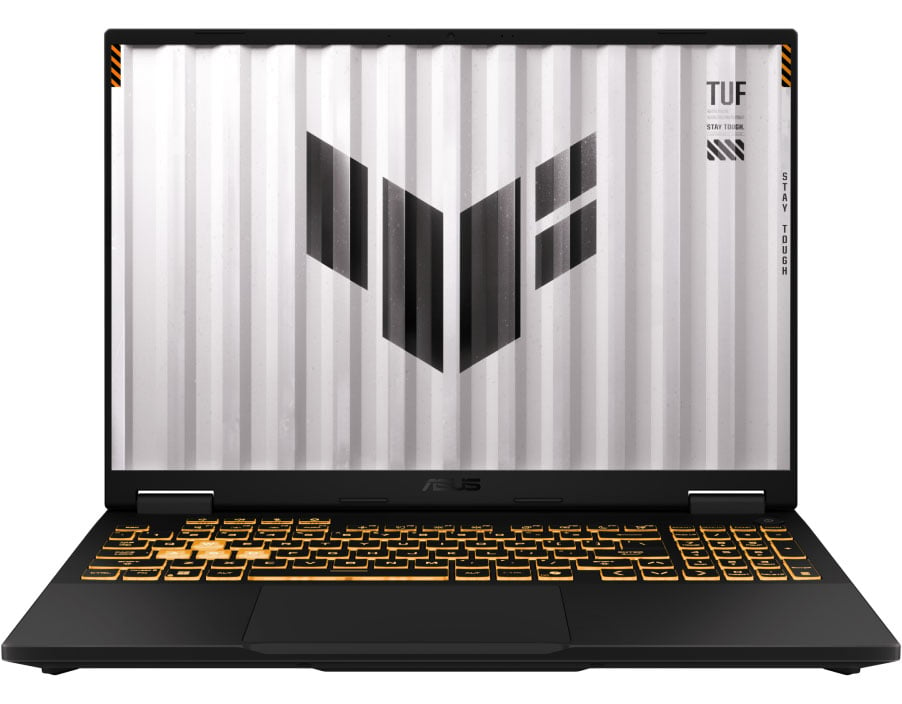
3. ASUS TUF Gaming F16 — Best Screen for Color Work
Best for: Editors who grade their own footage and want the most color-accurate screen under $1,100.
The TUF Gaming F16 is the only pick here that leads with its display: a 16-inch FHD+ panel rated at 100% sRGB, the coverage you want when your grade has to look right on other screens. It pairs that with an Intel Core 5 210H, an RTX 4050, 16GB of DDR5 memory, and a 512GB PCIe Gen4 SSD. Major retailers listed it around $1,099 in November 2026.
The 16-inch, 16:10 screen is the largest here, so more timeline tracks are visible at once.
The trade-off is the GPU: the RTX 4050 is a step below the RTX 4060 in the top two picks, with 6GB of VRAM instead of 8GB. For 1080p and light 4K work it is plenty, but for heavy Resolve effects the 4060 machines pull ahead. Buy this one for the screen, not the GPU.
Specs: Intel Core 5 210H; NVIDIA GeForce RTX 4050, 6GB GDDR6; 16GB DDR5; 512GB PCIe Gen4 SSD; 16″ FHD+ IPS, 144Hz, 100% sRGB.
Pros: 100% sRGB screen — the best color accuracy in this guide; large 16-inch display gives timelines more room.
Cons: RTX 4050 trails the RTX 4060 picks for heavy effects; sits at the top of the budget.
Who it is best for: Editors who grade their own work and want a trustworthy screen.
Check price on Amazon — ASUS TUF Gaming F16 RTX 4050
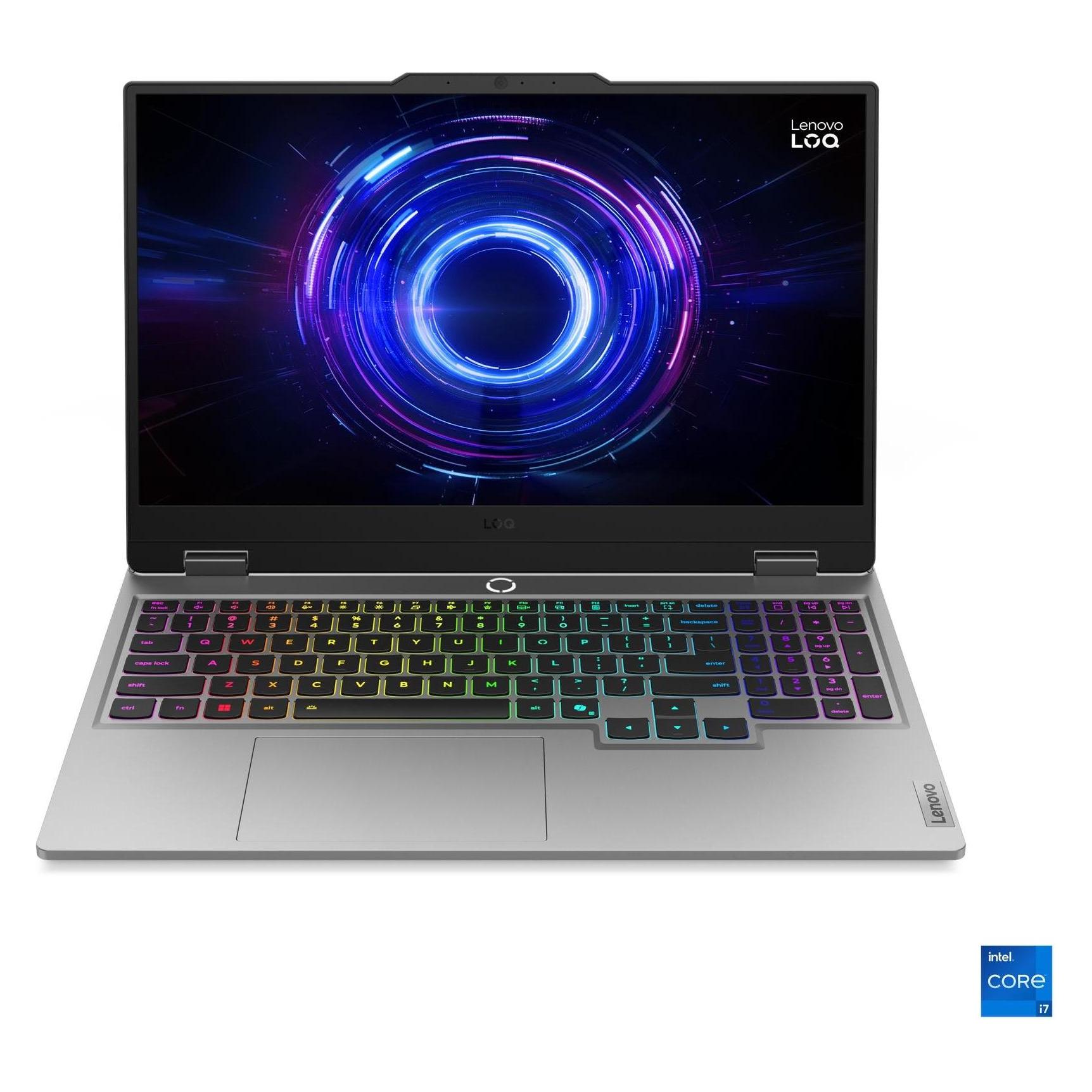
4. Lenovo LOQ 15 — Best Cooling and Build
Best for: Editors who render for hours and want a machine that stays cool and quiet.
The Lenovo LOQ 15 is the best-built laptop in this guide for sustained work. It pairs an AMD Ryzen 7 7735HS with an RTX 4050, 16GB of DDR5 memory, and a 512GB SSD, and November 2026 listings put it around $999. What sets it apart is thermal design: dual fans and rear exhaust that keep it cool during long exports, where thinner machines throttle.
The 15.6-inch FHD IPS display runs at 144Hz, and most configurations offer straightforward RAM and storage upgrades.
The trade-off is the same as the other RTX 4050 picks: 6GB of VRAM, not 8GB. Lenovo also sells many LOQ variants — including a newer RTX 5050 model at $1,179.99 on Amazon, over this budget — so check the exact model number and GPU before you buy.
Specs: AMD Ryzen 7 7735HS; NVIDIA GeForce RTX 4050, 6GB GDDR6; 16GB DDR5; 512GB NVMe SSD; 15.6″ FHD IPS, 144Hz.
Pros: Best thermal design here for long renders; easy RAM and storage upgrades.
Cons: RTX 4050 with 6GB of VRAM, not 8GB; many LOQ variants — confirm the exact GPU.
Who it is best for: Editors who export long projects and want a cool, quiet machine.
Check price on Amazon — Lenovo LOQ 15 RTX 4050
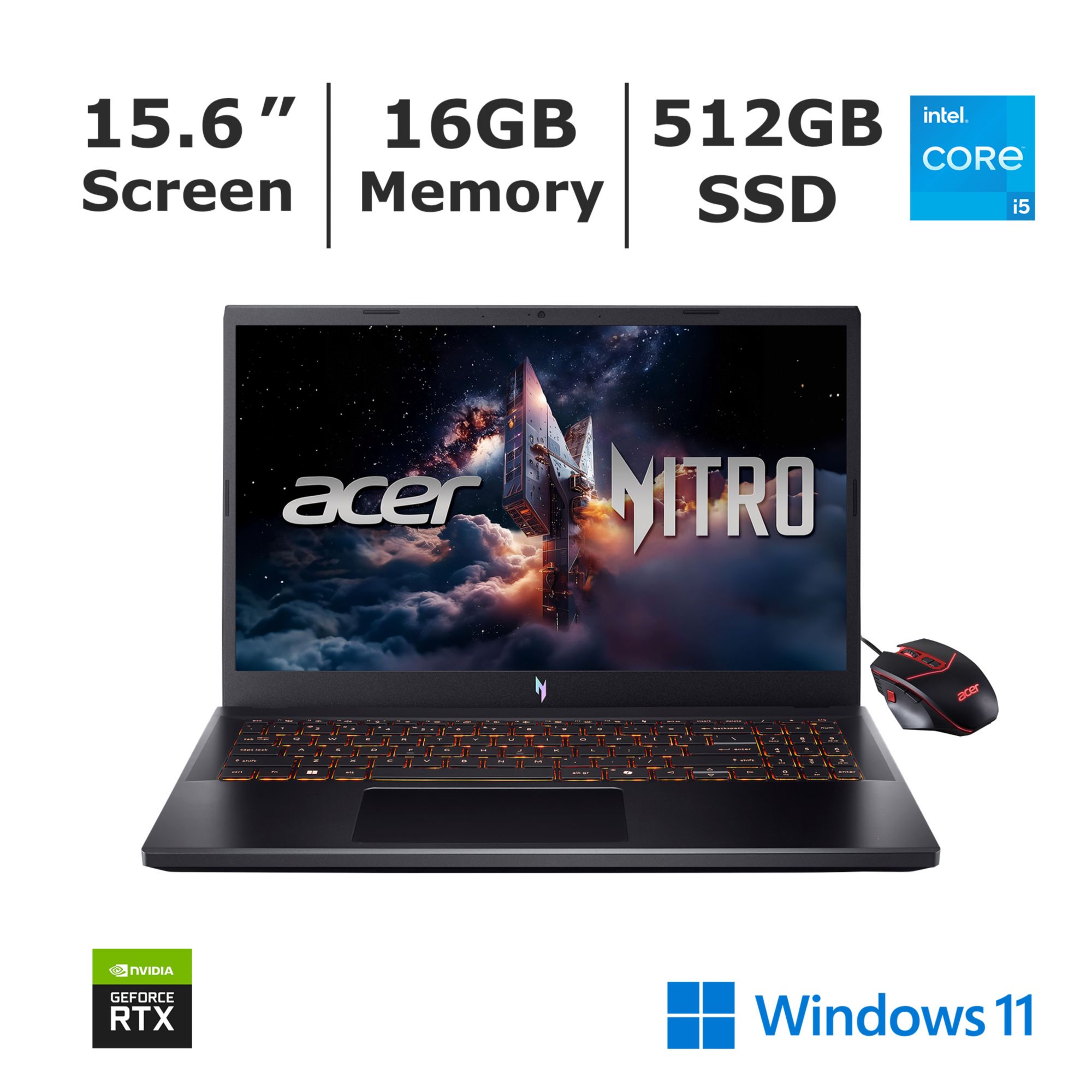
5. Acer Nitro V 15 — Best Budget All-Rounder
Best for: Buyers who want a capable editing laptop for the least money, leaving room in the budget for accessories.
The Acer Nitro V 15 is the cheapest pick here, with the Core 5 210H configuration listed around $899.99 in November 2026: an RTX 4050 with 6GB of VRAM, 16GB of DDR5 memory, a 512GB SSD, and a 15.6-inch FHD display running at 165Hz — the fastest refresh rate in this guide.
That covers the editing essentials, and at roughly $200 under the budget ceiling, the saving covers an external SSD or a RAM upgrade to 32GB, the single best upgrade for 4K work.
The trade-offs are the usual ones for the cheapest pick: poor battery life while editing, a plastic chassis, and adequate rather than excellent color coverage. It also ships in an 8GB RAM version — avoid that one.
Specs: Intel Core 5 210H; NVIDIA GeForce RTX 4050, 6GB GDDR6; 16GB DDR5; 512GB NVMe SSD; 15.6″ FHD IPS, 165Hz.
Pros: Lowest price here at around $899.99; fastest display in this guide at 165Hz; RTX 4050 with hardware encoding.
Cons: Color coverage is adequate, not excellent; plastic build; poor battery life; avoid the 8GB RAM configuration.
Who it is best for: Budget buyers who want a solid editing machine with money left over for upgrades.
Check price on Amazon — Acer Nitro V 15 RTX 4050
What to Avoid
Do not buy on GPU name alone. Two laptops can both say “RTX 4060” and perform differently because of wattage and cooling.
Do not buy 8GB of RAM for video editing. It is not enough once Premiere Pro and background apps are running. 16GB is the minimum; 32GB is better for 4K. Several models here, including the Nitro V, are sold in 8GB configurations — skip those.
Do not assume a price is for the configuration you want. The same model name can hide different CPUs, GPUs, RAM, and storage — the LOQ line alone spans RTX 3050, 4050, 4060, and 5050 versions. Always read the configuration line before comparing prices.
Do not pay over budget for the RTX 5050. The newer Lenovo LOQ with an RTX 5050 was listed at $1,179.99 on Amazon in November 2026 — over this budget, and the RTX 4060 picks here cost less for similar editing performance.
Do not expect all-day battery life. Every laptop here is a gaming machine first, and editing drains the battery fast — budget for working plugged in.
Do not ignore storage. A 512GB SSD fills up fast with video, so check for a second M.2 slot and plan on an external SSD. The late-2026 memory and storage price spike also means upgrades cost more than they did a year ago.
FAQ
Is an RTX 4050 laptop good enough for video editing?
Yes, for 1080p and light 4K work. The RTX 4050 accelerates playback, effects, and exports through NVENC hardware encoding. For heavy 4K work, the RTX 4060 with 8GB of VRAM in the top two picks is noticeably stronger.
How much RAM do I need for video editing on a laptop?
16GB is the minimum for smooth 1080p and light 4K editing. 32GB is better for 4K timelines and multicam work. Most laptops in this guide have upgradeable RAM, so you can start at 16GB and add more later.
Is a gaming laptop good for video editing?
Yes — usually better than a thin office laptop at the same price. Gaming laptops give you the combination editing needs: a strong CPU, a dedicated GPU, and cooling that can sustain renders.
Do I need a color-accurate screen for video editing?
If you grade your own footage and deliver to clients, yes — look for 100% sRGB coverage, like the ASUS TUF Gaming F16 in this guide. If you edit for social media, a standard IPS panel is fine.
Can a laptop under $1,100 edit 4K video?
Yes, with the right specs. An RTX 4050 or RTX 4060 with 16GB of RAM handles 4K timelines in Premiere Pro and DaVinci Resolve, especially with proxy media. Expect longer export times than a $2,000 machine, and keep the laptop plugged in during renders.
Verdict
For most buyers, the MSI Thin 15 is the best laptop for video editing under $1,100: an RTX 4060 with 8GB of VRAM — the strongest GPU in this price range — in a light chassis for $1,089.99 at the time of research.
If you want the same GPU for less, choose the ASUS TUF Gaming A15 for around $899. If color accuracy matters most, choose the ASUS TUF Gaming F16 for its 100% sRGB screen. If you render for hours, choose the Lenovo LOQ 15. And if budget matters most, the Acer Nitro V 15 costs around $899.99, with money left over for storage or more RAM.
Whichever you choose, check the exact configuration and current price on Amazon before you buy — the same model name can hide very different CPUs, GPUs, and RAM combinations.
As an Amazon Associate, we earn from qualifying purchases.
Suggested internal links for topbestlaptops.com
- Best laptop for video editing under $1,000 —
/best-laptop-for-video-editing-under-1000/ - Best gaming laptop under $2,500 —
/best-gaming-laptop-under-2500/ - Best OLED laptop under $1,200 —
/best-oled-laptop-under-1200/
More from Amazon
Programs that pair well with the guide above. Offers and eligibility are set by Amazon and may change.
A free business account with business pricing and bulk-buying tools for work, shop or home office.
Create a business accountFree shipping on eligible items, Prime Video and more. Eligible new members can start with a free trial.
Start a Prime free trialAudiobooks and podcasts to listen to on the go. Eligible new members can start with a free trial.
Try Audible freeAd-free music streaming. Eligible new subscribers can start with a free trial.
Try Music Unlimited freeAs an Amazon Associate we earn from qualifying purchases.










Write Your Review
No reviews yet. Be the first to share your experience!