

Our Top Picks
The best OLED laptop under $1,200 for most buyers is the ASUS Zenbook 14 OLED (UM3406). It pairs a bright, colour-accurate OLED panel with a current AMD Ryzen AI processor, 16GB of memory and up to 1TB of storage in a thin, portable chassis. If your budget is tighter, the HP OmniBook 5 14 is the value pick, with a genuine OLED touchscreen and very long battery life. For a larger screen, look at the Acer Swift 16 AI; for the sharpest 14-inch panel, the Acer Swift Go 14 OLED; and for travel, the feather-light ASUS Zenbook A14.
This guide covers five real OLED laptops sold on Amazon US in November 2026, in configurations that fit the under-$1,200 budget at the time of research. Prices change often, so treat any price below as a snapshot and check the current price — and the exact configuration — before you buy.
Our top picks
Best for: Most buyers who want a premium-feeling OLED ultrabook for work, study and everyday use without going over $1,200
Check price on Amazon
Best for: Buyers who want a real OLED screen and very long battery life for the lowest price in this guide
Check price on AmazonBest for: Buyers who want the crispest 14-inch OLED panel under $1,200, especially for reading, photos and video
Check price on Amazon
Best for: Buyers who want a large OLED workspace for photos, video and multitasking, and who do not mind a bigger laptop
Check price on AmazonQuick Picks
| Product | Best for | Key specs | Price note |
|---|---|---|---|
| ASUS Zenbook 14 OLED (UM3406) | Best overall | 14″ Lumina OLED, Ryzen AI 7, 16GB RAM, 512GB–1TB SSD | Check price on Amazon; catalog showed $1,049 |
| HP OmniBook 5 14 | Best budget OLED | 14″ 1920×1200 OLED touchscreen, Snapdragon X Plus, 16GB RAM, 512GB SSD | Check price on Amazon; catalog showed $699.99 |
| Acer Swift Go 14 OLED (SFG14-73) | Sharpest 14″ display | 14″ 2880×1800 OLED, 90Hz, Core Ultra 5 125H, 16GB RAM, 512GB SSD | Check price on Amazon; seen at $759.99 in Nov 2026 |
| Acer Swift 16 AI | Best 16″ OLED | 16″ 2880×1800 OLED touchscreen, 120Hz, Core Ultra 7, 16GB RAM, 1TB SSD | Check price on Amazon; seen at $999.99 on sale |
| ASUS Zenbook A14 | Best for travel | 14″ 1920×1200 OLED, Snapdragon X Plus, 16GB RAM, 512GB SSD, 70Wh battery | Check price on Amazon; catalog showed $869.99 |
How to Choose an OLED Laptop Under $1,200
Screen size and resolution. A 14-inch laptop is the sweet spot for portability. At this size, 1920×1200 is sharp enough for documents and video, while 2880×1800 — on the Acer Swift Go 14 OLED and the Acer Swift 16 AI — gives crisper text and more detail for photos. A 16-inch OLED is better for photo editing or two windows side by side.
Colour and brightness. Look for 100% DCI-P3 coverage if you edit photos or video. Many budget OLED panels peak at around 300 nits — fine indoors, weak near a bright window. Panels rated at 500–600 nits HDR, such as those on the Zenbook models, hold up better in bright rooms.
CPU, RAM and storage. AMD Ryzen AI and Intel Core Ultra chips handle office work, browsing, video calls and light photo editing comfortably. Qualcomm Snapdragon X chips, in the HP OmniBook 5 14 and the ASUS Zenbook A14, give the longest battery life, but check that specialist Windows software you rely on runs on ARM first. Treat 16GB of RAM and a 512GB SSD as the floor in 2026 — memory is soldered on most of these laptops.
Battery life and burn-in care. Snapdragon models lead on battery life, with HP advertising up to 34 hours of mixed use for the OmniBook 5 14; treat such figures as best-case estimates. Modern OLED panels resist burn-in far better than early ones — use a screen saver and let the display sleep when idle.
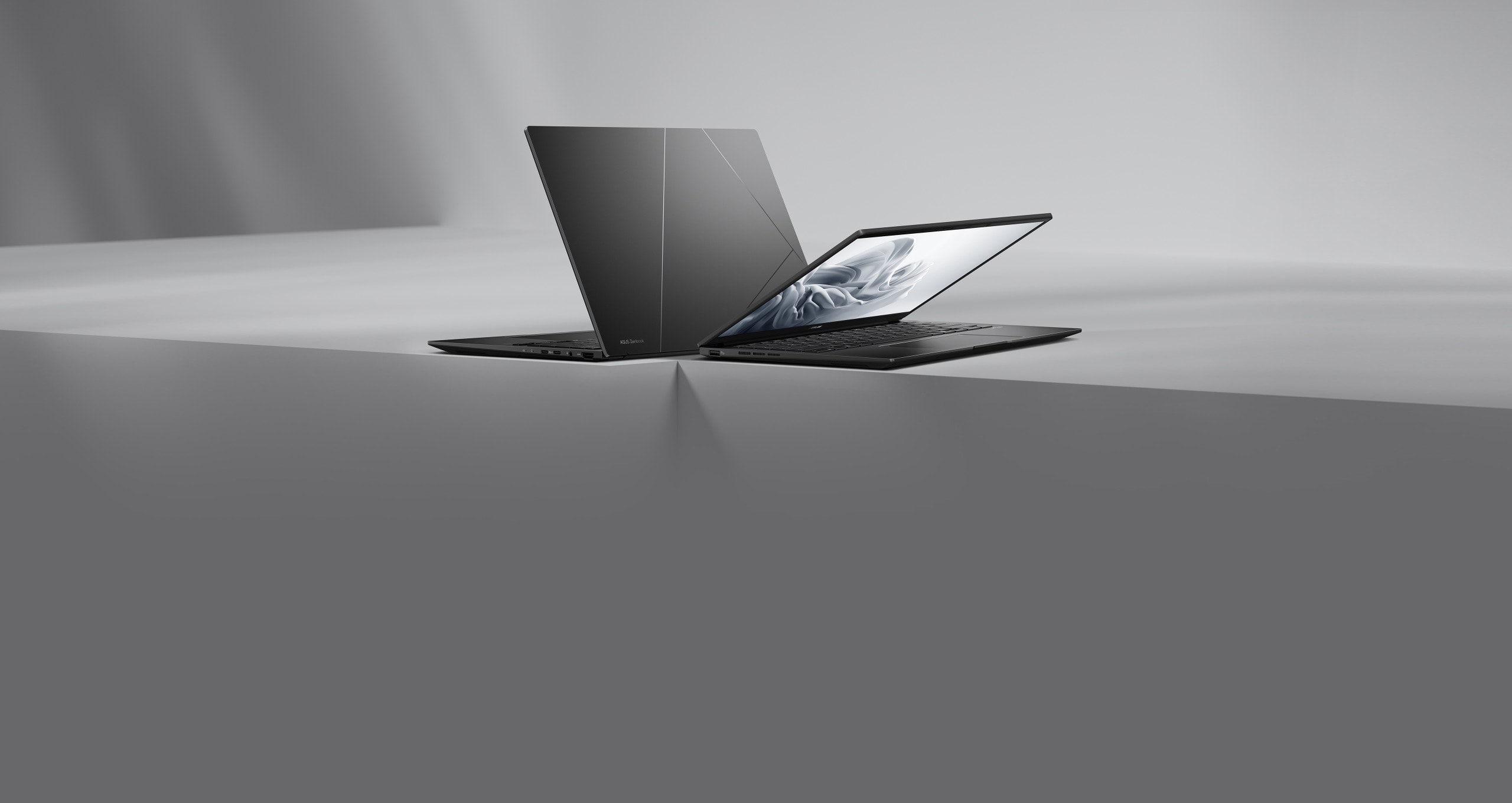
1. ASUS Zenbook 14 OLED (UM3406) — Best Overall
Best for: Most buyers who want a premium-feeling OLED ultrabook for work, study and everyday use without going over $1,200.
The UM3406 pairs an AMD Ryzen AI 7 445 processor with 16GB of LPDDR5X memory and a 512GB to 1TB SSD behind a 14-inch ASUS Lumina OLED display — a sharp, vivid screen, fast multitasking, and enough storage for a large photo library. Our catalog search in November 2026 showed the UM3406 at $1,049, and a separate roundup listed an Intel Core Ultra 7 155H configuration with 16GB and a 1TB SSD at $1,189.99 on Amazon.
Specs: 14-inch Lumina OLED; Ryzen AI 7 445 (Intel versions also sold); 16GB LPDDR5X, soldered; 512GB–1TB SSD; Radeon 840M; Windows 11 Home; about 1.28 kg.
Pros: Excellent OLED display; current Ryzen AI processor; 16GB of RAM and up to 1TB of storage. Cons: Soldered RAM; glossy screen can reflect light; price varies by configuration. Best for: Buyers who want one laptop that does everything well and value screen quality most.
Check price on Amazon — ASUS Zenbook 14 OLED (UM3406)
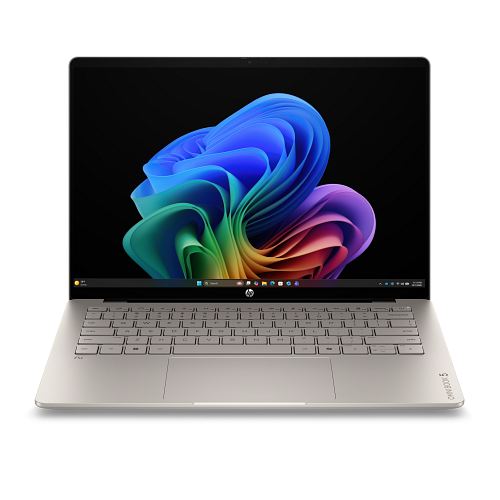
2. HP OmniBook 5 14 — Best Budget OLED
Best for: Buyers who want a real OLED screen and very long battery life for the lowest price in this guide.
The Snapdragon configuration pairs a Qualcomm Snapdragon X Plus processor with 16GB of LPDDR5x RAM and a 512GB SSD behind a 14-inch 1920×1200 OLED touchscreen with 100% DCI-P3 colour coverage, in an aluminium chassis about 11.7 mm thin and around 1.16–1.3 kg. The trade-off is software compatibility — check specialist software before buying an ARM laptop. Note that “OmniBook 5” covers several configurations, including Intel models with 8GB of RAM and a 256GB SSD; the Snapdragon 16GB/512GB configuration is the one to look for. The base OLED panel is 60Hz and around 300 nits — fine indoors, less impressive near a bright window. Our catalog search in November 2026 showed this model at $699.99.
Specs: 14-inch 1920×1200 OLED touchscreen, 60Hz, 100% DCI-P3; Snapdragon X Plus X1P-42-100 (Intel versions also sold); 16GB LPDDR5x, soldered; 512GB SSD; Adreno graphics; Windows 11 Home; about 1.16–1.3 kg.
Pros: Genuine OLED touchscreen at a budget price; very long battery life; light aluminium chassis. Cons: 60Hz panel at around 300 nits is dimmer than premium OLEDs; ARM chip needs a software check; avoid the 8GB/256GB versions. Best for: Students and home workers who want an OLED screen and all-day battery life without spending $1,000.
Check price on Amazon — HP OmniBook 5 14 OLED
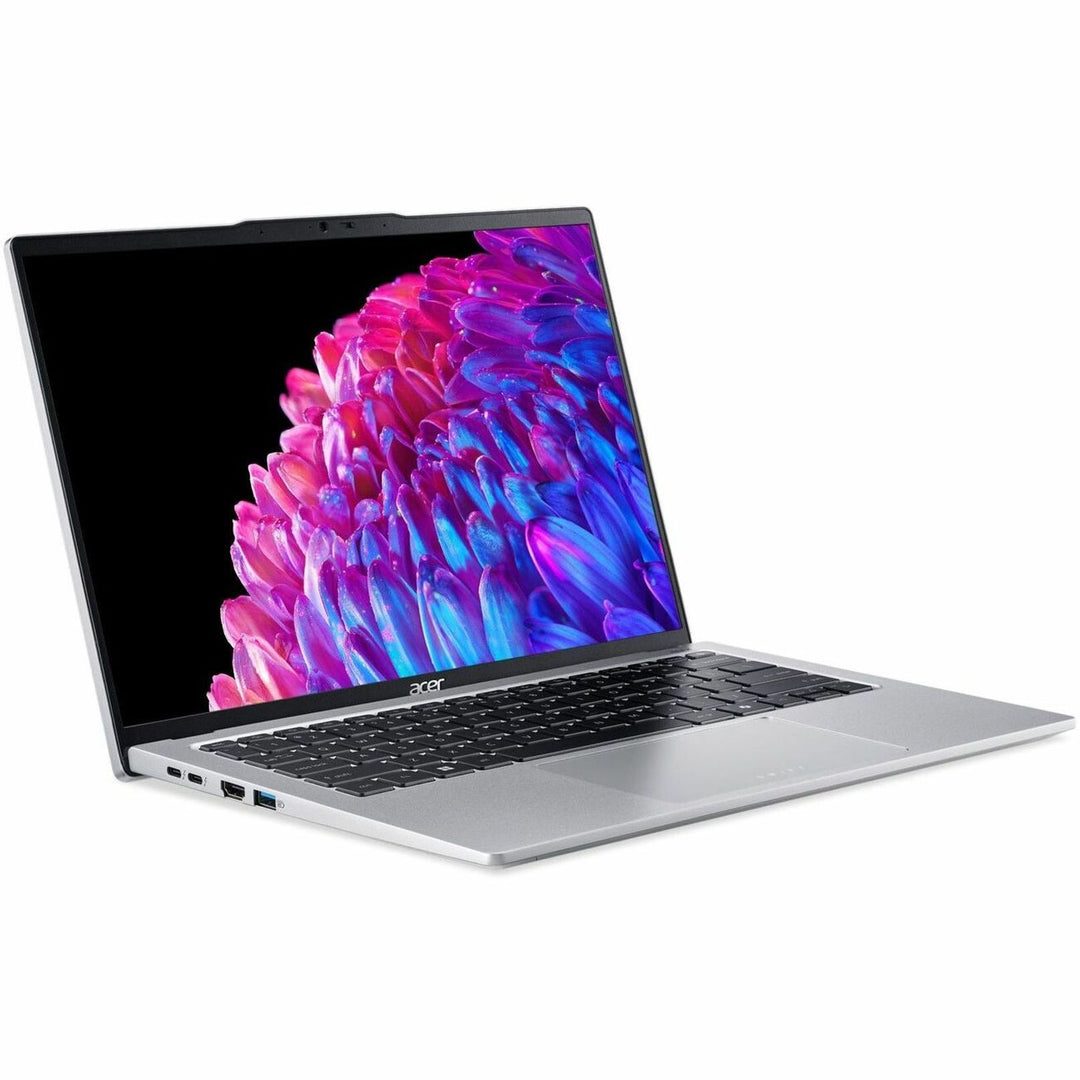
3. Acer Swift Go 14 OLED (SFG14-73) — Sharpest 14-Inch Display
Best for: Buyers who want the crispest 14-inch OLED panel under $1,200, especially for reading, photos and video.
The SFG14-73 uses a 14-inch 2880×1800 OLED panel at 90Hz, giving noticeably sharper text and more detail than the 1920×1200 panels on most laptops at this price — easy to see if you spend hours reading, editing photos or watching video. Under the screen, the Intel model pairs an Intel Core Ultra 5 125H processor with 16GB of LPDDR5X memory and a 512GB SSD, with Intel Arc graphics and a 1440p webcam, in a chassis of about 1.3 kg. The warning is the same as with the HP: “Swift Go 14” is a family name, not one fixed specification. Some configurations have 8GB of RAM, some have an IPS screen instead of OLED, and some use AMD processors. Look for the SFG14-73 with a 2880×1800 OLED panel, Core Ultra 5 125H, 16GB of RAM and a 512GB SSD. Our catalog search showed that configuration at $846.99, and a November 2026 Amazon price check reported the OLED model at $759.99.
Specs: 14-inch 2880×1800 OLED, 90Hz; Core Ultra 5 125H; 16GB LPDDR5X, soldered; 512GB SSD; Intel Arc graphics; 1440p webcam; Windows 11 Home; about 1.3 kg.
Pros: Sharpest 14-inch OLED here at 2880×1800 and 90Hz; current Intel Core Ultra processor; light and portable; good webcam. Cons: 8GB and IPS versions exist under the same family name; battery life is good rather than exceptional; no discrete graphics. Best for: Readers and photo editors who value text sharpness and screen detail most.
Check price on Amazon — Acer Swift Go 14 OLED
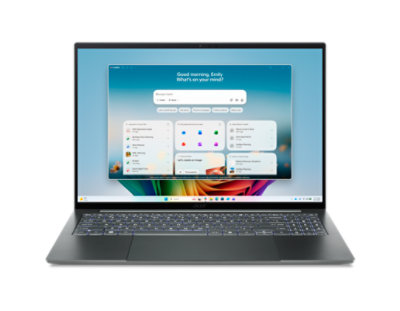
4. Acer Swift 16 AI — Best 16-Inch OLED
Best for: Buyers who want a large OLED workspace for photos, video and multitasking, and who do not mind a bigger laptop.
Its 16-inch 2880×1800 OLED touchscreen runs at 120Hz, with 100% DCI-P3 colour coverage and HDR True Black 500 support, so photos and video look rich and detailed. The processor depends on the generation: the newer 2026 SF16-71T uses an Intel Core Ultra X7 358H with 16GB of LPDDR5 memory and a 1TB SSD, while the earlier SF16-51 uses an Intel Core Ultra 7 256V with the same 16GB/1TB combination. Both are Copilot+ PCs with a dedicated NPU, and neither has a discrete graphics card, so this is not a gaming laptop. Price needs care: Acer’s own store listed the newer model at $1,599.99 in October 2026, but it has been sold for $999.99 on sale at Best Buy in November 2026, and our catalog search showed a Core Ultra X7 configuration at $1,152.94. It is under $1,200 only when on sale — if you see it above $1,200, wait for a sale or choose the 14-inch Acer Swift Go 14 OLED instead.
Specs: 16-inch 2880×1800 OLED touchscreen, 120Hz, 100% DCI-P3, HDR True Black 500; Core Ultra X7 358H or Core Ultra 7 256V; 16GB LPDDR5, soldered; 1TB SSD; Intel Arc graphics; Windows 11 Home; about 1.46–1.5 kg.
Pros: Large, sharp 16-inch OLED touchscreen at 120Hz; 1TB of storage as standard; current Intel Core Ultra processor. Cons: Only under $1,200 on sale; soldered 16GB RAM; larger and heavier than the 14-inch picks. Best for: Photo editors and multitaskers who want the biggest OLED screen under $1,200 and are willing to buy on sale.
Check price on Amazon — Acer Swift 16 AI OLED
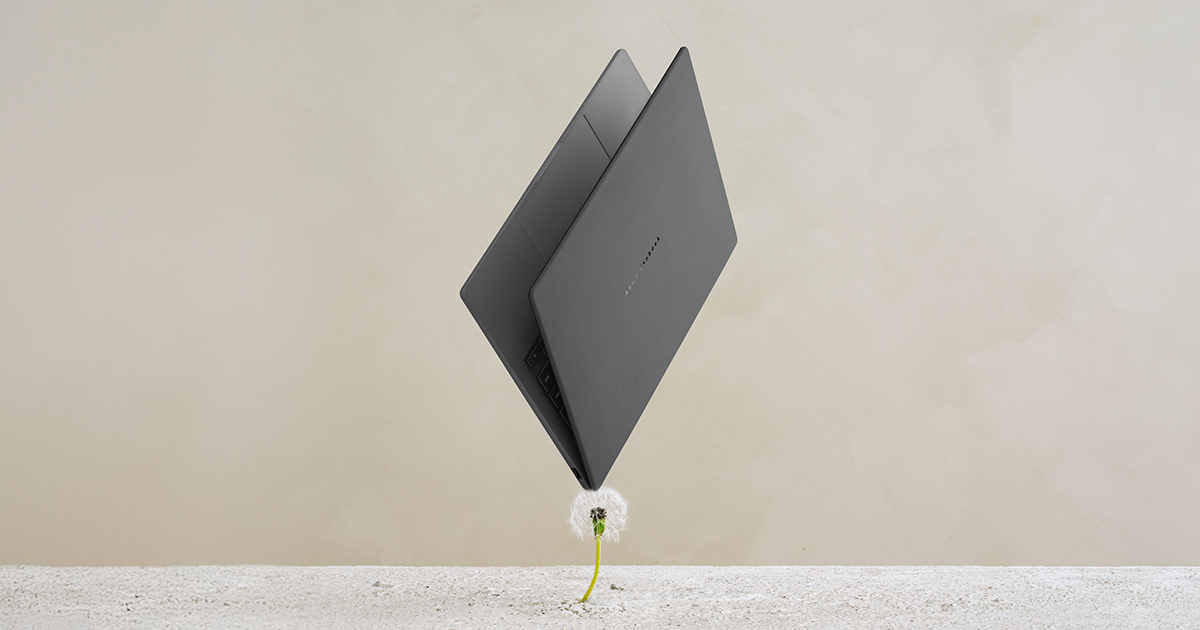
5. ASUS Zenbook A14 — Best for Travel

Best for: Travellers, commuters and anyone who wants the lightest OLED laptop in this guide with all-day battery life.
At about 980g–990g, the Zenbook A14 is the lightest laptop here — roughly the weight of a large paperback. Despite the weight, it still has a 14-inch 1920×1200 OLED display with 100% DCI-P3 coverage and up to 600 nits HDR peak brightness, a 70Wh battery, and a Qualcomm Snapdragon X Plus processor with 16GB of RAM and a 512GB SSD. It is also built to MIL-STD 810H durability standards. The compromises are the same as for any ultra-light ARM laptop: the OLED panel runs at 60Hz, the resolution is lower than the 2880×1800 Acer panels, and the RAM is soldered, so buy the 16GB version. Our catalog search in November 2026 showed the Zenbook A14 at $869.99, and Amazon listings for the Snapdragon X Plus 16GB configuration were reported at around $991.
Specs: 14-inch 1920×1200 OLED, 60Hz, 100% DCI-P3, up to 600 nits HDR peak; Snapdragon X Plus; 16GB LPDDR5X, soldered; 512GB SSD; Adreno graphics; 70Wh battery; Windows 11 Home; about 0.98 kg.
Pros: Extremely light at under 1 kg; very long battery life; bright OLED with 600 nits HDR peak; durable chassis. Cons: 60Hz panel and lower resolution than the Acer OLEDs; ARM chip needs a software check; soldered RAM. Best for: Travellers and commuters who prioritise weight and battery life over resolution or refresh rate.
Check price on Amazon — ASUS Zenbook A14 OLED
What to Avoid
Do not buy the cheapest listing without checking the configuration. The most common mistake is buying an 8GB/256GB version, or an IPS version of the same model name. Check for “OLED” in the display description, 16GB of RAM, and at least a 512GB SSD.
Do not pay over $1,200 for a laptop in this guide. The Acer Swift 16 AI and the higher Zenbook 14 OLED configurations can both exceed $1,200 at list price. They are only good value under $1,200 on sale.
Do not buy an OLED laptop for heavy gaming. None of these laptops has a discrete graphics card. They handle casual games at modest settings, but demanding AAA games need a gaming laptop with a dedicated GPU.
Do not ignore software compatibility on Snapdragon models. The HP OmniBook 5 14 and the ASUS Zenbook A14 run Windows on ARM. Most everyday apps work well, but some older or specialist software may not. Check the apps you need before you buy.
FAQ
Is an OLED laptop under $1,200 worth it?
Yes, if you value screen quality. An OLED panel gives you true blacks, higher contrast and wider colour than a standard IPS panel at the same price. In 2026, models like the HP OmniBook 5 14 bring that screen to well under $1,000. Just buy a 16GB/512GB configuration, not a cut-down 8GB version.
What is the best OLED laptop under $1,200 for photo editing?
The Acer Swift 16 AI, if you can find it on sale under $1,200, thanks to its large 16-inch 2880×1800 OLED touchscreen with 100% DCI-P3 coverage. If you prefer a 14-inch laptop, the ASUS Zenbook 14 OLED (UM3406) is the better all-rounder.
Do OLED laptops have burn-in problems?
Modern OLED laptop panels are much more resistant to burn-in than early OLED screens, and normal mixed use is unlikely to cause a problem. Use a screen saver, let the display sleep when idle, and vary your content.
How much RAM do I need in an OLED laptop under $1,200?
Get 16GB — the practical minimum in 2026 for comfortable multitasking and photo editing. Memory is soldered on most of these models and cannot be upgraded later. Pair 16GB with at least a 512GB SSD.
Can I get a 16-inch OLED laptop under $1,200?
Yes, but usually only on sale. The Acer Swift 16 AI has been sold for $999.99 on sale, but its list price is higher. The HP OmniBook 5 16 is another option, with catalog prices around $879.99–$999.99 for some configurations in November 2026.
Verdict
The best OLED laptop under $1,200 for most buyers is the ASUS Zenbook 14 OLED (UM3406) — a bright, colour-accurate OLED display, a current processor, 16GB of RAM and up to 1TB of storage, in a thin laptop you will actually want to carry. If you want to spend less, buy the HP OmniBook 5 14, the cheapest genuine OLED laptop here, as long as you buy the 16GB/512GB Snapdragon configuration and check your software runs on ARM. If screen size or sharpness matters most, the Acer Swift 16 AI (on sale) and the Acer Swift Go 14 OLED are the picks. And if you travel constantly, the ASUS Zenbook A14 is the lightest OLED laptop here by a clear margin. Whichever you choose, check the exact configuration and the current price on Amazon before you buy.
As an Amazon Associate, we earn from qualifying purchases.
Suggested internal links for topbestlaptops.com:
- /best-laptop-under-1000/ — Best Laptop Under $1,000
- /best-oled-laptop-under-1000/ — Best OLED Laptop Under $1,000
- /best-laptop-for-photo-editing-under-1200/ — Best Laptop for Photo Editing Under $1,200
More from Amazon
Programs that pair well with the guide above. Offers and eligibility are set by Amazon and may change.
A free business account with business pricing and bulk-buying tools for work, shop or home office.
Create a business accountFree shipping on eligible items, Prime Video and more. Eligible new members can start with a free trial.
Start a Prime free trialAudiobooks and podcasts to listen to on the go. Eligible new members can start with a free trial.
Try Audible freeAd-free music streaming. Eligible new subscribers can start with a free trial.
Try Music Unlimited freeAs an Amazon Associate we earn from qualifying purchases.










Write Your Review
No reviews yet. Be the first to share your experience!