

Our Top Picks
The best laptop for programming under $1,000 is the Lenovo IdeaPad Slim 5 16″ for most developers. The Amazon-listed configuration pairs an AMD Ryzen AI 7 350 processor with 16GB of DDR5 RAM, a 512GB SSD, and a roomy 16-inch screen. If you want the sharpest screen, choose the Acer Swift Go 14 OLED instead. If you type all day, the Lenovo ThinkPad E16 Gen 1 is worth a look — but check its current price first, because some configurations sell for more than $1,000.
You do not need a $2,000 machine to write code well. For web development, Python, JavaScript and TypeScript, Java, and most student work, the bottleneck is rarely raw CPU speed. It is RAM, storage speed, screen space, and a keyboard you can use for hours.
This guide covers real configurations listed on Amazon US. Prices change often, and the same model name can cover very different configurations, so confirm the exact CPU, RAM, storage, and screen before you buy.
Our top picks
Best for: Students, web developers, and Python developers who want one laptop for coding, study, and everyday work
Check price on Amazon
Best for: Developers who travel, students who carry a laptop all day, and anyone who values screen quality and portability
Check price on Amazon
Best for: Budget-conscious developers and students who want a large screen for coding at a desk
Check price on AmazonBest for: Students and new developers on a tight budget, and anyone who wants a large, inexpensive laptop for learning to code
Check price on Amazon
Best for: Professional developers, Linux users, and anyone who types for hours a day and wants a durable business laptop
Check price on AmazonQuick Picks
| Laptop | Best for | Key specs (listed configuration) | Price note |
|---|---|---|---|
| Lenovo IdeaPad Slim 5 16″ | Best overall | AMD Ryzen AI 7 350, 16GB DDR5 RAM, 512GB SSD, 16″ WUXGA 1920 x 1200 IPS touchscreen, Windows 11 Home | Check current price on Amazon |
| Acer Swift Go 14 OLED (SFG14-72-53BP) | Best display / portable | Intel Core Ultra 5 125H, 16GB LPDDR5X RAM, 512GB SSD, 14″ OLED 2880 x 1800, 90Hz, Windows 11 Home | Check current price on Amazon |
| ASUS Vivobook 16 | Best big-screen value | Intel Core i5-13420H, 16GB RAM, 512GB SSD, 16″ display, Windows 11 | Check current price on Amazon |
| HP Pavilion 15.6″ | Best budget pick | AMD Ryzen 7 5700U, 16GB RAM, 512GB NVMe SSD, 15.6″ display, Windows 11 | Check current price on Amazon |
| Lenovo ThinkPad E16 Gen 1 | Best keyboard / Linux-friendly | AMD Ryzen 7 7730U, 16GB RAM, 512GB SSD, 16″ FHD+ display, Windows 11 Pro | Check current price on Amazon — some configs exceed $1,000 |
How to Choose a Programming Laptop Under $1,000
CPU: A modern mid-range chip is enough. Look for a recent Intel Core Ultra 5, Intel Core i5 (12th generation or newer), AMD Ryzen 5 or Ryzen 7, or AMD Ryzen AI 5 or AI 7. Avoid very old low-power chips, and do not buy a laptop whose listing does not name the exact CPU model.
RAM: 16GB is the minimum. With 16GB you can run VS Code or a JetBrains IDE, 20 to 30 browser tabs, a terminal, a local database, and two or three Docker containers at once. With 8GB, the same workload swaps to disk and feels slow. Many laptops here have soldered RAM, so buy the 16GB version from the start.
Storage: 512GB NVMe SSD, not eMMC. A 256GB drive fills up fast once you install an IDE, SDKs, and Docker images. Avoid eMMC storage and old hard drives: builds, Git operations, and package installs involve constant small reads and writes, and a slow drive makes them all slower.
Screen: Prioritise a 14-inch or 16-inch display, at least 1920 x 1200 resolution, and an IPS or OLED panel. A taller 16:10 display shows more lines of code than a standard 16:9 display. OLED makes text sharper for long reading sessions; a touchscreen is nice to have, not essential.
Keyboard, battery, and ports. A good programming keyboard has well-spaced keys, decent travel, and a backlight. Watch for a cramped right Shift key or a half-height Enter key. A 14-inch laptop around 2.8 to 3.3 pounds is easier to carry than a 16-inch model, so choose size by how much you travel. Look for USB-C, two USB-A ports, HDMI, and Wi-Fi 6 or Wi-Fi 7.
Operating system. Most laptops under $1,000 run Windows 11, and that is fine for most developers — Windows Subsystem for Linux (WSL) gives you a real Linux environment for web development, Python, and Node.js. If Linux is your main system, the ThinkPad E16 is the strongest pick here for driver support.
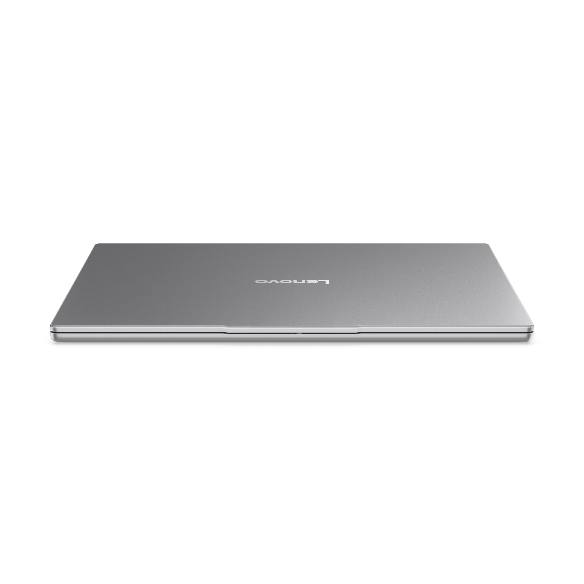
The Amazon-listed configuration pairs an A
1. Lenovo IdeaPad Slim 5 16″ — Best Overall
The IdeaPad Slim 5 gets the fundamentals right: a modern processor, 16GB of fast DDR5 RAM, a 512GB SSD, and a large 16-inch screen, without the usual compromises at this price.
The Amazon-listed configuration pairs an AMD Ryzen AI 7 350 processor with 16GB of DDR5-5600 memory, a 512GB PCIe SSD, and a 16-inch WUXGA (1920 x 1200) IPS touchscreen display, running Windows 11 Home. The 8-core Ryzen AI 7 350 handles VS Code, browsers with many tabs, local servers, and light Docker work comfortably, and the 16:10 screen shows more code vertically than a standard display. Wi-Fi 7 and a Full HD infrared camera are included.
Pros: Modern Ryzen AI 7 CPU, 16GB DDR5 RAM, and 512GB SSD; large 16-inch 1920 x 1200 display; comfortable keyboard; Wi-Fi 7 and a good webcam.
Cons: Heavier than a 14-inch ultraportable; integrated graphics only; RAM is soldered on many configurations.
Best for: Students, web developers, and Python developers who want one laptop for coding, study, and everyday work.
Check price on Amazon — Lenovo IdeaPad Slim 5 16″ (AMD Ryzen AI 7 350, 16GB RAM, 512GB SSD)
2. Acer Swift Go 14 OLED (SFG14-72-53BP) — Best Display and Most Portable
If you code in different places, the Acer Swift Go 14 OLED is the pick to look at first. Its 14-inch OLED display, at 2880 x 1800 resolution and 90Hz, makes text noticeably sharper than a standard Full HD panel — a real benefit when you read code for hours.
The Amazon-listed configuration (model SFG14-72-53BP) uses an Intel Core Ultra 5 125H processor, 16GB of LPDDR5X RAM, and a 512GB PCIe Gen 4 SSD, running Windows 11 Home. The 14-core Core Ultra 5 125H is more than fast enough for web development, Python, JavaScript, and light container work, and the laptop is thin, light, and Intel Evo certified.
The trade-off is screen size: a 14-inch display shows less code at once than a 16-inch display, so you will scroll more or use an external monitor at your desk. The RAM is soldered, so buy the 16GB configuration.
Pros: Excellent 14-inch OLED display — 2880 x 1800, 90Hz, sharp text; light and portable; modern Intel Core Ultra 5 with 16GB of fast LPDDR5X RAM; 512GB PCIe Gen 4 SSD.
Cons: Smaller screen than the 16-inch picks; 16GB RAM is soldered and cannot be upgraded; no number pad.
Best for: Developers who travel, students who carry a laptop all day, and anyone who values screen quality and portability.
Check price on Amazon — Acer Swift Go 14 OLED (Intel Core Ultra 5 125H, 16GB RAM, 512GB SSD)
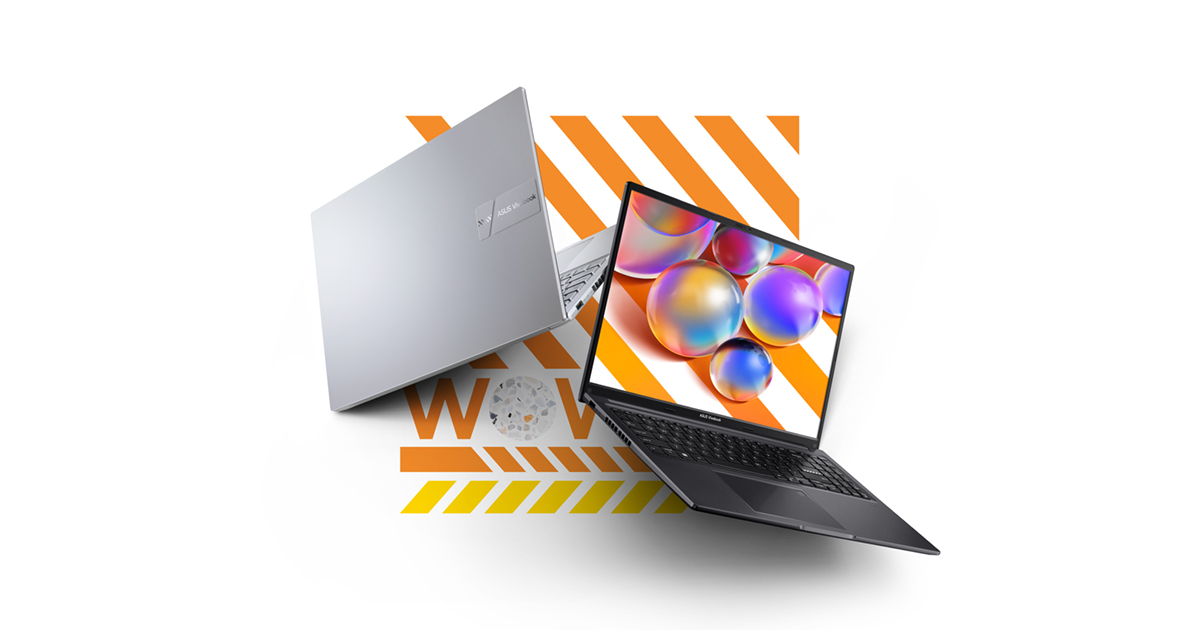
Look for the configuration pairing
3. ASUS Vivobook 16 — Best Big-Screen Value
The ASUS Vivobook 16 is a straightforward value pick: a large 16-inch screen, a capable Intel processor, 16GB of RAM, and a 512GB SSD, usually at a lower price than the IdeaPad Slim 5.
Look for the configuration pairing an Intel Core i5-13420H processor with 16GB of RAM and a 512GB SSD, running Windows 11. It handles multiple IDE windows, a database, and a browser full of tabs without stalling. Some configurations use a newer Intel Core Ultra 5 instead — either is fine, but confirm the exact CPU on the listing you buy.
It is a practical desk laptop, weighing around 1.88 kg (about 4.1 pounds). There is no discrete GPU, so it is not a gaming machine — and for programming, you do not need one.
Pros: Large 16-inch display at a competitive price; Intel Core i5 with 16GB RAM and 512GB SSD; good value without paying for a premium ultrabook.
Cons: Heavier than the 14-inch picks and less premium in feel than the Swift Go; integrated graphics only; battery life is adequate rather than outstanding.
Best for: Budget-conscious developers and students who want a large screen for coding at a desk.
Check price on Amazon — ASUS Vivobook 16 (Intel Core i5-13420H, 16GB RAM, 512GB SSD)
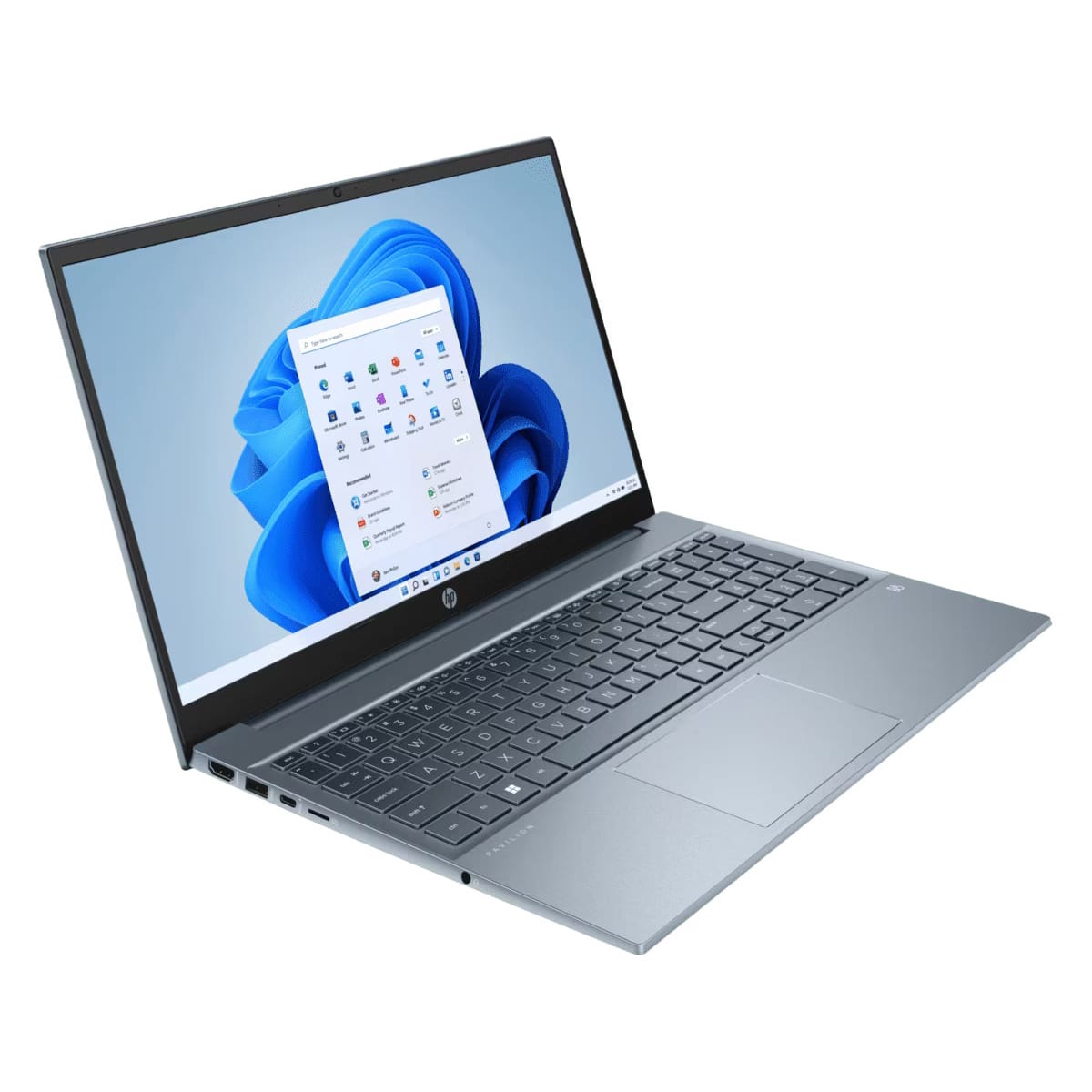
Look for the Amazon-listed configurat
4. HP Pavilion 15.6″ — Best Budget Pick
The HP Pavilion 15.6″ is the cheapest way into a capable programming setup in this guide, and a good choice if you want to spend less while still getting 16GB of RAM and a fast SSD.
Look for the Amazon-listed configuration using an AMD Ryzen 7 5700U processor (8 cores, up to 4.3 GHz), 16GB of DDR4 RAM, and a 512GB PCIe NVMe SSD, with a 15.6-inch display and Windows 11. The Ryzen 7 5700U is older than the Ryzen AI 7 in the IdeaPad Slim 5, but it is still capable for web development, Python, and student work. Other configurations use Intel Core i5 processors with the same 16GB RAM and 512GB SSD — confirm the exact CPU before you buy.
Its strengths are practical: a full-size keyboard with a number pad and a large screen. Its weaknesses are also practical: a standard Full HD panel rather than a high-resolution IPS or OLED screen, and a plastic build. Some Pavilion listings are sold by third-party sellers with upgraded RAM or storage, so read the seller description carefully and prefer a factory configuration when the price is close.
Pros: Often the lowest price here for 16GB RAM and a 512GB SSD; 8-core AMD Ryzen 7 handles everyday coding well; full-size keyboard with a number pad.
Cons: Older processor and DDR4 RAM; standard Full HD display; some Amazon listings are third-party upgraded configurations.
Best for: Students and new developers on a tight budget, and anyone who wants a large, inexpensive laptop for learning to code.
Check price on Amazon — HP Pavilion 15.6″ (AMD Ryzen 7 5700U, 16GB RAM, 512GB SSD)
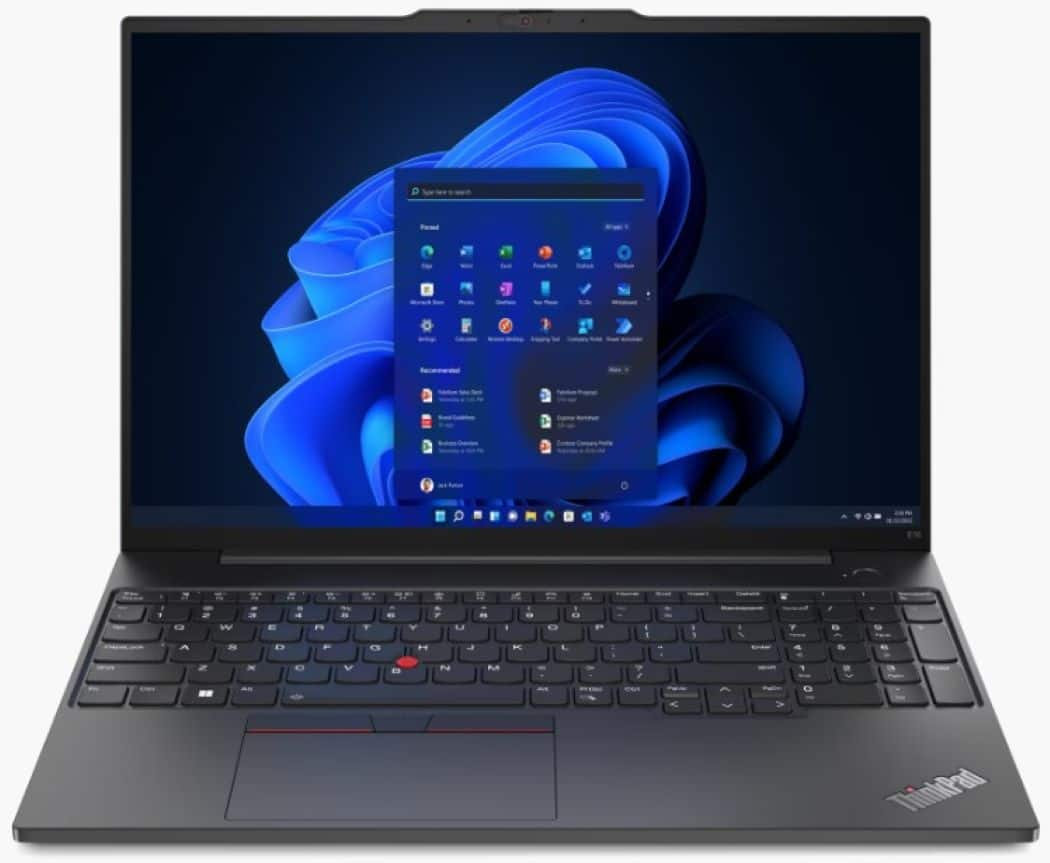
5. Lenovo ThinkPad E16 Gen 1 — Best Keyboard and Linux-Friendly Pick
The ThinkPad E16 Gen 1 is the pick for developers who type all day and want a laptop that will last. ThinkPads are known for excellent keyboards, durable builds, and good Linux support.
Look for the Amazon-listed Gen 1 configuration using an AMD Ryzen 7 7730U processor (8 cores, up to 4.5 GHz), 16GB of RAM, and a 512GB SSD, with a 16-inch FHD+ display, a backlit keyboard, a fingerprint reader, HDMI and Ethernet (RJ-45) ports, Wi-Fi 6, and Windows 11 Pro. Windows 11 Pro is a useful bonus for developers who need Hyper-V, BitLocker, or Remote Desktop.
The caveat is price. Newer Gen 2 and Gen 3 configurations are often listed above $1,000 on Amazon, and even Gen 1 prices vary widely by seller. Do not assume a ThinkPad E16 is under $1,000 — check the current price on the exact Gen 1, 16GB RAM, 512GB SSD listing before you buy.
Pros: Excellent ThinkPad keyboard; Windows 11 Pro, fingerprint reader, and a full set of ports including Ethernet; strong reputation for Linux support and durability.
Cons: Price varies widely — some configurations exceed $1,000; heavier and more business-like than the consumer picks; older Ryzen 7 7730U processor, though still capable.
Best for: Professional developers, Linux users, and anyone who types for hours a day and wants a durable business laptop.
Check price on Amazon — Lenovo ThinkPad E16 Gen 1 (AMD Ryzen 7 7730U, 16GB RAM, 512GB SSD)
What to Avoid
Do not buy 8GB of RAM. An 8GB laptop will struggle with an IDE, a browser, and Docker at the same time. In 2026, 16GB is the floor for a new programming laptop.
Do not buy eMMC storage. If a listing says eMMC, 128GB, or does not name the storage type, skip it. You want a 512GB NVMe SSD.
Do not buy on CPU name alone. A laptop advertised as “Intel Core i7” or “AMD Ryzen 7” can still be an old, slow chip. Check the exact model number — for example, Core Ultra 5 125H, Ryzen AI 7 350, or Ryzen 7 5700U.
Do not assume the model name tells you the specs. Two IdeaPad Slim 5 laptops can have different CPUs, RAM, screens, and prices. Confirm RAM, storage, screen resolution, and CPU on the exact Amazon listing.
Do not pay for a discrete GPU you do not need. Unless you do game development, 3D work, or heavy local machine-learning training, integrated graphics are enough.
FAQ
Is 16GB RAM enough for programming?
Yes, for most programming. 16GB is enough for web development, Python, JavaScript and TypeScript, and Java, including VS Code or a JetBrains IDE, 20 to 30 browser tabs, a terminal, and a few Docker containers.
What is the best laptop for programming under $1,000 for students?
The Lenovo IdeaPad Slim 5 16″ is the best laptop for programming under $1,000 for most students, because it combines a modern processor, 16GB of RAM, a 512GB SSD, and a large screen. If you carry your laptop all day, the Acer Swift Go 14 OLED is lighter with a sharper screen. If your budget is very tight, the HP Pavilion 15.6″ is a solid cheaper option.
Can I use a laptop under $1,000 for Python and web development?
Yes. Python, HTML, CSS, JavaScript, and frameworks like React, Django, and Flask run well on any of the five laptops in this guide. You do not need a high-end CPU or a discrete GPU for web development — you need 16GB of RAM, a fast SSD, and a comfortable screen and keyboard.
Do I need a dedicated graphics card for programming?
No, not for most programming. Integrated graphics are enough for writing code and running a local server.
Verdict
The best laptop for programming under $1,000 in November 2026 is the Lenovo IdeaPad Slim 5 16″ with the AMD Ryzen AI 7 350, 16GB of DDR5 RAM, and a 512GB SSD. It is the most balanced choice here: fast enough for real development work, with a large screen and a comfortable keyboard.
If you travel a lot, buy the Acer Swift Go 14 OLED instead. If you type all day, buy the Lenovo ThinkPad E16 Gen 1, but only after checking that the exact configuration is actually under $1,000 on Amazon. If your budget is tight, the HP Pavilion 15.6″ and the ASUS Vivobook 16 both give you the 16GB RAM and 512GB SSD baseline for less.
Whichever you choose, confirm the exact configuration on the Amazon listing before you buy, and check the current price.
As an Amazon Associate, we earn from qualifying purchases.
Suggested internal links for topbestlaptops.com
Last updated: November 2026.
More from Amazon
Programs that pair well with the guide above. Offers and eligibility are set by Amazon and may change.
A free business account with business pricing and bulk-buying tools for work, shop or home office.
Create a business accountFree shipping on eligible items, Prime Video and more. Eligible new members can start with a free trial.
Start a Prime free trialAudiobooks and podcasts to listen to on the go. Eligible new members can start with a free trial.
Try Audible freeAd-free music streaming. Eligible new subscribers can start with a free trial.
Try Music Unlimited freeAs an Amazon Associate we earn from qualifying purchases.










Write Your Review
No reviews yet. Be the first to share your experience!