
The Lenovo IdeaPad Flex 5i 14 sits in the most contested corner of the laptop market: a 14-inch convertible that has to work as an everyday notebook first and a tablet second, without costing like a flagship. This review looks at the 14IRU8 configuration sold on Amazon, built around a 13th Gen Intel Core i5-1335U, 8GB of memory and a 256GB SSD, and asks a simple question: does the specification on the listing page add up to a machine that still makes sense next to newer rivals?
To answer that, the Flex 5i is compared with two other 14-inch 2-in-1 laptops currently listed on Amazon: the HP Envy x360 14 with an Intel Core 5 120U, 8GB of memory and a 512GB SSD, and the ASUS Vivobook S 14 Flip with an AMD Ryzen 5 5600H, 8GB of memory and a 512GB SSD. All three fold flat into tablet mode, all three carry touch screens, and each one makes a different trade between processor generation, storage and screen.
Quick Picks
As an Amazon Associate we earn from qualifying purchases.
| Product | Best for | Key spec from title |
|---|---|---|
| Lenovo IdeaPad Flex 5i 14 (14IRU8) | Buyers who want the reviewed convertible with a taller screen | 14″ WUXGA touchscreen, Core i5-1335U |
| HP Envy x360 14 | Buyers who want a newer processor and a sharper camera | Intel Core 5 120U, 5MP privacy camera |
| ASUS Vivobook S 14 Flip | Buyers who want H-series performance in a flip design | AMD Ryzen 5 5600H, NumberPad |
How to Choose
Processor generation and core count
The processor decides how a 2-in-1 feels two or three years into ownership, so read the exact chip name on the listing rather than the family badge. The Flex 5i in this review uses a Core i5-1335U, a 13th Gen U-series part with ten cores aimed at thin laptops, while the HP Envy x360 14 moves to the newer Core 5 120U naming. The ASUS Vivobook S 14 Flip takes a different route with a Ryzen 5 5600H, an H-series chip built for sustained performance in a thicker cooling envelope. For documents, browsing and video calls all three are comfortable; sustained rendering or compiling favours the H-series approach.
Memory and storage ceilings
Convertibles in this class usually solder their memory, which means the configuration on the listing is the configuration for life. All three machines here ship with 8GB of memory, enough for everyday multitasking but tight for heavy browser use alongside office suites and calls. Storage differs more: the Flex 5i configuration reviewed here carries a 256GB SSD, while both rivals list 512GB. If your photo library, offline media and applications live on the machine rather than in cloud storage, that gap matters more than a small processor difference, because an external drive is a clumsy fix for a laptop that folds into a tablet.
Screen shape and touch behaviour
A 14-inch panel sounds uniform until you compare aspect ratios. The Flex 5i and the ASUS use WUXGA screens at 1920 x 1200, a 16:10 shape that shows more of a document or spreadsheet before scrolling. The HP Envy x360 14 listing describes a Full HD IPS panel at 1920 x 1080, the wider 16:9 shape that suits video but trims vertical space. Touch and pen behaviour matter just as much: a convertible earns its hinge when note-taking, marking up PDFs or sketching feels natural, so check whether a pen is included, supported or sold separately before assuming the tablet mode is ready to use.
Ports, camera and sign-in hardware
Small hardware details decide how a convertible fits a desk. Look for a mix of USB-C and USB-A so older accessories still connect, an HDMI output or a USB-C port that carries display signals for a monitor, and a card reader if you move photos from a camera. The webcam deserves attention too: the HP lists a 5MP privacy camera, a step up from the basic cameras still common in this class, and fingerprint readers on the HP and ASUS listings make sign-in quicker in tablet and tent modes. Battery capacity and fast charging support round out the checklist for anyone working away from a socket.
The 3 Best Options
Lenovo IdeaPad Flex 5i 14 (14IRU8)

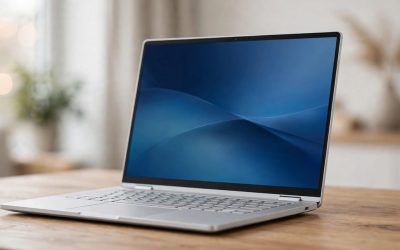
The Flex 5i 14IRU8 is the machine under review, and its listing tells a consistent story: a 14-inch WUXGA touchscreen in the taller 16:10 shape, a 13th Gen Core i5-1335U, 8GB of LPDDR4X memory and a 256GB SSD in an Arctic Grey convertible body running Windows 11 Home. Lenovo’s own specification for the 14IRU8 family adds a 52.5Wh battery, a Thunderbolt 4 port, HDMI and a card reader to the picture. It is a mainstream specification with no weak headline item, and the taller screen is the detail owners notice daily.
Specs
- Display: 14-inch WUXGA touchscreen, 1920 x 1200
- Processor: Intel Core i5-1335U, 13th Gen, up to 4.6 GHz
- Memory: 8GB LPDDR4X
- Storage: 256GB SSD
- Operating system: Windows 11 Home
- Colour: Arctic Grey
- Model number: 82Y0000FUS
Best for: Buyers who want a balanced 14-inch convertible with a taller screen for documents and study.
Watch out for: The 256GB SSD is the smallest storage in this comparison, and the memory is soldered at 8GB.
ASIN: B0C4JBG6X7
HP Envy x360 14
The Envy x360 14 answers the Flex 5i with a newer processor generation and double the storage. Its listing pairs an Intel Core 5 120U with 8GB of memory and a 512GB SSD, and it leans into call quality with a 5MP privacy camera, a fingerprint reader and a backlit keyboard. The trade is the screen: the listing describes a Full HD IPS panel at 1920 x 1080, so the Envy gives up the extra vertical rows the two WUXGA machines offer. For buyers whose day is video calls and documents shared on screen, the camera and sign-in hardware may outweigh that.
Specs
- Display: 14-inch FHD IPS touchscreen, 1920 x 1080
- Processor: Intel Core 5 120U
- Memory: 8GB RAM
- Storage: 512GB SSD
- Camera: 5MP privacy camera
- Extras: Fingerprint reader, backlit keyboard
- Operating system: Windows 11 Home
Best for: Buyers who spend their day in video calls and want newer silicon with more storage.
Watch out for: The 16:9 screen shows less of a document at once than the WUXGA panels here.
ASIN: B0FY2GDPTC
ASUS Vivobook S 14 Flip
The Vivobook S 14 Flip is the performance outlier of the three. Its listing names an AMD Ryzen 5 5600H, an H-series processor with higher sustained power limits than the U-series chips in the Lenovo and HP, matched with 8GB of memory and a 512GB SSD behind a 14-inch WUXGA touch display. ASUS adds two touches of its own: a NumberPad built into the touchpad and a fingerprint sensor. It is an older platform than the other two, so the decision is whether sustained processor muscle matters more to you than a newer chip generation and platform features.
Specs
- Display: 14-inch WUXGA touch display, 1920 x 1200
- Processor: AMD Ryzen 5 5600H
- Memory: 8GB RAM
- Storage: 512GB SSD
- Extras: NumberPad, fingerprint sensor
- Operating system: Windows 11 Home
- Colour: Quiet Blue
- Model number: TN3402QA-AS54T
Best for: Buyers who want stronger sustained performance and a numeric keypad in a convertible.
Watch out for: The Ryzen 5000 platform is the oldest here, so platform features lag the newer Intel machines.
ASIN: B09T5QWMD8
Which One Fits Your Situation
You study or write documents all day
The Flex 5i fits this routine well. The WUXGA screen shows more lines of a document before scrolling, the Core i5-1335U covers research, writing and calls without strain, and the convertible hinge helps when reading or annotating in tablet mode. Just plan storage carefully, because the 256GB SSD fills quickly with coursework files and offline media.
Your workday is back-to-back video calls
Choose the HP Envy x360 14. The 5MP privacy camera is the clearest hardware advantage in this comparison, the fingerprint reader speeds up signing in between meetings, and the 512GB SSD leaves room for recordings and shared files. The wider screen shape also suits slides and video tiles presented side by side.
You edit photos or compile code on the move
The ASUS Vivobook S 14 Flip earns a look here. The Ryzen 5 5600H holds higher performance for longer stretches than U-series chips, the WUXGA panel gives editing timelines and code more vertical room, and the NumberPad helps with data entry. It is the oldest platform in the group, so weigh that against the performance gain.
You want one machine for the whole household
Any of the three can anchor a shared household laptop, but the deciding factor is storage headroom. Multiple user accounts, game installs and media libraries argue for one of the 512GB machines, while a household that streams everything and stores little locally can take the Flex 5i and its taller screen without feeling the smaller SSD.
Common Mistakes
- Assuming every Flex 5i listing is the same machine: the name spans several generations and processors, so match the model number and chip on the listing to the configuration you intend to buy.
- Overlooking soldered memory: 8GB cannot be upgraded later on machines like these, so buy the memory you need at checkout rather than planning an upgrade.
- Ignoring screen shape: a 1920 x 1080 panel and a 1920 x 1200 panel are both sold as 14-inch touchscreens, yet they show noticeably different amounts of a document.
- Forgetting the pen question: convertible hinges invite note-taking, but pen support and pen inclusion vary by listing, so confirm both before relying on tablet mode for handwriting.
- Comparing storage by headline alone: a 256GB SSD that also holds the operating system and recovery partitions leaves less working room than the number suggests.
Frequently Asked Questions
Which Flex 5i configuration does this review cover?
This review covers the IdeaPad Flex 5 14IRU8 sold under model number 82Y0000FUS, with a Core i5-1335U processor, 8GB of LPDDR4X memory, a 256GB SSD and a 14-inch WUXGA touchscreen in Arctic Grey. Other Flex 5i listings use different processors, memory and storage, so check the model number on any listing before comparing it with the assessment here.
Is 8GB of memory enough for a 2-in-1 laptop?
For browsing, documents, streaming and video calls, 8GB remains workable, and all three machines in this comparison ship with that amount. It becomes a limit when many browser tabs, office files and calls run together, or when editing large photos. Because the memory is soldered on these models, anyone expecting heavier multitasking should choose a 16GB configuration at purchase instead.
Does the Flex 5i 14 support a stylus?
The 14IRU8 family supports Lenovo digital pen input, but pen inclusion depends on the individual listing and seller, and many configurations ship without a pen in the box. Check the listing contents carefully before ordering, and budget for a compatible Lenovo pen if handwriting or sketching in tablet mode is part of your plan.
How does the Flex 5i compare with the HP Envy x360 14?
The Flex 5i offers the taller WUXGA screen and an established 13th Gen Intel platform, while the Envy x360 14 counters with a newer Core 5 120U processor, double the storage at 512GB and a higher resolution 5MP camera with a fingerprint reader. The Lenovo suits document-heavy work; the HP suits call-heavy work where camera quality and sign-in speed matter more.
More from Amazon
Programs that pair well with the guide above. Offers and eligibility are set by Amazon and may change.
A free business account with business pricing and bulk-buying tools for work, shop or home office.
Create a business accountFree shipping on eligible items, Prime Video and more. Eligible new members can start with a free trial.
Start a Prime free trialAudiobooks and podcasts to listen to on the go. Eligible new members can start with a free trial.
Try Audible freeAd-free music streaming. Eligible new subscribers can start with a free trial.
Try Music Unlimited freeAs an Amazon Associate we earn from qualifying purchases.
Write Your Review
No reviews yet. Be the first to share your experience!