
Rogue: Genesia takes the survivors formula and stretches it across branching world maps, where each run strings together stages, shops, and boss fights while hundreds of enemies crowd the screen. It asks little of a laptop on paper, yet the late stages of a run pile on sprites and effects, so steady hardware matters more than the tiny install size suggests.
This guide lines up five Windows laptops that cover the game comfortably, from full-size gaming machines with dedicated graphics to a slim OLED model for lighter setups. Every pick clears the published recommended hardware with room to spare, and each one is a sensible everyday computer once the run ends.
As an Amazon Associate, we earn from qualifying purchases.
How to Choose a Laptop for Rogue Genesia
Start with the platform fact: Rogue: Genesia has no Mac edition. The Steam page publishes a Windows requirements block and a SteamOS + Linux block, and no macOS block at all, so every pick in this guide is a Windows laptop. If you own a Mac, this game is not sold for it, and none of the machines below change that.
The published Windows minimum asks for Windows 10, an Intel i5-7200U, 8 GB of memory, a GTX 770 or Radeon 8950 HD, and just 500 MB of storage, with a DirectX 11 compatible GPU required. The recommended block steps up to Windows 11, an Intel i5-9500 or Ryzen 5 3600, 16 GB of memory, a GTX 1070 or RTX 3050, and 1 GB of storage. Those are modest targets, and all five laptops here pass the recommended line.
For crowded late-run screens, a dedicated graphics card is the safest route, and four of these picks carry one. Memory is the next check: 16 GB matches the recommended figure, and 32 GB leaves generous headroom for a browser, chat apps, and recording tools running alongside the game. Storage is a non-issue for the game itself at 1 GB, so any modern SSD works; pick capacity based on the rest of your library. For the screen, the listings below state refresh figures of 144Hz, 165Hz, and 180Hz on the gaming models, which suits a game built around constant motion, while the slim pick trades that for an OLED touch panel.
HP Victus 15

The Victus 15 is the most powerful configuration in this list, pairing a Ryzen AI 7 350 with an RTX 5060 and a full 32 GB of memory. Against a recommended line of a GTX 1070 or RTX 3050 and 16 GB, that is a wide margin, and the extra memory makes this the natural pick for players who keep plenty of apps open during long sessions.
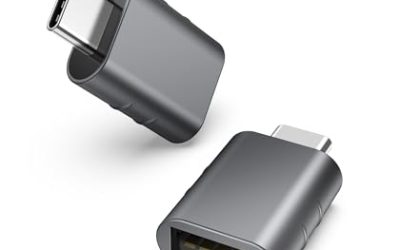
Its 15.6-inch FHD screen is listed at 144Hz, and the keyboard is an RGB backlit unit with a numeric keypad. The listing bundles a Thunderobot 7-in-1 USB-C hub, and wired networking is covered by an RJ-45 Ethernet port for a stable connection during downloads and updates.
Specs
- Processor: AMD Ryzen AI 7 350, up to 5.0 GHz as listed
- Graphics: NVIDIA GeForce RTX 5060, dedicated, 8GB GDDR7 as listed
- Memory: 32GB DDR5
- Storage: 1TB SSD
- Display: 15.6-inch FHD, 144Hz as listed
- Keyboard: RGB backlit, with numeric keypad
- Ports: RJ-45 Ethernet, bundled Thunderobot 7-in-1 USB-C hub as listed
- Operating system: Windows 11 Home
- Color: Black, model TPN-Q279
- ASIN: B0G1N8R9Z4
Lenovo Legion 5 Gen 10

The Legion 5 Gen 10 counters with the sharpest screen here: a 15.1-inch WQXGA OLED panel at 2560×1600, listed at 500 nits and 165Hz. Rogue: Genesia uses bold, flat colors and dense enemy waves, and that resolution makes every sprite edge crisp while the high refresh figure keeps the motion clean.
Underneath sits a Ryzen 7 260 and an RTX 5060 with 8GB of GDDR7, plus 16 GB of DDR5-5600 memory that matches the recommended figure exactly. The port set is generous for a slim gaming laptop, with USB4, HDMI 2.1, and Ethernet, and the 24-zone RGB backlit keyboard rounds out a machine that doubles well for school or office work.
Specs
- Processor: AMD Ryzen 7 260, up to 5.1 GHz as listed
- Graphics: NVIDIA GeForce RTX 5060 Laptop GPU, 8GB GDDR7
- Memory: 16GB DDR5-5600
- Storage: 1TB SSD M.2 PCIe Gen4
- Display: 15.1-inch WQXGA OLED, 2560×1600, 500 nits, 165Hz as listed
- Keyboard: 24-zone RGB backlit
- Ports: USB4, HDMI 2.1, Ethernet RJ-45
- Operating system: Windows 11 Home
- ASIN: B0FXMY8FYW
Acer Nitro V 15

The Nitro V 15 (ANV15-51-99XD) leads this group on screen speed, with a 15.6-inch FHD IPS panel listed at 180Hz. Its Core i9-13900H is the strongest processor here for the simulation side of a crowded run, and the RTX 4060 sits comfortably above the game’s recommended graphics line.
Acer also builds in upgrade room: the listing states 16GB of DDR5 in two slots up to 32GB, and two M.2 slots around the 1TB PCIe Gen 4 SSD. Thunderbolt 4, HDMI 2.1, and Ethernet cover desk setups, and at 4.66 lbs as listed it stays reasonable to carry between rooms.
Specs
- Processor: Intel Core i9-13900H
- Graphics: NVIDIA GeForce RTX 4060 Laptop GPU
- Memory: 16GB DDR5, two slots, up to 32GB as listed
- Storage: 1TB PCIe Gen 4 SSD, two M.2 slots
- Display: 15.6-inch FHD IPS, 180Hz as listed
- Ports: Thunderbolt 4, HDMI 2.1, Ethernet RJ-45, Wi-Fi 6
- Keyboard: Backlit
- Weight: 4.66 lbs as listed
- Operating system: Windows 11 Home
- ASIN: B0D8JTYXQM
MSI Katana 15

The Katana 15 (B13VEK-277US) is the straightforward mid-range gaming pick, built around a Core i7-13620H and an RTX 4050 with 6GB of GDDR6. That pairing clears the recommended GTX 1070 or RTX 3050 line, and 16 GB of memory matches the recommended figure for this game.
The 15.6-inch FHD IPS screen is listed at 144Hz, storage is a 1TB NVMe SSD, and the chassis keeps a USB Type-C port among its connections as listed. At 2.25 kg as listed, it is a conventional gaming laptop size and weight, suited to a desk that also handles work during the day.
Specs
- Processor: Intel Core i7-13620H
- Graphics: NVIDIA GeForce RTX 4050, 6GB GDDR6
- Memory: 16GB DDR5-4800
- Storage: 1TB NVMe SSD
- Display: 15.6-inch FHD IPS, 144Hz as listed
- Ports: USB Type-C as listed
- Weight: 2.25 kg as listed
- Operating system: Windows 11 Home
- Color: Black
- ASIN: B0BZBN3857
ASUS Zenbook 14 OLED

The Zenbook 14 OLED is the honest outlier: it uses integrated Radeon 780M graphics rather than a dedicated card. Frame it against the published figures and it still makes sense here, since the game’s minimum names a GTX 770-class card and the Zenbook’s Ryzen 7 8840HS and 16 GB of memory meet the recommended processor and memory lines; players chasing the highest settings in the busiest stages should still pick a dedicated card above.
What it returns is portability and screen quality: a 14-inch WUXGA OLED touchscreen in a Jade Black chassis at about 2.65 lbs as listed, with a 75Wh battery. The listing names a USB4 Type-C port at up to 40Gbps, plus Wi-Fi 6E, so it works as a light travel machine that handles this game at home or away.
Specs
- Processor: AMD Ryzen 7 8840HS, up to 5.1 GHz as listed
- Graphics: AMD Radeon 780M, integrated
- Memory: 16GB LPDDR5X
- Storage: 512GB M.2 NVMe PCIe 4.0 SSD
- Display: 14-inch WUXGA OLED touchscreen, 1920×1200
- Wireless: Wi-Fi 6E, Bluetooth 5.3
- Battery: 75Wh
- Weight: About 2.65 lbs as listed
- Operating system: Windows 11 Home, Jade Black
- ASIN: B0DFWZ77LB
Comparison Table
| Product | Best for | Key spec |
|---|---|---|
| HP Victus 15 | Most headroom | RTX 5060 with 32GB DDR5 memory |
| Lenovo Legion 5 Gen 10 | Sharpest screen | 15.1-inch WQXGA OLED, 165Hz as listed |
| Acer Nitro V 15 | Fastest panel | 15.6-inch FHD IPS, 180Hz as listed |
| MSI Katana 15 | Classic gaming build | RTX 4050 with Core i7-13620H |
| ASUS Zenbook 14 OLED | Lightest carry | Radeon 780M integrated, about 2.65 lbs as listed |
FAQ
Is Rogue: Genesia Windows-only on PC?
There is no Mac edition. Steam publishes Windows requirements and a SteamOS + Linux block, with no macOS version offered, so this guide uses Windows laptops throughout. Windows 10 is the published minimum, and Windows 11 is the recommended system.
How much memory does Rogue: Genesia need?
The published minimum is 8 GB and the recommended figure is 16 GB. Every laptop in this guide has at least 16 GB, and the Victus 15 carries 32 GB for players who multitask heavily during a session.
Can integrated graphics run Rogue: Genesia?
The minimum graphics line names a GTX 770 or Radeon 8950 HD with DirectX 11 support, and the Zenbook’s integrated Radeon 780M is a far newer design than that minimum. Dedicated cards in the other four picks give more headroom for the busiest late-run screens.
Conclusion
Rogue: Genesia runs on modest hardware, so buy for the rest of your life around the game: the Victus 15 and Legion 5 Gen 10 for power and screen quality, the Nitro V 15 for its 180Hz panel and upgrade room, the Katana 15 for a classic gaming build, and the Zenbook 14 OLED when light weight matters most.
More from Amazon
Programs that pair well with the guide above. Offers and eligibility are set by Amazon and may change.
A free business account with business pricing and bulk-buying tools for work, shop or home office.
Create a business accountFree shipping on eligible items, Prime Video and more. Eligible new members can start with a free trial.
Start a Prime free trialAudiobooks and podcasts to listen to on the go. Eligible new members can start with a free trial.
Try Audible freeAd-free music streaming. Eligible new subscribers can start with a free trial.
Try Music Unlimited freeAs an Amazon Associate we earn from qualifying purchases.
Write Your Review
No reviews yet. Be the first to share your experience!