

Our Top Picks


The best gaming laptop under $2,500 is the MSI Vector 16 HX AI for most buyers. The configuration we verified on Amazon in November 2026 pairs an Intel Core Ultra 7 255HX processor with an NVIDIA GeForce RTX 5070 Ti laptop GPU, 16GB of DDR5 RAM, and a 512GB SSD, listed at $1,599 — leaving headroom for a RAM or storage upgrade.
A $2,500 budget buys a choice: spend most of it on a stronger GPU, spend less on a strong RTX 5070 Ti machine and keep the difference, or stretch to an RTX 5080 when one is discounted. The five laptops below cover all three paths, and every one was listed on Amazon US in November 2026 in a configuration at or under $2,500.
Prices change often, and the same model name covers several configurations. Treat every price here as a November 2026 research snapshot and check the current price on Amazon — and the exact configuration — before you buy. We have not bench-tested these laptops.
Our top picks

Best for: Most buyers who want the strongest value: an RTX 5070 Ti at a price that leaves money for upgrades
Check price on Amazon
Best for: Buyers who want the screen to keep up with the GPU, and a machine that also works for creative tasks
Check price on Amazon
Best for: Buyers who want the strongest GPU in this budget and accept a marketplace seller and a mid-range CPU to get it
Check price on Amazon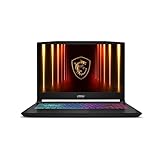
Best for: Buyers who want the strongest processor in this group and a sharp QHD screen in a slightly smaller chassis
Check price on Amazon
Best for: Buyers who want an AMD-powered RTX 5070 Ti laptop with the most storage in this guide
Check price on AmazonQuick Picks
| Product | Best for | Key specs | Price note |
|---|---|---|---|
| MSI Vector 16 HX AI | Best overall | Core Ultra 7 255HX, RTX 5070 Ti 12GB, 16GB DDR5, 512GB SSD, 16″ FHD+ 144Hz | Check current price on Amazon; seen at $1,599 |
| ASUS ROG Strix G16 (2025) | Best display | Core Ultra 9 275HX, RTX 5070 Ti 12GB, 32GB DDR5, 1TB SSD, 16″ 2.5K 240Hz | Check current price on Amazon; seen around $2,099 |
| GIGABYTE Gaming A16 Pro | Best RTX 5080 under $2,500 | Core 7 240H, RTX 5080 16GB, 32GB RAM, 1TB SSD, 16″ QHD 165Hz | Check current price on Amazon; seen at $2,199 |
| MSI Katana 15 HX | Best CPU power | Core i9-14900HX, RTX 5070 8GB, 32GB DDR5, 1TB SSD, 15.6″ QHD+ 165Hz | Check current price on Amazon; seen at $1,869.99–$2,166.65 |
| Acer Nitro 16S AI | Best AMD pick / most storage | Ryzen AI 9 365, RTX 5070 Ti 12GB, 32GB RAM, 2TB SSD, 16″ display | Check current price on Amazon; seen at $1,999.99 |
How to Choose a Gaming Laptop Under $2,500
Start with the GPU tier, then check its power limit. The realistic tiers are the RTX 5070 (8GB of GDDR7), the RTX 5070 Ti (12GB), and the RTX 5080 (16GB) when discounted. More VRAM matters most at 1440p and above. But the same GPU can run at very different wattages in different chassis: the Vector 16 HX AI runs its RTX 5070 Ti at up to 140W with Dynamic Boost, while a thinner laptop with the same GPU at a lower wattage will run slower under sustained load.
Match the GPU to the screen. An RTX 5070 Ti fits a 1440p (2560 x 1600) display at 165Hz or 240Hz. Pairing it with a 1080p panel wastes its headroom, while pairing an RTX 5070 with a 4K panel asks too much of it.
RAM and storage. 16GB is workable for gaming alone in 2026, but 32GB is safer if you stream or edit video. If you buy a 16GB model, check whether the RAM is upgradeable. For storage, 1TB is the practical minimum — modern AAA games take 80GB to 150GB each. The Vector is the one pick here with 512GB in its lowest-priced verified configuration, so check for a second M.2 slot.
Cooling and battery. What matters is what a laptop sustains after 30 minutes, when heat builds up. Thicker chassis generally sustain higher speeds than thin designs with the same GPU, and fan noise under load is normal. Battery life is secondary: expect a few hours for light work and well under two hours while gaming. Look for USB-C charging, an HDMI port, and Wi-Fi 7 or Wi-Fi 6E.
1. MSI Vector 16 HX AI — Best Overall
Best for: Most buyers who want the strongest value: an RTX 5070 Ti at a price that leaves money for upgrades.
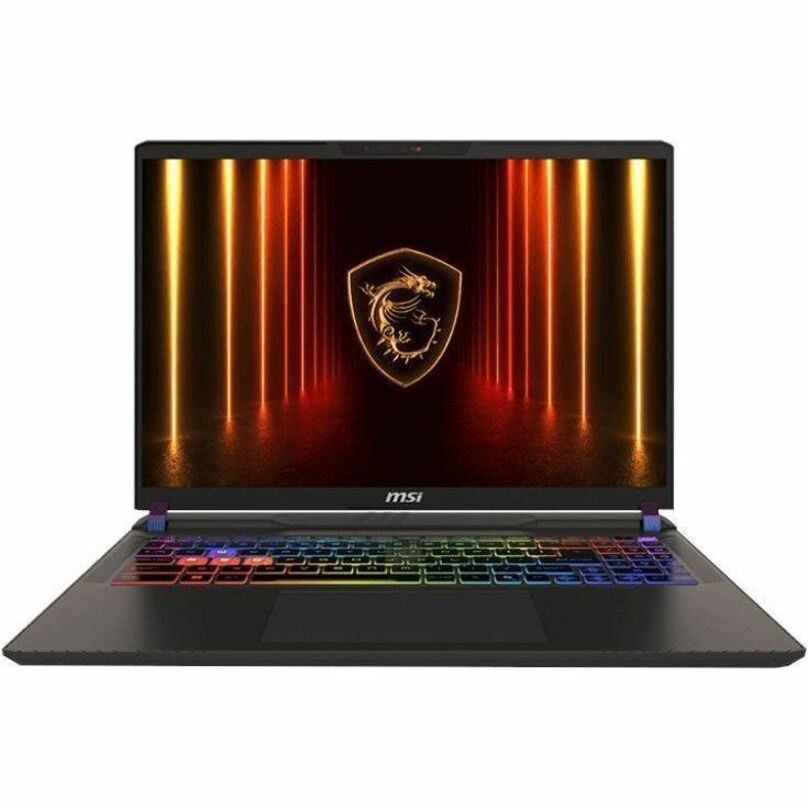
The Vector 16 HX AI is the value story of this roundup. The verified Amazon configuration pairs an Intel Core Ultra 7 255HX, a 20-core HX-class chip, with an RTX 5070 Ti running at up to 140W with Dynamic Boost and 12GB of GDDR7 memory, plus DLSS 4. The display is a 16-inch FHD+ IPS panel at 144Hz — the weakest screen in this group.
At $1,599 as listed on Amazon in early November 2026, this is an RTX 5070 Ti laptop for roughly $400 to $500 less than the next comparable machines — savings that cover a 32GB RAM kit and a 1TB SSD upgrade.
Specs: Core Ultra 7 255HX; RTX 5070 Ti, 12GB GDDR7, up to 140W; 16GB DDR5; 512GB SSD; 16-inch FHD+ IPS, 144Hz; Wi-Fi 7; Windows 11 Home.
Pros: Lowest verified RTX 5070 Ti price here; full-power 140W GPU; HX-class CPU; leaves budget for upgrades.
Cons: 1080p-class screen underuses the GPU; 512GB storage is small; 16GB of RAM is the minimum we would accept in 2026.
Who it is best for: Buyers who care about frame rates per dollar and will upgrade RAM and storage themselves.
Check price on Amazon — MSI Vector 16 HX AI
2. ASUS ROG Strix G16 (2025) — Best Display
Best for: Buyers who want the screen to keep up with the GPU, and a machine that also works for creative tasks.
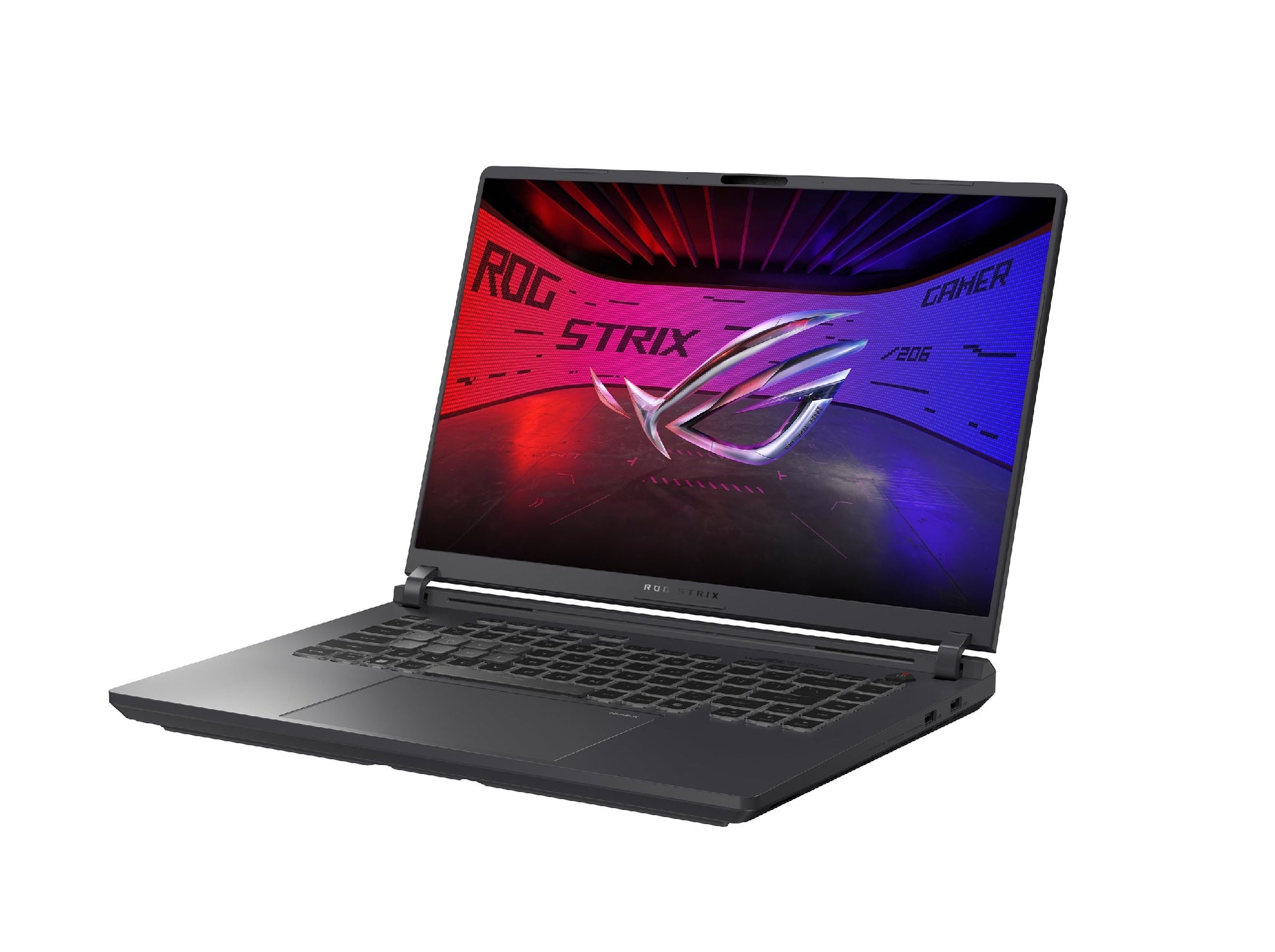
The ROG Strix G16 (model G615LR-AS96) pairs an Intel Core Ultra 9 275HX, a 24-core processor, with an RTX 5070 Ti, 32GB of DDR5 RAM, and a 1TB SSD. The standout is the 16-inch ROG Nebula display: a 2.5K (2560 x 1600) IPS panel at 240Hz, the sharpest and fastest screen in this guide.
The catch is price variation: this configuration has been reported on Amazon at around $2,099, and at $2,039.99 during a Prime Day sale, while other listings for the same model family have shown prices up to about $2,497.96. Confirm model number G615LR-AS96 and the 32GB/1TB specification before you buy.
Specs: Core Ultra 9 275HX; RTX 5070 Ti, 12GB GDDR7; 32GB DDR5; 1TB SSD; 16-inch Nebula display, 2560 x 1600, 240Hz, 3ms; Wi-Fi 7; Windows 11 Home.
Pros: Best display here; 32GB of RAM and 1TB of storage included; top-tier HX processor.
Cons: Price varies widely by seller and configuration; heavier and louder under load than thin alternatives.
Who it is best for: Gamers who also edit video or photos and want no immediate upgrades.
Check price on Amazon — ASUS ROG Strix G16 (2025)
3. GIGABYTE Gaming A16 Pro — Best RTX 5080 Under $2,500
Best for: Buyers who want the strongest GPU in this budget and accept a marketplace seller and a mid-range CPU to get it.
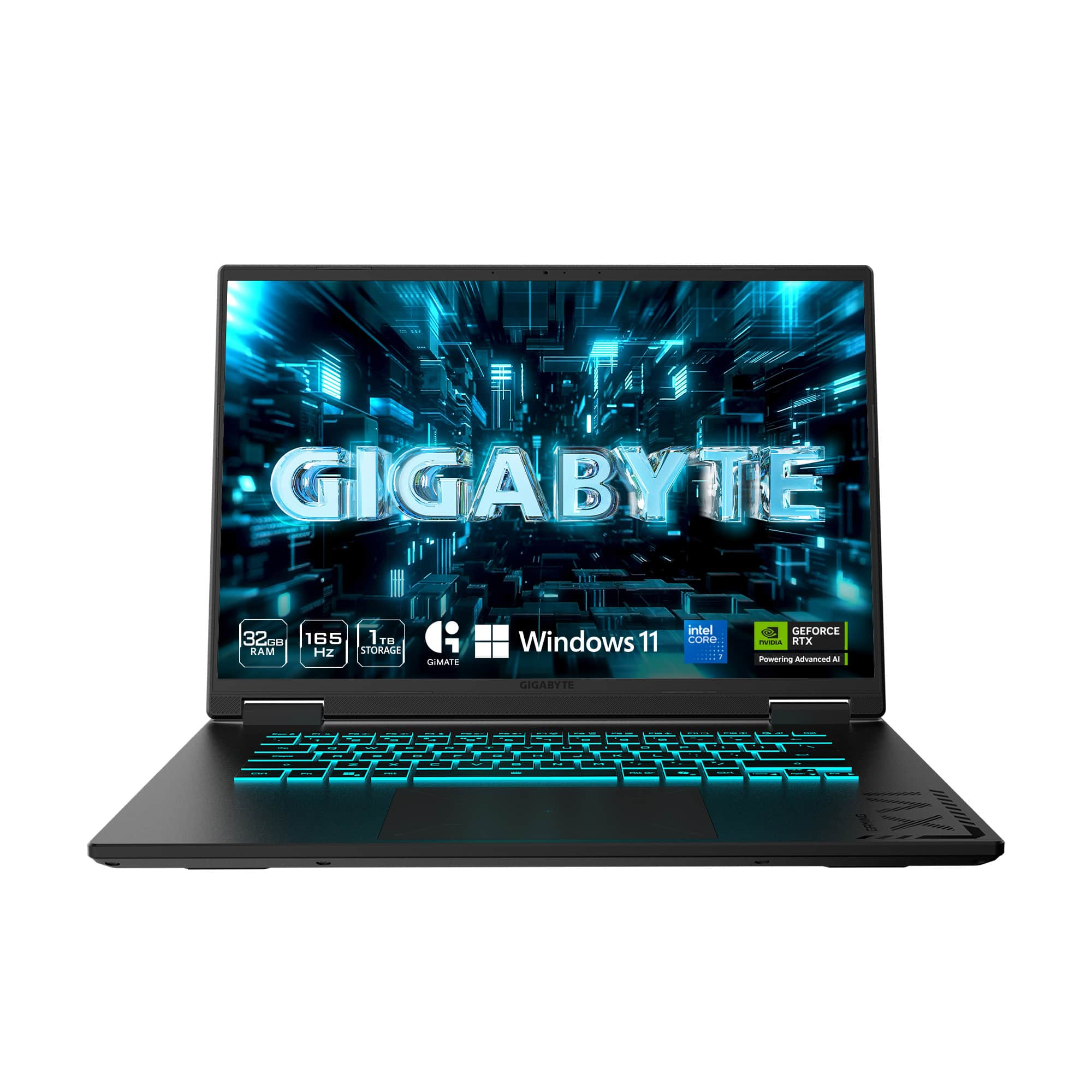
The Gaming A16 Pro is the only RTX 5080 laptop in this guide under $2,500. It runs an RTX 5080 with 16GB of GDDR7 memory, 32GB of RAM, and a 1TB SSD, with a 16-inch 2560 x 1600 IPS panel at 165Hz and full sRGB coverage. The RTX 5080 is roughly 10 to 20 percent faster than the RTX 5070 Ti in published laptop GPU comparisons, depending on the game and power limits, and the extra 4GB of VRAM gives it more headroom at 1440p.
Two caveats: the $2,199 price we found in November 2026 was through a marketplace seller, not Amazon directly, and the listing’s reference price was $2,649.99. Second, the RTX 5080 here runs at up to 115W, below the thickest RTX 5080 machines, and the Core 7 240H sits a tier below the HX chips in the Vector and the Strix.
Specs: Core 7 240H; RTX 5080, 16GB GDDR7, up to 115W; 32GB RAM; 1TB SSD; 16-inch IPS, 2560 x 1600, 165Hz; Windows 11 Home.
Pros: Only RTX 5080 under $2,500 here; 16GB of VRAM; 32GB of RAM and 1TB of storage included.
Cons: $2,199 price was via a marketplace seller — check seller and warranty carefully; 115W GPU limit is below full-power RTX 5080 designs; CPU is a step below rival HX processors.
Who it is best for: Buyers who were already planning to spend close to $2,500 and want the most GPU for that money, and who are comfortable buying from a marketplace seller after checking its terms.
Check price on Amazon — GIGABYTE Gaming A16 Pro
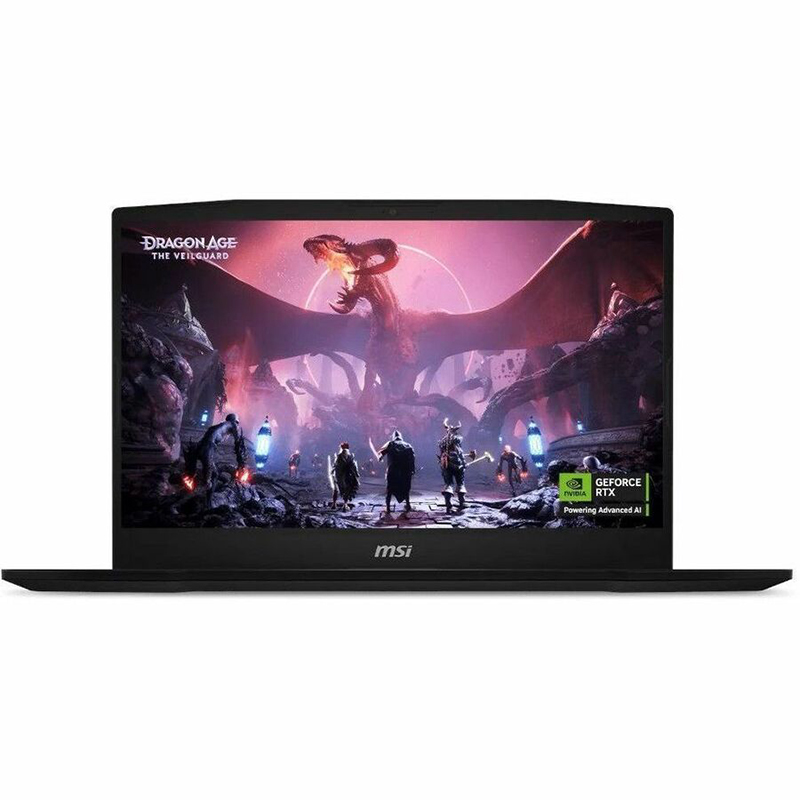
4. MSI Katana 15 HX — Best CPU Power
Best for: Buyers who want the strongest processor in this group and a sharp QHD screen in a slightly smaller chassis.
The Katana 15 HX pairs an Intel Core i9-14900HX, a 24-core processor, with an RTX 5070, 32GB of DDR5 RAM, and a 1TB SSD, behind a 15.6-inch QHD+ (2560 x 1600) display at 165Hz. The RTX 5070 runs at 115W here, high for that GPU, and carries 8GB of GDDR7 memory.
The i9 is the point: if you stream while you game, compile code, or render video, the extra CPU cores help in ways a GPU upgrade alone does not. The trade-off is the GPU tier — the RTX 5070 is a step below the RTX 5070 Ti, so at 1440p you will turn a few settings down sooner.
Pricing has moved around: Amazon product data from October 29, 2026 showed $2,166.65, while a deal report put it at $1,869.99 after a limited-time discount. Check the current price and model number (B14WGK-016US) before buying.
Specs: Core i9-14900HX, 24 cores; RTX 5070, 8GB GDDR7, 115W; 32GB DDR5; 1TB SSD; 15.6-inch QHD+ (2560 x 1600), 165Hz; Windows 11 Home.
Pros: Strongest CPU here; 32GB of RAM and 1TB of storage; sharp QHD+ 165Hz display.
Cons: RTX 5070 has only 8GB of VRAM, so it ages faster at 1440p; plasticky chassis next to the Strix; short battery life.
Who it is best for: Streamers, creators, and multitaskers who want maximum CPU headroom and are happy with high — rather than ultra — settings at 1440p.
Check price on Amazon — MSI Katana 15 HX
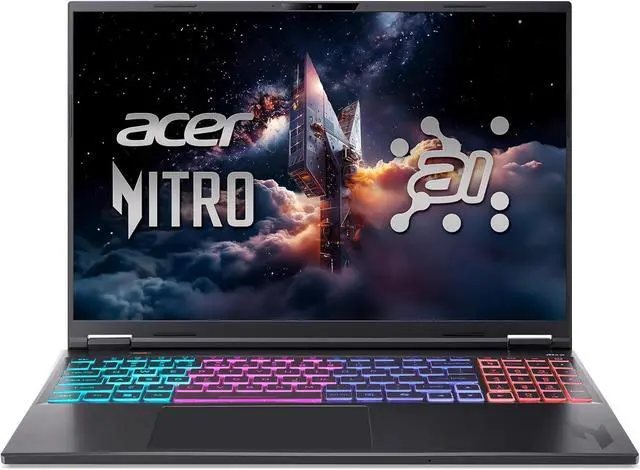
5. Acer Nitro 16S AI — Best AMD Pick
Best for: Buyers who want an AMD-powered RTX 5070 Ti laptop with the most storage in this guide.
The Nitro 16S AI pairs an AMD Ryzen AI 9 365 processor with an RTX 5070 Ti with 12GB of graphics memory, 32GB of RAM, and a generous 2TB SSD. At $1,999.99 as listed on Amazon on November 16, 2026, it is one of the more affordable routes to an RTX 5070 Ti, with double the storage of every other pick.
The RTX 5070 Ti handles 1440p gaming at high settings with DLSS 4. As with every Nitro model, the key warning is configuration: Acer sells several machines under similar Nitro names. Confirm the Ryzen AI 9 365, 32GB, and 2TB specification before buying.
Specs: Ryzen AI 9 365; RTX 5070 Ti, 12GB GDDR7; 32GB RAM; 2TB SSD; 16-inch display; Windows 11 Home.
Pros: RTX 5070 Ti for $1,999.99 as listed in November 2026; 2TB of storage, the most here; 32GB of RAM included.
Cons: Display specs vary by configuration — verify them on the exact listing; Acer’s naming makes it easy to buy the wrong configuration.
Who it is best for: AMD fans, and buyers with a large game library who do not want to manage storage or pay for an SSD upgrade.
Check price on Amazon — Acer Nitro 16S AI
What to Avoid
Do not buy on GPU name alone. An RTX 5070 Ti at 100W and the same GPU at 140W are different performers. Check the wattage when a listing states it.
Do not buy 8GB of RAM in 2026. Some cheap gaming laptops still ship with 8GB, and no price makes that acceptable. Every pick here has at least 16GB, and four of the five have 32GB.
Do not pay over $2,500 for a configuration that was $2,000 last month. Prices swing with sales, and third-party sellers sometimes list the same configuration hundreds of dollars above Amazon’s own price. Check the seller and compare the same model number across listings.
FAQ
Is an RTX 5070 Ti enough for 1440p gaming under $2,500?
Yes. The RTX 5070 Ti with 12GB of VRAM handles 1440p at high settings in current AAA titles, especially with DLSS 4 enabled.
Is the RTX 5080 worth it over the RTX 5070 Ti?
It depends on the price gap. The RTX 5080 is roughly 10 to 20 percent faster with 16GB of VRAM instead of 12GB, but in the GIGABYTE Gaming A16 Pro it runs at up to 115W, which narrows the gap. If it costs $200 more than a comparable 5070 Ti laptop, consider it; if $600 more, keep the difference.
How much RAM do I need in a gaming laptop under $2,500?
32GB is the safer buy in 2026, especially if you stream or edit video. 16GB still works for gaming alone, but check that it is upgradeable — on the Vector 16 HX AI, a RAM upgrade is the first thing we would budget for.
Should I buy a gaming laptop with a 1080p or 1440p screen?
Choose 1440p if your GPU is an RTX 5070 Ti or better. A 1080p screen pairs well with an RTX 5070, but it wastes the headroom of a 5070 Ti. The one exception is the Vector 16 HX AI, whose 1080p-class panel is the price you pay for its $1,599 RTX 5070 Ti.
When is the best time to buy a gaming laptop under $2,500?
During major sales events, when RTX 5070 Ti and RTX 5080 configurations are most likely to discount into this budget. Prices here were researched in November 2026, around early Black Friday coverage.
Verdict
The best gaming laptop under $2,500 for most buyers is the MSI Vector 16 HX AI: the cheapest verified route to an RTX 5070 Ti here, with a full-power 140W GPU, and savings that pay for the RAM and storage upgrades that complete it.
If you want the best screen and no upgrades on day one, buy the ASUS ROG Strix G16. For the most GPU for the money, the GIGABYTE Gaming A16 Pro is the only RTX 5080 under $2,500 here, with the marketplace-seller caveat. The MSI Katana 15 HX is the pick for CPU-heavy work, and the Acer Nitro 16S AI is the AMD alternative with 2TB of storage.
Whichever you choose, verify the exact configuration and the current price on Amazon before you buy — the model name alone is never enough.
As an Amazon Associate, we earn from qualifying purchases.
Suggested Internal Links
- /best-gaming-laptop-under-2000/ — for readers whose budget is tighter than $2,500
- /best-laptop-for-video-editing-under-1000/ — for buyers who also need a machine for creative work
- /best-gaming-laptop-under-1500/ — for readers who want the best value tier below this guide
More from Amazon
Programs that pair well with the guide above. Offers and eligibility are set by Amazon and may change.
A free business account with business pricing and bulk-buying tools for work, shop or home office.
Create a business accountFree shipping on eligible items, Prime Video and more. Eligible new members can start with a free trial.
Start a Prime free trialAudiobooks and podcasts to listen to on the go. Eligible new members can start with a free trial.
Try Audible freeAd-free music streaming. Eligible new subscribers can start with a free trial.
Try Music Unlimited freeAs an Amazon Associate we earn from qualifying purchases.
Write Your Review
No reviews yet. Be the first to share your experience!