

Key takeaways
- /best-laptop-for-programming-under-1000/
- /best-gaming-laptop-under-1000/
- /best-laptop-for-college-students-under-1000/
The best laptop for video editing under $1,000 is the Acer Nitro V 15.6″ for most editors. In the 16GB configuration, it pairs an Intel Core i5-13420H processor with an NVIDIA GeForce RTX 4050 graphics card, 16GB of DDR5 RAM, and a 512GB SSD — the combination that matters most for smooth timelines and faster exports in Premiere Pro and DaVinci Resolve. If color accuracy matters more than export speed, the ASUS Vivobook S16 OLED is the better pick. If you want the lowest entry price for an RTX 4050 machine, look at the HP Victus 15.6″.
Prices below are November 2026 snapshots — check the current price and exact configuration before you buy. We have not bench-tested these units.
Our top picks
Best for: Most editors who want the best all-round RTX 4050 laptop under $1,000
Check price on AmazonBest for: Budget editors who want RTX 4050 performance at the lowest entry price
Check price on AmazonBest for: Editors who want an RTX 4050 laptop with a genuinely color-capable screen
Check price on AmazonBest for: Editors who carry their laptop everywhere and still want a dedicated GPU
Check price on AmazonBest for: Color Accuracy
Check price on AmazonQuick Picks
| Product | Best for | Key specs | Price note |
|---|---|---|---|
| Acer Nitro V 15.6″ | Best overall | Core i5-13420H, RTX 4050 6GB, 16GB DDR5, 512GB SSD, 15.6″ FHD 144Hz IPS | Check current price on Amazon; catalog search showed $899.99 on sale |
| HP Victus 15.6″ | Best value | Core i5-13420H, RTX 4050 6GB, 16GB DDR4, 512GB SSD, 15.6″ FHD 144Hz | Check current price on Amazon; roundups listed it around $885 |
| Lenovo LOQ 15.6″ | Best screen for the money | Ryzen 7 7735HS, RTX 4050 6GB, 16GB DDR5, 512GB SSD, 15.6″ FHD 144Hz, 100% sRGB | Check current price on Amazon; catalog search showed $999 |
| MSI Thin 15 15.6″ | Best portable RTX 4050 | Core i5-13420H, RTX 4050 6GB, 16GB DDR4, 512GB SSD, 15.6″ FHD 144Hz IPS | Check current price on Amazon; catalog search showed $988.99 |
| ASUS Vivobook S16 OLED 16″ | Best for color accuracy | Core Ultra 7 355, Intel Arc graphics, 16GB DDR5, 1TB SSD, 16″ WUXGA OLED | Check current price on Amazon; catalog search showed $879.99 on sale |
How to Choose a Video Editing Laptop Under $1,000
Start with the GPU, then the RAM. Four of the five picks here use the NVIDIA GeForce RTX 4050 with 6GB of VRAM. Its NVENC hardware encoding speeds up exports and smooths GPU-accelerated effects in Premiere Pro and DaVinci Resolve, and it helps with 4K playback in a way integrated graphics cannot match. The fifth pick, the ASUS Vivobook S16 OLED, trades the dedicated GPU for a far more color-accurate screen — the right trade only if you mostly edit 1080p or light 4K.
RAM: 16GB is the minimum. A 4K timeline plus a browser full of reference clips will use well over 12GB. All five picks below are listed in 16GB configurations — and that detail matters, because some budget versions of the same models ship with only 8GB, which is too little for serious editing.
CPU and storage. The picks here use Intel Core i5-13420H, Intel Core 5 210H, AMD Ryzen 7 7735HS, or Intel Core Ultra 7 355 processors — all multi-core chips that handle scrubbing and rendering far better than the low-power processors in thin office laptops. Do not chase a faster CPU at the cost of the GPU or RAM. For storage, 512GB of fast NVMe SSD storage is the floor; the Vivobook S16 OLED has 1TB.
Screen: color coverage matters more than refresh rate. For grading, look for 100% sRGB coverage as a practical minimum. The Lenovo LOQ’s panel is listed at 100% sRGB, and the Vivobook S16 OLED is rated at 95% DCI-P3 in the WUXGA configuration listed here. By contrast, the HP Victus 15.6″ panel is reported at around 45% NTSC — workable for cutting, but not ideal for color-critical work. For ports, look for USB-C and HDMI; for cooling, prefer dual-fan machines on long exports. Battery life is secondary — plan to edit plugged in.
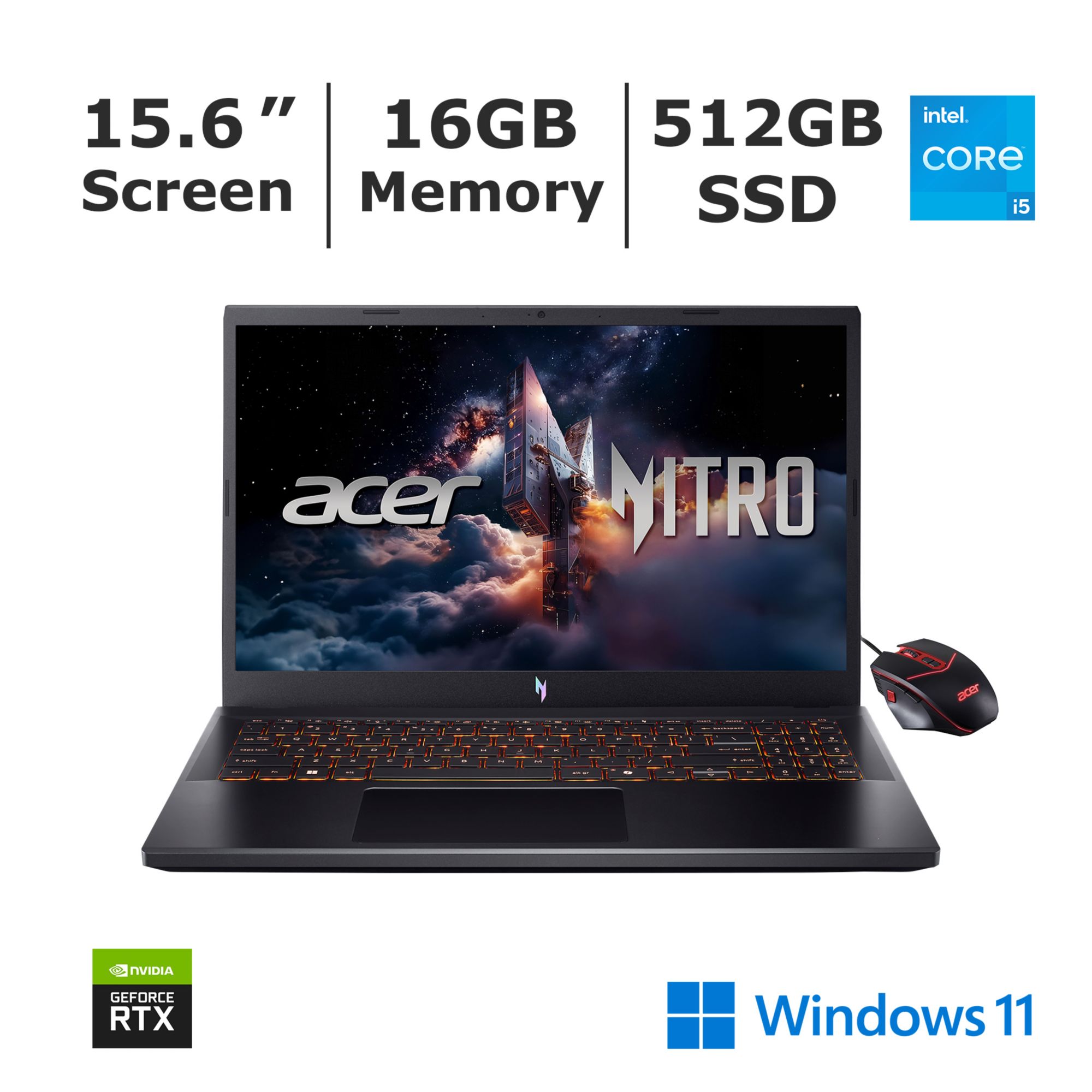
1. Acer Nitro V 15.6″ — Best Overall
Best for: Most editors who want the best all-round RTX 4050 laptop under $1,000.
The Acer Nitro V 15.6″ gets the fundamentals right without a serious weakness. The recommended configuration pairs an Intel Core i5-13420H processor with the RTX 4050, 16GB of DDR5 RAM, and a 512GB SSD. A newer Core 5 210H configuration with the same RTX 4050, 16GB of RAM, and 512GB of storage is also sold, and our catalog search showed that version at $899.99 on sale. The 15.6-inch FHD IPS display runs at 144Hz, and some listings show a 165Hz panel, so confirm the exact panel.
Specs: Core i5-13420H (also sold as Core 5 210H); RTX 4050, 6GB GDDR6; 16GB DDR5; 512GB NVMe SSD; 15.6″ FHD IPS, 144Hz; Wi-Fi 6, HDMI, USB-C; Windows 11 Home.
Pros: RTX 4050 with NVENC for faster exports; 16GB DDR5 RAM; 144Hz IPS display; dual-fan cooling. Cons: No OLED or 100% sRGB guarantee on every configuration; basic plastic build; modest battery life while editing.
Who it is best for: Editors who want one laptop for 1080p and light-to-moderate 4K editing without a major compromise.
Check price on Amazon — Acer Nitro V 15.6″ RTX 4050
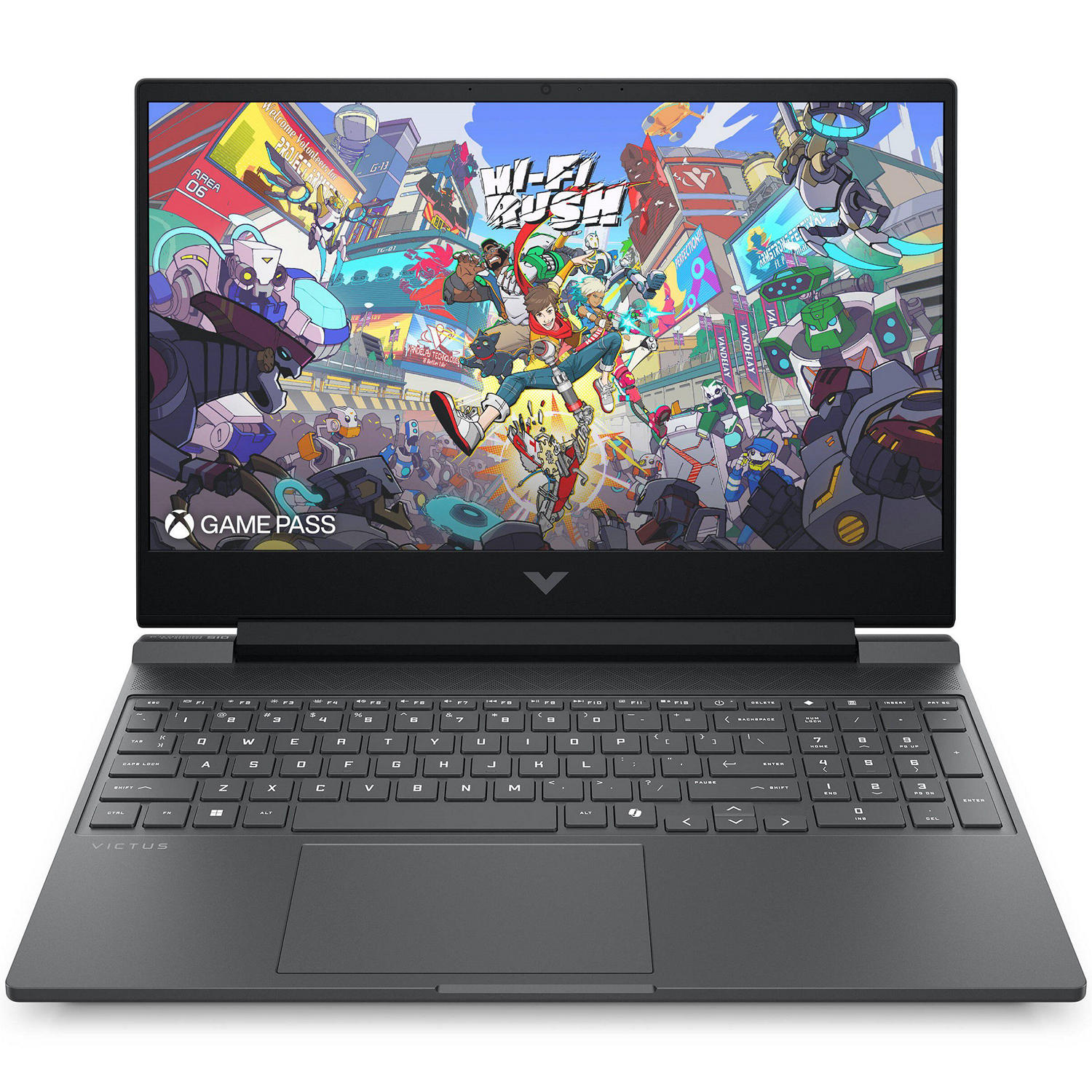
2. HP Victus 15.6″ — Best Value
Best for: Budget editors who want RTX 4050 performance at the lowest entry price.
The HP Victus 15.6″ is the value champion in this roundup. The recommended configuration pairs an Intel Core i5-13420H processor with the RTX 4050, 16GB of DDR4 RAM, and a 512GB SSD, with a 15.6-inch FHD IPS display running at 144Hz. Roundups of Amazon listings put this configuration at around $885 at the time of research, making it the cheapest RTX 4050 laptop in this lineup. A Ryzen 7 7445HS version is also sold.
The trade-off is the screen. The Victus panel is reported at around 45% NTSC color coverage, noticeably narrower than the Lenovo LOQ’s 100% sRGB panel or the Vivobook’s OLED display. For cutting and rough grading, that is workable. For color-critical client work, you will want an external monitor.
Specs: Core i5-13420H (Ryzen 7 7445HS version also sold); RTX 4050, 6GB GDDR6; 16GB DDR4; 512GB NVMe SSD; 15.6″ FHD IPS, 144Hz, around 45% NTSC; Wi-Fi 6, HDMI, USB-C; Windows 11 Home.
Pros: Lowest entry price for an RTX 4050 here; same NVENC encoding advantage as the pricier picks; 144Hz display. Cons: Narrower color coverage; DDR4 rather than DDR5 RAM; some configurations ship with only 8GB of RAM, so verify the 16GB version.
Who it is best for: Beginners and YouTubers who need real GPU acceleration on a tight budget.
Check price on Amazon — HP Victus 15.6″ RTX 4050
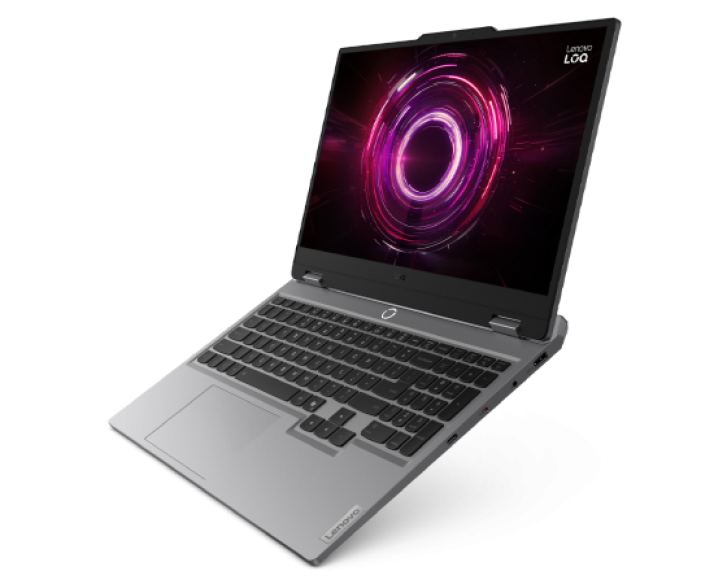
3. Lenovo LOQ 15.6″ — Best Screen for the Money
Best for: Editors who want an RTX 4050 laptop with a genuinely color-capable screen.
The Lenovo LOQ 15.6″ stands out for one reason: its 15.6-inch FHD IPS display is listed at 100% sRGB, with a 144Hz refresh rate and anti-glare coating. That makes it the most color-capable RTX 4050 laptop here outside the OLED pick. The recommended configuration uses an AMD Ryzen 7 7735HS processor, an RTX 4050 with 6GB of GDDR6 VRAM, 16GB of DDR5 RAM, and a 512GB NVMe SSD. Our catalog search showed this configuration at $999.
One detail to know: the 16GB of DDR5 RAM is a single 16GB stick, so it runs in single-channel mode until you add a second stick. The LOQ has two DDR5 SODIMM slots, so a memory upgrade is straightforward. Storage is a 512GB M.2 PCIe NVMe SSD, with a second M.2 slot for expansion.
Specs: Ryzen 7 7735HS, 8 cores / 16 threads, up to 4.75 GHz boost; RTX 4050, 6GB GDDR6, 65W TGP; 16GB DDR5-4800 (1 x 16GB, two slots); 512GB M.2 PCIe NVMe SSD, second M.2 slot; 15.6″ FHD IPS, 144Hz, 100% sRGB; Wi-Fi 6, RJ-45 Ethernet, HDMI, USB-C; Windows 11 Home.
Pros: 100% sRGB display; 8-core Ryzen 7; easy RAM upgrade path; dual M.2 slots. Cons: At the top of the budget at $999; single-channel RAM out of the box; 512GB fills up fast with 4K footage.
Who it is best for: Editors who grade their own footage and want a color-capable screen.
Check price on Amazon — Lenovo LOQ 15.6″ RTX 4050
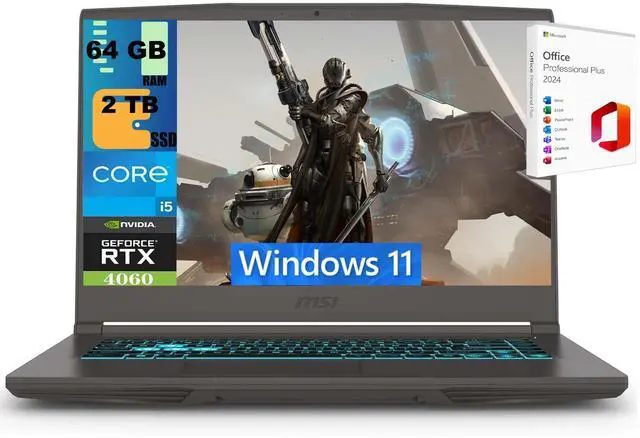
4. MSI Thin 15 15.6″ — Best Portable RTX 4050
Best for: Editors who carry their laptop everywhere and still want a dedicated GPU.
The MSI Thin 15 is the most portable RTX 4050 laptop in this guide. The recommended configuration pairs an Intel Core i5-13420H processor with the RTX 4050, 16GB of DDR4 RAM, and a 512GB SSD, in a 15.6-inch chassis that is thinner and lighter than the Nitro V, Victus, or LOQ. The 15.6-inch FHD IPS display runs at 144Hz, and the laptop includes USB-C, HDMI, and Ethernet ports. Our catalog search showed this configuration at $988.99.
Portability comes with a trade-off: the slimmer chassis has less room for cooling, so expect more fan noise and earlier throttling on very long exports. For long 4K renders, the Nitro V or LOQ will hold their performance longer.
Specs: Core i5-13420H, 8 cores, up to 4.6 GHz boost; RTX 4050, 6GB GDDR6; 16GB DDR4; 512GB NVMe SSD; 15.6″ FHD IPS, 144Hz; USB-C, HDMI, RJ-45 Ethernet; 52.4Wh battery; Windows 11 Home.
Pros: Thinnest and lightest RTX 4050 laptop here; full RTX 4050 with NVENC encoding; 144Hz IPS display. Cons: Slimmer cooling means more throttling on long renders; DDR4 rather than DDR5 RAM; near the top of the budget.
Who it is best for: Editors who travel and want GPU acceleration in a bag-friendly laptop.
Check price on Amazon — MSI Thin 15 RTX 4050
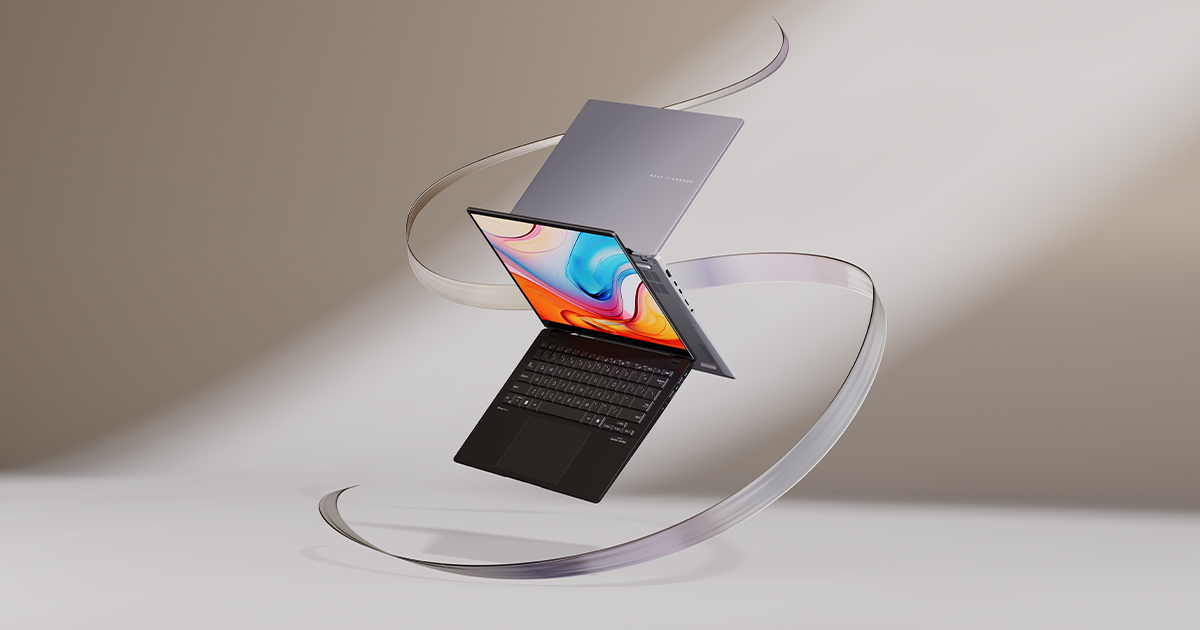
5. ASUS Vivobook S16 OLED 16″ — Best for Color Accuracy
Best for: Editors who grade by eye and want the most color-accurate screen under $1,000.
The ASUS Vivobook S16 OLED is the only pick here without a dedicated GPU, and it earns its place for a different reason: its screen. The configuration listed here uses an Intel Core Ultra 7 355 processor, 16GB of DDR5 RAM, and a 1TB SSD, with a 16-inch WUXGA OLED display. In this WUXGA configuration, ASUS rates the OLED panel at 95% DCI-P3, with 300 nits of brightness and HDR peak brightness of 500 nits. 3.2K versions are rated at 100% DCI-P3, so confirm the panel. Our catalog search showed this configuration at $879.99 on sale.
That OLED panel means deeper blacks, stronger contrast, and far more accurate colors than any IPS panel in this price range. The compromise is performance: Intel Arc integrated graphics handles 1080p editing and light 4K work, but will not match an RTX 4050 for 4K timelines or fast exports.
Specs: Core Ultra 7 355; Intel Arc integrated graphics; 16GB DDR5 (soldered, not upgradeable); 1TB PCIe NVMe SSD; 16″ WUXGA OLED, 1920 x 1200, 60Hz, 95% DCI-P3 in this configuration; Wi-Fi 6E, USB-C, HDMI; Windows 11 Home.
Pros: Best screen for color grading under $1,000; 1TB of storage, double the other picks; light and thin for a 16-inch laptop. Cons: No dedicated GPU, so 4K exports are slower; RAM is soldered and cannot be upgraded; 60Hz display.
Who it is best for: Editors who prioritize color accuracy and work mostly in 1080p or light 4K.
Check price on Amazon — ASUS Vivobook S16 OLED
What to Avoid
Do not buy an 8GB laptop for video editing. Some listings for the same models above ship with only 8GB of RAM. That is enough for office work, but a 4K timeline will stutter. Always confirm the 16GB configuration before you buy.
Do not judge a laptop by its refresh rate alone. A 144Hz display makes scrubbing feel smooth, but it says nothing about color accuracy. A 144Hz panel with 45% NTSC coverage will mislead you when grading. Check the sRGB or DCI-P3 coverage in the specifications.
Do not assume every configuration of a model is under $1,000. An RTX 4060 version, a 32GB version, or a higher-resolution screen can push the same laptop well over $1,000. Match the exact configuration in the specs above to the listing before you buy.
Do not fill the internal SSD. Keep at least 20% free, move finished projects to external storage, and use proxy files for 4K footage.
FAQ
Which laptop is the best for video editing under $1,000?
The Acer Nitro V 15.6″ is the best laptop for video editing under $1,000 for most editors: an RTX 4050 GPU, 16GB of DDR5 RAM, and a 144Hz IPS display at a price that regularly lands under $1,000. If color accuracy matters more than export speed, the ASUS Vivobook S16 OLED is the better pick.
Can you edit 4K video on a laptop under $1,000?
Yes. An RTX 4050 laptop with 16GB of RAM can edit 4K video in Premiere Pro and DaVinci Resolve, especially with proxy files for smooth playback. Integrated-graphics laptops handle 1080p well and light 4K work, but struggle with long 4K timelines.
Is 16GB of RAM enough for video editing?
16GB is the minimum for comfortable video editing under $1,000. It handles 1080p and light 4K work well. For heavy 4K projects or multicam edits, 32GB is better — so prefer a laptop with upgradeable RAM.
Do I need a dedicated GPU for video editing?
A dedicated GPU is strongly recommended for 4K video or GPU-accelerated effects. The RTX 4050’s NVENC encoder speeds up exports and smooths playback in a way integrated graphics cannot match. For 1080p editing, integrated graphics can be enough.
Is an OLED laptop good for video editing?
Yes, for color accuracy. An OLED display offers deeper blacks, higher contrast, and wider color coverage than most budget IPS panels. The trade-off is that OLED laptops in this price range usually lack a dedicated GPU, so they are slower at exporting 4K video.
Verdict
For most editors, the Acer Nitro V 15.6″ is the best laptop for video editing under $1,000: an RTX 4050 with NVENC encoding, 16GB of DDR5 RAM, a 144Hz IPS display, and cooling that holds up on longer renders.
If your budget is tighter, the HP Victus 15.6″ gives you the same RTX 4050 performance for less, with a narrower-gamut screen as the trade-off. If you grade your own footage, the Lenovo LOQ 15.6″ is worth the extra money for its 100% sRGB display. If you travel constantly, the MSI Thin 15 puts the same GPU in the most portable chassis here. And if color accuracy is your top priority, the ASUS Vivobook S16 OLED has the best screen under $1,000 by a clear margin.
Whichever you choose, verify the exact configuration — 16GB of RAM, a 512GB or larger SSD, and the RTX 4050 in the GPU line — and check the current price on Amazon before you buy.
As an Amazon Associate, we earn from qualifying purchases.
Suggested Internal Links for topbestlaptops.com
- /best-laptop-for-programming-under-1000/
- /best-gaming-laptop-under-1000/
- /best-laptop-for-college-students-under-1000/
More from Amazon
Programs that pair well with the guide above. Offers and eligibility are set by Amazon and may change.
A free business account with business pricing and bulk-buying tools for work, shop or home office.
Create a business accountFree shipping on eligible items, Prime Video and more. Eligible new members can start with a free trial.
Start a Prime free trialAudiobooks and podcasts to listen to on the go. Eligible new members can start with a free trial.
Try Audible freeAd-free music streaming. Eligible new subscribers can start with a free trial.
Try Music Unlimited freeAs an Amazon Associate we earn from qualifying purchases.










Write Your Review
No reviews yet. Be the first to share your experience!